
1. Introduction
This manual provides instructions for the safe and effective use of the TESMEN TBF-200 Brake Fluid Tester and the TESMEN TM-510 Smart Digital Multimeter. This bundle offers essential tools for both electrical and automotive diagnostic tasks, including measuring voltage, resistance, continuity, and brake fluid moisture levels.
The TM-510 Digital Multimeter is designed for electrical measurements, featuring a Smart Auto Mode for simplified operation. The TBF-200 Brake Fluid Tester is specifically for vehicle maintenance, providing quick and accurate assessment of brake fluid quality.
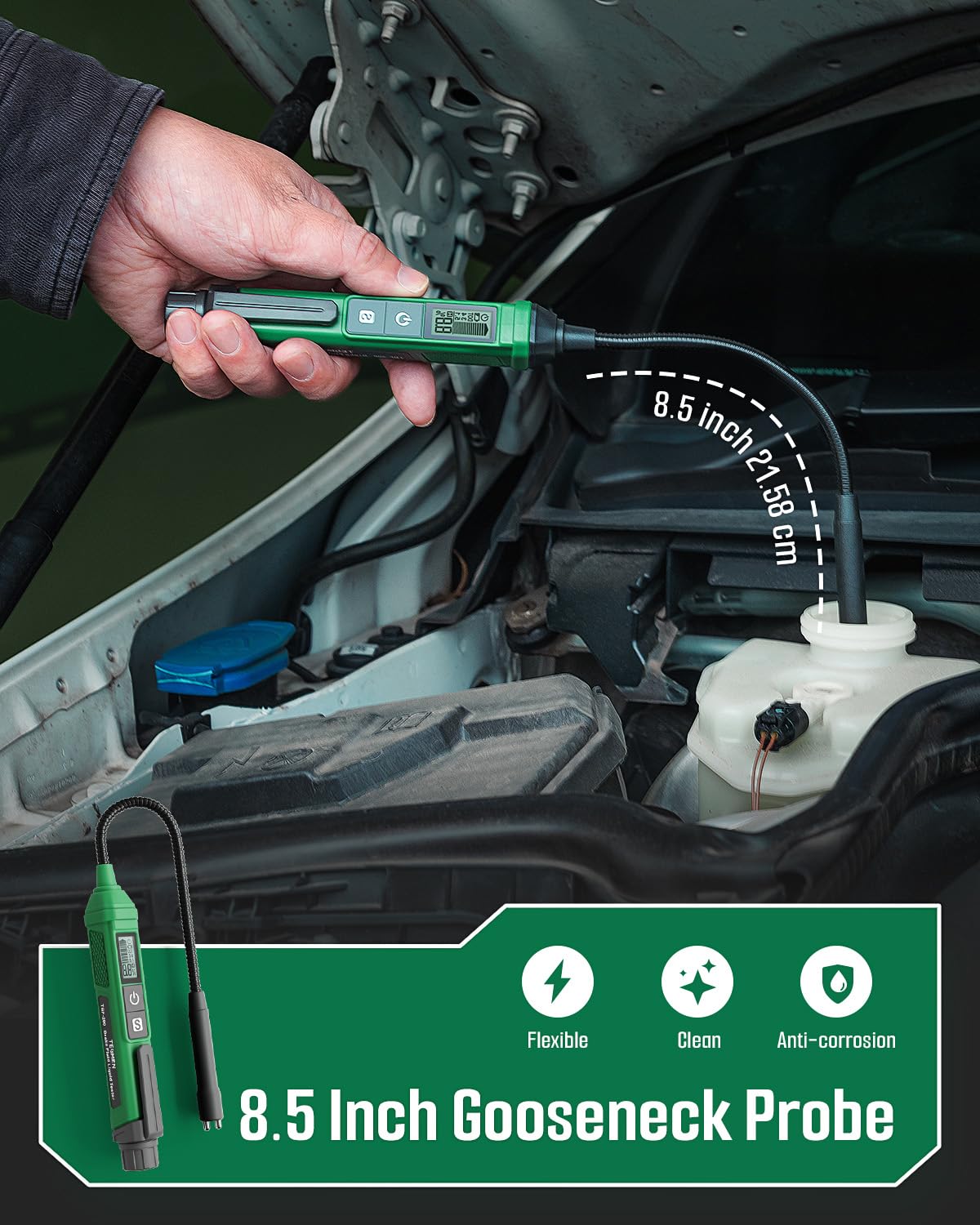
Image: The TESMEN TBF-200 Brake Fluid Tester and TM-510 Digital Multimeter bundle.
2. Safety Information
Always observe basic safety precautions when using electrical and automotive testing equipment to reduce the risk of injury or damage to the devices. Read all instructions before use.
- Ensure proper battery installation and replacement.
- Do not attempt to measure voltages or currents exceeding the specified maximum ratings of the TM-510 multimeter.
- Avoid contact with live circuits when using the TM-510.
- When testing brake fluid with the TBF-200, ensure the vehicle is off and the engine is cool.
- Keep the brake fluid tester probe clean to ensure accurate readings.
- Store devices in a dry, safe place away from extreme temperatures.
3. Setup and Battery Installation
Both devices require batteries for operation. Please refer to the specific instructions below for battery installation.
3.1 TESMEN TM-510 Digital Multimeter
- Locate the battery compartment on the back of the TM-510.
- Open the compartment cover.
- Insert the required batteries, observing correct polarity (+/-).
- Close the battery compartment securely.
3.2 TESMEN TBF-200 Brake Fluid Tester
- Locate the battery compartment, typically at the base of the handle.
- Open the compartment cover.
- Insert the required batteries, observing correct polarity (+/-).
- Close the battery compartment securely.
Ensure batteries are fresh for optimal performance and accurate readings.
4. Operating Instructions: TESMEN TM-510 Digital Multimeter
The TM-510 is designed for ease of use with its Smart Auto Mode, simplifying electrical measurements.
4.1 Smart Auto Mode
The Smart Auto Mode automatically detects and measures AC/DC voltage, resistance, and continuity without manual range selection. Simply connect the test leads to the circuit or component you wish to measure.

Image: The TM-510 Multimeter in Smart Auto Mode, simplifying measurement selection.
4.2 Basic Measurements (4000 Counts)
- AC Voltage (V~): Connect test leads across the AC voltage source. The meter will display the AC voltage.
- DC Voltage (V=): Connect test leads across the DC voltage source. The meter will display the DC voltage.
- Resistance (Ω): Ensure the circuit is de-energized. Connect test leads across the component to measure resistance.
- Continuity (♫): Ensure the circuit is de-energized. Connect test leads across the circuit path. A beep indicates continuity.
- Non-Contact Voltage (NCV): Use the NCV sensor area to detect AC voltage without direct contact.

Image: The TM-510 Multimeter displaying 4000 counts and various measurement functions.
4.3 Additional Features
- Backlight: Press the backlight button to illuminate the display for use in low-light conditions.
- Flashlight: Press the flashlight button to activate the built-in flashlight for illuminating the work area.
- Data Hold: Press the HOLD button to freeze the current reading on the display. Press again to release.

Image: The TM-510 Multimeter featuring backlight and flashlight functions for improved visibility.
5. Operating Instructions: TESMEN TBF-200 Brake Fluid Tester
The TBF-200 provides a quick and accurate method to check the moisture content in brake fluid.
5.1 Measuring Brake Fluid Moisture Level
- Ensure the vehicle engine is off and cool.
- Locate the brake fluid reservoir. Carefully remove the cap.
- Turn on the TBF-200 tester.
- Carefully insert the flexible 8.5-inch gooseneck probe into the brake fluid reservoir, ensuring the metal probes are fully submerged in the fluid.
- Wait for the reading to stabilize on the digital display. The tri-color backlight alarm will indicate the moisture level:
- Green: Brake fluid is in good condition (low moisture).
- Yellow: Brake fluid has moderate moisture; consider replacement soon.
- Red: Brake fluid has high moisture content; immediate replacement is recommended.
- After testing, remove the probe and clean it thoroughly with a dry cloth.
- Replace the brake fluid reservoir cap securely.

Image: The TBF-200 Brake Fluid Tester with its flexible 8.5-inch gooseneck probe in use.

Image: Highly sensitive metal probes of the TBF-200 for rapid detection.
5.2 Data Hold Function
Press the 'S' (Save/Hold) button on the TBF-200 to hold the current measurement on the display. This allows for easier recording of results. Press 'S' again to release the hold function.

Image: The TBF-200 display showing data hold function for recording measurements.
5.3 Portability
The TBF-200 features a back clip for convenient carrying and storage, making it ideal for on-the-go use.
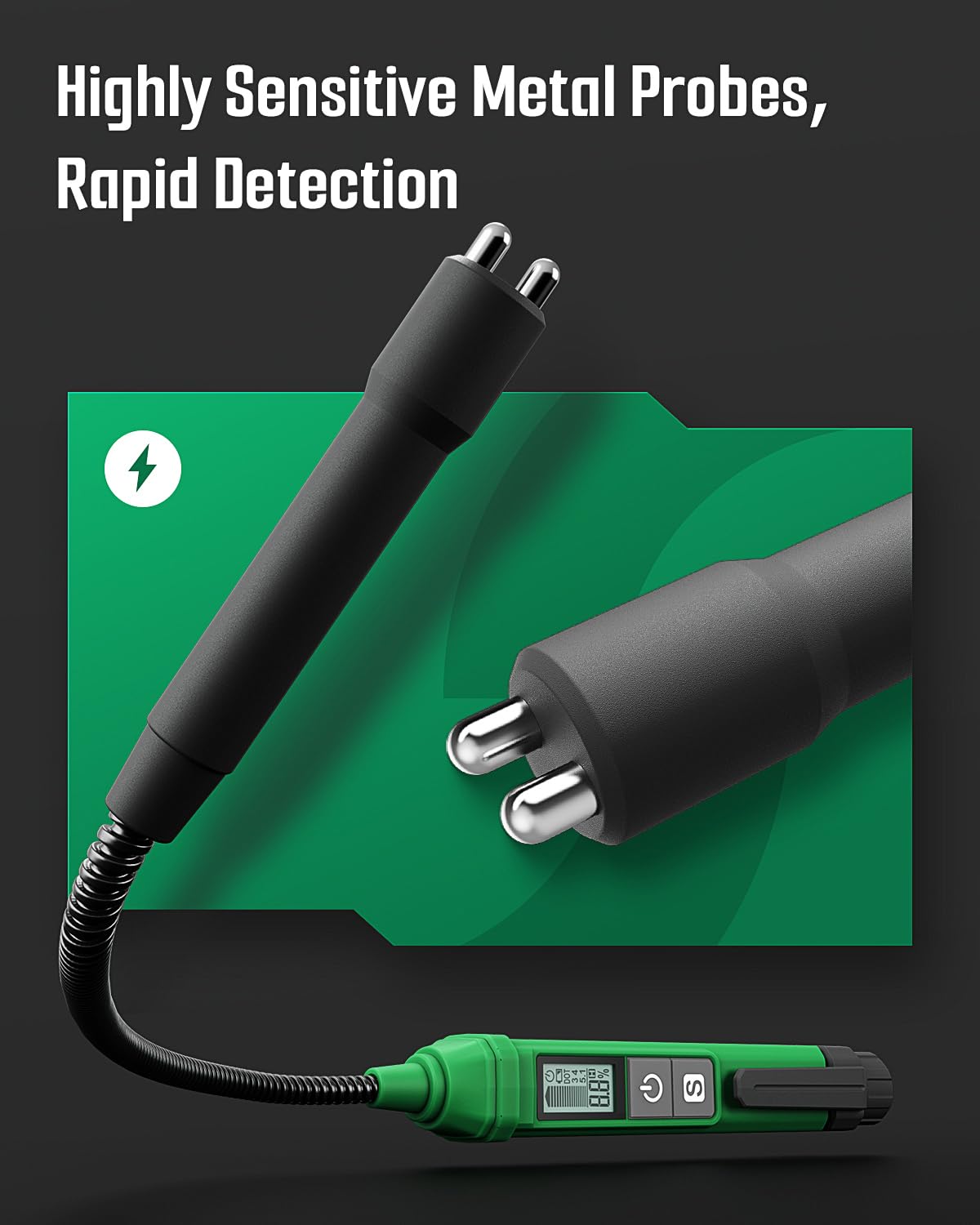
Image: The TBF-200's back clip allows for easy portability.
6. Maintenance
Proper maintenance ensures the longevity and accuracy of your TESMEN tools.
- Cleaning: After each use, especially for the TBF-200 brake fluid tester, clean the probes with a dry, lint-free cloth. Do not use abrasive cleaners or solvents.
- Storage: Store both devices in their provided storage bags in a cool, dry place, away from direct sunlight and extreme temperatures.
- Battery Replacement: Replace batteries promptly when the low battery indicator appears to ensure accurate readings and prevent damage from battery leakage.
- Probe Inspection: Periodically inspect the probes of both devices for any signs of damage or corrosion. Replace if necessary.
7. Troubleshooting
If you encounter issues with your TESMEN TBF-200 or TM-510, refer to the following common solutions:
| Problem | Possible Cause | Solution |
|---|---|---|
| Device does not power on. | Dead or incorrectly installed batteries. | Check battery polarity and replace with fresh batteries. |
| Inaccurate readings (TBF-200). | Dirty probes, insufficient immersion, or old brake fluid. | Clean probes thoroughly. Ensure probes are fully submerged. Re-test. If readings remain inconsistent, consider brake fluid replacement. |
| No reading (TM-510). | Incorrect lead connection, open circuit, or out of range measurement. | Ensure test leads are properly connected. Verify the circuit is complete. Check if the measurement is within the device's specified range. |
| Display is dim or flickering. | Low battery. | Replace batteries. |
For further assistance, please contact TESMEN customer support.
8. Specifications
| Feature | Detail |
|---|---|
| Brand | TESMEN |
| Models Included | TBF-200 Brake Fluid Tester, TM-510 Digital Multimeter |
| Power Source | Battery Powered |
| TM-510 Measurement Capabilities | AC/DC Voltage, Resistance, Continuity, NCV |
| TM-510 Display Counts | 4000 Counts |
| TBF-200 Probe Length | 8.5 inches (21.58 cm) Gooseneck |
| TBF-200 Indication | Digital Display, Tri-color Backlight Alarm |
| Certifications (TM-510) | CE, RoHS |
| Additional Features | Smart Auto Mode (TM-510), Backlight, Flashlight, Data Hold, Overload Protection, Outer Silicone Cover (TM-510), Corrosion-resistant probe (TBF-200), Back clip (TBF-200) |
9. Warranty and Support
For warranty information, technical support, or service inquiries, please contact TESMEN customer support directly. Refer to the product packaging or the official TESMEN website for contact details.
TESMEN Official Website: Visit TESMEN Store on Amazon
