
1. Introduction
This manual provides detailed instructions for the installation, operation, and maintenance of the Baxnore HF020-7X1T1M Motor Motion Control Module. This module is designed for precise control of stepper and servo motors in various industrial automation applications. Please read this manual thoroughly before operating the device to ensure safe and efficient use.
2. Safety Information
Always observe the following safety precautions to prevent injury and damage to the equipment:
- Ensure all power is disconnected before installation, wiring, or maintenance.
- Only qualified personnel should perform installation and wiring.
- Verify correct voltage and current ratings before connecting power.
- Do not expose the module to moisture, extreme temperatures, or corrosive environments.
- Ensure proper grounding to prevent electrical shock.
- Avoid touching internal components when the device is powered.
3. Product Overview
The Baxnore HF020-7X1T1M is a robust motor motion control module featuring a 5-digit digital display and intuitive controls for industrial automation. It supports precise positioning, angle, and lap control, with convenient debugging capabilities.
3.1 Key Features
- Control and Parameter Adjustment: Supports precise positioning, angle, and lap control, allowing adjustment of various system parameters.
- Convenient Debugging: Facilitates manual motor movement for easy debugging and troubleshooting.
- Versatile Industrial Application: Suitable for automation control, small machinery, automatic painting systems, and rotate indexing tool control.
- Visibility Display: Features a 5-digit digital display with adjustable brightness for clear and easy-to-read information.
- Dependable Communication: Robust communication system with positive and negative limit indicators for system operational limits.
3.2 Components
The package includes:
- 1 x Motor Motion Control Module (HF020-7X1T1M)
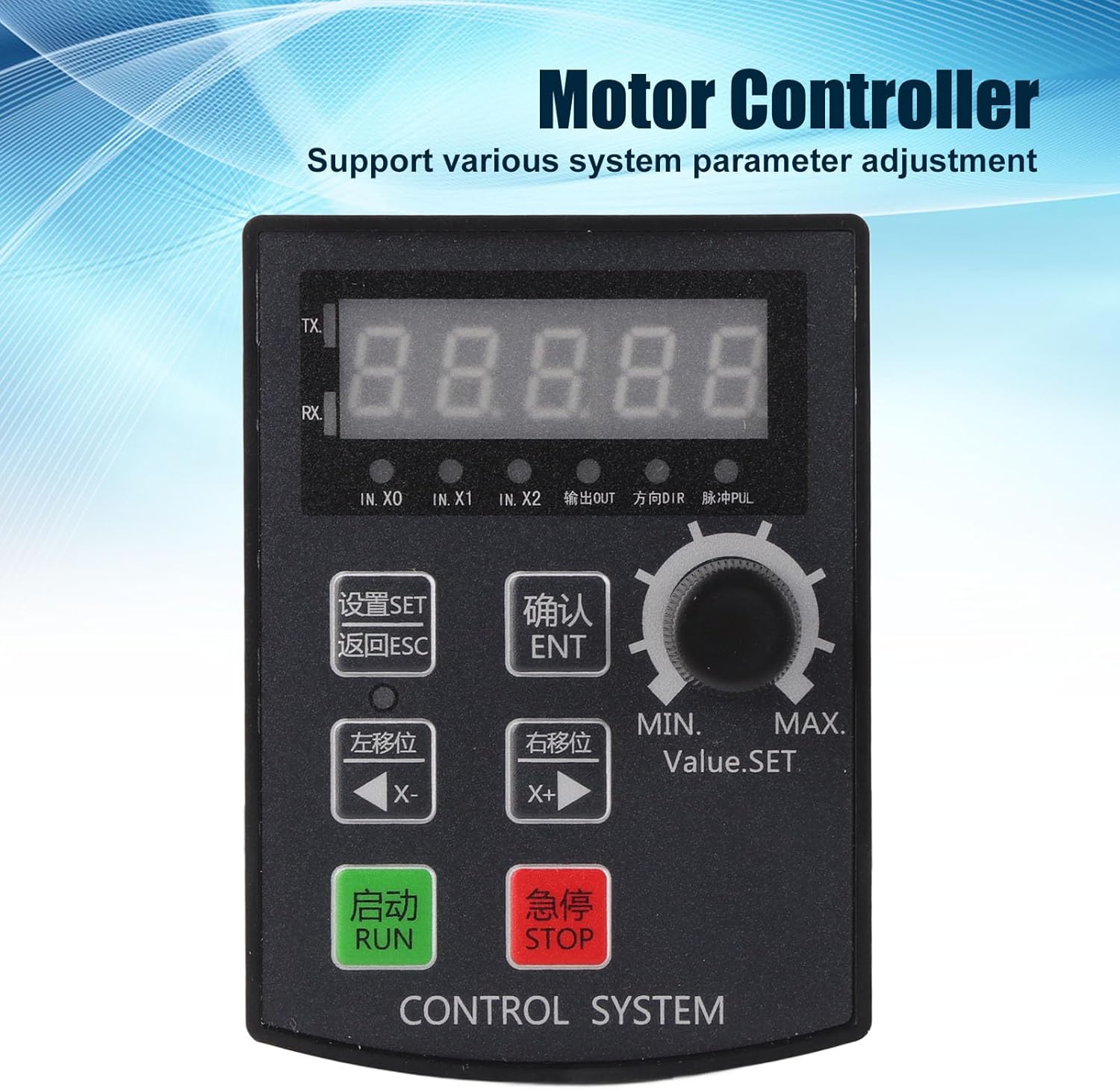
Figure 1: Front view of the Baxnore HF020-7X1T1M Motor Motion Controller, showing the 5-digit display, control buttons (SET, ESC, ENT, X-, X+, RUN, STOP), and a rotary knob for value setting.
4. Setup
4.1 Mounting
The module is designed for panel mounting. Ensure the mounting surface is flat and stable. The required hole size for installation is approximately 92 x 69.8mm (3.62 x 2.75 inches). Secure the module using appropriate fasteners (not included) to prevent vibration and ensure stable operation.

Figure 2: Side view of the controller, illustrating the mounting tabs for panel installation.
4.2 Electrical Connections
Connect the power supply, motor, and any external input/output signals to the appropriate terminals on the module. Refer to the wiring diagram (if provided separately) for specific connection details. Ensure all connections are secure and correctly polarized to prevent damage.
- Power Supply: Connect the DC power supply to the designated power input terminals.
- Motor Connections: Connect the stepper or servo motor to the motor output terminals.
- Input/Output (I/O): Connect external switches, sensors, or other control signals to the IN.X0, IN.X1, IN.X2 terminals as required for your application. The module also provides output signals (OUT) and direction (DIR) and pulse (PUL) signals for motor control.

Figure 3: View of the controller, highlighting the green terminal block for electrical connections.
5. Operating Instructions
5.1 Control Panel Overview
The control panel consists of a 5-digit display, several buttons, and a rotary knob:

Figure 4: Close-up of the control panel, showing the 'SET', 'ESC', 'ENT', 'X-', 'X+', 'RUN', 'STOP' buttons and the 'Value.SET' rotary knob.
- Display: A 5-digit digital display shows current values, parameters, and status.
- SET (设置): Enters parameter setting mode.
- ESC (返回): Exits current menu or cancels an operation.
- ENT (确认): Confirms a selection or parameter change.
- X- (左移位): Moves the cursor or decrements a value.
- X+ (右移位): Moves the cursor or increments a value.
- RUN (启动): Starts the motor operation.
- STOP (急停): Immediately stops the motor operation.
- Value.SET (MIN. MAX.): Rotary knob for adjusting numerical values or parameters.
5.2 Display Information
The 5-digit display provides real-time feedback. Indicators for IN.X0, IN.X1, IN.X2, OUTPUT, DIR (Direction), and PUL (Pulse) are also present to show the status of inputs, outputs, and motor signals.
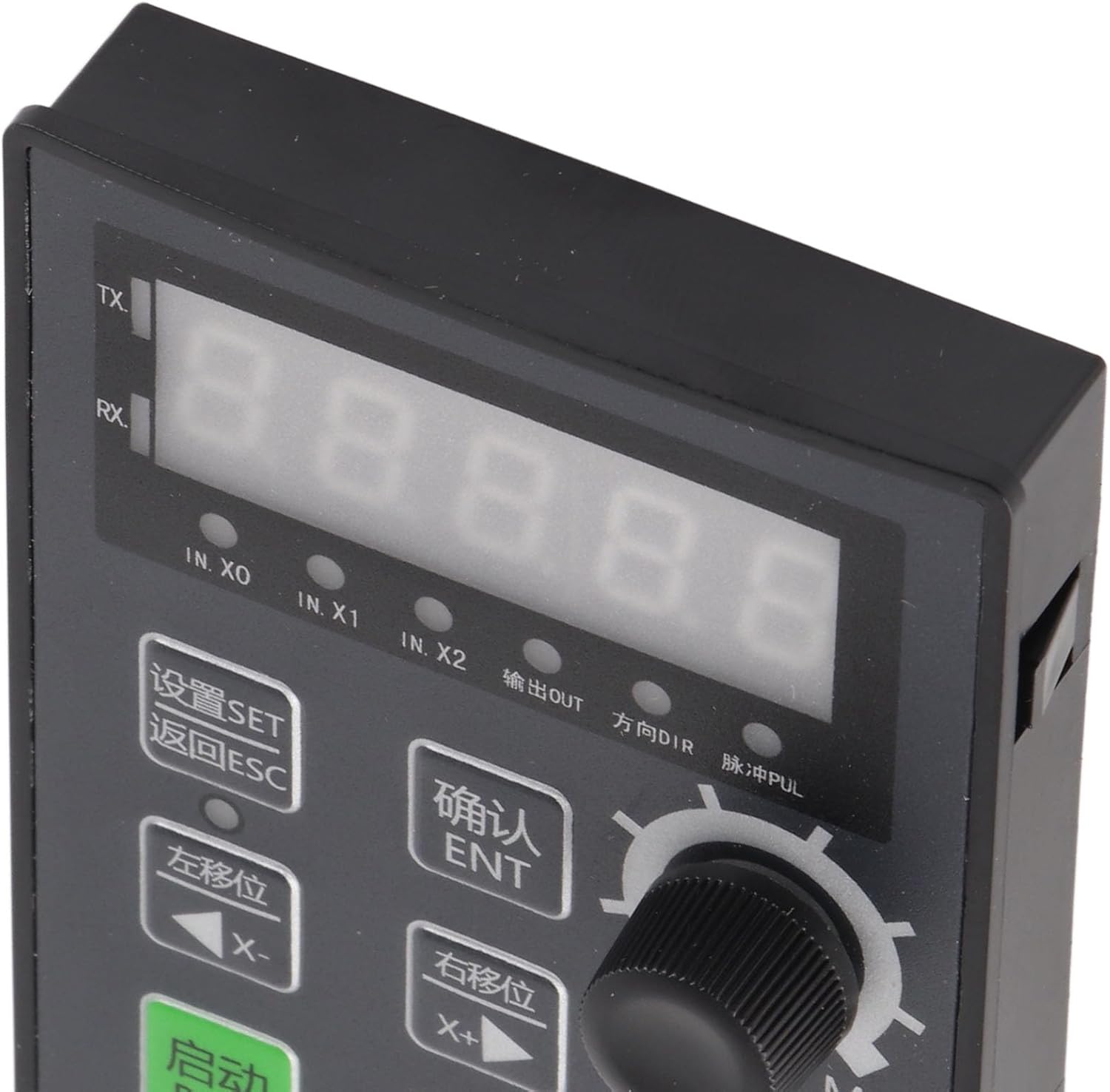
Figure 5: Detailed view of the 5-digit digital display and status indicators (IN.X0, IN.X1, IN.X2, OUTPUT, DIR, PUL).
5.3 Parameter Adjustment
To adjust system parameters:
- Press the SET button to enter the parameter setting mode.
- Use the X- and X+ buttons to navigate through different parameters.
- Use the Value.SET rotary knob to change the value of the selected parameter.
- Press ENT to confirm the new value.
- Press ESC to exit the parameter setting mode.
5.4 Manual Motor Movement (Debugging)
The module supports manual motor movement for debugging purposes. Specific steps for this function will depend on the configured parameters. Generally, this involves using the X- and X+ buttons or the Value.SET knob in a designated manual control mode to jog the motor.
5.5 Communication and Limit Indicators
The module's communication system provides reliable data transmission. Positive and negative limit indicators are present to inform the user of the system's operational boundaries, helping to prevent over-travel or damage.
5.6 Controller Version Viewing Method
To view the controller's version information:

Figure 6: Image illustrating the method to view the controller version.
Press and hold the ENT (OK/ENT) key, and then power on the device. The version number will be displayed. For example, [21.100] indicates:
- 21: Indicates the year (e.g., 2021).
- 10: Indicates the month (e.g., October).
- 0: Indicates the version.
If the display shows