
1. Introduction
This manual provides detailed instructions for the safe and effective use of your Chasing Canfish CF1 Underwater Fishing Camera Kit. The CF1 is designed to enhance your fishing experience by offering clear underwater observation, real-time monitoring, and recording capabilities. Please read this manual thoroughly before operating the device.
2. Product Overview
The Chasing Canfish CF1 is a portable underwater camera system featuring a 1080P Full HD camera with infrared light for night vision. It offers wireless control and real-time observation via a smartphone application, allowing for instant sharing of underwater footage. The system includes a durable 30-meter cable, a powerful 11400mAh rechargeable battery, and supports DVR recording to an SD card.

Image: The Chasing Canfish CF1 Underwater Fishing Camera Kit in an underwater environment with a fish.
3. What's in the Box
Upon unboxing your Chasing Canfish CF1 kit, verify that all components are present:
- CF1 Camera Unit
- Base Station
- 30-meter Winder & Tether Cable
- USB-C Charge Cable
- Dedicated Data Cable (for Android/iOS connection)
- 16GB Micro SD Card (pre-installed or included separately)
- Spare O-ring Seal
- Dive Weight
- Support Latch

Image: Visual representation of the CanFish CF1 package contents.
Video: An unboxing and setup guide for the Chasing Canfish CF1, demonstrating the components and initial connections.
4. Setup Guide
4.1 Charging the Base Station
Before first use, fully charge the Base Station using the provided USB-C charge cable. Connect the USB-C cable to the charging port on the Base Station and plug the other end into a compatible USB power adapter (not included). The LED indicators on the Base Station will show charging status.
4.2 Connecting the Camera Unit
- Attach Dive Weight: Secure the dive weight to the bottom of the camera unit using the quick-release pins. This ensures the camera remains stable and oriented correctly underwater.
- Connect Tether to Camera: Align the connector on the 30-meter tether cable with the port on the camera unit. Push firmly and twist to secure the connection.
- Install Support Latch: Attach the support latch to the camera unit. This latch helps to relieve tension on the cable when deploying or retrieving the camera, preventing damage.
- Connect Tether to Base Station: Align the other end of the tether cable with the connection port on the Base Station. Push firmly and twist to secure.
4.3 App Installation and Connection
The Chasing Canfish CF1 operates via a dedicated smartphone application. Download the "CHASING" app from your device's app store (available for iOS and Android).
- Power On: Flip the power switch on the Base Station to the ON position.
- Open App: Launch the CHASING app on your smartphone.
- Select Device: In the app, select "CHASING CF1" from the list of devices.
- Choose Connection Method:
- Wireless (Wi-Fi): The app will guide you to connect to the CF1's Wi-Fi network.
- Wired (Cable): Connect your smartphone to the Base Station using the dedicated data cable. This method is recommended for initial setup or when wireless interference is present.
- Start Using: Once connected, select "Start using" to access the live view and controls.
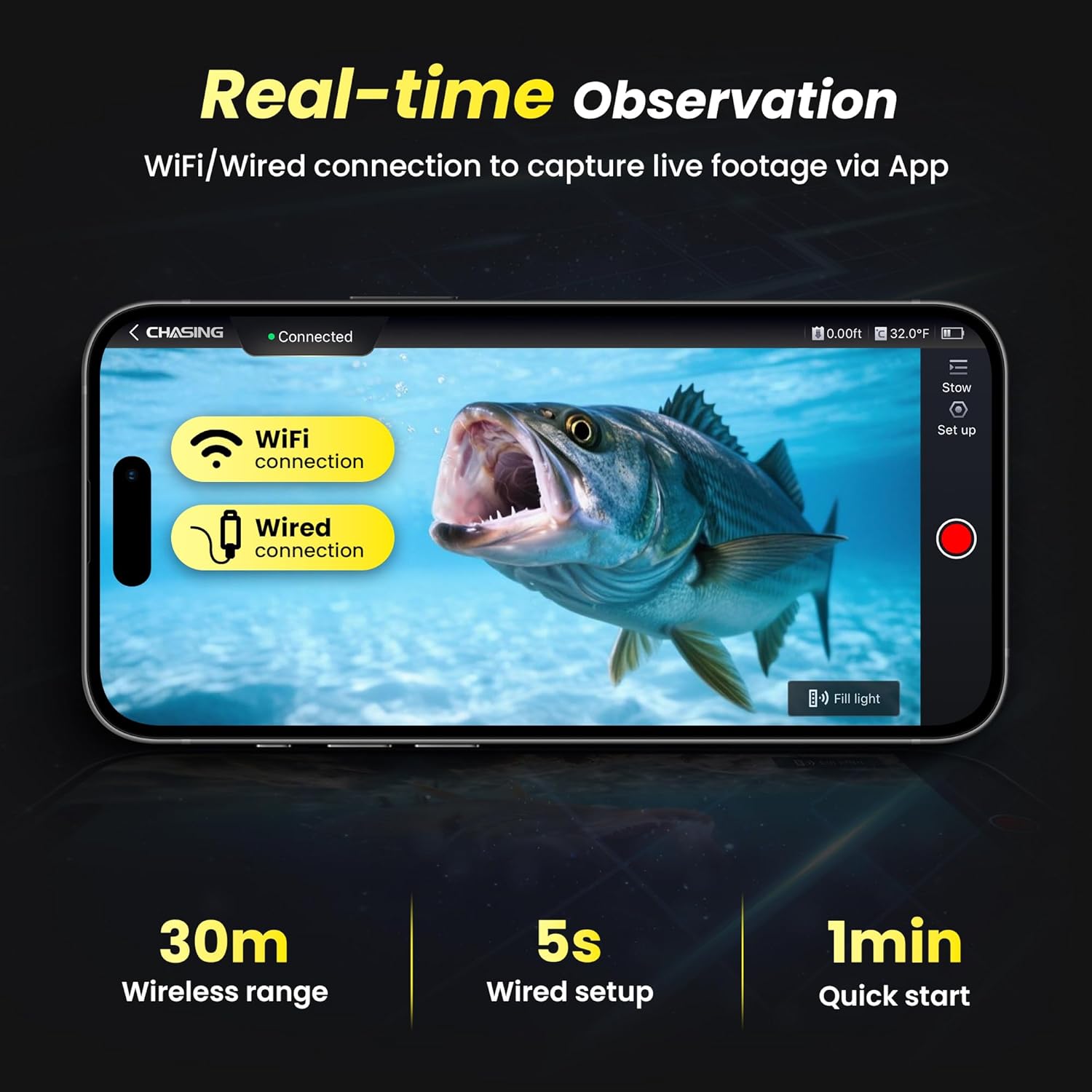
Image: Real-time observation interface on a smartphone, showing options for WiFi or wired connection.
5. Operating Instructions
5.1 Deploying the Camera
Carefully lower the camera unit into the water using the tether cable. Ensure the cable is unwound smoothly from the winder to prevent tangles. The dive weight will help the camera sink and maintain its orientation.
5.2 Real-time Observation
Once deployed and connected to the app, you will see a live video feed from the camera. The 1080P HD camera provides clear visuals, and the 164.6° ultra-wide-angle lens offers a broad view of the underwater environment.
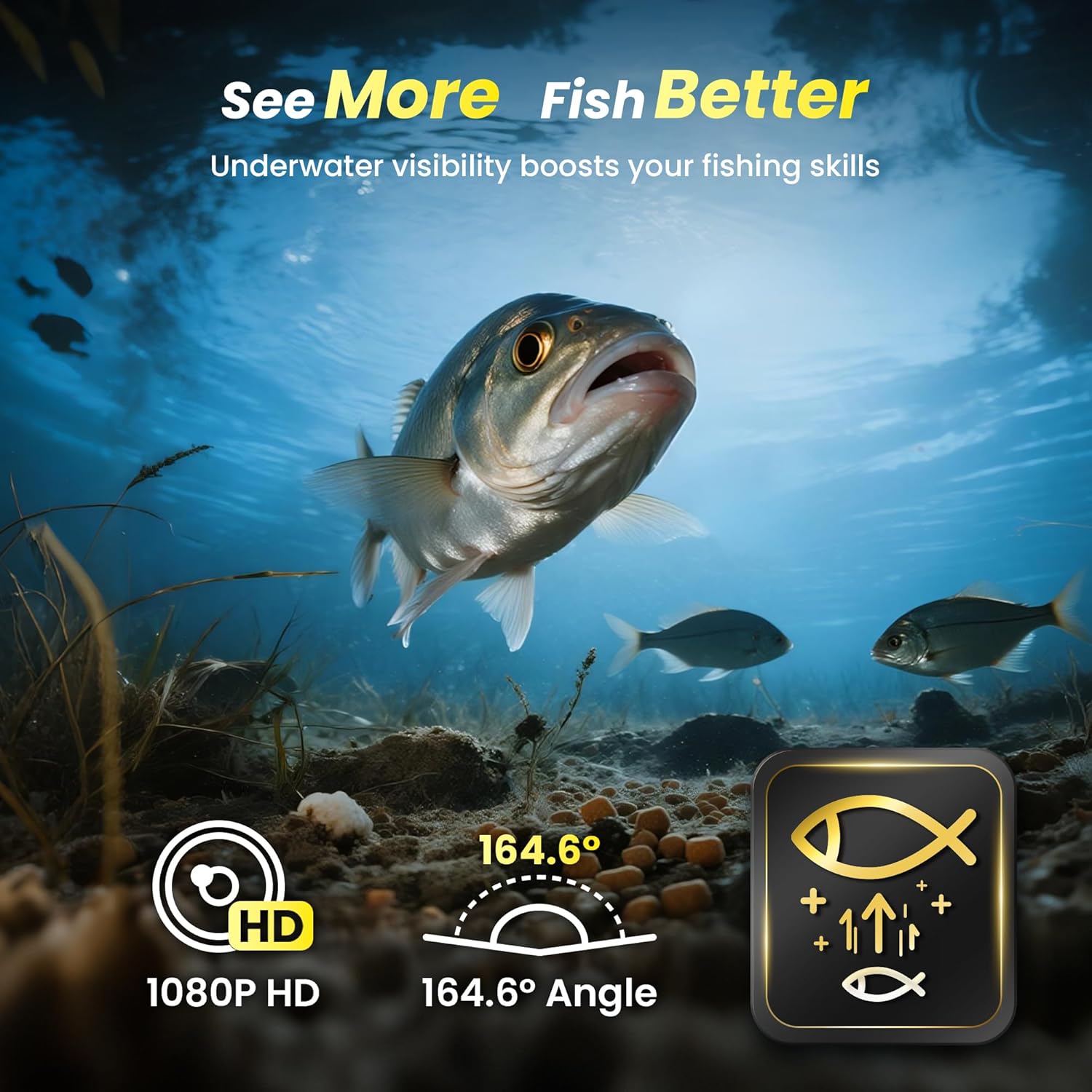
Image: Demonstrates the wide-angle 1080P HD view of the underwater camera, highlighting its ability to 'See More Fish Better'.
5.3 Using Infrared Lights
The CF1 is equipped with infrared lights for enhanced visibility in low-light conditions or at night. These can be toggled on/off via the app to suit your observation needs.

Image: Illustrates the effectiveness of the SONY Full HD lens with infrared floodlight for clear night vision underwater.
5.4 Recording and Storage
The CF1 supports two methods for recording and downloading footage:
- Phone Recording: Record directly to your smartphone via the app.
- DVR Recording: Record to the included 16GB Micro SD card (supports up to 256GB). This allows for continuous recording without relying on phone storage.
5.5 AI Fish Alert
The CanFish AI Fish Alert feature can notify you when fish appear in the camera's frame. This can trigger phone pop-ups, vibrations, or audible beeps, helping you identify potential fishing spots more efficiently.

Image: Depicts the CanFish AI Fish Alert system, showing how it notifies users of fish presence through various alerts.
5.6 Real-time Sharing
The app allows for one-click sharing of your underwater observations and catches to social media platforms such as Instagram, TikTok, and Facebook.

Image: Livestreaming and sharing capabilities of the CF1, showing a user sharing their underwater footage on social media.
6. Maintenance
Proper maintenance ensures the longevity and optimal performance of your Chasing Canfish CF1.
- Cleaning: After each use, rinse the camera unit, tether, and base station with fresh water to remove salt, dirt, or debris. Wipe dry with a soft cloth.
- O-ring Inspection: Regularly inspect the O-ring seals on the camera and tether connectors for any signs of wear, cracks, or damage. Replace if necessary using the spare O-ring provided. Ensure the O-rings are clean and properly seated before each use to maintain waterproofing.
- Cable Care: Avoid kinking or sharply bending the tether cable. Store it neatly wound on the provided winder.
- Battery Care: Store the Base Station in a cool, dry place. For long-term storage, ensure the battery is charged to approximately 50-60% to preserve battery health.
7. Troubleshooting
If you encounter issues with your Chasing Canfish CF1, refer to the following common problems and solutions:
| Problem | Possible Cause | Solution |
|---|---|---|
| No live video feed | Loose cable connection, low battery, app not connected, Wi-Fi interference. | Check all cable connections. Ensure Base Station is charged. Reconnect app via Wi-Fi or wired connection. Move away from sources of Wi-Fi interference. |
| Poor video quality | Dirty camera lens, murky water, low light. | Clean the camera lens. Use infrared lights in low light. Note that water clarity affects image quality. |
| App connection issues | Incorrect Wi-Fi password, too far from Base Station, app glitch. | Verify Wi-Fi password. Ensure device is within 30m (wireless range). Restart the app and Base Station. Try wired connection. |
| Short battery life | Battery not fully charged, extreme temperatures. | Ensure battery is fully charged before use. Operate within recommended temperature ranges. |
If the problem persists, please contact Chasing customer support.
8. Specifications
- Model: CF1 (Fishing CamX)
- Video Capture Resolution: 1080p Full HD
- Shooting Modes: Underwater
- Exposure Control Type: Automatic
- Camera Lens: 164.6° Ultra-Wide-Angle, SONY Full HD lens with infrared floodlight
- Cable Length: 30 meters (Waterproof, cold-resistant, crush-resistant, 40 kg pulling force)
- Battery: 12V 11400mAh rechargeable Li-ion battery
- Runtime: Up to 8 hours (fully charged)
- Storage: 16GB Micro SD card included (supports up to 256GB)
- Wireless Range: Up to 30 meters (164 feet)
- Connectivity: Wi-Fi, Wired (USB-C for Android/iOS)
- Features: AI Fish Alert, Real-time Observation, Live Streaming, Depth & Temperature Sensor
- Item Weight: 2.75 pounds
- Color: Yellow
- Manufacturer: CHASING
- Date First Available: February 18, 2025

Image: Intelligent depth and temperature sensor readings displayed on the app.
9. Warranty and Support
The Chasing Canfish CF1 Underwater Fishing Camera Kit comes with a standard manufacturer's warranty. For specific warranty details, registration, or technical support, please visit the official Chasing website or contact their customer service directly. Keep your purchase receipt as proof of purchase.


