
1. Introduction and Product Overview
This manual provides detailed instructions for the ANENG 3-in-1 Electrical Diagnostics Kit, which includes the TH203 Color LCD infrared thermometer, B15 voltage detector, and SZ301 digital multimeter. This comprehensive kit is designed for both household and industrial applications, enabling precise measurements and safe electrical troubleshooting.
Key Features:
- TH203 Infrared Thermometer: Measures temperatures from -50°C to 600°C (-58°F to 1112°F) with 0.5s instant readings and ±1.5% accuracy. Features a 12:1 distance-to-spot ratio for non-contact measurement.
- B15 Voltage Detector: Detects live wires (24V-250V) with an LCD display and flashlight for use in dark environments. Includes ground wire detection for enhanced safety.
- SZ301 Digital Multimeter: Tests AC/DC voltage, resistance, continuity, and diodes with 4000-count LCD and ±1% DC voltage accuracy. Equipped with ceramic fuses and overload protection.
- Safety Engineering: All tools are designed with user safety in mind, featuring non-contact operation where applicable, overload protection, and insulated probes.
- Ease of Use: High-resolution color LCD screens, automatic power-off functions, and intuitive controls make these tools user-friendly for various tasks.

2. Setup and Battery Installation
Before using your ANENG diagnostic tools, ensure proper battery installation and initial checks.
Battery Installation:
- SZ301 Digital Multimeter: Open the battery compartment on the back of the device. Insert the required AAA batteries, observing polarity (+/-). Close the compartment securely.
- TH203 Infrared Thermometer: The battery compartment is typically located in the handle. Insert the specified AA batteries, ensuring correct polarity. Close the compartment.
- B15 Voltage Detector: Batteries are usually pre-installed or easily accessible by twisting the cap. Ensure they are correctly seated.
Initial Checks:
- Verify that all test leads for the multimeter are securely connected.
- Turn on each device to ensure the display illuminates and functions correctly.
- For the TH203, ensure the laser pointer activates when the trigger is pressed.

3. Operating Instructions
This section details the operation of each component in your ANENG kit.
3.1. ANENG SZ301 Digital Multimeter
The SZ301 is a versatile tool for various electrical measurements.
- Function Selection: Rotate the central dial to select the desired measurement function (e.g., V~ for AC Voltage, V- for DC Voltage, Ω for Resistance, etc.).
- Connecting Test Leads: Insert the red test lead into the VΩmA+h jack and the black test lead into the COM jack for most measurements. For high current (10A), use the 10A MAX jack for the red lead.
- AC/DC Voltage Measurement: Select the appropriate voltage range (e.g., 200V, 600V). Connect the test leads in parallel to the circuit or component.
- Resistance Measurement: Select the resistance range. Ensure the circuit is de-energized before connecting leads across the component.
- Continuity Test: Select the continuity function. The meter will beep if there is a continuous path (low resistance).
- Diode Test: Select the diode function. Connect leads across the diode to measure its forward voltage drop.


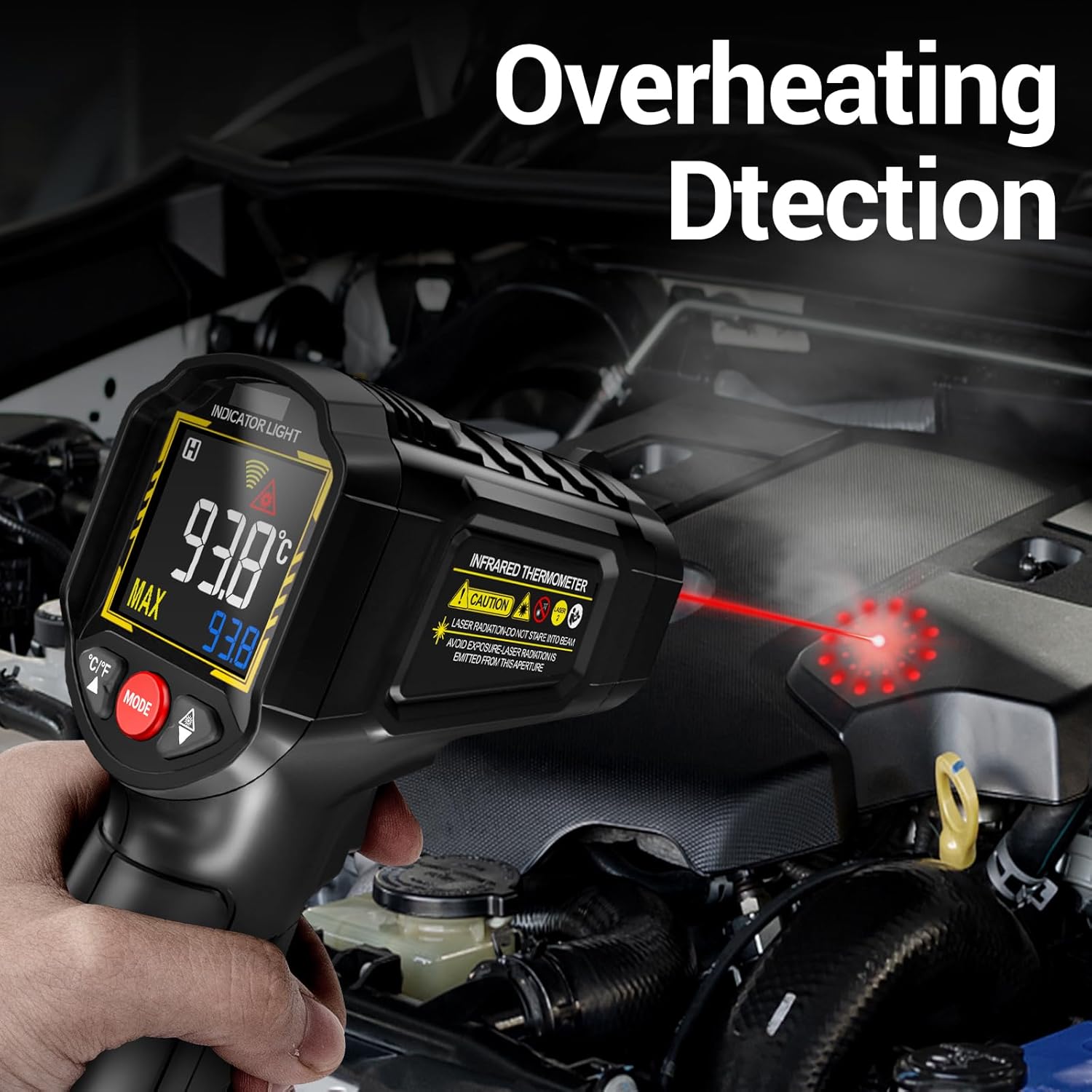
3.2. ANENG TH203 Infrared Thermometer
The TH203 provides non-contact temperature measurements for surfaces.
- Power On/Off: Press the trigger to power on. The device will automatically power off after 15 seconds of inactivity to conserve battery.
- Temperature Measurement: Aim the laser pointer at the target surface and press the trigger. The temperature reading will appear on the LCD screen.
- Unit Switching: Use the °C/°F button to switch between Celsius and Fahrenheit.
- Emissivity Adjustment: The TH203 allows for emissivity adjustment to improve accuracy for different surface types. Refer to the on-screen menu for this setting.
- Distance-to-Spot Ratio (D:S): The TH203 has a 12:1 D:S ratio, meaning at 12 inches distance, it measures a 1-inch spot. Maintain appropriate distance for accurate readings.



3.3. ANENG B15 Voltage Detector
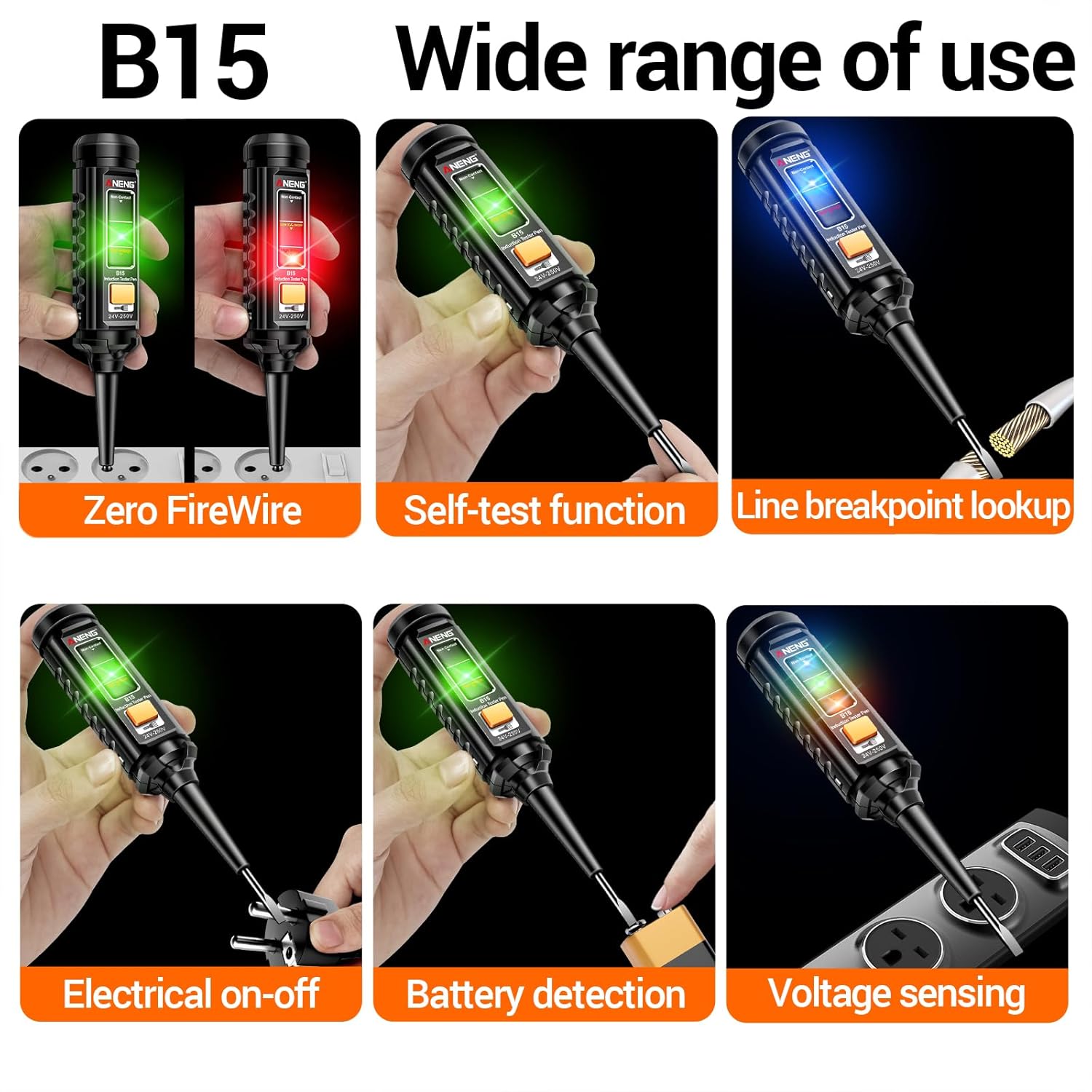
The B15 is a non-contact voltage tester for quick and safe live wire detection.
- Power On: Press the power button. The LCD display will illuminate.
- Voltage Detection: Place the tip of the detector near the wire or outlet. If voltage is present, the indicator light will change color (e.g., red for live, green for zero firewire) and an audible alarm may sound.
- Self-Test Function: The B15 often includes a self-test feature to confirm its functionality before use. Refer to the device's specific instructions for activation.
- Line Breakpoint Lookup: Move the detector along a wire to identify the point where voltage is lost, indicating a break.
- Flashlight: Activate the built-in flashlight for improved visibility in dimly lit areas.
4. Maintenance
Proper maintenance ensures the longevity and accuracy of your ANENG tools.
- Cleaning: Wipe the devices with a dry, soft cloth. Do not use abrasive cleaners or solvents.
- Storage: Store the tools in a cool, dry place, away from direct sunlight and extreme temperatures. If storing for extended periods, remove batteries to prevent leakage.
- Battery Replacement: Replace batteries promptly when the low battery indicator appears on the display. Use only the specified battery types.
- Test Lead Inspection: Regularly inspect multimeter test leads for any signs of damage, cracks, or frayed insulation. Replace damaged leads immediately.
5. Troubleshooting
If you encounter issues with your ANENG tools, refer to the following common troubleshooting steps:
- Device Not Powering On: Check battery installation and ensure batteries are not depleted. Replace if necessary.
- Inaccurate Multimeter Readings: Verify correct function selection and test lead connection. Ensure the circuit is within the meter's measurement range. Check for damaged test leads.
- Infrared Thermometer Not Reading: Ensure the trigger is fully pressed. Check for obstructions between the sensor and the target. Verify battery level.
- Voltage Detector Not Responding: Ensure the device is powered on. Test on a known live circuit to confirm functionality. Check battery level.
- Intermittent Operation: This could indicate low battery, loose connections, or environmental interference. Try replacing batteries and re-testing.
If problems persist, contact ANENG customer support for further assistance.
6. Specifications
| Specification | Value |
|---|---|
| ASIN | B0DXCZ81BS |
| Date First Available | February 16, 2025 |
| Multimeter Model | SZ301 |
| Infrared Thermometer Model | TH203 |
| Voltage Detector Model | B15 |
| Infrared Temp Range | -50°C~600°C (-58°F~1112°F) |
| Infrared D:S Ratio | 12:1 |
| Voltage Detector Range | 24V-250V |
| Multimeter Display Count | 4000 Counts |
7. Warranty and Support
ANENG products are manufactured to high-quality standards and are backed by a manufacturer's warranty. For specific warranty details, including duration and coverage, please refer to the warranty card included with your product or visit the official ANENG website.
For technical support, troubleshooting assistance, or to inquire about replacement parts, please contact ANENG customer service through their official channels. Contact information can typically be found on the product packaging or the ANENG brand store on Amazon.
Online Support: Visit the ANENG Store on Amazon


