
1. Introduction
Welcome to the Hiseeu Wireless Security Camera System. This manual provides detailed instructions for setting up, operating, maintaining, and troubleshooting your new security system. Please read this manual thoroughly before installation and use to ensure proper functionality and safety.
Product Overview
The Hiseeu Wireless Security Camera System offers comprehensive surveillance with its dual-lens cameras, 5G/2.4G WiFi connectivity, full HD color night vision, smart motion detection, auto-tracking, and two-way audio. It includes a 1TB HDD for local storage, eliminating monthly fees.
What's Included in the Package:
- Camera
- Instruction Manual
- Mounting Screw
- Power Adapter
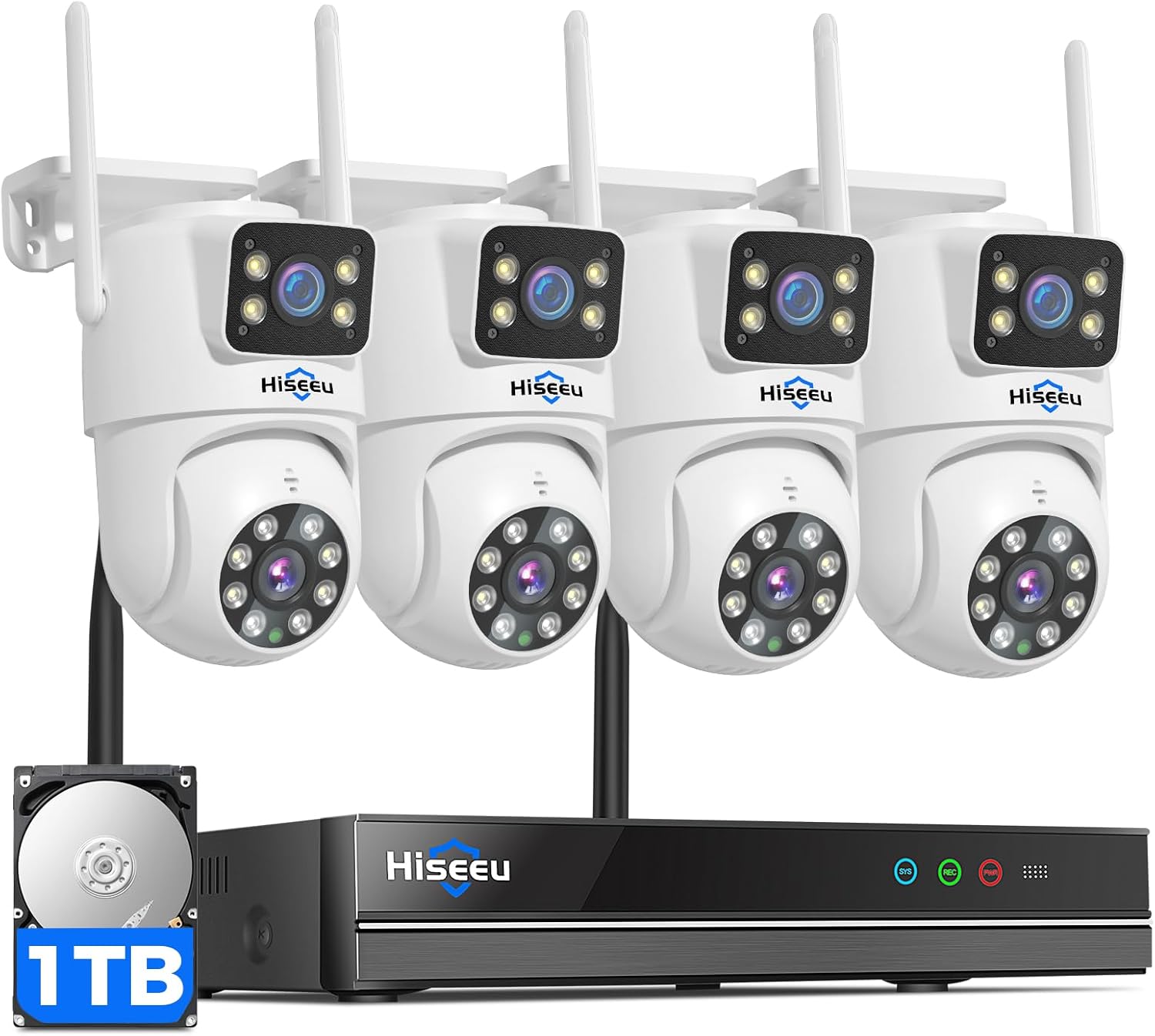
Figure 1.1: Overview of the Hiseeu Wireless Security Camera System components.
2. Setup Guide
Initial Setup
- Unpack Components: Carefully remove all items from the packaging and verify against the 'What's Included' list.
- Power Connection: Connect the power adapters to the cameras and the NVR (Network Video Recorder). Ensure all devices are powered on.
- NVR to Monitor Connection: Connect the NVR to a monitor or TV using an HDMI cable for initial setup and viewing.
- Camera Placement: Position cameras in desired surveillance areas. Consider power outlet proximity and Wi-Fi signal strength.
Network Connection (2.4G/5G WiFi)
The system supports both 2.4GHz and 5GHz Wi-Fi for flexible and stable connectivity. Follow the on-screen prompts on the NVR-connected monitor to connect to your home Wi-Fi network.
App Installation and Pairing
- Download EseeCloud App: Search for 'EseeCloud' in your mobile device's app store (iOS or Android) and install it.
- Register Account: Open the app and register a new account or log in if you already have one.
- Add Device: Follow the in-app instructions to add your Hiseeu NVR system. This typically involves scanning a QR code on the NVR or manually entering its ID.
- Remote Access: Once paired, you can remotely view live feeds, playback recordings, and manage settings from your smartphone.

Figure 2.1: Mobile application interface for dual-lens camera view.

Figure 2.2: Example of outdoor camera installation, demonstrating weatherproof design.
3. Operating Your System
Live View and Playback
Access live camera feeds and review recorded footage through the EseeCloud app on your smartphone or directly from the NVR connected to a monitor. The system supports simultaneous viewing of multiple camera feeds.
Two-Way Audio Communication
Utilize the built-in microphone and speaker on the cameras to engage in two-way conversations. This feature allows you to speak with visitors or deter unwanted individuals directly through the app.

Figure 3.1: Demonstrating two-way audio communication via the security camera.
Smart Motion Detection and Auto Tracking
The system features a PIR motion sensor for accurate detection. When motion is detected, the EseeCloud app will send alerts. The PTZ (Pan-Tilt-Zoom) camera automatically tracks moving individuals, while the fixed camera maintains its set view for continuous monitoring.

Figure 3.2: Smart motion detection and auto-tracking in action.
Night Vision Modes
The cameras offer three distinct night vision modes:
- Infrared Night Vision: Provides clear black and white footage in complete darkness.
- Full-Color Night Vision: Utilizes built-in LED lights to capture full-color video even in low-light conditions.
- Intelligent Adaptive Color Night Vision: Automatically switches between infrared and full-color modes based on ambient light and detected motion.

Figure 3.3: High-definition color night vision performance.
Remote Access and Sharing
Monitor your property from anywhere using the EseeCloud app. You can also easily share access to your camera feeds with family members, allowing multiple users to view and manage the system.

Figure 3.4: Remote viewing and sharing capabilities of the system.
4. Key Features Explained
Dual Lens View for Comprehensive Coverage
The system incorporates both a fixed camera and a PTZ camera, providing a wider 360°+ coverage. This dual-camera setup ensures that every detail is captured without blind spots, offering a cost-effective and comprehensive security solution.
Figure 4.1: Dual-lens functionality providing both wide and detailed views.
Stable Dual-Band WiFi Connectivity
Equipped with upgraded 2025 WiFi Pro technology and advanced smart chips, the system supports both 2.4G and 5G WiFi. This ensures an extended connection range of up to 60ft and a stable, smooth signal for 24/7 online monitoring.
24/7 Recording with 1TB HDD (No Monthly Fees)
The NVR security system features a built-in 1TB hard drive, enabling continuous 24/7 local recording without any recurring monthly fees. This provides secure and reliable storage for all your surveillance footage.

Figure 4.2: Continuous recording capability with the included 1TB HDD.
IP67 Weatherproof Design
Designed for outdoor installation, the cameras boast an IP67 waterproof rating. This ensures exceptional durability and protection against various weather conditions, including rain and snow, allowing for reliable operation year-round.
Figure 4.3: IP67 weatherproof rating ensures durability in harsh environments.
5. Maintenance
General Care
- Cleaning: Regularly wipe the camera lenses with a soft, damp cloth to ensure clear image quality. Avoid abrasive cleaners.
- Cable Inspection: Periodically check all power and network cables for any signs of wear or damage.
- Environmental Factors: Ensure cameras are not obstructed by foliage or other objects that could interfere with their view or motion detection.
Firmware Updates
Check the EseeCloud app or the Hiseeu official website periodically for firmware updates. Keeping your system's firmware up-to-date ensures optimal performance, security, and access to new features.
6. Troubleshooting
Common Issues and Solutions
- No Image/Offline Camera:
- Ensure the camera is properly powered.
- Check Wi-Fi signal strength at the camera's location.
- Restart the camera and/or the NVR.
- Verify the camera is still paired with the NVR via the EseeCloud app or NVR interface.
- Poor Image Quality:
- Clean the camera lens.
- Ensure adequate lighting, especially for night vision.
- Check for obstructions in the camera's field of view.
- Verify Wi-Fi signal stability, as poor connection can affect streaming quality.
- Motion Detection Not Working:
- Check motion detection settings in the EseeCloud app to ensure it's enabled and sensitivity is adjusted correctly.
- Ensure there are no constant movements (e.g., tree branches) in the detection zone causing false triggers or overwhelming the system.
- Two-Way Audio Issues:
- Check microphone and speaker settings in the app.
- Ensure your mobile device's volume is up.
- Verify stable network connection for real-time audio transmission.
If you encounter persistent issues not covered here, please refer to the 'Warranty and Support' section for assistance.
7. Product Specifications
| Feature | Specification |
|---|---|
| Model Name | WK-4HS03-AT |
| Indoor/Outdoor Usage | Outdoor, Indoor |
| Connectivity Protocol | Wi-Fi |
| Wireless Communication Technology | Wi-Fi |
| Power Source | Corded Electric |
| Video Capture Resolution | 4MP(2K) |
| Low Light Technology | Night Color |
| Control Method | App, Remote |
| Mounting Type | Wall Mount |
| Special Features | Local Recording, 2-Way Audio, Night Vision, Weather Proof, PTZ Technology |
| Item Dimensions L x W x H | 8 x 7 x 7 inches |
| Item Weight | 8.58 pounds |
| Manufacturer | Hiseeu |
8. Warranty and Support
Customer Support
Hiseeu is committed to providing high-quality products and excellent customer service. For any technical assistance, troubleshooting, or inquiries regarding your security system, please contact Hiseeu customer support.
Contact information can typically be found in the included instruction manual or on the official Hiseeu website. We offer lifetime support to ensure your satisfaction.

Figure 8.1: Hiseeu offers dedicated customer support.
Warranty Information
Please refer to the specific warranty card or documentation included with your product for detailed warranty terms and conditions. The warranty typically covers manufacturing defects and ensures the product meets its stated performance specifications under normal use.


