
1. Product Overview
The Reebok LS Edition Smartwatch is designed to integrate seamlessly into your daily routine, offering advanced features for activity monitoring and connectivity. Its clean, minimalist design ensures both functionality and style.
1.1 Package Contents
- Reebok LS Edition Smartwatch (Pink)
- Charging Cable
- Adjustable Strap
- User Manual (this document)
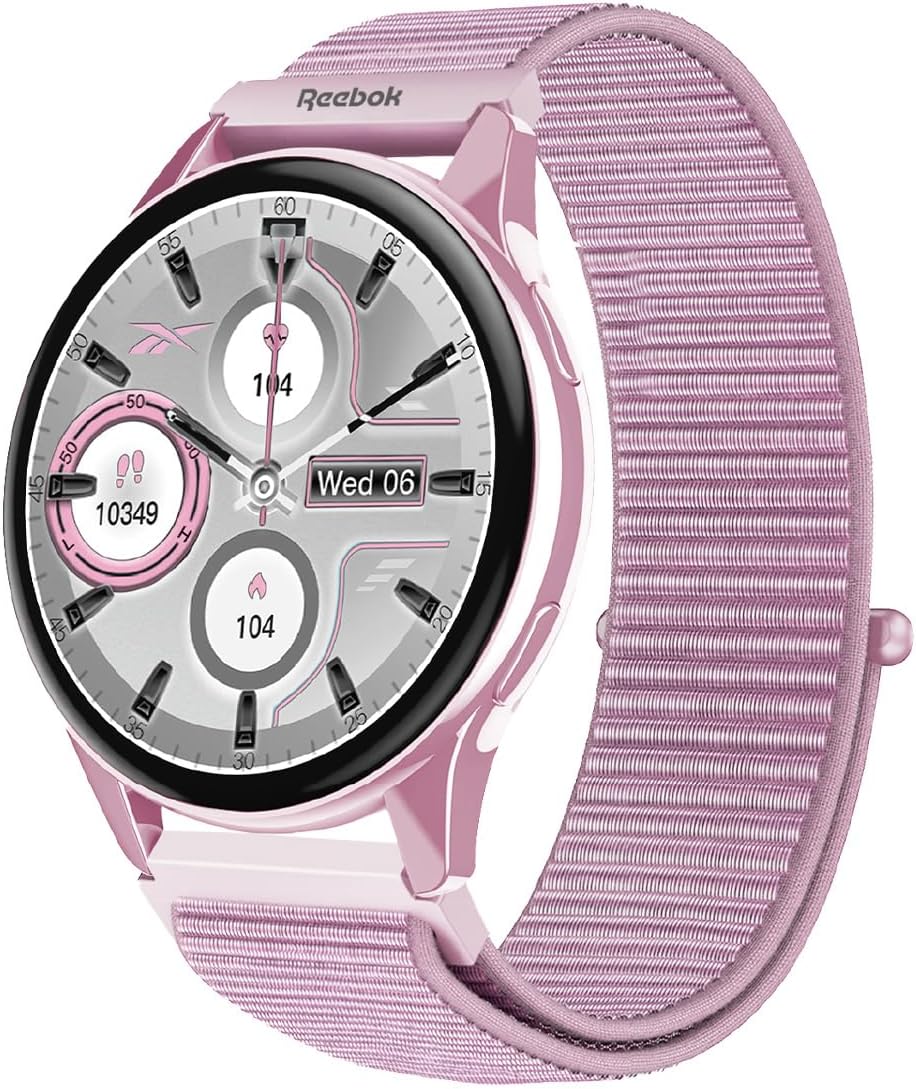
Figure 1.1: Front view of the Reebok LS Edition Smartwatch with its pink case and strap.
2. Setup
2.1 Initial Charging
- Connect the charging cable to the smartwatch's charging port.
- Plug the other end of the charging cable into a USB power adapter (not included) or a computer's USB port.
- Allow the smartwatch to charge completely before first use. A full charge typically takes approximately 2 hours. The screen will indicate charging status.
2.2 Powering On/Off
- To Power On: Press and hold the side button until the Reebok logo appears on the screen.
- To Power Off: Press and hold the side button, then select "Power Off" from the options displayed on the screen.
2.3 Pairing with a Smartphone
To unlock the full functionality of your Reebok Smartwatch, pair it with your smartphone via Bluetooth.
- Ensure your smartwatch is powered on and fully charged.
- Download and install the official Reebok Smartwatch application on your smartphone (available on iOS App Store and Google Play Store).
- Enable Bluetooth on your smartphone.
- Open the Reebok Smartwatch application and follow the on-screen instructions to search for and connect to your device.
- Confirm the pairing code displayed on both your smartwatch and smartphone.
3. Operating Instructions
3.1 Basic Navigation
- Touchscreen: Swipe left, right, up, or down to navigate through menus and widgets. Tap to select an item.
- Side Button: Press once to return to the watch face or access the app menu. Press and hold for power options or to activate voice assistant (if supported).

Figure 3.1: Side view of the Reebok LS Edition Smartwatch, highlighting the side button for navigation and power control.
3.2 Notifications
Once paired with your smartphone, the smartwatch will display notifications for calls, messages, and other applications. Swipe down from the watch face to view recent notifications.
3.3 Activity Tracking
The smartwatch features an integrated sensor for tracking various activities. Access the activity tracking menu to view:
- Step count
- Distance traveled
- Calories burned
- Heart rate (if applicable, based on integrated sensor)
For detailed insights and historical data, refer to the Reebok Smartwatch application on your smartphone.
3.4 Customizing Watch Faces
Personalize your smartwatch by changing the watch face. Press and hold the watch face, then swipe left or right to browse available options. Tap to select a new watch face.
4. Maintenance
4.1 Cleaning Your Smartwatch
- Wipe the screen and case with a soft, lint-free cloth.
- For stubborn marks, slightly dampen the cloth with water. Avoid using harsh chemicals or abrasive materials.
- Ensure the charging contacts are clean and dry before charging.
4.2 Battery Care
- Avoid exposing the smartwatch to extreme temperatures.
- Do not allow the battery to fully discharge frequently, as this can reduce its lifespan.
- Charge the device regularly, even if not in constant use.
4.3 Strap Replacement
The adjustable strap can be replaced. Refer to the quick release pins on the underside of the strap to detach and attach new compatible straps. Ensure the new strap is securely fastened before wearing.
5. Troubleshooting
| Issue | Possible Solution |
|---|---|
| Smartwatch does not power on. | Ensure the device is fully charged. Connect to the charger for at least 30 minutes. |
| Cannot pair with smartphone. |
|
| Notifications are not received. |
|
| Inaccurate activity tracking. |
|
6. Technical Specifications
| Feature | Detail |
|---|---|
| Model Number | RBK-SBLS-P |
| Brand | Reebok |
| Color | Pink |
| Display Type | AMOLED |
| Shape | Round |
| Material Type | Plastic |
| Operating System | Wear OS 2.0 |
| Connectivity Technology | Bluetooth |
| Wireless Communication Standard | Bluetooth |
| GPS | No GPS |
| Special Feature | Notifications, Integrated Sensor |
| Memory Storage Capacity | 63.98 MB |
| Battery Capacity | 149.99 mAh |
| Product Dimensions | 1.6 x 4.5 x 17 cm; 70 g |
| Compatible Devices | Smartphone, Tablet |
7. Warranty and Support
This Reebok Smartwatch comes with a standard manufacturer's warranty. For specific warranty terms and conditions, please refer to the warranty card included in your product packaging or visit the official Reebok website.
For technical support, troubleshooting assistance, or further inquiries, please contact Reebok customer service through their official website or the contact information provided in your product documentation.
Online Resources:
- Reebok Official Store on Amazon
- Refer to the Reebok Smartwatch application for FAQs and additional support.