
Introduction
Thank you for choosing the TECKNET Wireless Doorbell HWD01990. This manual provides detailed instructions for installation, operation, maintenance, and troubleshooting to ensure optimal performance and longevity of your device. Please read this manual thoroughly before use and retain it for future reference.

Image: The TECKNET Wireless Doorbell set, showing the larger receiver unit and the smaller transmitter button.
Package Contents
- 1 x Wireless Doorbell Transmitter
- 1 x Wireless Doorbell Receiver
- Mounting Hardware (screws, anchors, adhesive tape)
- User Manual
Setup and Installation
1. Battery Installation
The TECKNET Wireless Doorbell is battery-powered, offering flexible placement without the need for power outlets. The transmitter requires a CR2032 battery (not included). The receiver also operates on batteries (not included).
- For Transmitter: Open the back cover of the transmitter. Insert the CR2032 battery, ensuring correct polarity (+/-). Close the cover securely.
- For Receiver: Open the battery compartment on the back of the receiver. Insert the required batteries (refer to the device for specific battery type, typically AA or AAA). Close the compartment.
2. Pairing (Pre-paired from Factory)
Your TECKNET Wireless Doorbell units are pre-paired at the factory for immediate use. If re-pairing is necessary or if you are adding additional transmitters/receivers, follow these steps:
- Ensure both transmitter and receiver have fresh batteries installed.
- On the receiver, press and hold the Volume Button for approximately 5 seconds until you hear a "ding-dong" sound and the LED indicator flashes. The receiver is now in pairing mode.
- Within 10 seconds, press the button on the transmitter. The receiver will chime, indicating successful pairing.
- To pair multiple transmitters, repeat step 3 for each additional transmitter.
3. Mounting the Transmitter
The transmitter is IP67 weatherproof, suitable for outdoor installation. Choose a flat, vertical surface near your door.
- Using Adhesive Tape: Clean the mounting area thoroughly. Peel off one side of the adhesive tape and attach it to the back of the transmitter. Peel off the other side and firmly press the transmitter onto the desired surface for 30 seconds.
- Using Screws: Open the back cover of the transmitter. Mark the screw holes on the wall. Drill pilot holes, insert wall anchors if necessary, and secure the transmitter's back plate with screws. Snap the front cover back into place.

Image: The doorbell transmitter is designed for durability with IP67 dustproof and waterproof rating, and operates in temperatures from -20°C to 60°C.
4. Placing the Receiver
The battery-powered receiver offers ultimate portability. Place it on a desk, shelf, or carry it with you within the 1300ft wireless range. Avoid placing it near large metal objects or thick walls that may interfere with the signal.

Image: The portable receiver can be placed anywhere, such as on a patio table, without needing a power socket.
Operating Instructions
1. Selecting a Chime
The doorbell offers 60 unique melodies. To change the chime:
- Single Click: Press the Chime Selection Button (usually the music note icon) on the receiver to cycle through the available melodies.
- Double Click: Double-click the Chime Selection Button to go back to the previous chime.
2. Adjusting Volume
There are 5 volume levels, ranging from 0dB (silent) to 110dB. To adjust the volume:
- Press the Volume Button on the receiver repeatedly to cycle through the 5 volume levels.
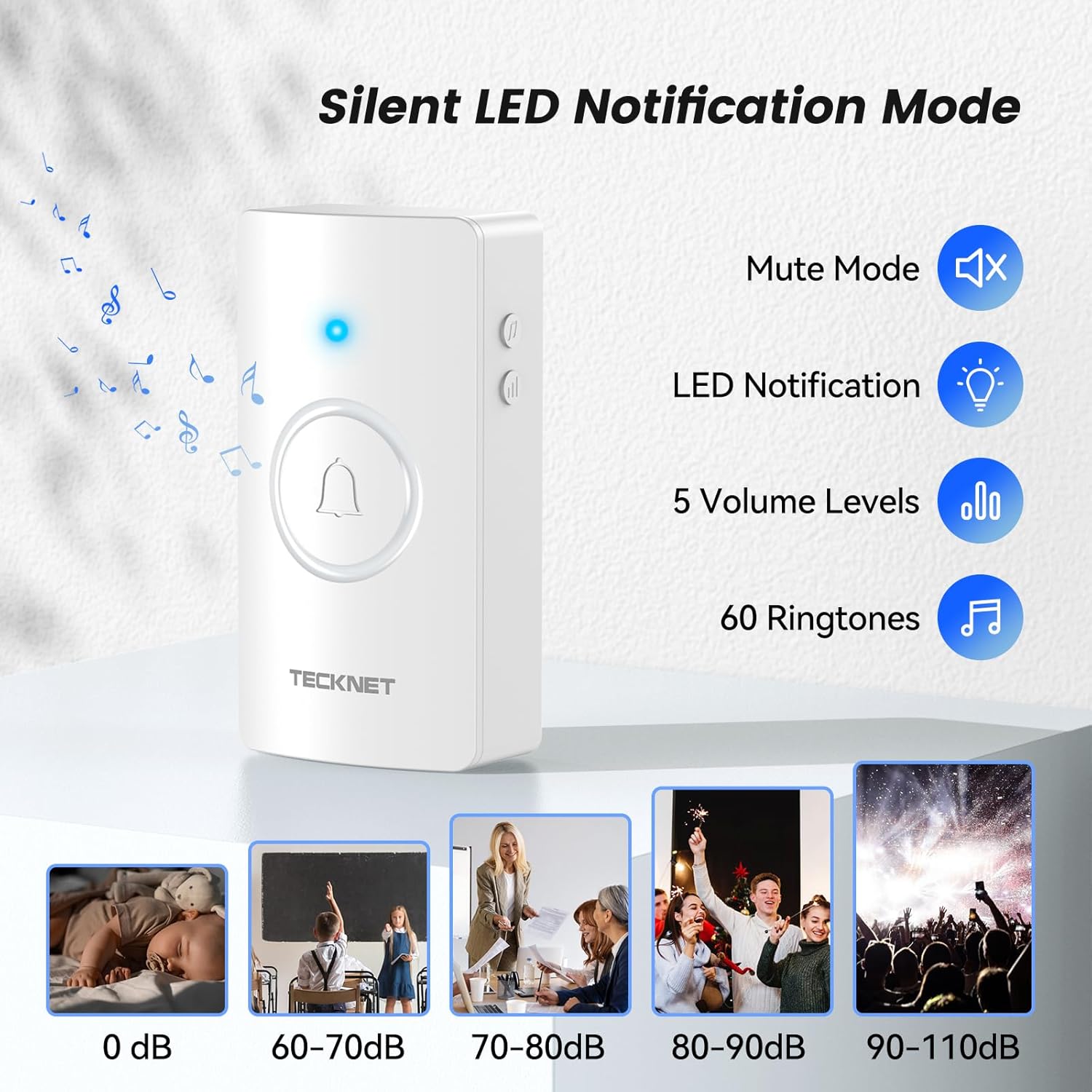
Image: The receiver features silent mode, LED notification, 5 volume levels, and 60 ringtones, with examples of sound levels for different environments.
3. Silent Mode and LED Notification
When the volume is set to 0dB, the doorbell enters silent mode. In this mode, the bright LED light on the receiver will flash when the transmitter is pressed, ensuring you are still notified visually.

Image: The doorbell receiver in mute mode, with its LED light flashing, ideal for quiet environments like a sleeping area.
4. Memory Function
The doorbell features a smart memory function. It automatically remembers your last selected melody and volume setting, even after a power loss or battery change. No re-setting is required.
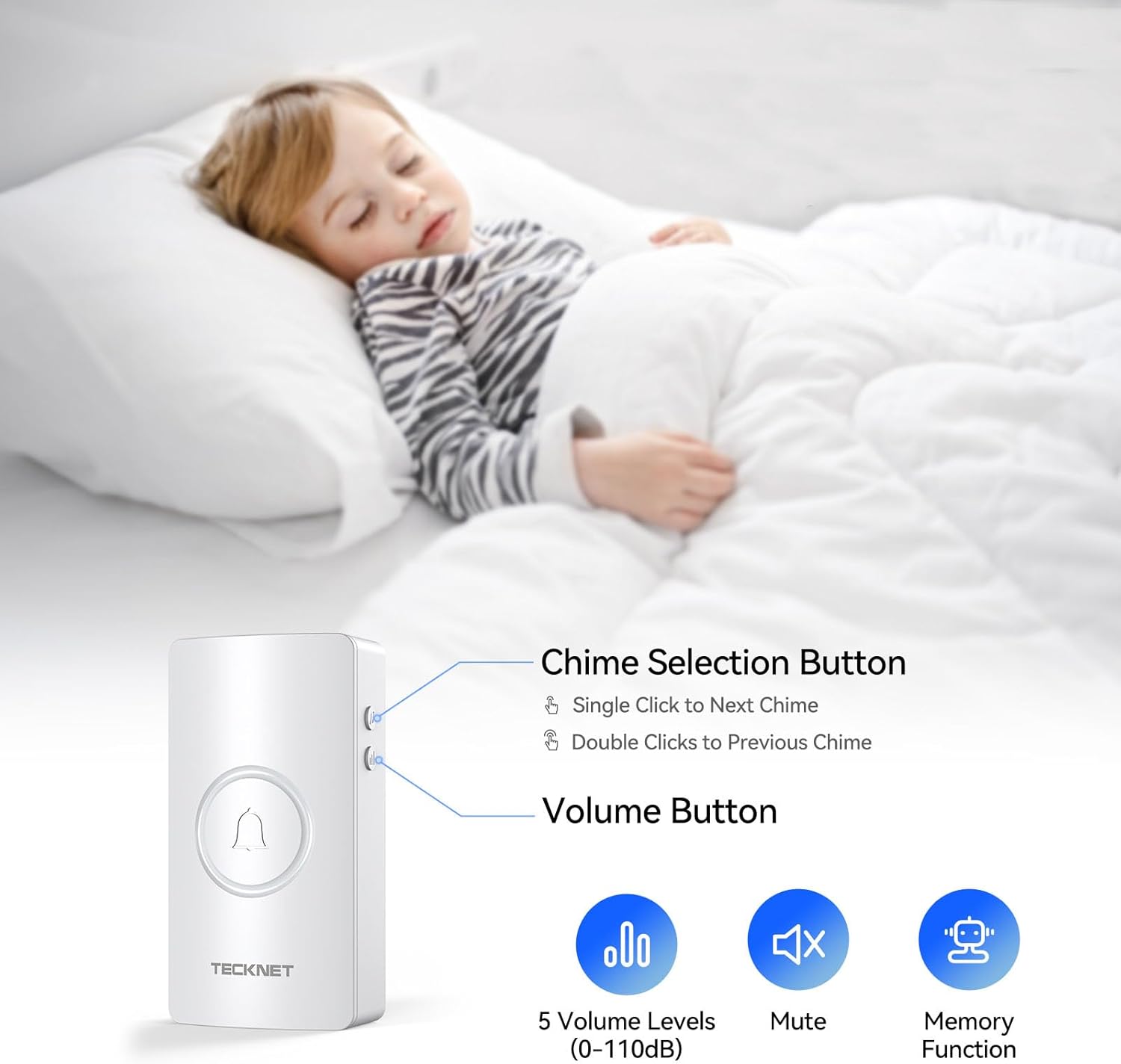
Image: Close-up of the receiver showing the chime selection and volume buttons, illustrating the memory function that retains settings.
5. Wireless Range
The doorbell offers an extreme long range of up to 1300ft (400m) in open areas. This ensures stable connection through walls and across large spaces, making it suitable for homes, warehouses, and classrooms.
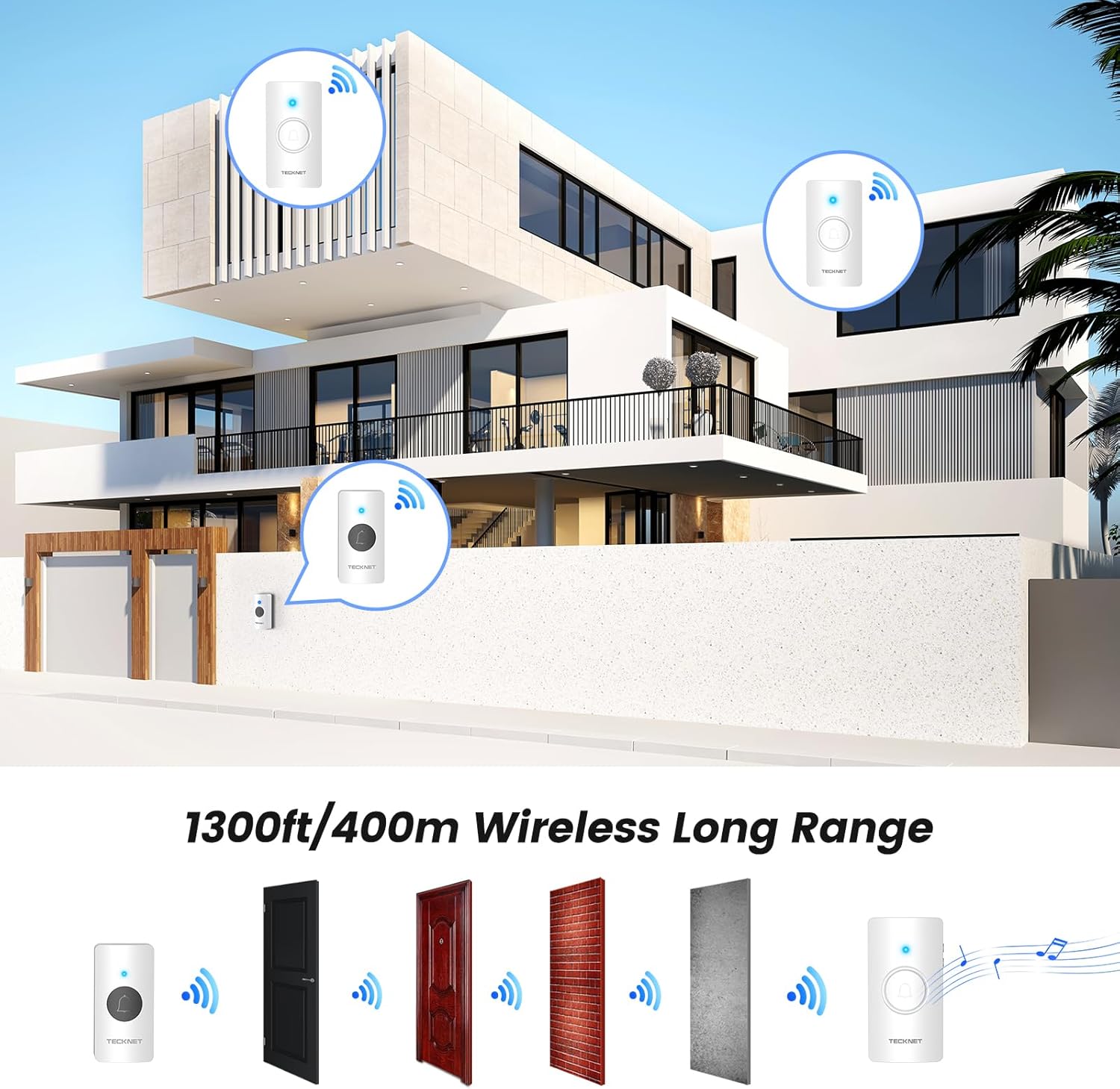
Image: An illustration demonstrating the 1300ft wireless range of the doorbell, showing signal penetration through different types of walls.
Maintenance
1. Battery Life
The doorbell transmitter is engineered for an exceptional battery life of up to 4.5 years under normal usage conditions. Replace batteries when the performance degrades or the LED indicator on the transmitter no longer lights up when pressed.

Image: The doorbell transmitter highlighting its 4.5-year long-lasting battery life.
2. Cleaning
Wipe the doorbell units with a soft, dry cloth. Do not use abrasive cleaners or solvents. The transmitter's IP67 rating means it is protected against dust and powerful water jets, but avoid submerging it in water.
Troubleshooting
| Problem | Possible Cause | Solution |
|---|---|---|
| Doorbell does not chime. |
|
|
| Short wireless range or intermittent signal. |
|
|
| LED indicator on receiver flashes but no sound. | Volume is set to 0 (silent mode). | Increase volume using the Volume Button. |
Specifications
- Model Number: HWD01990
- Wireless Range: Up to 1300ft (400m) in open areas
- Chimes: 60 selectable melodies
- Volume Levels: 5 levels (0-110dB)
- Transmitter Power Source: Battery-powered (CR2032, not included)
- Receiver Power Source: Battery-powered (batteries not included)
- Waterproof Rating (Transmitter): IP67
- Operating Temperature: -20°C to 60°C (-4°F to 140°F)
- Item Weight: 4.2 ounces
- Product Dimensions: 4.53 x 2.48 x 2.13 inches
Warranty and Support
TECKNET offers a 36-Month Warranty for this product (registration required). For any issues or inquiries, please contact our professional customer support team. We are committed to providing lifetime support for our products.
For warranty registration and support, please visit the official TECKNET website or refer to the contact information provided in your product packaging.

Image: TECKNET brand information, highlighting their commitment to customer support and product development since 2004.


