1. Introduction
This manual provides essential information for the safe and effective operation, maintenance, and troubleshooting of your Roborock Q10 X5 Robot Vacuum Cleaner. Please read this manual thoroughly before using the product and retain it for future reference.
The Roborock Q10 X5 is an advanced robotic vacuum cleaner designed to provide powerful and thorough cleaning for various floor types. It features a robust 10000 Pa suction power, an innovative double anti-tangle system, intense mopping capabilities, Reactive Tech obstacle avoidance, and precise LiDAR PreciSense navigation for efficient home mapping and cleaning.
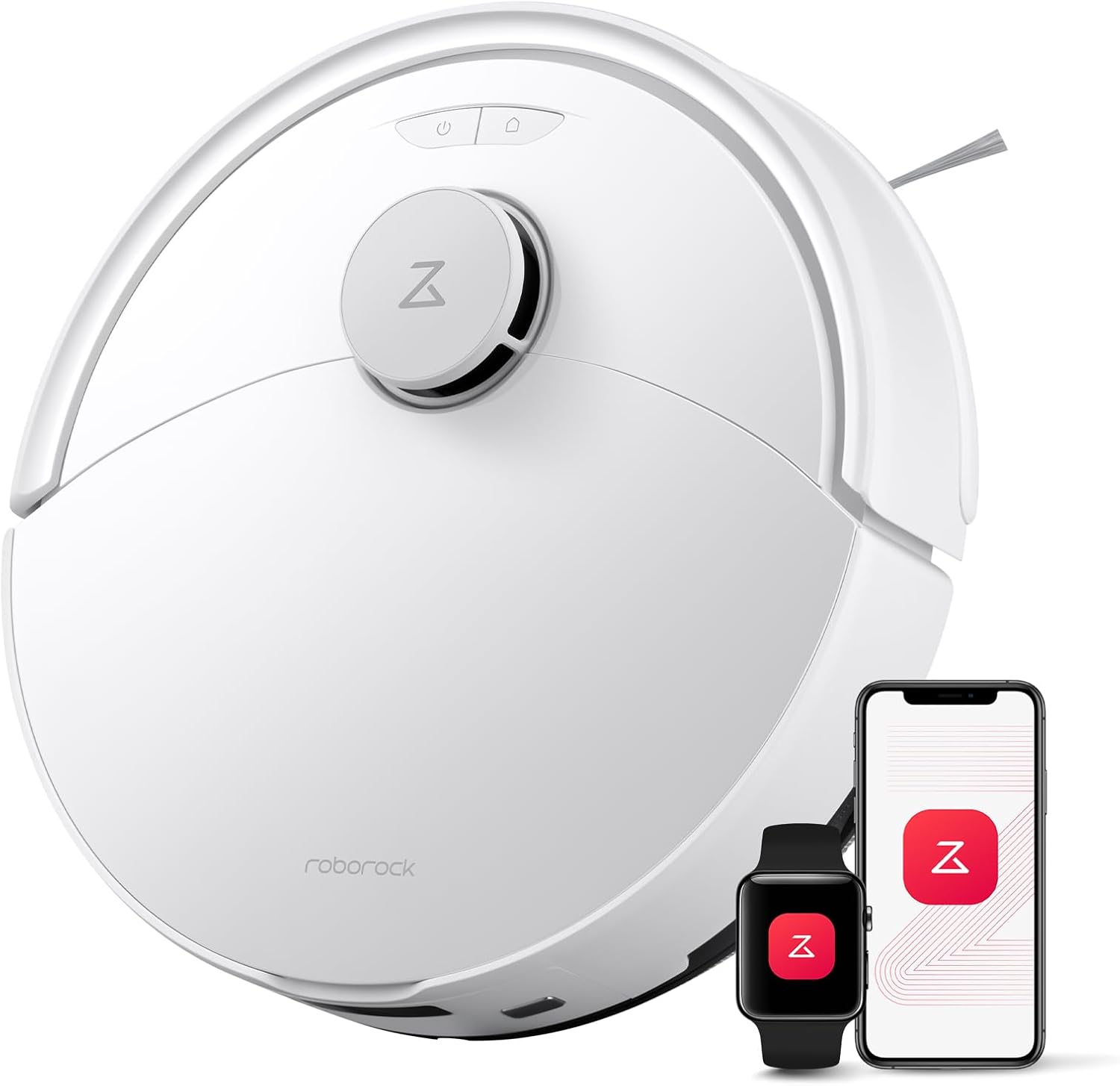
Figure 1.1: The Roborock Q10 X5 Robot Vacuum Cleaner, showcasing its sleek design and connectivity with the Roborock mobile application and a smartwatch for convenient control.
2. Setup
2.1 Unboxing and Initial Placement
- Carefully remove all components from the packaging. Ensure all included components are present: 1 Roborock Q10 X5 robot vacuum, 1 mop, 1 mop module, 1 moisture-proof mat, 1 charging dock, 1 adapter, and 1 user manual.
- Choose a suitable location for the charging dock. It should be placed against a wall on a hard, level surface, with at least 0.5 meters (1.6 feet) of clear space on both sides and 1.5 meters (4.9 feet) in front.
- Connect the power adapter to the charging dock and plug it into a power outlet. Ensure the cable is neatly tucked away to prevent entanglement.
2.2 Charging the Robot
- Place the robot onto the charging dock. Ensure the charging contacts on the robot align with those on the dock. The robot will emit a voice prompt indicating it is charging.
- For first-time use, fully charge the robot before operation. A full charge typically takes approximately 2 hours and 30 minutes.
2.3 Connecting to the Roborock App
- Download the Roborock app from your device's app store (compatible with iOS and Android smartphones).
- Open the app and follow the on-screen instructions to add your Roborock Q10 X5. Ensure your Wi-Fi network is 2.4 GHz, as only 2.4 GHz Wi-Fi is supported.
- The app allows for comprehensive control, including cleaning schedules, multi-level mapping, parental control, and setting no-go zones.

Figure 2.1: The Roborock application provides intuitive control over cleaning modes and settings for different areas of your home.
3. Operating the Robot Vacuum
3.1 Cleaning Modes and Suction Power
- The Roborock Q10 X5 offers impressive 10000 Pa HyperForce suction power, effectively lifting hair, dust, and debris from deep within carpets and narrow floor crevices.
- Adjust suction power and water flow levels (3 levels available) via the Roborock app to suit different cleaning needs and floor types.

Figure 3.1: The Roborock Q10 X5 demonstrates its powerful 10000 Pa suction, efficiently cleaning various floor surfaces.
3.2 Mopping Functionality
- The robot features an intense mopping system. In DEEP+ mode, movements slow down, and cleaning paths are finely divided for thorough and deep cleaning, eliminating stubborn dirt with reinforced slow action.
- The automatic mop lifting system intelligently detects carpets and instantly lifts the mop, preventing wetting while allowing the robot to effortlessly cross thresholds and obstacles up to 2 cm (0.8 inches) high.

Figure 3.2: The Roborock Q10 X5 performing intense mopping, effectively removing dirt and debris from hard floors.
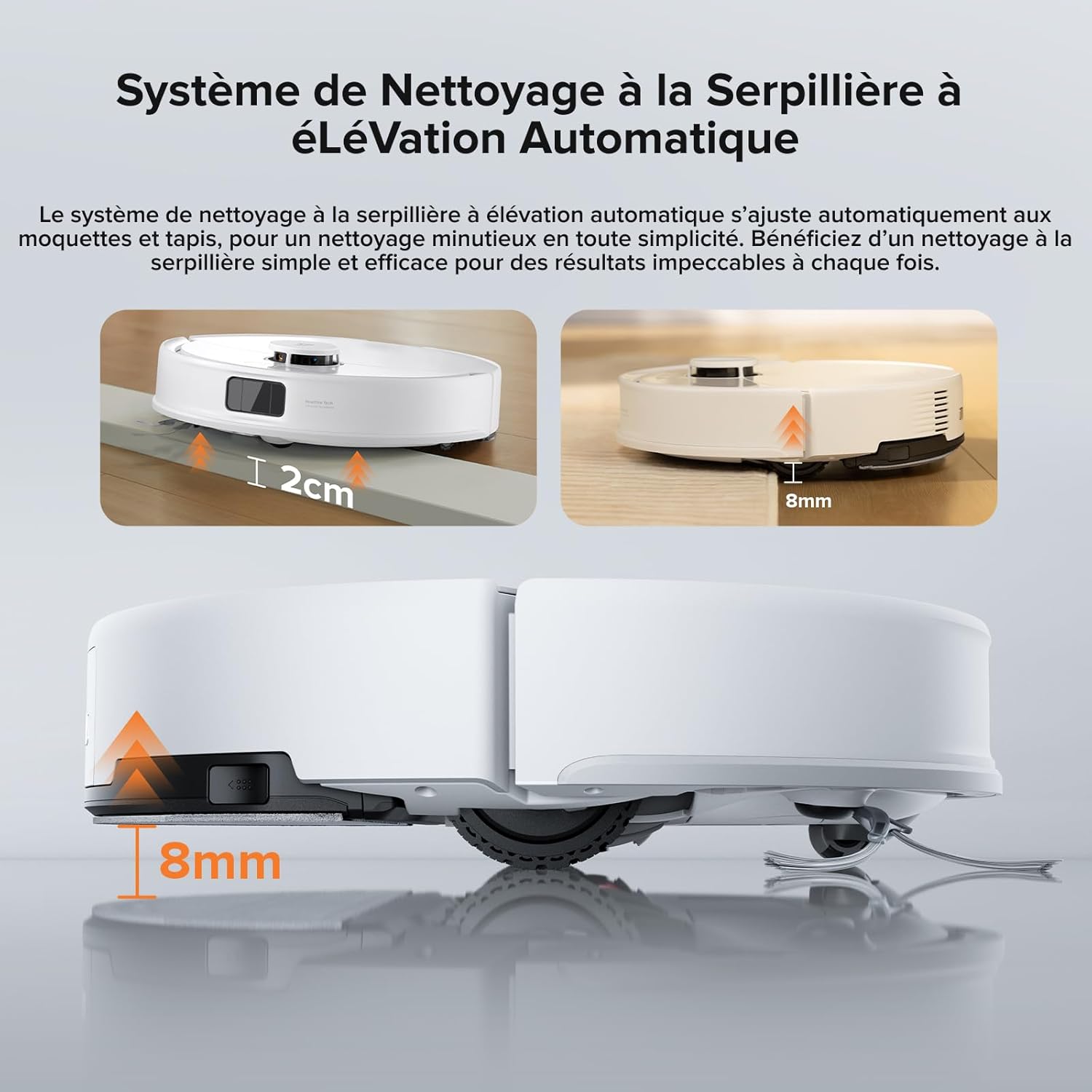
Figure 3.3: Illustration of the automatic mop lifting system, demonstrating how the mop raises to avoid carpets and clear obstacles.
3.3 Navigation and Obstacle Avoidance
- Equipped with advanced LiDAR PreciSense technology, the robot generates precise 3D maps for optimized cleaning and can store multiple floor plans, ideal for multi-level homes.
- Reactive Tech obstacle avoidance, utilizing advanced structured light technology, allows the robot to detect and bypass obstacles with ease, managing cluttered rooms with scattered objects.
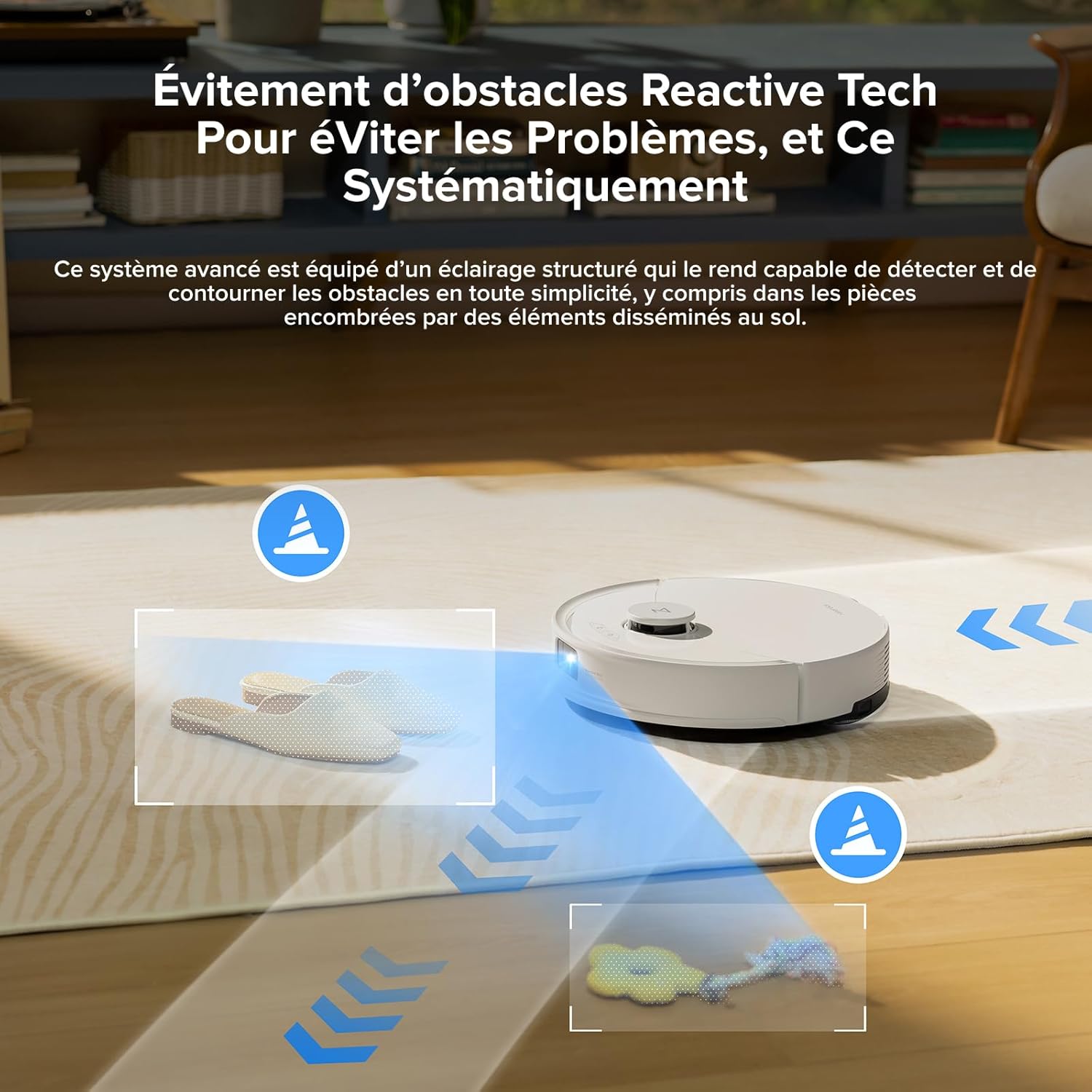
Figure 3.4: The Reactive Tech obstacle avoidance system allows the robot to intelligently navigate around common household items.

Figure 3.5: The LiDAR PreciSense navigation system creates detailed 3D maps for efficient and comprehensive cleaning across multiple floors.
3.4 Intelligent Carpet Cleaning
- The robot automatically increases its suction power upon detecting a carpet, ensuring thorough removal of pet hair and debris.
- Customizable settings allow you to prioritize carpet cleaning or instruct the robot to avoid carpets entirely, providing complete control over your cleaning preferences.
3.5 Voice Control
- The Roborock Q10 X5 supports third-party voice control via Amazon Echo and Google Home, allowing for hands-free operation.
4. Maintenance
Regular maintenance ensures optimal performance and extends the lifespan of your Roborock Q10 X5.
4.1 Cleaning the Dustbin and Filter
- Empty the dustbin after each cleaning cycle.
- Clean the fabric filter regularly by tapping it against a trash can to remove dust. Wash the filter with water as needed, ensuring it is completely dry before reinstallation.
4.2 Cleaning Brushes
- The Roborock Q10 X5 features a double anti-tangle system with a JawScrapers Comb main brush and an anti-clogging arc side brush, minimizing hair entanglement.
- Periodically remove and clean the main brush and side brush to remove any tangled hair or debris. Use the cleaning tool provided with the robot.

Figure 4.1: The innovative double anti-tangle system, featuring the JawScrapers main brush and arc side brush, designed for smoother operation and minimal maintenance.
4.3 Cleaning Sensors and Charging Contacts
- Wipe the cliff sensors, wall sensors, and charging contacts on both the robot and the charging dock with a soft, dry cloth to ensure proper function.
5. Troubleshooting
If you encounter issues with your Roborock Q10 X5, refer to the following common problems and solutions:
| Problem | Possible Cause | Solution |
|---|---|---|
| Robot does not turn on or charge. | Low battery; charging contacts not aligned; power adapter not connected. | Place robot on dock, ensure contacts align; check power connection to dock and outlet. |
| Robot gets stuck frequently. | Too many obstacles; uneven surfaces; dark carpets. | Clear clutter; use no-go zones in the app; ensure sufficient lighting. |
| Poor cleaning performance. | Full dustbin; clogged filter; tangled brushes. | Empty dustbin; clean/replace filter; clean main and side brushes. |
| Mopping is ineffective. | Water tank empty; mop pad dirty; water flow setting too low. | Refill water tank; clean/replace mop pad; adjust water flow in the app. |
| App connection issues. | Incorrect Wi-Fi password; 5 GHz Wi-Fi network; robot too far from router. | Verify password; ensure 2.4 GHz Wi-Fi; move robot closer to router or use a Wi-Fi extender. |
For persistent issues not covered here, please contact Roborock customer support.
6. Specifications
| Feature | Detail |
|---|---|
| Brand | Roborock |
| Model Name | Roborock Q10 X5 |
| Color | Q10 X5 White |
| Product Dimensions (L x W x H) | 35.3 x 25.8 x 52.6 cm (13.9 x 10.1 x 20.7 inches) |
| Item Weight | 6.4 Kilograms (14.1 lbs) |
| Suction Power | 10000 Pa |
| Noise Level | 60 dB |
| Battery Life | 2 hours and 30 minutes |
| Battery Composition | Lithium-ion (1 included) |
| Navigation Type | LiDAR PreciSense |
| Obstacle Avoidance | Reactive Technology |
| Mop Lifting System | Automatic (up to 2 cm obstacle clearance) |
| Brush System | Double Anti-Tangle (JawScrapers main brush, arc side brush) |
| Water Flow Levels | 3 levels |
| Controller Type | App Control, Voice Control, Button Control |
| Product Compatibility | Amazon Echo, Google Home, Smartphones |
| Surface Recommendation | Carpet, Tile, Wood, Wood-based material, Laminate, Marble |
| Filter Type | Fabric |
| Automatic Stop Function | Yes |
| Country of Origin | China |
7. Warranty and Support
For warranty information, please refer to the warranty card included with your product or visit the official Roborock website. Keep your purchase receipt as proof of purchase for warranty claims.
For technical support, troubleshooting assistance beyond this manual, or spare parts inquiries, please contact Roborock customer service through their official website or the Roborock app. Information regarding spare parts availability may vary.
The product is sold by "Roborock Official EU" and fulfilled by Amazon, ensuring reliable service and support.


