
Nikon COOLPIX P1100
Nikon COOLPIX P1100 Digital Camera User Manual
Model: COOLPIX P1100
Introduction
This manual provides essential information for the safe and effective use of your Nikon COOLPIX P1100 Superzoom Digital Camera. Please read this manual thoroughly before using the camera and keep it accessible for future reference.
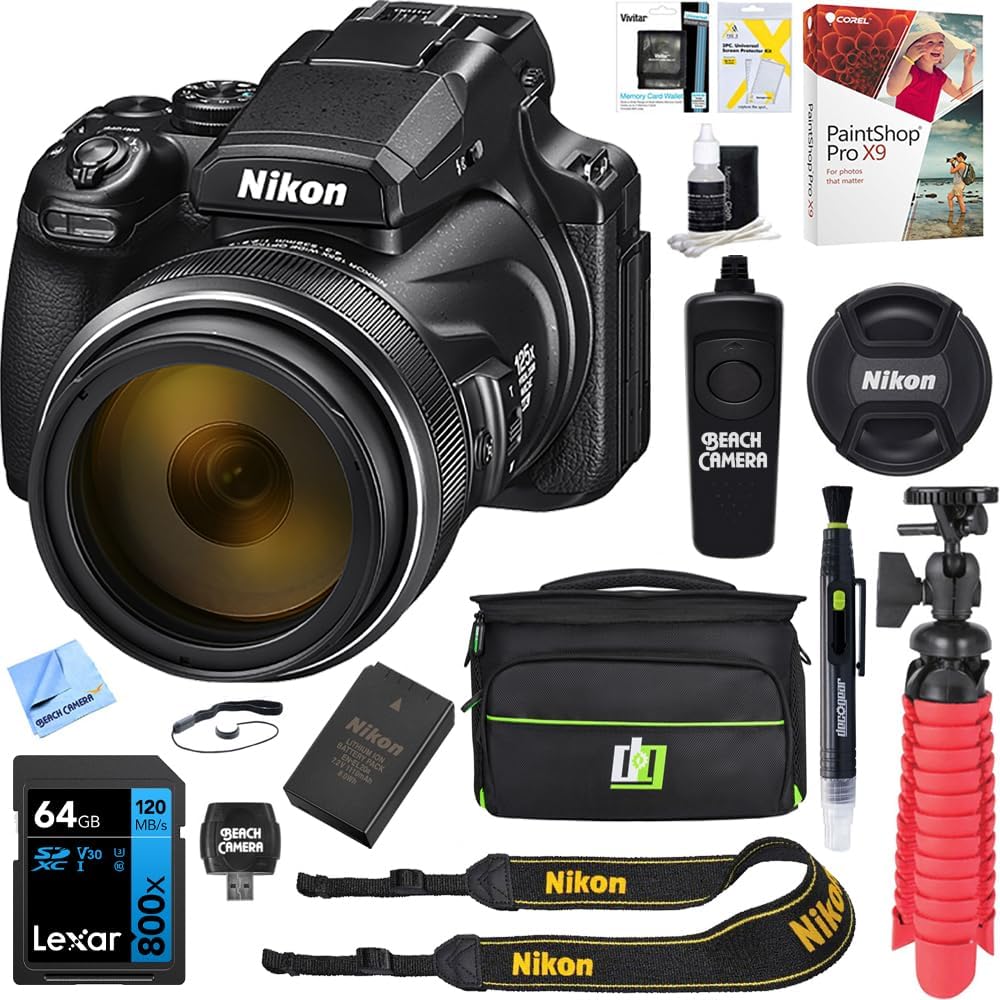
Figure 1: Nikon COOLPIX P1100 Digital Camera and included accessories.
Setup
1. Unboxing and Contents
Carefully unpack all items from the box. Verify that all components are present:
- Nikon COOLPIX P1100 Digital Camera
- AN-DC3 Strap
- LC-77 Snap-On Front Lens Cap 77mm
- EN-EL20a Rechargeable Li-ion Battery
- HB-CP1 Lens Hood
- UC-E24 USB Cable
- Additional bundle items: 64GB Lexar Memory Card, Large Gadget Bag, EN-EL20A Battery, Remote Switch Shutter Release Cord, 12-Inch Compact Rubberized Spider Tripod, LCD/Lens Brush, Corel Paint Shop Pro X9 Digital Download Card, Hi-Speed SDHC Memory Card Reader, Tri-fold Memory Card Wallet, Microfiber Cloth.
2. Battery Installation and Charging
Insert the EN-EL20a rechargeable Li-ion battery into the battery compartment located at the bottom of the camera. Ensure it clicks into place. Connect the camera to a power source using the UC-E24 USB cable to charge the battery. The charging indicator will illuminate during charging and turn off when complete.
3. Memory Card Insertion
Open the memory card slot cover. Insert a compatible SDHC memory card (64GB Lexar Memory Card included in bundle) into the slot with the label facing the correct direction until it locks into place. Close the cover securely.
4. Attaching the Lens Hood and Strap
Attach the HB-CP1 Lens Hood to the front of the lens by aligning the marks and twisting until it locks. Attach the AN-DC3 strap to the camera's strap lugs for secure handling.

Figure 2: Front angled view of the camera, showing lens and body.
Operating Instructions
1. Camera Overview
Familiarize yourself with the camera's controls:
- Power Button: Turns the camera on/off.
- Shutter Release Button: Takes photos.
- Mode Dial: Selects shooting modes (Auto, Program, Shutter Priority, Aperture Priority, Manual, Scene, Bird-watching, Moon, etc.).
- Zoom Control: Adjusts optical and digital zoom.
- Control Ring: Customizable for manual focus, exposure compensation, or white balance.
- Snapback Button: Quickly zooms out to re-acquire a subject when zoomed in.
- Articulating LCD Monitor: Provides flexible viewing angles for various shooting situations.
- Electronic Viewfinder (EVF): Offers a clear view, especially in bright conditions.
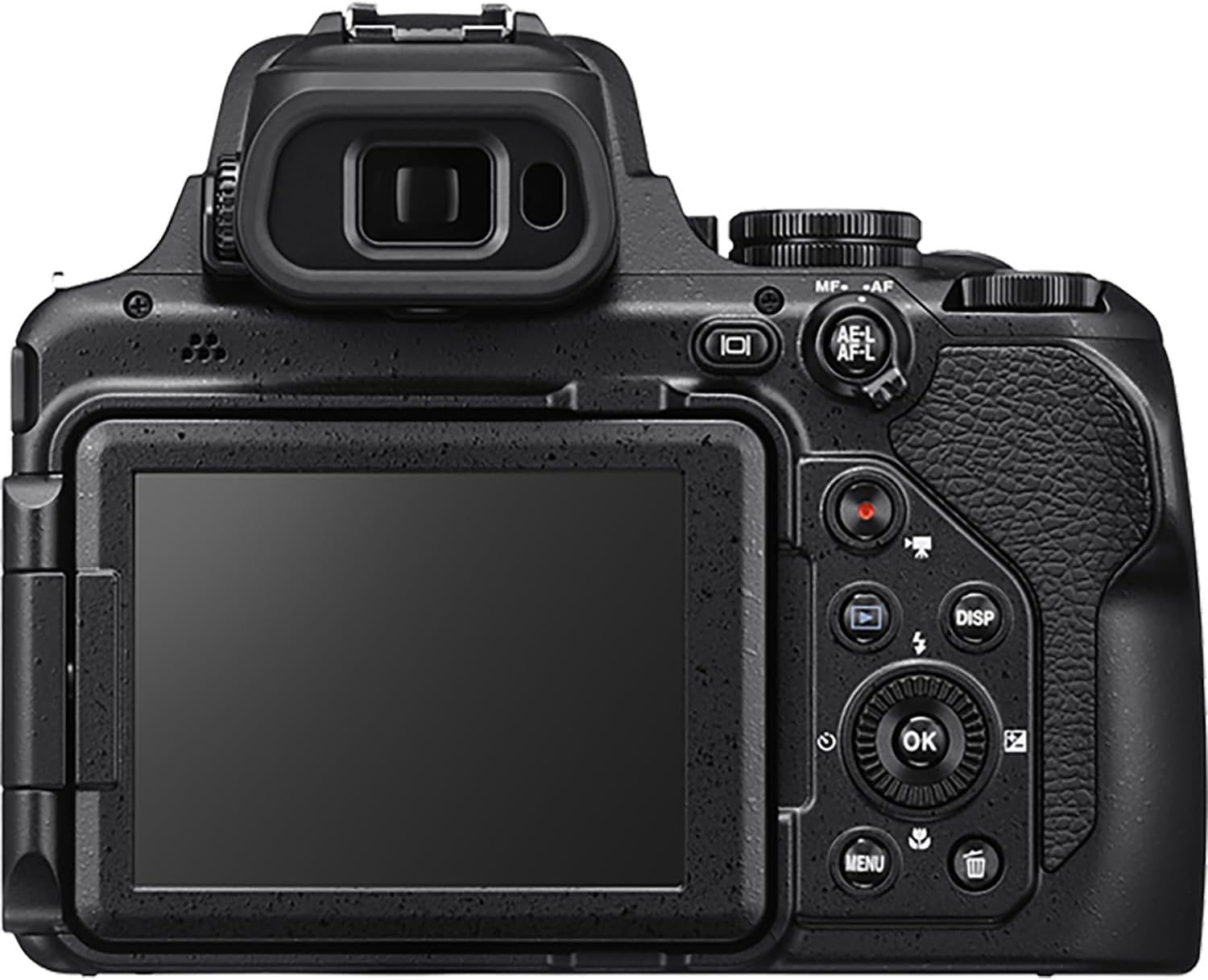
Figure 3: Rear view of the camera, highlighting the LCD and control layout.

Figure 4: The camera's articulating LCD screen provides flexible viewing angles.
2. Shooting Modes
The Mode Dial allows selection of various shooting modes:
- Auto Mode: Camera automatically optimizes settings for most situations.
- P (Program Auto): Camera sets aperture and shutter speed for optimal exposure, while you can adjust other settings.
- S (Shutter-Priority Auto): You set the shutter speed, and the camera selects the aperture for correct exposure.
- A (Aperture-Priority Auto): You set the aperture, and the camera selects the shutter speed for correct exposure.
- M (Manual): You control both aperture and shutter speed.
- Scene Modes: Pre-set modes for specific scenes (e.g., Portrait, Landscape, Night).
- Bird-watching Mode: Optimizes settings for capturing fast-moving birds at a distance.
- Moon Mode: Specifically designed for clear, detailed moon photography.

Figure 5: The mode dial with the Bird-watching mode selected, ideal for capturing wildlife.

Figure 6: The Moon mode on the dial, perfect for capturing celestial bodies.
3. Zoom and Image Stabilization
The COOLPIX P1100 features an impressive 125x optical zoom, equivalent to 24-3000mm, and a 250x Dynamic Fine Zoom (up to 6000mm). Use the zoom control to adjust the focal length. Dual Detect Optical VR (Vibration Reduction) image stabilization helps to minimize camera shake, especially at extreme telephoto lengths, providing up to 4.0 stops of compensation.
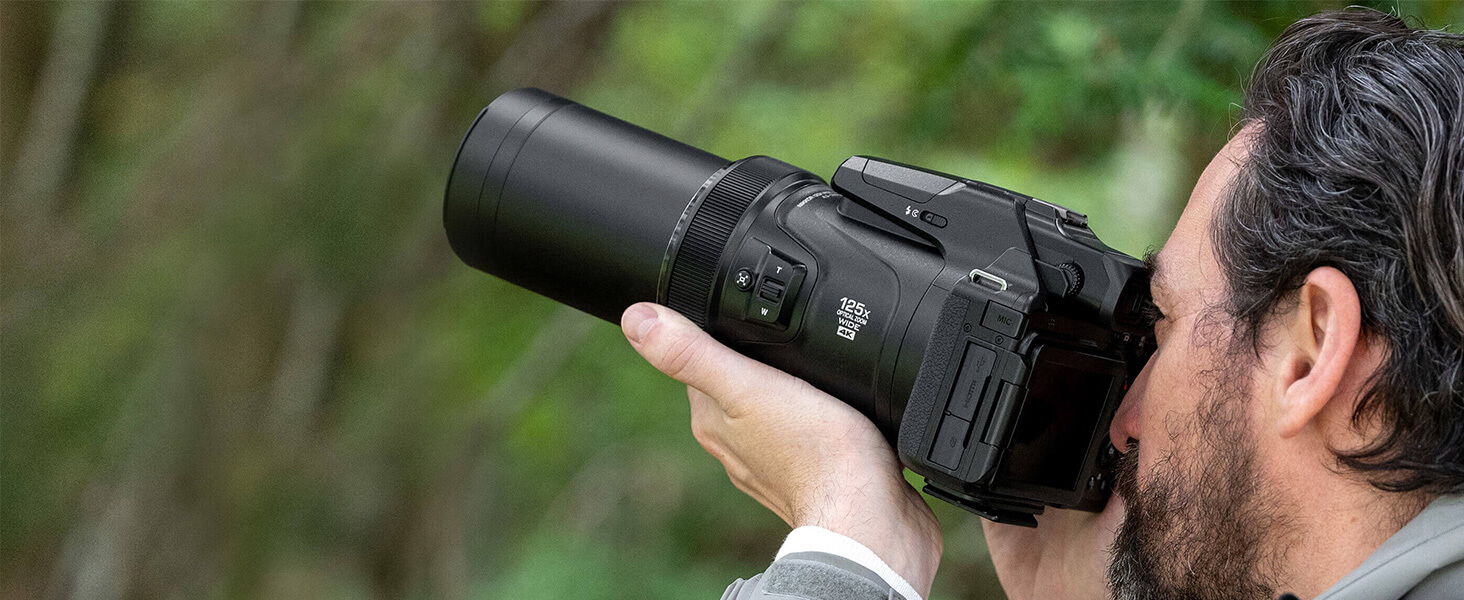
Figure 7: Demonstrating the camera's extended zoom capability in use.

Figure 8: Example of a subject captured at 3000mm, showcasing the camera's telephoto reach.
4. Focus and Metering
The camera features autofocus (AF) with various modes including Automatic AF (AF-A). For precise control, manual focus is also available via the control ring. Metering options include Center-Weighted Average, Matrix, and Spot metering to ensure accurate exposure in different lighting conditions.

Figure 9: On-screen display of metering options for precise exposure control.
5. Video Recording
Record stunning 4K UHD videos (3840 x 2160) at 30p, or Full HD 1080p videos at various frame rates. The camera also supports smooth slow-motion, time-lapse, and Superlapse movies.
6. Connectivity
The COOLPIX P1100 supports Bluetooth and Wi-Fi connectivity. Use the Nikon SnapBridge app on your smartphone to wirelessly transfer photos, control the camera remotely, and add GPS information to your images.

Figure 10: The camera's wireless connectivity with the SnapBridge app for seamless photo transfer and remote control.
Maintenance
1. Cleaning the Camera
- Lens: Use a soft brush or a lens blower to remove dust. For smudges, use a lens cleaning solution and a microfiber cloth (included in bundle).
- Camera Body: Wipe with a soft, dry cloth. Do not use organic solvents.
- LCD Monitor: Gently wipe with a soft, lint-free cloth.
2. Battery Care
- Store batteries in a cool, dry place when not in use.
- Avoid fully discharging the battery frequently to prolong its lifespan.
- Charge the battery fully before extended storage.
3. Storage
When storing the camera for extended periods, remove the battery and memory card. Store the camera in a dry, well-ventilated area, preferably in a camera bag to protect it from dust and moisture.
Troubleshooting
This section addresses common issues you might encounter with your Nikon COOLPIX P1100 camera.
| Problem | Possible Cause / Solution |
|---|---|
| Camera does not turn on. | Battery is depleted or incorrectly inserted. Ensure battery is charged and properly seated. |
| Images are blurry. | Camera shake (use VR or tripod), subject movement, incorrect focus. Check focus mode and lighting conditions. |
| Memory card error. | Card is full, corrupted, or incompatible. Try formatting the card (will erase data) or use a different card. |
| Flash does not fire. | Flash mode is set to "Off" or battery is low. Adjust flash settings or charge battery. |
For more detailed troubleshooting or issues not listed here, please refer to the official Nikon support website or contact customer service.
Specifications
| Feature | Detail |
|---|---|
| Model Name | COOLPIX P1100 |
| Effective Still Resolution | 16 MP |
| Photo Sensor Technology | CMOS |
| Optical Zoom | 125x |
| Maximum Focal Length | 539 Millimeters (equivalent to 3000mm in 35mm format) |
| Image Stabilization | Optical (Dual Detect Optical VR) |
| Video Resolution | 2160p (4K UHD), 1080p (Full HD) |
| Screen Size | 3.2 Inches |
| Display Type | Articulating LCD |
| Connectivity | Bluetooth, Wi-Fi |
| Item Weight | 3.1 Pounds |
| Battery Type | Lithium Ion (EN-EL20a) |
| Supported File Format | JPEG, Raw (.NRW) |
Warranty and Support
The Nikon COOLPIX P1100 Digital Camera comes with a full Nikon USA Warranty. For warranty claims, technical support, or service, please contact Nikon customer service directly or visit their official website.
For additional resources and support, you may visit the official Nikon Store: Nikon Official Store
Related documentsCOOLPIX P1100


Ask a question about this manual
Ask about setup, troubleshooting, compatibility, parts, safety, or missing instructions. Manuals+ will review the question and use this page’s manual context to help answer it.