1. Introduction
This manual provides essential information for the safe and effective use of your boAt Aavante Bar Quake 2.1 Channel Soundbar with Wired Subwoofer. Please read this manual thoroughly before operating the device and retain it for future reference. The boAt Aavante Bar Quake is designed to enhance your audio experience with its 200W RMS output and versatile connectivity options.
Key features include:
- 200W RMS boAt Signature Sound: Delivers powerful and clear audio.
- 2.1 Channel Soundbar with Wired Subwoofer: Provides immersive sound with enhanced bass.
- Multichannel Connectivity: Supports Bluetooth v5.3, AUX, USB, Optical, and HDMI-ARC.
- EQ Modes: Offers tailored audio profiles for Movies, Music, News, and 3D content.
- Bass & Treble Controls: Allows for personalized audio adjustments.
2. Important Safety Information
To ensure safe operation and prevent damage, please observe the following precautions:
- Do not expose the device to rain, moisture, or extreme temperatures.
- Do not open the casing. Refer all servicing to qualified personnel.
- Ensure proper ventilation around the soundbar and subwoofer.
- Use only the power adapter supplied with the unit.
- Keep the device away from heat sources and direct sunlight.
- Avoid placing heavy objects on the soundbar or subwoofer.
- Disconnect the power plug during lightning storms or when unused for long periods.
3. Package Contents
Verify that all items are present in the package:
- boAt Aavante Bar Quake Soundbar
- Wired Subwoofer
- Remote Control (with 2 x 12V Alkaline batteries included)
- User Manual (this document)
- Warranty Card
- Power Adapter
4. Product Overview
Familiarize yourself with the components of your boAt Aavante Bar Quake sound system.
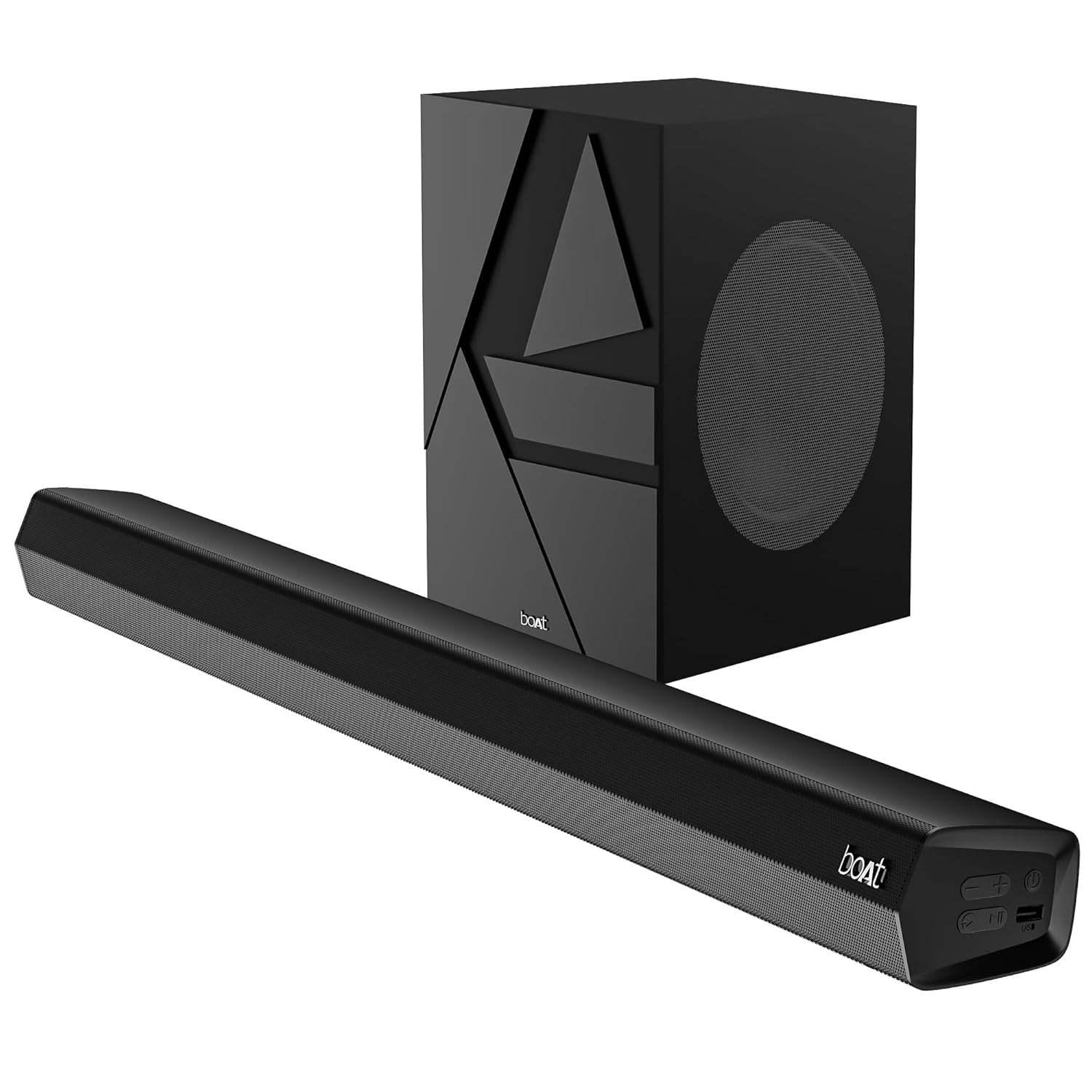
Image 1: The boAt Aavante Bar Quake soundbar and its accompanying wired subwoofer, showcasing their design and relative sizes.
4.1 Soundbar Features

Image 2: A close-up view of the boAt Aavante Bar Quake soundbar, highlighting its sleek design and the '200W RMS boAt Signature Sound' feature.
The soundbar houses the main speakers and control interface. It delivers 200W RMS boAt Signature Sound for a powerful audio experience.
4.2 Wired Subwoofer

Image 3: An illustration showing the boAt Aavante Bar Quake soundbar and its wired subwoofer integrated into a home entertainment setup, emphasizing the 2.1 channel configuration.
The wired subwoofer provides deep, rich bass, complementing the soundbar for a full-range audio output.
4.3 Connectivity Ports

Image 4: A detailed view of the rear panel of the boAt Aavante Bar Quake soundbar, clearly showing the various input ports including USB, HDMI (ARC), AUX, and Optical, along with Bluetooth connectivity.
The soundbar features multiple input options for connecting various devices:
- USB Port: For playing audio from USB drives.
- HDMI (ARC) Port: For high-quality audio connection to compatible TVs.
- Bluetooth: For wireless audio streaming from mobile devices.
- AUX Input: For connecting devices via a 3.5mm audio cable.
- Optical Input: For digital audio connection from TVs or other sources.
4.4 Remote Control

Image 5: The master remote control for the boAt Aavante Bar Quake, illustrating buttons for power, mute, input selection, volume, playback, EQ modes (Music, Movies, News, 3D), and dedicated bass and treble controls.
The included remote control allows full command over the soundbar's functions, including power, volume, input selection, EQ modes, and bass/treble adjustments.
5. Setup
5.1 Placement
- Soundbar: Place the soundbar on a stable, flat surface directly in front of your television, or mount it on the wall below your TV. Ensure there are no obstructions in front of the soundbar.
- Subwoofer: Position the subwoofer on the floor, preferably in a corner or near a wall, to enhance bass response. Ensure it is within reach of the soundbar for the wired connection.
5.2 Connecting the Subwoofer
Connect the wired subwoofer to the dedicated subwoofer output port on the soundbar using the integrated cable.
5.3 Power Connection
- Connect the power adapter to the DC IN port on the soundbar.
- Plug the other end of the power adapter into a wall outlet.
- Ensure the subwoofer is also connected to a power source if it has a separate power cable (for this model, it's wired to the soundbar).
5.4 Audio Connections
Choose one of the following methods to connect your audio source:
- HDMI ARC (Recommended): Connect an HDMI cable from the HDMI ARC port on your TV to the HDMI ARC port on the soundbar. This allows audio to be sent from the TV to the soundbar and often enables TV remote control of the soundbar volume.
- Optical: Connect an optical cable from your TV's optical output to the OPTICAL IN port on the soundbar.
- AUX: Connect a 3.5mm audio cable from your device's audio output to the AUX IN port on the soundbar.
- USB: Insert a USB drive into the USB port on the soundbar to play audio files directly.
- Bluetooth: See Section 6.2 for Bluetooth pairing instructions.
6. Operating Instructions
6.1 Power On/Off
Press the Power button on the soundbar or remote control to turn the unit on or off.
6.2 Bluetooth Pairing
- Turn on the soundbar and select Bluetooth mode using the Input button on the remote or soundbar. The LED indicator will flash.
- Enable Bluetooth on your mobile device and search for available devices.
- Select "boAt Aavante Bar Quake" from the list.
- Once paired, the LED indicator will stop flashing and remain solid.
6.3 Selecting Input Source
Press the Input button on the remote control or soundbar repeatedly to cycle through the available input sources: Bluetooth, AUX, Optical, HDMI ARC, and USB.
6.4 Volume Control
Use the Volume + and Volume - buttons on the remote control or soundbar to adjust the volume level.
6.5 EQ Modes
The soundbar offers four preset equalizer modes to optimize audio for different content types. Press the corresponding button on the remote control to select:
- Movies: Enhances dialogue and cinematic effects.
- Music: Provides a balanced audio profile for music playback.
- News: Optimizes vocal clarity for news and spoken content.
- 3D: Creates a wider, more immersive soundstage.
6.6 Bass & Treble Controls
Use the BASS+ / BASS- and TREB+ / TREB- buttons on the remote control to fine-tune the bass and treble levels according to your preference.
7. Maintenance
7.1 Cleaning
- Wipe the surfaces of the soundbar and subwoofer with a soft, dry cloth.
- Do not use liquid cleaners, aerosols, or abrasive chemicals, as these may damage the finish.
- Ensure the device is unplugged before cleaning.
7.2 Storage
If storing the unit for an extended period, unplug it from the power outlet and store it in a cool, dry place, away from direct sunlight and extreme temperatures.
8. Troubleshooting
| Problem | Possible Cause | Solution |
|---|---|---|
| No power | Power cable not connected; Power outlet not active | Ensure power cable is securely connected; Try a different power outlet |
| No sound | Incorrect input source; Volume too low; Mute activated; Incorrect cable connection | Select correct input source; Increase volume; Deactivate mute; Check audio cable connections |
| Bluetooth pairing fails | Soundbar not in pairing mode; Device too far; Interference | Ensure soundbar is in Bluetooth pairing mode; Move device closer; Avoid interference from other devices |
| Remote control not working | Batteries depleted; Obstruction between remote and soundbar | Replace remote control batteries; Remove any obstructions |
9. Specifications
| Model Name | Aavante Bar Quake |
| Speaker Type | Soundbar |
| Surround Sound Channel Configuration | 2.1 |
| Speaker Maximum Output Power | 200 Watts RMS |
| Connectivity Technology | Bluetooth v5.3, AUX, USB, Optical, HDMI-ARC |
| Frequency Response | 40 Hz |
| Audio Output Mode | Stereo, Movies, Music, News, 3D |
| Control Method | Remote |
| Mounting Type | Table & Wall |
| Product Dimensions | 90.3D x 6.5W x 8.6H Centimeters |
| Item Weight | 6.5 kg |
| Included Components | User Manual, Warranty Card, Soundbar, Wired Subwoofer, Remote Control |
| Power Source | Wired Electric |
| Batteries Required | Yes (2 x 12V Alkaline for remote, included) |
| Manufacturer | Imagine Marketing Limited |
10. Warranty and Support
10.1 Warranty Information
The boAt Aavante Bar Quake comes with a 1-year limited warranty from the date of purchase. This warranty covers manufacturing defects. Please retain your purchase receipt and warranty card for any warranty claims.
10.2 Customer Support
For technical assistance, troubleshooting, or warranty claims, please contact boAt customer support. Refer to the contact information provided on your warranty card or visit the official boAt website for the latest support details.


