
COLMI C8 Max
COLMI C8 Max Smartwatch User Manual
Model: C8 Max
Introduction
The COLMI C8 Max Smartwatch is a versatile fitness tracking device designed for both men and women. It features a vibrant 1.93-inch IPS touchscreen, IP68 waterproof rating, and a long-lasting battery. This manual provides essential information for setting up, operating, and maintaining your smartwatch.
With a comprehensive suite of features including fitness tracking, heart rate monitoring, sleep analysis, and smart notifications, the C8 Max helps you stay connected and active. It is compatible with both Android and iOS smartphones and tablets.
What's in the Box
- COLMI C8 Max Smartwatch
- Spare Watch Strap
- Charging Cable
- User Manual
Setup
1. Charging the Smartwatch
Before first use, fully charge your COLMI C8 Max Smartwatch. The device supports wireless charging for convenience.
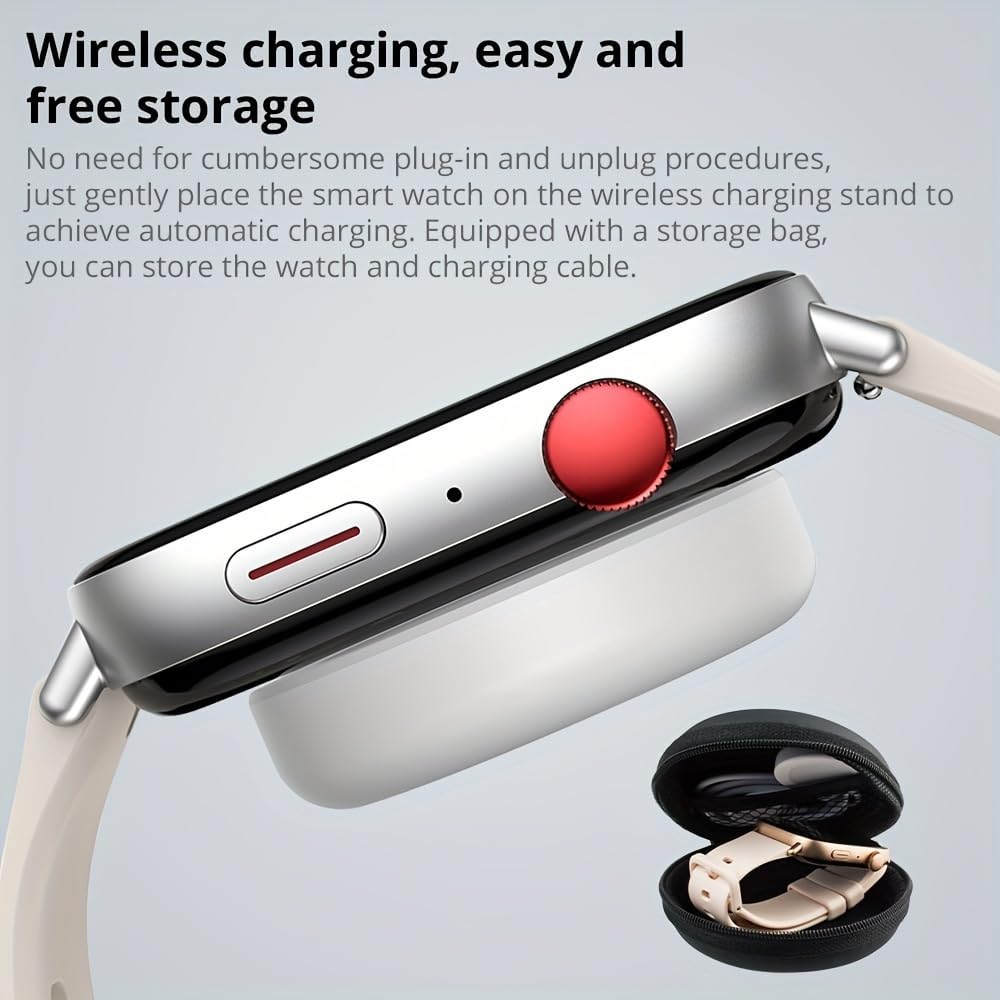
Image Description: A close-up view of the COLMI C8 Max Smartwatch resting on a white wireless charging pad. The watch has a silver metallic frame and a light-colored strap. A small black zippered storage case is visible in the bottom right corner. This image illustrates the wireless charging capability and the included storage solution.
- Place the smartwatch gently onto the wireless charging stand.
- Ensure the watch is correctly positioned for automatic charging.
- The battery icon on the watch screen will indicate charging status.
2. App Installation and Pairing
To unlock the full potential of your smartwatch, download the companion application on your smartphone or tablet.
- Scan the QR code in the included user manual or search for the official COLMI app in your device's app store (Google Play Store for Android, Apple App Store for iOS).
- Install the application and grant necessary permissions.
- Enable Bluetooth on your smartphone.
- Open the COLMI app and follow the on-screen instructions to pair your C8 Max Smartwatch. Ensure the smartwatch is powered on and within Bluetooth range.
Operating Instructions
Display and Navigation
The COLMI C8 Max features a large 1.93-inch IPS touchscreen with a resolution of 240 x 288 pixels, offering a clear and vibrant display experience with narrow bezels.
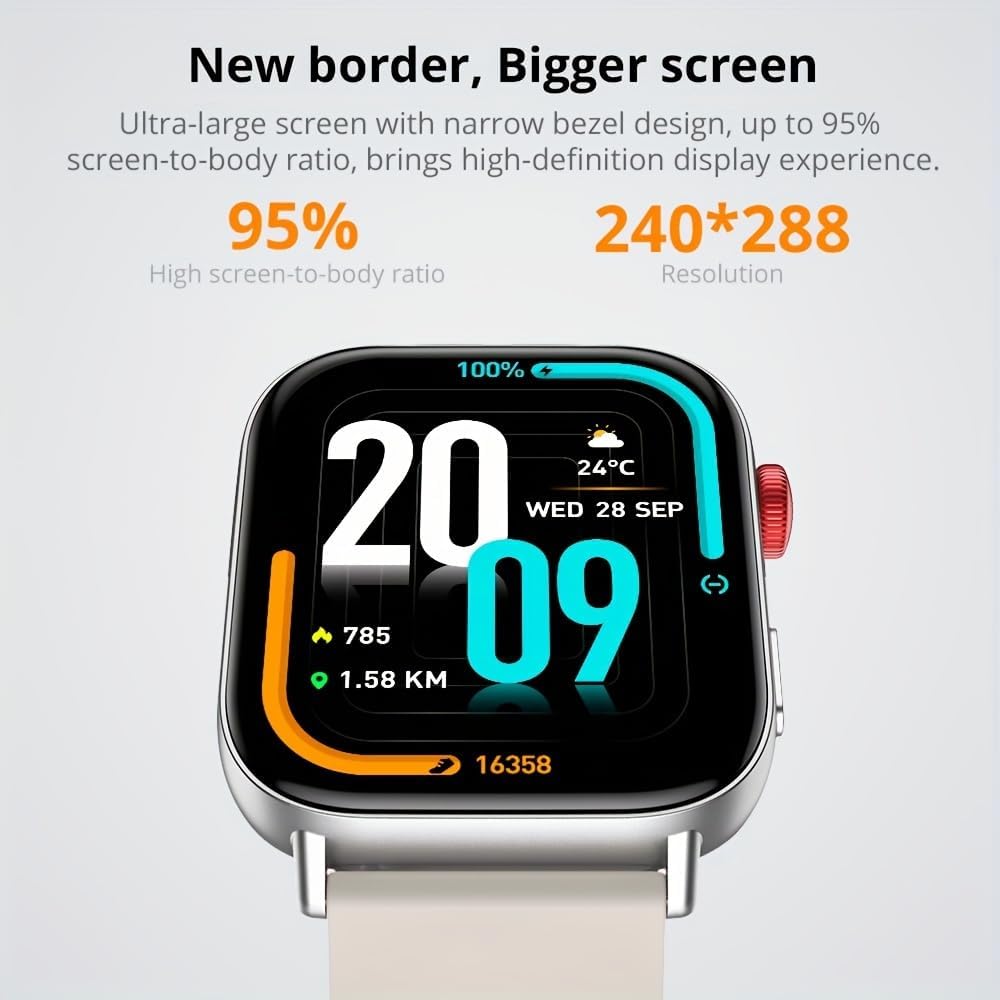
Image Description: A close-up of the COLMI C8 Max Smartwatch screen. The display shows the time "20:09", date "WED 28 SEP", weather "24°C", battery percentage "100%", steps "785", and distance "1.58 KM". The image highlights the large screen and narrow bezel design, emphasizing the high screen-to-body ratio and resolution.
- Swipe Up/Down: Access quick settings or notifications.
- Swipe Left/Right: Navigate through different widgets and functions (e.g., heart rate, activity data, weather).
- Press Side Button: Return to the home screen or access the app menu.
Smart Island Function
The smartwatch supports a "Smart Island" function, allowing quick access to messages and notifications with a single click.

Image Description: Two COLMI C8 Max smartwatches are shown. The watch in the foreground displays a circular watch face with colorful segments. The watch in the background shows a notification bubble at the top of the screen, resembling a "Smart Island" feature, with "15 message" displayed. This illustrates the Smart Island function for quick message access.
Wireless Calling
The COLMI C8 Max has a built-in microphone and speaker, enabling stable wireless calls directly from your wrist.

Image Description: Three COLMI C8 Max smartwatches are displayed, each showing a different aspect of the wireless calling feature. From left to right: a dial pad for making calls, a screen with options for "Phone Call," "Recent Call," "Dial Pad," and "Contacts," and an incoming call screen showing "Tim" with options to answer or decline. This demonstrates the watch's capability for making and receiving calls.
- Ensure your smartwatch is connected to your phone via Bluetooth.
- Use the dial pad, recent calls, or contacts list on the watch to initiate calls.
- Answer or decline incoming calls directly from your wrist.
Fitness and Health Tracking
The C8 Max offers comprehensive tracking for your health and fitness goals:
- Heart Rate Monitor: Continuously tracks your heart rate.
- Pedometer: Counts your steps throughout the day.
- Sleep Tracking: Monitors your sleep patterns and quality.
- Multi-Sport Tracking: Supports various sports modes to record specific activity data.
- Calorie Tracking: Estimates calories burned based on your activity.
- Sedentary Reminder: Alerts you when you've been inactive for too long.
- Menstruation Management: Provides tracking and reminders for female users.
Other Features
- AI Voice Assistant: Interact with your watch using voice commands.
- Calendar & Alarm: Set reminders and manage your schedule.
- Remote Camera Control: Use your watch as a remote shutter for your phone's camera.
- Countdown Timer: A convenient timer for various tasks.
- Message & Call Notifications: Receive alerts for incoming calls and messages directly on your wrist.
- Social Media Notifications: Stay updated with alerts from your favorite social platforms.
Maintenance
The COLMI C8 Max Smartwatch is designed for durability and convenience. Follow these guidelines to ensure its longevity:
- Water Resistance (IP68): The watch is IP68 rated, meaning it is waterproof and dust-resistant. It can withstand immersion in water up to 1.5 meters for 30 minutes. However, it is not suitable for hot water baths, saunas, or diving. Avoid prolonged exposure to saltwater.
- Cleaning: Wipe the watch and strap regularly with a soft, dry cloth. If necessary, use a slightly damp cloth and then dry thoroughly. Avoid using harsh chemicals or abrasive materials.
- Storage: When not in use for extended periods, store the watch in a cool, dry place, ideally in its original packaging or the provided storage case.
- Battery Care: To prolong battery life, avoid fully discharging the battery frequently. Charge it when the battery level is low.
Troubleshooting
If you encounter issues with your COLMI C8 Max Smartwatch, try the following solutions:
- Watch not turning on: Ensure the watch is fully charged. Connect it to the charger and wait a few minutes before attempting to power it on.
- Cannot pair with phone:
- Ensure Bluetooth is enabled on your phone and the watch.
- Make sure the watch is within Bluetooth range (typically 10 meters).
- Restart both your phone and the smartwatch.
- Clear Bluetooth cache on your phone (if applicable) and try pairing again.
- Ensure the COLMI app is updated to the latest version.
- Inaccurate fitness data:
- Ensure the watch is worn snugly on your wrist, not too loose or too tight.
- Calibrate the pedometer in the app if an option is available.
- Update the watch firmware via the app.
- Notifications not appearing:
- Check notification permissions for the COLMI app on your phone.
- Ensure the watch is connected to your phone via Bluetooth.
- Verify notification settings within the COLMI app.
- Short battery life:
- Reduce screen brightness.
- Disable continuous heart rate monitoring if not needed.
- Limit the number of apps sending notifications to the watch.
- Ensure the watch is fully charged each time.
If problems persist, please refer to the official COLMI support channels or contact customer service.
Specifications
| Feature | Detail |
|---|---|
| Brand | COLMI |
| Model Number | C8 Max |
| Color | Silver Metallic |
| Display | 1.93-inch IPS Touchscreen |
| Resolution | 240 x 288 pixels |
| Waterproof Rating | IP68 |
| Battery Capacity | 250 mAh Lithium Polymer |
| Battery Life | 5 to 10 days (typical usage) |
| Connectivity | Bluetooth 5.3 |
| Compatible Systems | Android, iOS |
| Internal Storage | 128 MB |
| RAM | 640 KB |
| GPS | No |
| Special Features | AI Voice Assistant, Wireless Calling, Smart Island Function |
| Manufacturer | Shenzhen Colmi Technology Co., Ltd. |
Warranty and Support
The COLMI C8 Max Smartwatch comes with a manufacturer's warranty. Please refer to the warranty card included in your product packaging for specific terms and conditions, including warranty duration and coverage details.
For technical support, troubleshooting assistance, or warranty claims, please contact COLMI customer service through their official website or the contact information provided in your product documentation. Keep your purchase receipt as proof of purchase for warranty services.
Related documentsC8 Max


Ask a question about this manual
Ask about setup, troubleshooting, compatibility, parts, safety, or missing instructions. Manuals+ will review the question and use this page’s manual context to help answer it.