
Jocoevol C-1691
Jocoevol Daybed with Trundle and LED Light User Manual
Model: C-1691
Introduction
Thank you for choosing the Jocoevol Daybed with Trundle and LED Light. This versatile furniture piece is designed to provide comfortable seating during the day and additional sleeping space at night, making it ideal for various rooms including living rooms, bedrooms, and guest rooms. It features a pop-up trundle, an upholstered storage headboard with a built-in charging station, and multi-function RGB LED lighting. This manual provides detailed instructions for assembly, operation, maintenance, and troubleshooting to ensure safe and optimal use of your new daybed.
Safety Information
Please read and understand all instructions before assembly and use. Keep this manual for future reference.
- Ensure all parts are present and undamaged before beginning assembly. Do not use if any parts are missing or broken.
- Assemble the daybed on a soft, clean surface to prevent scratches.
- Tighten all bolts and screws securely, but do not overtighten. Periodically check and re-tighten fasteners.
- Do not allow children to play on or around the daybed without supervision.
- Do not exceed the weight limit of 880 lbs for the main bed and trundle combined.
- Keep electrical components (LED lights, charging station) away from water or excessive moisture.
- Use only mattresses of appropriate size for the daybed and trundle to ensure proper fit and safety. The embedded design helps prevent mattress sliding.
Product Specifications
| Feature | Detail |
|---|---|
| Size | Twin |
| Special Features | Charging Station, LED Lighting, Storage Headboard, Pop-up Trundle |
| Color | White |
| Upholstery Fabric Type | Linen |
| Product Dimensions (L x W x H) | 77.4" x 45.1" x 44.5" |
| Weight Limit | 880 lbs |
| Item Weight | 92.4 lbs |
| Included Components | Headboard, Installation Manual, Trundle Bed |
| Model Number | C-1691 |

Figure 1: Detailed dimensions of the Jocoevol Daybed and Trundle.
Assembly Instructions
Your Jocoevol Daybed is designed for straightforward assembly. All necessary tools, labeled parts, and clear instructions are included. It is recommended to assemble with two people.
Before You Begin:
- Unpack all components and lay them out on a soft, clean surface (e.g., a rug or blanket) to prevent damage.
- Verify that all parts listed in the packing list are present. If any parts are missing or damaged, contact customer support.
- Familiarize yourself with the hardware and tools provided.
Step-by-Step Assembly:
- Assemble the Headboard: Attach the upholstered headboard panel to the main headboard frame. Ensure the LED light strip and charging station are correctly oriented and secured.
- Attach Side Rails: Connect the side rails to the assembled headboard and footboard (if separate). Ensure all connections are firm and aligned.
- Install Bed Slats: Securely attach the bed slats to the side rails. The embedded design helps keep the mattress in place.
- Assemble the Trundle Bed: Construct the trundle frame according to the separate trundle instructions. Attach the lockable casters to the trundle base.
- Insert Trundle: Slide the assembled trundle bed under the main daybed frame. Ensure the pop-up mechanism and locking wheels function correctly.
- Final Tightening: Once all components are in place, go back and tighten all screws and bolts firmly. Do not overtighten.
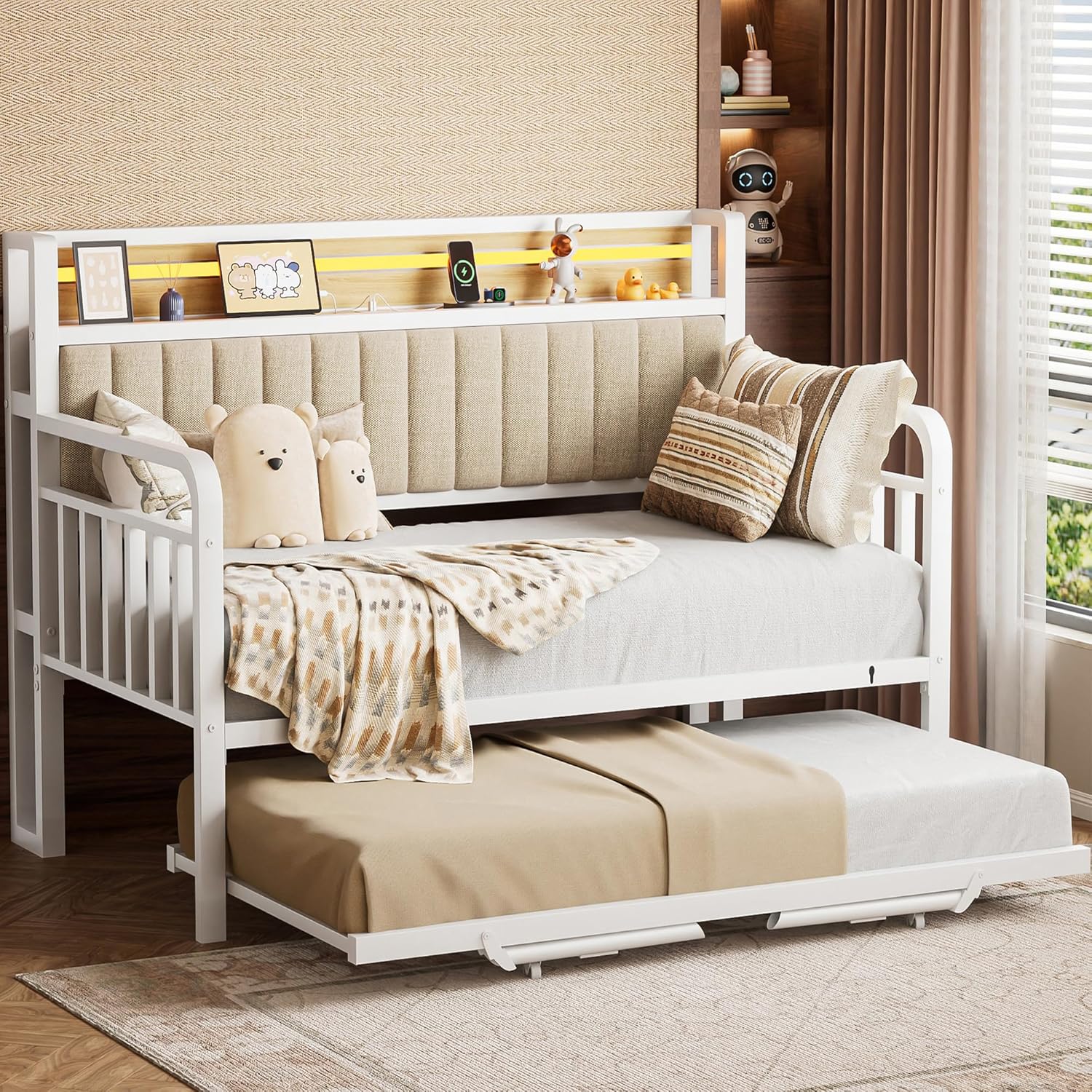
Figure 2: Fully assembled Jocoevol Daybed with Trundle.

Figure 3: Key design features including safe round edges, embedded mattress design, lockable casters, and easy installation points.
Operating Instructions
1. Trundle Bed Operation
The trundle bed is designed for easy deployment and storage, converting your daybed into a larger sleeping area or two separate beds.
- To Pull Out: Gently pull the trundle frame from underneath the main daybed. The wheels will allow it to slide out smoothly.
- To Pop Up: Once pulled out, lift the trundle frame upwards. It features a pop-up mechanism that will raise it to the same height as the main daybed, creating a larger sleeping surface.
- To Lock: Engage the locking mechanism on the wheels to prevent the trundle from moving once in position. This also helps secure it when combined with the main bed.
- To Store: Disengage the locking wheels, lower the trundle frame, and gently push it back under the main daybed until fully concealed.

Figure 4: The trundle bed extended and popped up, ready for use.
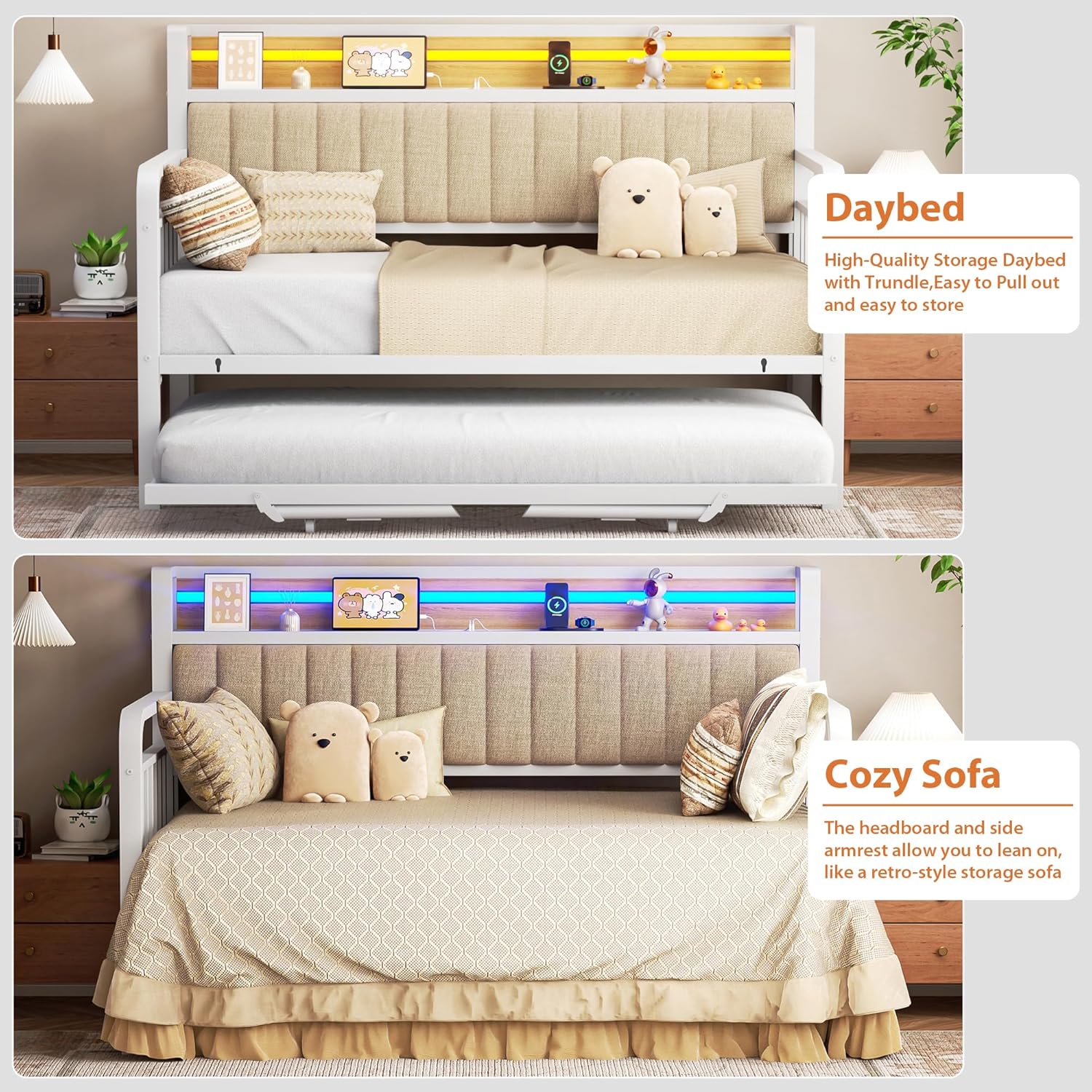
Figure 5: The daybed configured as a traditional daybed and as a cozy sofa.
2. RGB LED Light Operation
The integrated RGB LED light strip offers customizable lighting options for various moods and needs.
- Control Methods: The LED lights can be controlled via physical buttons on the headboard, a dedicated remote control, or a smartphone application (iOS/Android).
- Color Selection: Choose from over 16 million colors to match your preference or room decor.
- Lighting Effects: Select from over 20 preset lighting effects, including dynamic modes and static colors.
- Music Sync Mode: In this mode, the LED lights will flash and change rhythmically with music, providing an immersive experience.
- Brightness Adjustment: Adjust the brightness level to suit your needs, from a soft nightlight to brighter illumination for reading.
- Timing Function: Set timers for the lights to turn on or off automatically.
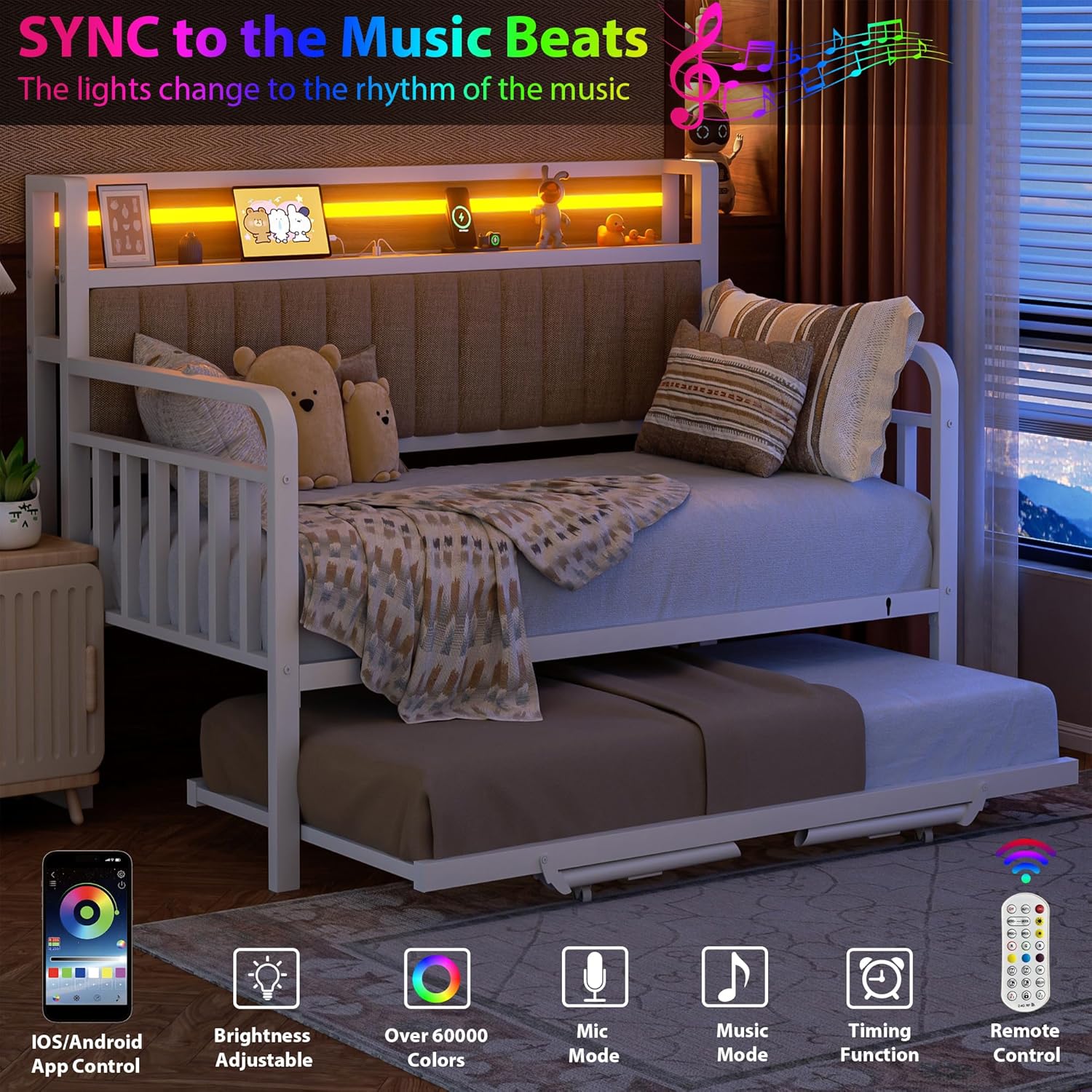
Figure 6: The daybed with its RGB LED lights active, showcasing various color options.

Figure 7: The headboard with its integrated LED lighting and charging station.
3. Charging Station Usage
The headboard features a convenient charging station to keep your devices powered and within reach.
- Power Outlets: Two standard 125V/12A AC outlets are available for plugging in larger devices or chargers.
- USB Ports: Two USB ports (5V/2A) are provided for charging smartphones, tablets, and other USB-powered devices.
- Type-C Port: One Type-C port (5V/3A) offers faster charging for compatible devices.
- Cable Management: Utilize the 5.5-inch deep open shelf to store devices and manage cables neatly.

Figure 8: The integrated charging station with AC outlets, USB ports, and a Type-C port.
Care and Maintenance
Proper care will extend the life and appearance of your Jocoevol Daybed.
- Cleaning the Frame: Wipe the metal frame with a soft, damp cloth. Avoid abrasive cleaners or harsh chemicals that could damage the finish.
- Cleaning Upholstery: For the linen upholstered headboard, spot clean with a mild fabric cleaner and a soft cloth. Blot spills immediately. Do not saturate the fabric.
- Electrical Components: Keep the LED lights and charging station free from dust. Do not attempt to disassemble or repair electrical components yourself.
- Fasteners: Periodically check all bolts and screws to ensure they remain tight. Re-tighten as necessary to maintain stability and safety.
- Moving the Daybed: When moving the daybed, lift it rather than dragging it to prevent damage to the frame and floor.
Troubleshooting
| Problem | Possible Cause | Solution |
|---|---|---|
| LED lights not working or flickering. | Loose connection, power issue, defective light strip. |
|
| Trundle bed does not slide smoothly or pop up. | Wheels locked, obstruction, misaligned frame. |
|
| Bed feels wobbly or unstable. | Loose fasteners, uneven floor. |
|
| Charging station not providing power. | Power cord unplugged, circuit breaker tripped, device incompatibility. |
|
Warranty and Support
Jocoevol is committed to providing high-quality products and excellent customer service. For any questions, concerns, or assistance with your daybed, please contact our dedicated support team.
- Customer Support: If you have any questions before or after purchase, our dedicated support team is available to assist you and will respond within 24 hours.
- Contact Information: Please refer to the contact details provided on the product packaging or the Jocoevol official website for the most current support channels.
- Warranty: Information regarding product warranty can be found on the product registration card or by contacting customer support.
For more information, visit the official Jocoevol Store on Amazon.
Ask a question about this manual
Ask about setup, troubleshooting, compatibility, parts, safety, or missing instructions. Manuals+ will review the question and use this page’s manual context to help answer it.