
SANODESK B0DV4HLP6D
SANODESK L Shaped Electric Adjustable Height Standing Desk (Model B0DV4HLP6D) User Manual
Your comprehensive guide to assembly, operation, and maintenance.
Introduction
Thank you for choosing the SANODESK L Shaped Electric Adjustable Height Standing Desk. This manual provides detailed instructions for the safe assembly, operation, and maintenance of your new desk. Please read this manual thoroughly before beginning assembly or use, and retain it for future reference.
Safety Information
- Ensure all components are present and undamaged before assembly. Do not use if any parts are missing or damaged.
- Assembly requires two people for safety and ease.
- Keep children and pets away from the desk during operation to prevent injury.
- Do not overload the desk. The maximum weight capacity is 220 lbs (100 kg).
- Ensure there are no obstructions above or below the desk when adjusting its height.
- Only use the provided power adapter and control panel.
- Disconnect power before cleaning or maintenance.
Package Contents
Please verify that all parts listed below are included in your package. If any parts are missing or damaged, please contact customer support.
- L-shaped desktop sections (2 or 3 depending on configuration)
- Desk legs and feet (3 sets)
- Control box
- Control panel with LED display
- Power adapter and cable
- All necessary screws, bolts, and assembly tools
- Instruction manual
Setup and Assembly
Assembly of your SANODESK L Shaped Standing Desk is designed to be straightforward. While all necessary tools are included, a drill may be helpful for certain steps. It is recommended that two people assemble the desk for optimal safety and efficiency.
Assembly Steps:
- Unpack Components: Carefully remove all parts from the packaging. Lay them out on a clean, soft surface to prevent scratches.
- Identify Desktop Sections: The L-shaped desktop consists of multiple sections. Pay close attention to the pre-drilled holes on the underside of each section to ensure correct alignment with the leg frames. If holes do not align, try rotating or swapping desktop sections.
- Attach Leg Frames: Secure the leg frames to the desktop sections using the provided screws. Ensure all connections are tight and stable.
- Install Control Box and Panel: Mount the control box and control panel to the underside of the desk in an easily accessible location. Connect the motor cables and power cable to the control box as per the diagram in the included printed manual.
- Attach Feet: Secure the desk feet to the bottom of the leg frames.
- Cable Management: Use the included cable ties or clips to organize and secure all cables, preventing them from snagging during height adjustments.
- Position the Desk: With assistance, carefully flip the assembled desk upright and place it in its desired location. Ensure it is level and stable.
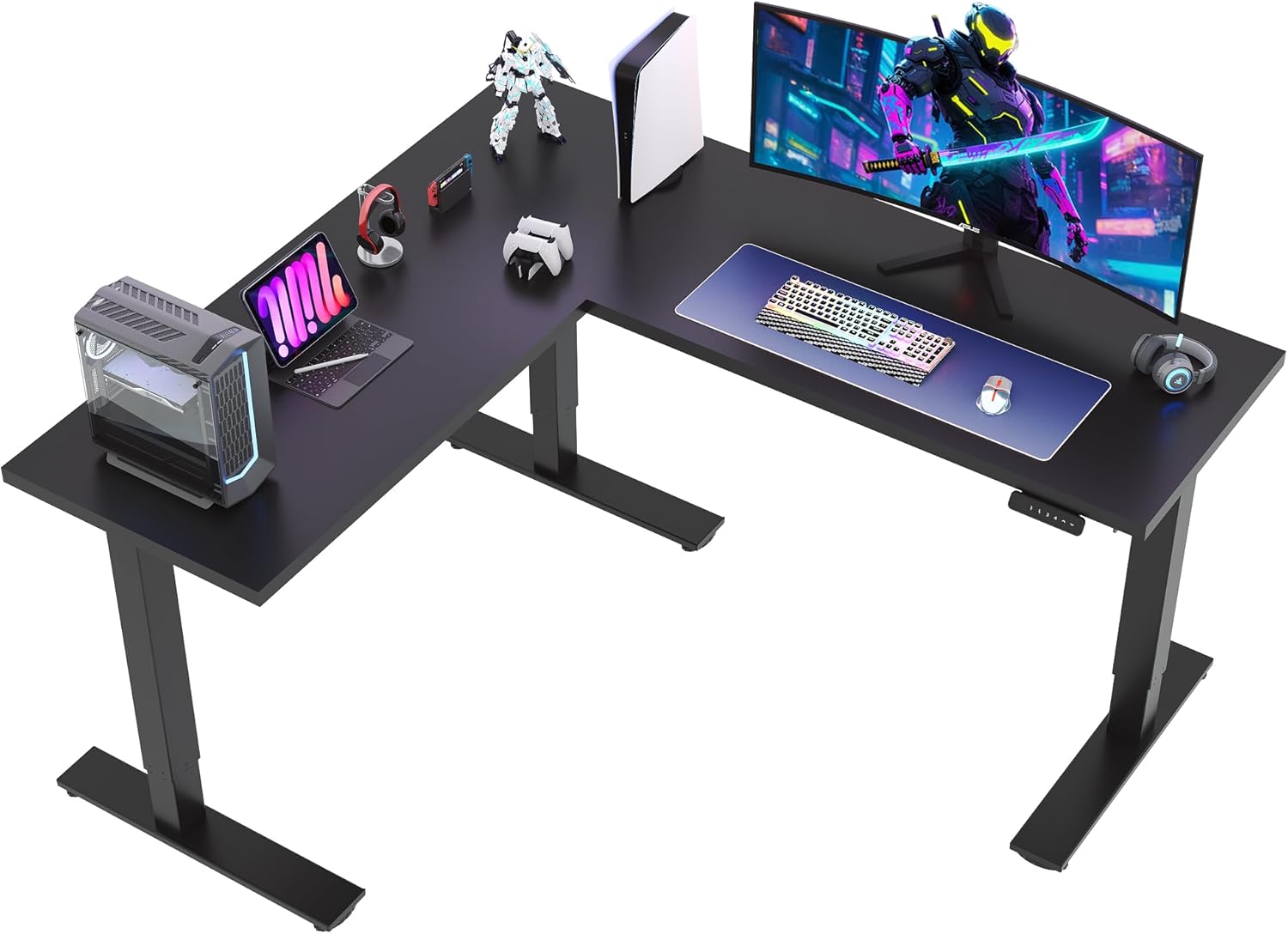
Image: Fully assembled SANODESK L-shaped standing desk with a gaming setup, showcasing its spacious design and corner configuration.

Image: Diagram illustrating the dimensions of the SANODESK L-shaped standing desk, including length, width, and adjustable height range (28.3" to 45.9").
Operating Instructions
Your SANODESK L Shaped Standing Desk features an electric height adjustment system with programmable memory presets for convenience.
Control Panel Functions:

Image: Close-up of the SANODESK desk control panel, showing the LED display, up/down buttons, and four programmable height preset buttons (1, 2, 3, 4).
- LED Display: Shows the current desk height in inches.
- Up/Down Buttons (∧ / ∨): Press and hold to manually adjust the desk height. Release to stop at the desired height.
- Memory Presets (1, 2, 3, 4):
- To Save a Preset: Adjust the desk to your desired height using the up/down buttons. Press the 'M' button (if present, or a similar 'Set' button) followed by the desired number button (1, 2, 3, or 4). The display will confirm the setting.
- To Use a Preset: Press the corresponding number button (1, 2, 3, or 4). The desk will automatically move to the saved height.
- Height Range: The desk can be adjusted from a minimum height of 28.3 inches to a maximum height of 45.9 inches.
- Load Capacity: The desk supports a maximum weight of 220 lbs (100 kg).
- Anti-Collision Feature: The desk is equipped with an anti-collision system. If the desk encounters an obstruction during height adjustment, it will automatically stop and reverse slightly to prevent damage.
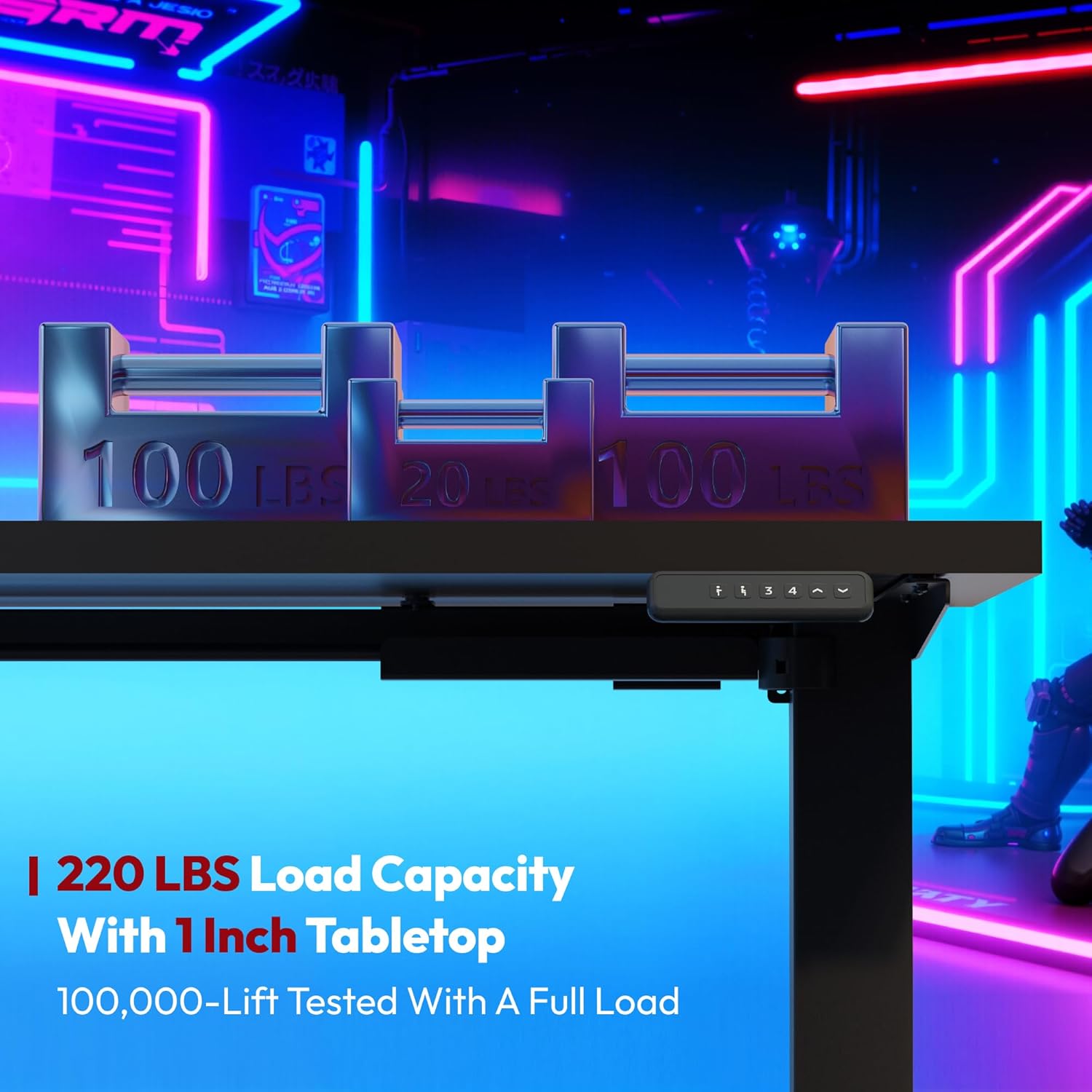
Image: The SANODESK L-shaped standing desk demonstrating its 220 lbs load capacity with weights placed on the desktop, highlighting its robust construction.

Image: Illustration of the SANODESK's anti-collision feature, showing the desk reversing its movement upon detecting an obstruction below it.
Maintenance
Proper maintenance ensures the longevity and optimal performance of your SANODESK L Shaped Standing Desk.
- Cleaning: Wipe the desk surfaces with a damp cloth. Avoid harsh chemicals or abrasive cleaners that could damage the finish.
- Regular Checks: Periodically check all screws and bolts to ensure they remain tight. Retighten if necessary.
- Cable Inspection: Inspect power and motor cables for any signs of wear or damage. Replace immediately if damage is found.
- Avoid Spills: While the desktop is durable, avoid prolonged exposure to liquids to prevent damage.
Troubleshooting
If you encounter issues with your SANODESK L Shaped Standing Desk, refer to the following common problems and solutions:
| Problem | Possible Cause | Solution |
|---|---|---|
| Desk does not move or respond to controls. | Power cable disconnected, control box issue, motor issue. |
|
| Desk moves unevenly or makes unusual noises. | Uneven load, loose connections, motor synchronization issue. |
|
| Anti-collision feature triggers too easily or not at all. | Sensor sensitivity setting, obstruction. |
|
| Preset heights are inaccurate. | Presets need to be re-saved. |
|
If the problem persists after attempting these solutions, please contact SANODESK customer support for further assistance.
Specifications
| Feature | Detail |
|---|---|
| Brand | SANODESK |
| Model Number (ASIN) | B0DV4HLP6D |
| Product Dimensions (D x W x H) | 63"D x 71"W x 28.3"H |
| Color | Black |
| Style | Modern |
| Base Material | Carbon Steel (Leg) |
| Top Material Type | Engineered Wood (FSC-Certified) |
| Finish Type | Stainless Steel |
| Minimum Height | 28.3 Inches |
| Maximum Height | 45.9 Inches |
| Maximum Weight Recommendation | 220 Pounds |
| Required Assembly | Yes |
| Recommended Number of People for Assembly | 2 |
| Includes All Assembly Tools | Yes |
| Product Care Instructions | Wipe with Damp Cloth |
| Is Electric | Yes |
Warranty and Support
SANODESK stands behind the quality of its products. Your L Shaped Electric Adjustable Height Standing Desk comes with the following warranty:
- Frame Warranty: 5 years
- Motor Warranty: 2 years
This warranty covers manufacturing defects under normal use. For warranty claims, technical assistance, or any questions regarding your product, please contact SANODESK customer service.
Customer Support: Please refer to the contact information provided in your product packaging or visit the official SANODESK website for assistance.
Related documentsB0DV4HLP6D

Ask a question about this manual
Ask about setup, troubleshooting, compatibility, parts, safety, or missing instructions. Manuals+ will review the question and use this page’s manual context to help answer it.