
1. Introduction
Thank you for choosing the SEDETA 2-Drawer File Cabinet. This manual provides essential information for the safe assembly, operation, and maintenance of your new file cabinet. Please read these instructions thoroughly before beginning assembly and retain them for future reference.
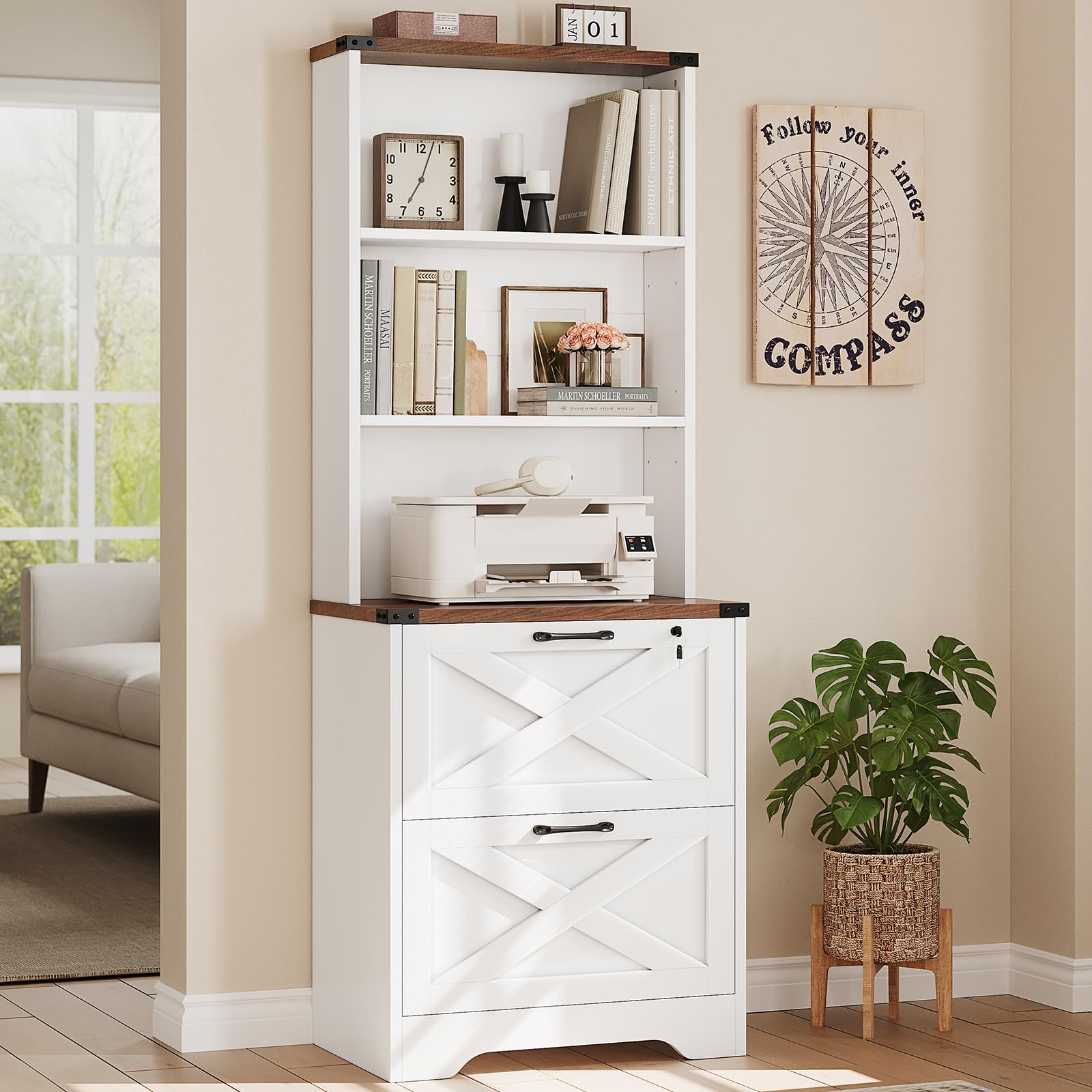
Image 1.1: The SEDETA 2-Drawer File Cabinet in white, featuring open shelves and two file drawers.
2. Safety Information
- Always secure the file cabinet to the wall using the included anti-tip kit to prevent tipping and potential injury.
- Do not overload the cabinet, as this may also cause it to tip over.
- Ensure all screws and fasteners are tightened securely before use.
- Keep small parts away from children during assembly.
- Assemble on a soft, clean surface to prevent scratches.

Image 2.1: Illustration showing the anti-tip kit being secured to the wall for enhanced stability and safety.
3. Package Contents
Before assembly, verify that all components are present and undamaged. Refer to the parts list provided in your separate assembly instruction booklet.
- Wooden panels (various sizes for frame, shelves, drawers)
- Hardware pack (screws, dowels, cam locks, drawer slides, handles, anti-tip kit)
- Lock and keys
- File hanging bars
- Assembly instruction booklet
4. Assembly Instructions
Assembly typically requires two adults. Please follow the detailed step-by-step diagrams and instructions included in the separate assembly manual provided with your product. A screwdriver is usually included.
- Unpack and Identify: Carefully unpack all components and lay them out on a clean, soft surface. Identify each part using the labels and diagrams in the assembly manual.
- Assemble Frame: Begin by assembling the main frame of the cabinet according to the instructions.
- Install Shelves: Insert shelf pins into the desired holes and place the adjustable shelves.
- Assemble Drawers: Construct the two file drawers, ensuring the drawer slides are correctly oriented.
- Install Drawers: Slide the assembled drawers into the cabinet frame.
- Attach Handles and Lock: Secure the drawer handles and install the locking mechanism for the top drawer.
- Secure Anti-Tip Kit: Attach the anti-tip kit to the back of the cabinet and to a wall stud as directed. This step is crucial for safety.

Image 4.1: Dimensional diagram of the file cabinet, showing overall height, width, depth, and internal shelf and drawer measurements.
5. Operating Instructions
5.1 Adjustable Shelves
The upper section of the cabinet features adjustable shelves. To adjust a shelf:
- Remove any items from the shelf.
- Carefully lift the shelf to remove it from its current pins.
- Relocate the shelf pins to the desired height. Ensure pins are inserted firmly and evenly on both sides.
- Place the shelf back onto the pins, ensuring it is level and secure.
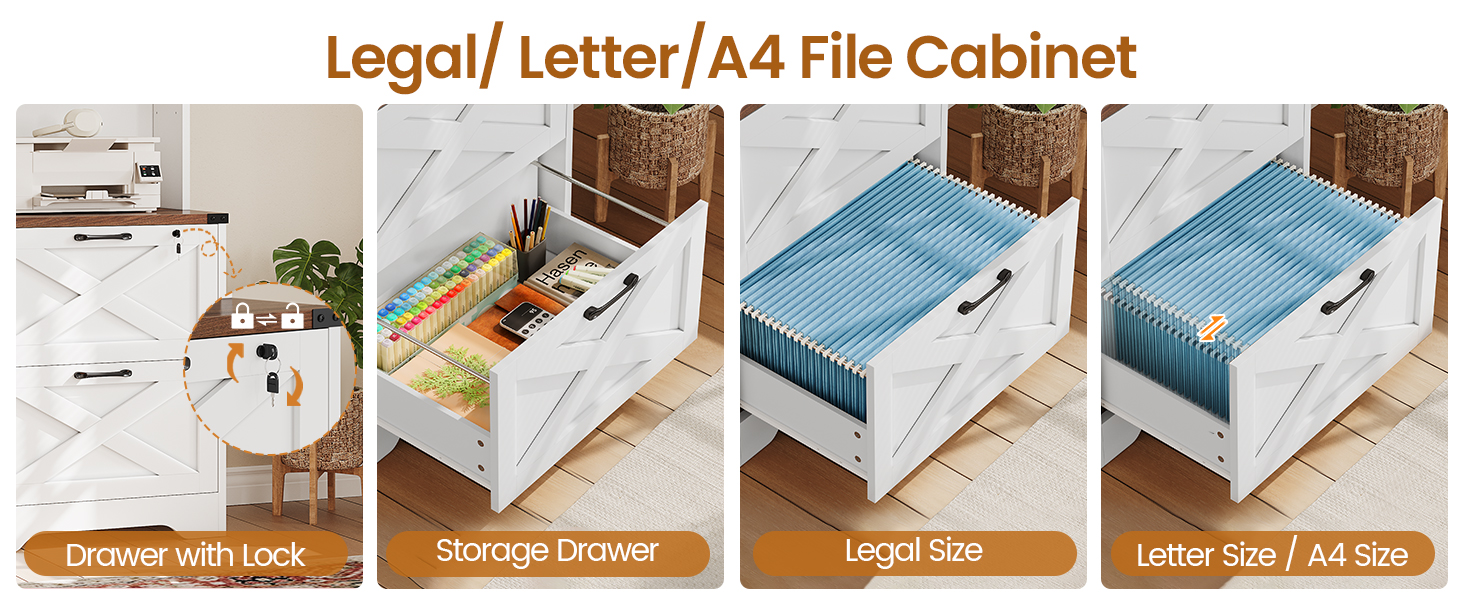
Image 5.1: Visual representation of the adjustable shelves, highlighting the flexibility in shelf placement.
5.2 File Drawers with Lock
The two bottom drawers are designed for file storage and the top drawer includes a locking mechanism.
- Locking: Insert the key into the lock on the top drawer and turn to secure. Remove the key to prevent unauthorized access.
- File Compatibility: The drawers are equipped with adjustable hanging bars to accommodate Letter, Legal, and A4 size hanging file folders. Adjust the bars as needed to fit your specific file size.

Image 5.2: Close-up view of the file cabinet drawers, demonstrating the lock feature, general storage, and compatibility with Legal, Letter, and A4 size hanging files.
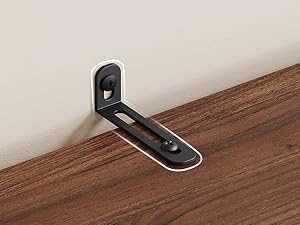
Image 5.3: Detailed view of the drawer lock and key for securing contents.
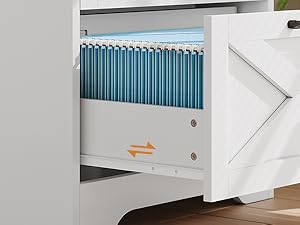
Image 5.4: The file drawer configured to hold Letter or A4 size hanging files.
6. Maintenance
- Cleaning: Wipe surfaces with a soft, damp cloth. Avoid harsh chemicals or abrasive cleaners.
- Dusting: Regularly dust with a dry, soft cloth.
- Hardware Check: Periodically check all screws and fasteners to ensure they remain tight. Retighten if necessary.
- Avoid Moisture: Protect the cabinet from excessive moisture and direct sunlight to prevent warping or discoloration.
7. Troubleshooting
| Problem | Possible Cause | Solution |
|---|---|---|
| Cabinet is wobbly or unstable. | Loose fasteners; uneven floor; anti-tip kit not installed. | Ensure all screws are tightened. Adjust floor levelers if present. Install the anti-tip kit securely to a wall stud. |
| Drawers do not slide smoothly. | Drawer slides misaligned; obstruction in tracks; overloaded drawer. | Check drawer slide alignment. Remove any obstructions. Reduce weight in the drawer. |
| Lock mechanism not working. | Key not fully inserted; mechanism jammed; incorrect installation. | Ensure key is fully inserted and turned correctly. Check for any obstructions. Review assembly steps for lock installation. |
8. Specifications
| Feature | Detail |
|---|---|
| Brand | SEDETA |
| Model Number | file cabinet |
| Color | White |
| Material | Engineered Wood |
| Product Dimensions (D x W x H) | 15.7"D x 19.7"W x 65"H |
| Item Weight | 55 Pounds |
| Number of Drawers | 2 |
| Number of Shelves | 3 (including top surface) |
| Additional Features | Adjustable Shelf, Lockable Drawer, Anti-Tip Kit Included |
| File Compatibility | Letter, Legal, A4 Size Hanging File Folders |
| Mounting Type | Floor Mount |
| Assembly Required | Yes |
9. Product Overview Video
Video 9.1: An overview of the SEDETA 2-Drawer File Cabinet, demonstrating its features such as adjustable shelves, lockable drawers, and file compatibility.
10. Warranty and Support
For warranty information, missing parts, or any product-related inquiries, please contact SEDETA customer support through the retailer's platform or visit the official SEDETA store page. Please have your purchase details and model number ready when contacting support.
SEDETA Store: Visit the SEDETA Store on Amazon