1. Introduction
The ADYOOM AI Language Translator Earbuds (Model YYK-Q39) are designed to provide seamless, real-time communication across 144 languages. These 3-in-1 earbuds integrate advanced AI translation technology with high-definition audio for music and calls, offering a versatile solution for travel, business, and learning. Featuring an open-ear design for comfort and situational awareness, Bluetooth 5.4 connectivity, and IPX7 waterproof protection, they are built for all-day use and durability.

Figure 1.1: ADYOOM AI Language Translator Earbuds and Charging Case.
2. Package Contents
Please verify that all items listed below are included in your package:
- ADYOOM AI Language Translator Earbuds (1 pair)
- Charging Case (1 unit)
- USB Data Cable (Type-C) (1 unit)
- User Manual (this document)
3. Setup Guide
3.1 Initial Charging
Before first use, fully charge the earbuds and the charging case. Connect the provided USB Type-C cable to the charging case and a compatible USB power source. The digital display on the charging case will indicate the battery level.

Figure 3.1: Earbuds in charging case showing digital battery display and Type-C port.
3.2 Pairing with Your Device
- Ensure the earbuds are charged.
- Open the charging case lid and take out both earbuds simultaneously. They will automatically enter pairing mode.
- On your smartphone (iOS or Android), tablet, or other Bluetooth-enabled device, navigate to the Bluetooth settings.
- Search for available devices and select "ADYOOM YYK-Q39" (or similar name) from the list.
- Once connected, a voice prompt will confirm successful pairing.

Figure 3.2: Earbuds connecting instantly to a smartphone upon opening the case.
3.3 App Installation (Ear Dance)
To utilize the full translation functionality, download the "Ear Dance" application from your device's app store (available for iOS and Android). Alternatively, scan the QR code provided on the Bluetooth headset box to directly download the app. The software is completely free with no hidden fees or subscriptions.
4. Operating Instructions
4.1 Translation Modes
The Ear Dance app offers multiple translation modes to suit various scenarios:
- Silent Mode: Displays translation results on the app screen without audio output.
- Earphone Mode: Speak into your phone, and the translation is played through your earbuds.
- Speaker Mode: Press to speak, release to end recording, and the translated audio is played through your phone's speaker.
- Binaural Mode (Two Earphone Mode): Each person wears one earbud, speaks into their respective earbud, and the translated audio is played through the earbuds.

Figure 4.1: Overview of the four translation modes available in the Ear Dance app.
4.2 Music Playback and Calls
Beyond translation, these earbuds function as standard Bluetooth headphones, providing HD sound quality for music and clear audio for phone calls. Control playback and calls directly from your connected device.
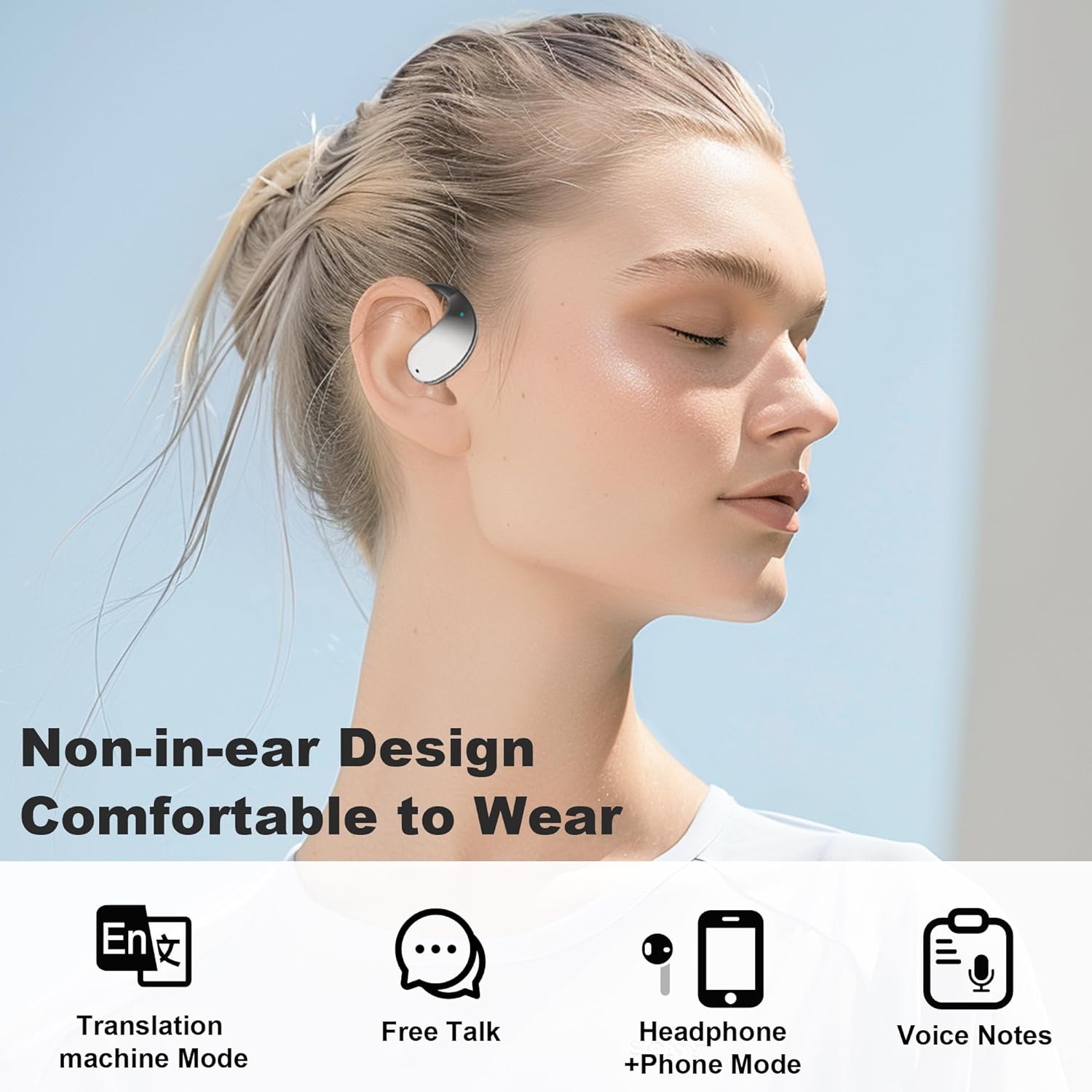
Figure 4.2: Illustration of the 10mm speaker drivers and noise reduction for high-fidelity audio.
5. Key Features
5.1 AI-Powered Real-Time Translation
Experience accurate, two-way translation in 144 languages with zero-delay technology. The AI continuously improves accuracy based on usage patterns.

Figure 5.1: Real-time translation in action, overcoming language barriers.

Figure 5.2: The earbuds support simultaneous translation in 134 languages and accents.
5.2 Open-Ear Design & Comfort
The open-ear design ensures all-day comfort without causing discomfort, allowing you to remain aware of your surroundings while enjoying audio or translations. Professional directional sound transmission protects your privacy by minimizing sound leakage.

Figure 5.3: The comfortable open-ear design for extended wear.

Figure 5.4: Professional directional sound transmission for privacy protection.
5.3 Long Battery Life & IPX7 Waterproof
Enjoy up to 10 hours of playtime on a single charge, with the compact charging case providing an additional 50 hours (total 60 hours). The earbuds are IPX7 waterproof, making them resistant to sweat and rain, ideal for active lifestyles.
6. Maintenance
- Cleaning: Gently wipe the earbuds and charging case with a soft, dry, lint-free cloth. Do not use abrasive cleaners or solvents.
- Storage: Store the earbuds in their charging case when not in use to protect them and keep them charged. Avoid extreme temperatures.
- Water Exposure: While IPX7 waterproof, avoid prolonged submersion in water. Dry thoroughly if exposed to sweat or rain before placing back in the charging case.
7. Troubleshooting
| Problem | Possible Cause | Solution |
|---|---|---|
| Earbuds not pairing. | Earbuds not in pairing mode; Bluetooth off on device; device out of range. | Ensure both earbuds are out of the case. Turn Bluetooth off and on again on your device. Move device closer to earbuds. |
| No sound from earbuds. | Low battery; volume too low; not connected to device. | Charge earbuds. Increase volume on your device. Re-pair earbuds. |
| Translation not working. | "Ear Dance" app not open or connected; internet connection issues; incorrect mode selected. | Open and connect the app. Ensure stable internet connection. Verify correct translation mode is selected in the app. |
| Charging case display not working. | Case battery depleted. | Connect the charging case to a power source using the USB Type-C cable. |
8. Specifications
| Model Name | YYK-Q39 |
| Brand | ADYOOM |
| Connectivity Technology | Wireless (Bluetooth 5.4) |
| Wireless Communication Technology | Bluetooth |
| Bluetooth Version | 5.4 |
| Compatible Devices | Smartphones (iOS & Android), Laptops, Desktops, Tablets, Smart Speakers |
| Water Resistance Level | IPX7 Waterproof |
| Frequency Range | 20 Hz - 20,000 Hz |
| Control Method | App (Ear Dance) |
| Battery Life (Earbuds) | Up to 10 hours |
| Battery Life (with Charging Case) | Up to 50 additional hours (total 60 hours) |
| Earpiece Shape | Open-ear |
| Color | Black |
| Item Weight | 5.3 ounces |
| Package Dimensions | 4.76 x 4.09 x 1.42 inches |
9. Warranty and Support
For any product inquiries, technical support, or warranty information, please refer to the contact details provided on the product packaging or the official ADYOOM website. Keep your purchase receipt for warranty claims.


