
Edifier ES850NB
Edifier Active Noise Cancelling Headphones ES850NB User Manual
Model: ES850NB | Brand: Edifier
Introduction
Thank you for choosing the Edifier Active Noise Cancelling Headphones ES850NB. These over-ear Bluetooth headphones are designed to provide an immersive audio experience with advanced features such as Hi-Res Audio certification, extended playtime, fast charging, and clear call quality. This manual will guide you through the setup, operation, and maintenance of your new headphones to ensure optimal performance and longevity.
What's in the Box
Please check the contents of your package to ensure all items are present:
- Edifier ES850NB Headphones
- Wireless Charging Case
- User Manual
- Travel Bag
- Type-C Charging Cable
- Important Safety Instructions

Image: The contents of the Edifier ES850NB package, showing the headphones, charging case, and accompanying accessories.
Product Overview
Key Features
- Immersive Hi-Res Audio: Features 40mm titanium-coated drivers and supports LDAC/AAC/SBC codecs for superb Hi-Res Audio and Hi-Res Audio Wireless.
- Upgraded Hybrid Active Noise Cancellation: Blocks up to -45dB of ambient noise with multiple ANC modes (high, medium, wind reduction, ambient sound).
- Extended Battery Life & Fast Charging: Up to 92 hours of playtime (ANC off) or 53 hours (ANC on). A 15-minute charge provides up to 11.5 hours of playback (ANC off).
- Clear Calls & Versatile Connectivity: Built-in mics with AI noise cancellation for crystal-clear calls. Supports Bluetooth 5.4 and wired connection.
- All-Day Comfort: Designed with skin-friendly leather ear cushions, an ergonomic steel headband, and a lightweight 260g build.
Controls and Indicators
The Edifier ES850NB headphones feature intuitive controls located on the earcups for easy management of audio playback, calls, and noise cancellation modes.

Image: Detailed view of the headphone controls, including volume up/down, power, play/pause, call management, and ANC mode switch.
- Volume Up (+): Single press to increase volume. Press and hold for next track.
- Volume Down (-): Single press to decrease volume. Press and hold for previous track.
- Power ON/OFF / Play/Pause: Press and hold for power. Single press for play/pause.
- Call Management: Single press to answer/end a call. Double press to reject a call.
- Voice Assistant: Double press to activate voice assistant.
- ANC Modes Switch / Bluetooth Pairing: Single press to cycle through ANC modes. Press and hold to initiate Bluetooth pairing.
Setup
Charging the Headphones
Before first use, fully charge your headphones. Connect the provided Type-C charging cable to the charging port on the headphones and the other end to a USB power source. The indicator light will show charging status. A full charge provides up to 92 hours of playback (ANC off). A quick 15-minute charge can provide up to 11.5 hours of playback (ANC off).
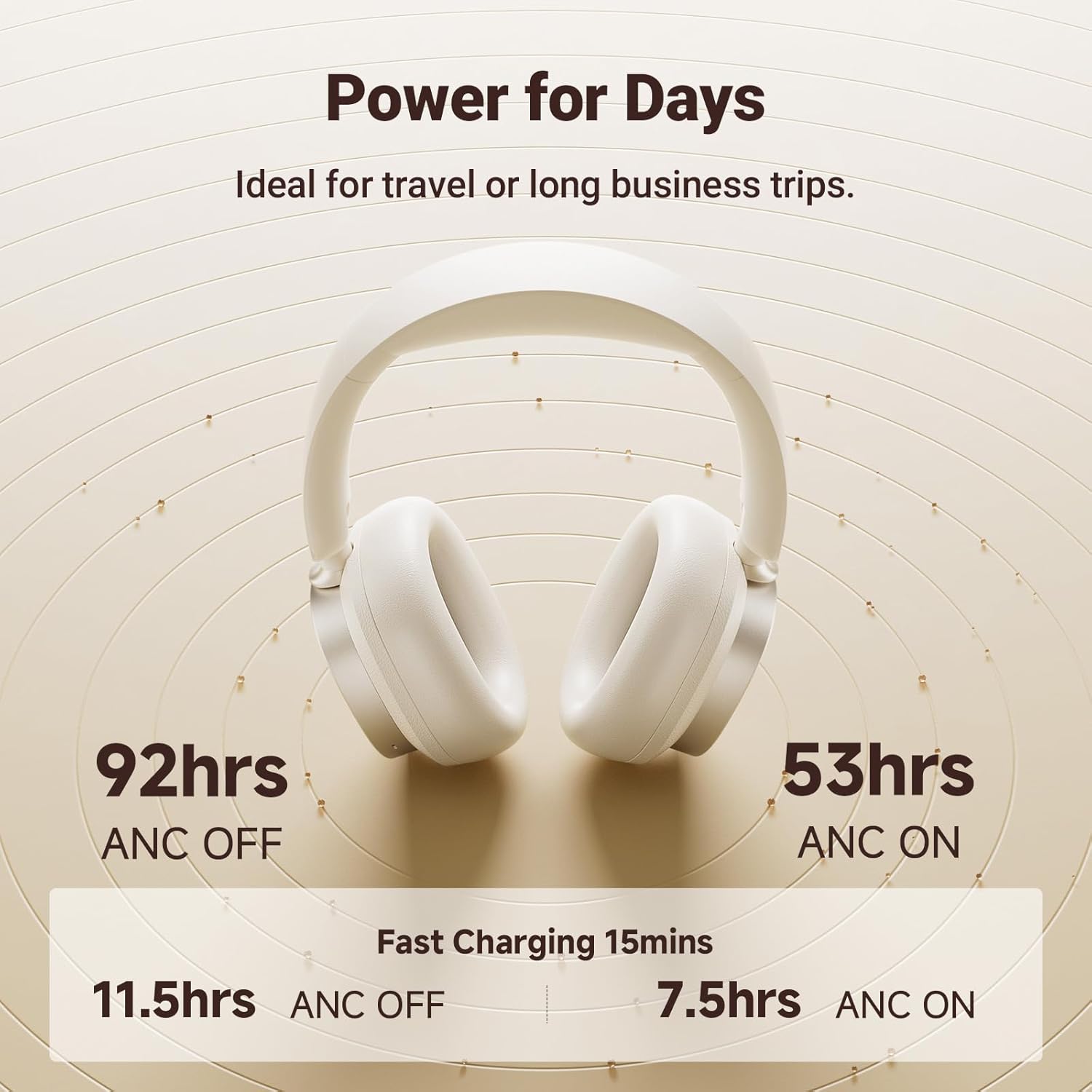
Image: Visual representation of the impressive battery life and fast charging capabilities of the headphones.
Bluetooth Pairing
- Ensure the headphones are powered off.
- Press and hold the ANC/Bluetooth pairing button until the indicator light flashes rapidly, indicating pairing mode.
- On your device (smartphone, tablet, computer), enable Bluetooth and search for "Edifier ES850NB" in the list of available devices.
- Select "Edifier ES850NB" to connect. Once connected, the indicator light will turn solid blue or off, depending on the model.
- The headphones support multipoint connection, allowing seamless switching between two paired Bluetooth devices.
Video: An official product video demonstrating the Edifier Active Noise Cancelling Headphones, highlighting features like multipoint Bluetooth connectivity and comfort.
Operating Instructions
Active Noise Cancellation (ANC)
The ES850NB headphones feature advanced hybrid active noise cancellation. Press the ANC button to cycle through different modes:
- High Noise Cancellation: Ideal for noisy environments like flights, metros, or buses.
- Medium Noise Cancellation: Suitable for offices, coffee shops, or parks.
- Wind Reduction: Minimizes wind noise during outdoor activities.
- Ambient Sound: Allows you to hear your surroundings while still enjoying audio.

Image: A visual guide to the various Active Noise Cancellation modes and their recommended uses.
Sound Effects and Personalization
Customize your listening experience with three distinct sound effects:
- Music Mode: Optimized for general music listening.
- Game Mode: Provides 0.08s low latency for immersive gaming audio.
- Spatial Sound: Creates a lifelike, surround-sound audio experience.
These modes can be selected via the Edifier Connect app, which also allows for EQ customization and firmware upgrades.

Image: The headphones emphasizing their Hi-Res Audio capabilities for an immersive sound experience.
Making and Receiving Calls
The built-in microphones with AI noise cancellation ensure crystal-clear calls. Use the multi-function button for call management:
- Single press to answer an incoming call.
- Single press to end an active call.
- Double press to reject an incoming call.

Image: Demonstrating the clear hands-free call feature of the headphones.
Wired and Wireless Use
The ES850NB headphones offer both wireless Bluetooth 5.4 connectivity and a wired option for versatile use. Simply connect the included USB-C to USB-A cable for a wired connection to compatible devices.

Image: Comparison showing the flexibility of using the headphones wirelessly via Bluetooth or with a wired connection.
Touch-to-Chat Functionality
For quick conversations without removing your headphones, simply touch and hold the right ear cup. This action will pause your audio and activate ambient sound mode, allowing you to hear your surroundings clearly. Release to resume playback instantly.
Maintenance
- Cleaning: Use a soft, dry cloth to clean the headphones. Do not use abrasive cleaners or solvents.
- Storage: When not in use, store the headphones in the provided travel bag or charging case to protect them from dust and damage.
- Battery Care: To prolong battery life, avoid fully discharging the headphones frequently. Charge them regularly, even if not used for extended periods.
- Temperature: Avoid exposing the headphones to extreme temperatures (hot or cold) or high humidity.
Troubleshooting
| Problem | Possible Cause | Solution |
|---|---|---|
| No sound from headphones | Headphones not powered on; Not paired; Volume too low; Device issue. | Ensure headphones are on. Re-pair with device. Increase headphone and device volume. Test with another device. |
| Cannot pair with device | Headphones not in pairing mode; Device Bluetooth off; Too many paired devices. | Put headphones in pairing mode. Ensure device Bluetooth is on. Clear old Bluetooth connections on device. |
| Poor sound quality | Out of Bluetooth range; Interference; Low battery. | Move closer to the device. Avoid strong Wi-Fi or other wireless signals. Charge headphones. |
| ANC not effective | Incorrect ANC mode; Poor fit. | Cycle through ANC modes. Adjust headphones for a snug fit over your ears. |
Specifications
| Feature | Detail |
|---|---|
| Model | ES850NB |
| Bluetooth Version | 5.4 |
| Audio Codecs | LDAC, AAC, SBC |
| Bluetooth Range | Approx. 10m |
| Sound Pressure Level | 91 ± 3dB (A) |
| Frequency Response | 20Hz-40KHz |
| Battery Life (ANC OFF) | Approx. 92 hours |
| Battery Life (ANC ON) | Approx. 53 hours |
| Input | 5V=1A |
| Item Weight | 1.5 pounds (approx. 260g) |
| Ear Placement | Over Ear |
| Noise Control | Active Noise Cancellation |
Warranty and Support
Edifier products come with a standard manufacturer's warranty. For detailed warranty information, technical support, or service inquiries, please visit the official Edifier website or contact their customer support directly.
Official Edifier Website: www.edifier.com
Related documentsES850NB


Ask a question about this manual
Ask about setup, troubleshooting, compatibility, parts, safety, or missing instructions. Manuals+ will review the question and use this page’s manual context to help answer it.