
Edifier ES850NB
Edifier ES850NB Active Noise Cancelling Headphones
User Manual
1. Introduction
The Edifier ES850NB Active Noise Cancelling Headphones are designed to provide an immersive audio experience with advanced noise cancellation technology. Featuring Hi-Res Audio certification, long battery life, and comfortable over-ear design, these headphones are suitable for various listening environments, from daily commutes to long-haul travel.

Figure 1: Edifier ES850NB Active Noise Cancelling Headphones (Black)
2. What's in the Box
Upon opening the package, please verify that all components are present and in good condition:
- Edifier ES850NB Headphones x 1
- User Manual x 1
- Travel Bag x 1
- Type-C Charging Cable x 1
- Important Safety Instructions x 1

Figure 2: Package Contents
3. Product Overview
3.1 Key Features
- Immersive Hi-Res Audio: Certified for both Hi-Res Audio and Hi-Res Audio Wireless, featuring 40mm titanium-coated drivers and support for LDAC/AAC/SBC codecs.
- Upgraded Hybrid Active Noise Cancellation: Blocks up to -45dB of ambient noise with multiple ANC modes (high, medium, wind reduction, and ambient sound).
- Extended Battery Life & Fast Charging: Up to 92 hours of playback (ANC off) or 53 hours (ANC on). A 15-minute charge provides up to 11.5 hours of playback (ANC off).
- Clear Calls & Versatile Connectivity: Built-in microphones with AI noise cancellation for crystal-clear calls. Supports Bluetooth 5.4 for dual-device connection and wired listening via USB-C.
- All-Day Comfort: Lightweight design (approx. 260g) with skin-friendly leather ear cushions, an ergonomic steel headband, and a fully foldable design.

Figure 3: Immersive Hi-Res Audio Experience
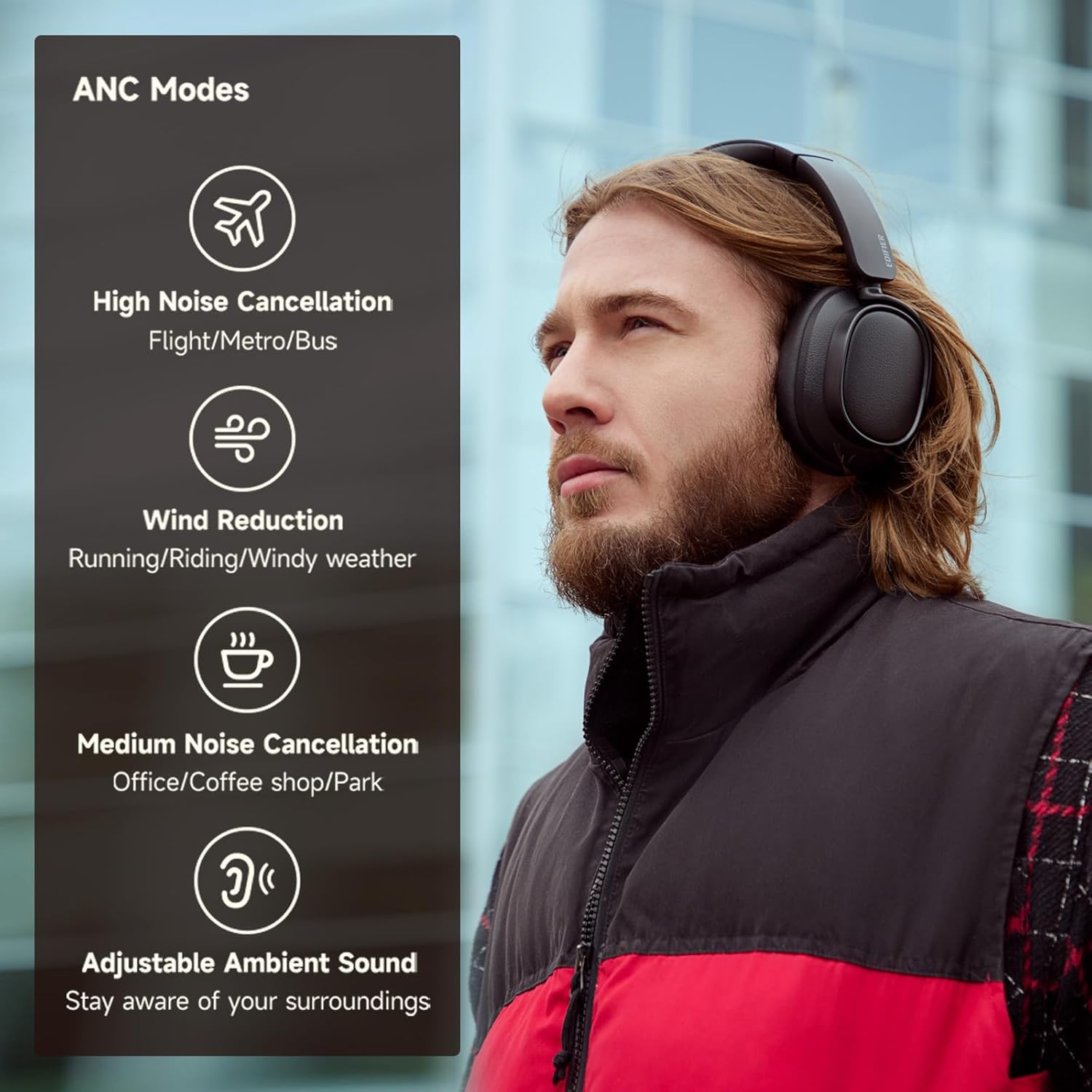
Figure 4: Active Noise Cancellation Modes
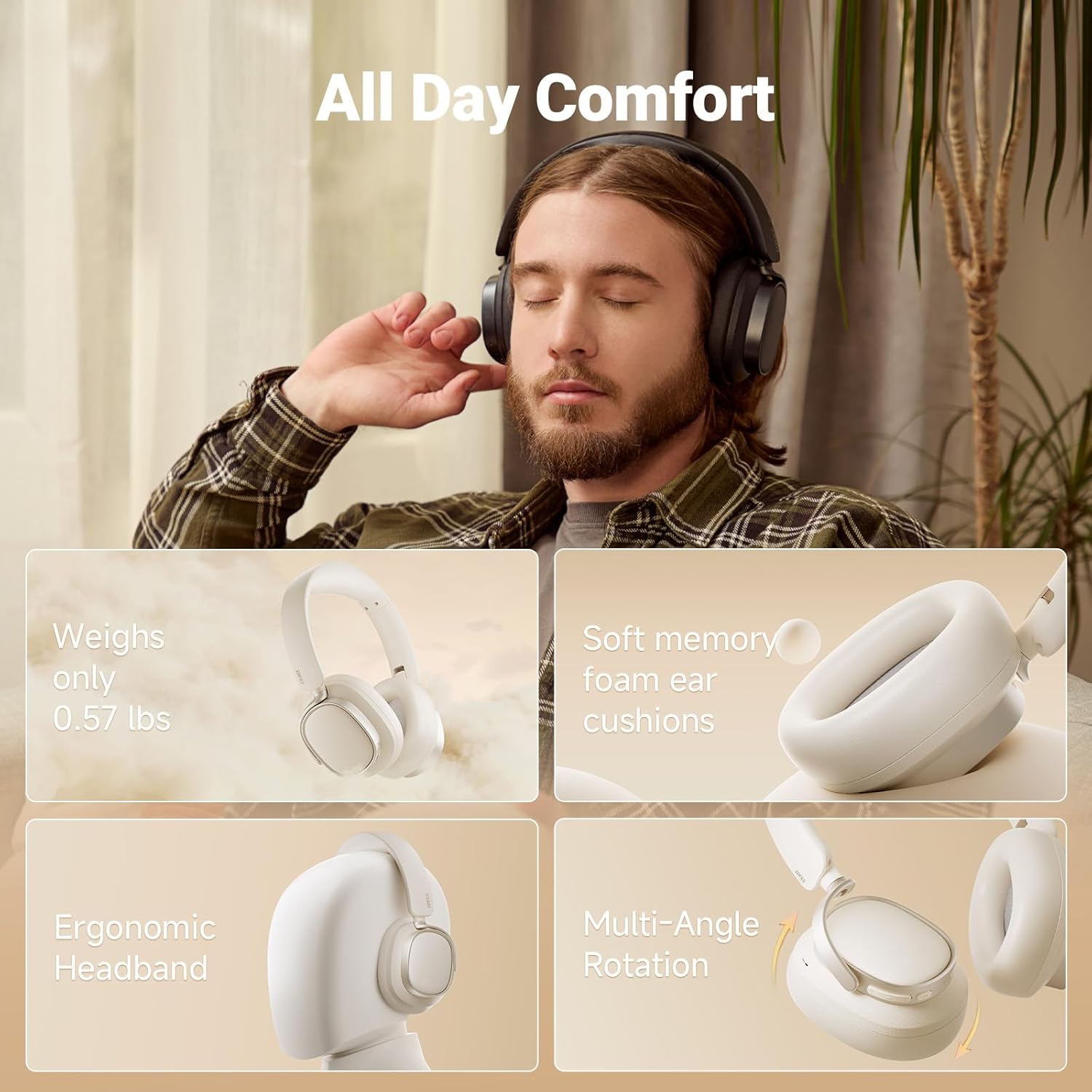
Figure 5: All-Day Comfort Design
3.2 Controls
The headphones feature intuitive controls located on the earcups for easy access to various functions:
- Volume Up (+): Single press for volume up, press and hold for next track.
- Power ON/OFF / Pause/Play (I): Press and hold for power, single press for pause/play.
- Answer/End Call (I): Single press to answer/end a call.
- Reject Call (I): Double press to reject a call.
- Voice Assistant (I): Double press to activate voice assistant.
- Volume Down (-): Single press for volume down, press and hold for previous track.
- ANC Modes Switch (Bluetooth icon): Single press to cycle through ANC modes.
- Sound Effects Switch (Bluetooth icon): Double press to switch sound effects.
- Bluetooth Pairing (Bluetooth icon): Press and hold to initiate Bluetooth pairing.

Figure 6: Easy Controls Overview
4. Setup
4.1 Initial Charging
Before first use, it is recommended to fully charge your headphones. Connect the supplied USB Type-C charging cable to the charging port on the headphones and a compatible USB power source. The indicator light will show charging status.
4.2 Bluetooth Pairing
- Ensure the headphones are powered off.
- Press and hold the Power button until the indicator light flashes, indicating pairing mode.
- On your device (smartphone, tablet, computer), enable Bluetooth and search for available devices.
- Select "Edifier ES850NB" from the list of devices.
- Once connected, the indicator light will change, and you will hear an audible confirmation.
The headphones support multi-point connection, allowing seamless switching between two paired Bluetooth devices.
Video 1: Edifier Active Noise Cancelling Headphones Overview. This video demonstrates the features and design of the Edifier ES850NB headphones, including their comfort, sound quality, and connectivity options.
5. Operating Instructions
5.1 Audio Playback
- Play/Pause: Single press the Power button.
- Volume Adjustment: Single press the Volume Up (+) or Volume Down (-) buttons.
- Next Track: Press and hold the Volume Up (+) button.
- Previous Track: Press and hold the Volume Down (-) button.
5.2 Active Noise Cancellation (ANC) Modes
Cycle through the ANC modes by single pressing the Bluetooth icon button:
- High Noise Cancellation: Ideal for noisy environments like flights, metros, or buses.
- Medium Noise Cancellation: Suitable for offices, coffee shops, or parks.
- Wind Reduction: Minimizes wind noise during outdoor activities.
- Adjustable Ambient Sound: Allows you to hear your surroundings while listening to audio.
5.3 Call Management
- Answer/End Call: Single press the Power button.
- Reject Call: Double press the Power button.
- Activate Voice Assistant: Double press the Power button (when not on a call).

Figure 7: Clear Hands-Free Calls
5.4 Wired Connection
For an alternative listening method or when battery is depleted, connect the headphones to your audio source using the supplied USB-C to USB-A cable.
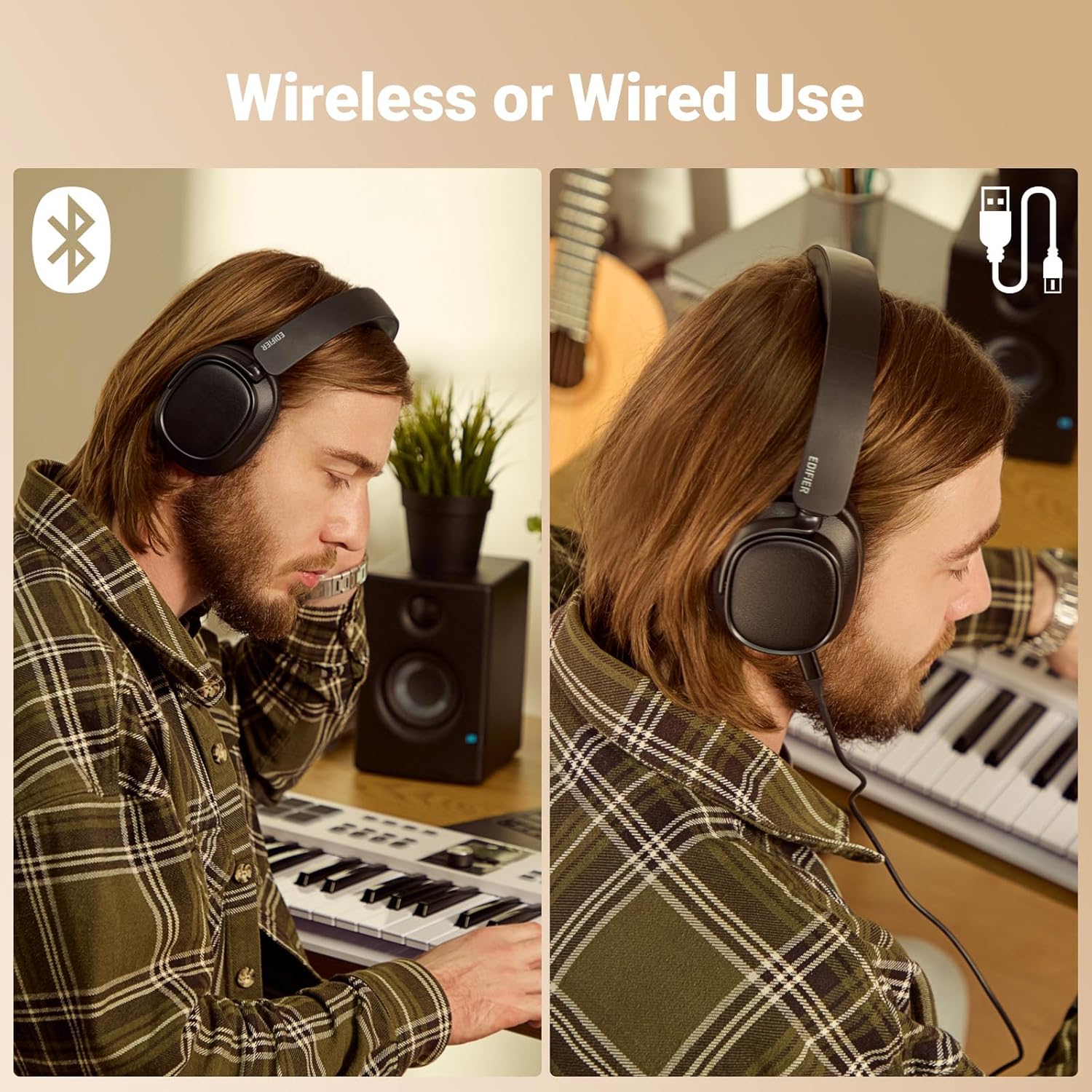
Figure 8: Wireless and Wired Use
5.5 Edifier Connect App
Download the Edifier Connect app for additional functionalities, including:
- Customizing EQ settings.
- Switching sound effects (Music, Game, Spatial).
- Firmware upgrades.
- Adjusting control settings.
6. Charging and Battery Life
The Edifier ES850NB headphones offer impressive battery performance:
- Up to 92 hours of playback with Active Noise Cancellation (ANC) off.
- Up to 53 hours of playback with Active Noise Cancellation (ANC) on.
The fast charging feature provides significant playback time with a short charge:
- A 15-minute fast charge yields up to 11.5 hours of playback (ANC off).
- A 15-minute fast charge yields up to 7.5 hours of playback (ANC on).
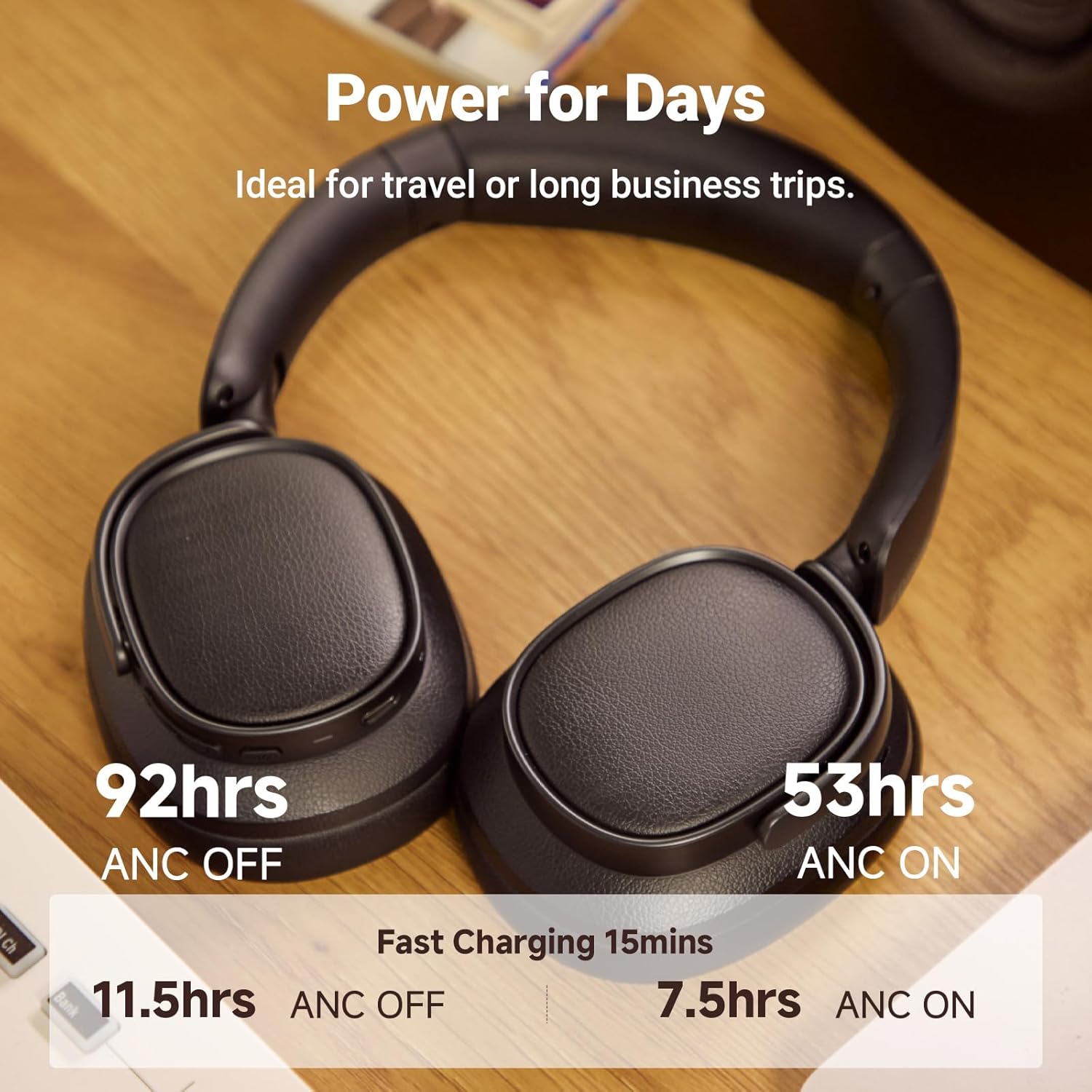
Figure 9: Battery Life and Fast Charging
7. Maintenance
To ensure the longevity and optimal performance of your Edifier ES850NB headphones, follow these maintenance guidelines:
- Cleaning: Use a soft, dry cloth to clean the surfaces of the headphones. Avoid using abrasive cleaners, solvents, or strong chemicals.
- Storage: When not in use, store the headphones in the provided travel bag to protect them from dust, scratches, and impacts. Store in a cool, dry place away from direct sunlight and extreme temperatures.
- Avoid Moisture: Do not expose the headphones to water or excessive moisture. If they get wet, wipe them dry immediately.
- Handle with Care: Avoid dropping the headphones or subjecting them to strong impacts.
- Charging: Use only the supplied charging cable or a certified USB Type-C cable with a compatible power adapter.
8. Troubleshooting
If you encounter issues with your headphones, refer to the following common troubleshooting steps:
| Problem | Possible Cause | Solution |
|---|---|---|
| Headphones do not power on | Low battery | Charge the headphones fully. |
| Cannot pair via Bluetooth | Headphones not in pairing mode; Device Bluetooth off; Interference | Ensure headphones are in pairing mode. Turn device Bluetooth off/on. Move closer to the device. |
| No sound or low volume | Volume too low; Incorrect audio output; Headphones not connected | Increase volume on headphones and device. Check device's audio output settings. Re-pair headphones. |
| ANC not effective | Incorrect ANC mode; Poor fit | Cycle through ANC modes. Adjust headphone fit for a proper seal around ears. |
| Microphone not working | Microphone muted; App permissions | Check if microphone is muted on your device. Ensure app has microphone permissions. |
If the issue persists after trying these steps, please contact Edifier customer support for further assistance.
9. Specifications
| Feature | Detail |
|---|---|
| Model | ES850NB |
| Bluetooth Version | V5.4 |
| Audio Codecs | LDAC, AAC, SBC |
| Bluetooth Range | Approx. 10m |
| Sound Pressure Level | 91 ± 3dB (A) |
| Frequency Response | 20Hz - 40kHz |
| Battery Life (ANC OFF) | Approx. 92 hours |
| Battery Life (ANC ON) | Approx. 53 hours |
| Input | 5V = 1A |
| Item Weight | 1.5 pounds (approx. 260g) |
| Ear Placement | Over Ear |
| Noise Control | Hybrid Noise Cancellation |

Figure 10: Product Specifications
10. Warranty and Support
Edifier products are designed and manufactured to the highest quality standards. For information regarding warranty coverage, please refer to the warranty card included in your product packaging or visit the official Edifier website.
For technical support, troubleshooting assistance, or service inquiries, please contact Edifier customer support through their official channels. Contact information can typically be found on the Edifier website or in the included documentation.
Related documentsES850NB


Ask a question about this manual
Ask about setup, troubleshooting, compatibility, parts, safety, or missing instructions. Manuals+ will review the question and use this page’s manual context to help answer it.