
AOC XL2-220
AOC Mini Projector XL2-220 User Manual
Your comprehensive guide to setup, operation, and maintenance.
1. Introduction
Welcome to the AOC Mini Projector XL2-220. This smart projector is designed to transform any space into a personal home theater, offering Full HD 1080P resolution with 4K support, 180° rotation, and versatile connectivity options. With its compact design and advanced features like automatic vertical keystone correction and Android 11 OS, the XL2-220 provides an immersive viewing experience for movies, gaming, and presentations. Please read this manual thoroughly to ensure proper use and optimal performance of your new projector.
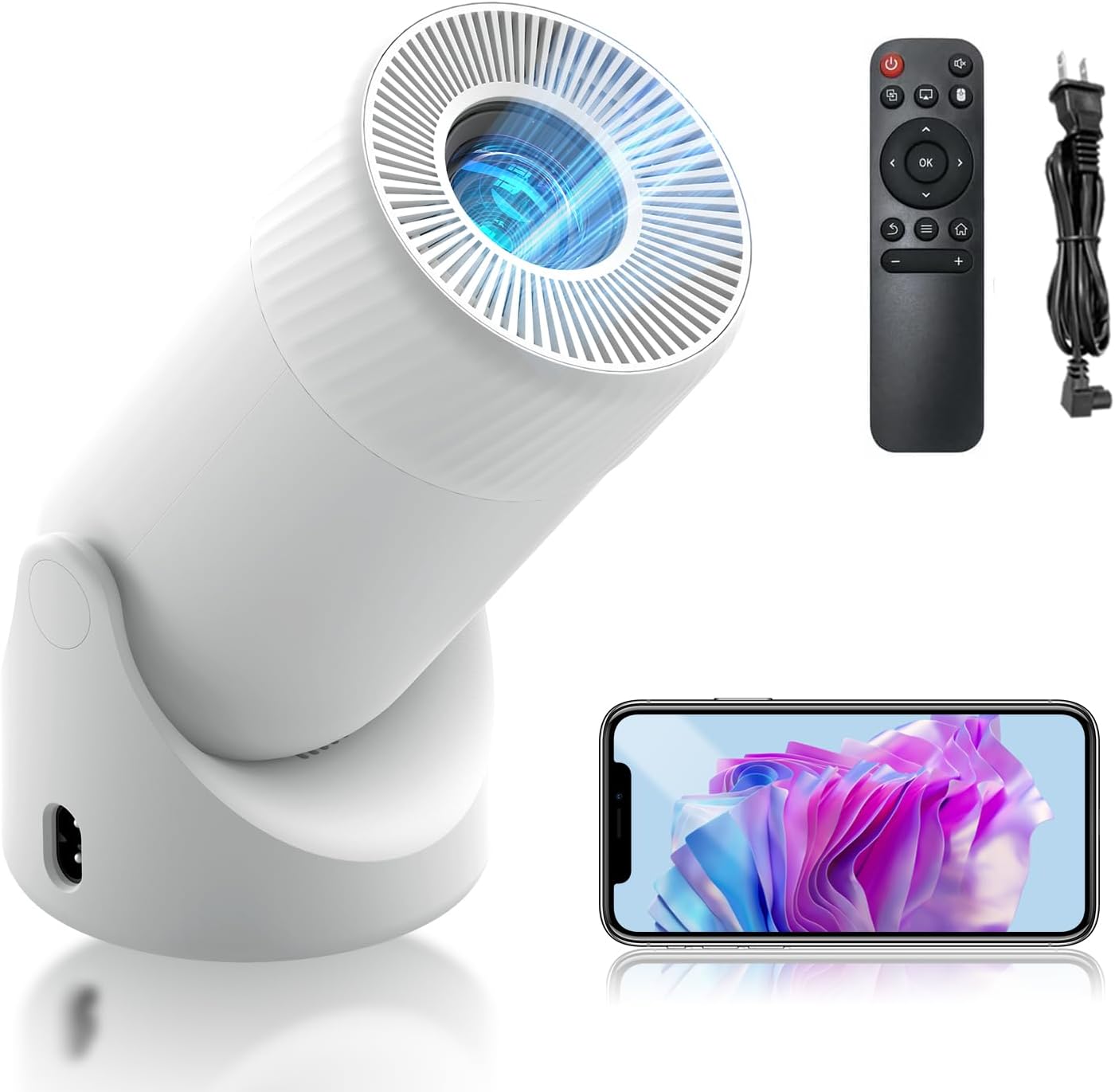
Figure 1.1: The AOC Mini Projector XL2-220, showcasing its compact design, included remote control, and power cable.
2. What's in the Box
Upon opening your AOC Mini Projector XL2-220 package, please verify that all the following items are included:
- AOC Mini Projector XL2-220 Unit
- Remote Control
- HDMI Cable
- Power Cord
- User Manual (this document)

Figure 2.1: Packaging contents, including the projector, remote control, power charger, and user manual.
3. Product Features
The AOC Mini Projector XL2-220 is equipped with a range of features designed to enhance your viewing experience:
- Smart Projector with Android 11 & WiFi 6: Runs on Android 11, providing access to various streaming apps. Features WiFi 6 for faster connections and 2-way Bluetooth for easy pairing with wireless audio devices. Includes a built-in HIFI speaker for cinematic sound.
- High-Definition Clarity & 4K Support: Offers native 1080P resolution with support for 4K content, delivering sharp visuals and vibrant colors. LED technology and an 8000:1 contrast ratio ensure bright, clear images with 8000 lumens brightness and HDR support.
- Automatic Keystone Correction and Manual Focus: Features automatic vertical keystone correction for a perfectly aligned display. Manual adjustment is available for fine-tuning image clarity. The 180° rotatable design and adjustable zoom (50%-100%) allow for flexible projection angles and sizes.
- 180° Rotatable Design for Versatile Projection: Flexible rotation allows projection onto ceilings or walls, paired with a 40-200'' HD display. A DSLR-style manual focus ensures an immersive home theater experience. The unique bottom-mounted power port prevents cable interference.
- Versatile Connectivity & Low Noise: Equipped with HDMI, USB, and audio ports for easy connection to TV boxes, PCs, gaming consoles, and mobile phones. Compatible with various office applications. A high-performance cooling system keeps noise levels below 35dB for a quiet viewing experience.

Figure 3.1: Key features including large screen projection, efficient heat dissipation, and a powerful acoustic cavity.
4. Setup Guide
4.1 Initial Placement
Choose a stable, flat surface for your projector. The 180° rotatable design allows for flexible positioning, including projecting onto walls or ceilings. Ensure there is adequate ventilation around the projector.
4.2 Power Connection
- Connect the power cord to the projector's power input port, located at the bottom to prevent cable interference.
- Plug the other end of the power cord into a standard electrical outlet.
4.3 First Power On
- Press the power button on the projector or the remote control to turn on the device.
- The projector will boot up, displaying the Android 11 interface.
5. Operating Instructions
5.1 Navigation and Interface
Use the included remote control to navigate the Android 11 interface. The remote allows you to select applications, adjust settings, and control media playback.
5.2 Image Adjustment
- Automatic Vertical Keystone Correction: The projector automatically adjusts vertical distortion for a rectangular image.
- Manual Focus: Rotate the focus ring on the projector lens to achieve a sharp image.
- Zoom (50%-100%): Use the remote control to adjust the projection size without moving the projector.
- 180° Rotation: Physically rotate the projector unit on its base to project onto different surfaces (wall, ceiling).

Figure 5.1: Illustration of automatic vertical keystone correction, manual focus, and zoom capabilities.
5.3 App Installation and Usage
The projector comes with pre-installed apps like YouTube and Prime Video. You can download additional applications from the integrated app store to expand your entertainment options.
6. Connectivity
The AOC Mini Projector XL2-220 offers multiple ways to connect your devices:
- HDMI Port: Connect external devices such as TV boxes, PCs, and gaming consoles using an HDMI cable.
- USB Port: Plug in USB drives for media playback or connect compatible mobile phones.
- Audio Port (3.5mm Jack): Connect external speakers or headphones for enhanced audio.
- Wi-Fi 6: Connect to your home network for online streaming and app access. Supports both 2.4G and 5G bands.
- Bluetooth 5.2: Pair with Bluetooth-enabled audio devices like speakers or headphones for wireless sound.

Figure 6.1: Overview of versatile connectivity options, including wireless screen sharing and physical ports.
7. Maintenance
7.1 Cleaning the Projector
- Exterior: Use a soft, dry cloth to wipe the exterior of the projector. Do not use abrasive cleaners or solvents.
- Lens: Gently clean the projector lens with a lens cleaning cloth or a soft, lint-free cloth specifically designed for optical surfaces. Avoid touching the lens directly with your fingers.
7.2 Ventilation
Ensure that the projector's ventilation openings are not blocked to prevent overheating. The high-performance cooling system is designed to keep noise levels low while maintaining optimal operating temperature.
8. Troubleshooting
If you encounter issues with your AOC Mini Projector, refer to the following common problems and solutions:
| Problem | Possible Cause | Solution |
|---|---|---|
| No Power | Power cord not connected properly; power outlet issue. | Check power cord connection; try a different outlet. |
| No Image / Blank Screen | Input source not selected; HDMI/USB cable loose or faulty. | Ensure correct input source is selected; check cable connections. |
| Blurry Image | Focus not adjusted; keystone correction needed. | Adjust manual focus ring; allow automatic keystone correction to function or manually adjust. |
| No Sound | Volume too low; external audio device not connected/paired. | Increase volume; check Bluetooth pairing or 3.5mm audio cable connection. |
| Wi-Fi/Bluetooth Connection Issues | Out of range; interference; incorrect password. | Move closer to router/device; reduce interference; re-enter password. |
9. Specifications
Detailed technical specifications for the AOC Mini Projector XL2-220:
| Feature | Detail |
|---|---|
| Brand | AOC |
| Model Number | XL2-220 |
| Display Resolution | Native 1920 x 1080 (Full HD), 4K Support |
| Brightness | 220 ANSI Lumens / 8000 Lumens |
| Contrast Ratio | 8000:1 |
| Operating System | Android 11 |
| Connectivity Technology | Wi-Fi 6 (2.4G/5G), Bluetooth 5.2, HDMI, USB, 3.5mm Audio Jack |
| Projection Size | 40-200 inches |
| Keystone Correction | Automatic Vertical Keystone Correction |
| Focus Adjustment | Manual Focus |
| Zoom Function | 50%-100% |
| Rotation Angle | 180° |
| Item Weight | 1.65 pounds |
| Product Dimensions | 8.82 x 4.33 x 4.33 inches |
| Noise Level | Below 35dB |
10. Warranty and Support
AOC is committed to providing high-quality products and excellent customer service.
- Warranty: Your AOC Mini Projector XL2-220 comes with a 1-Year Manufacturer's Warranty, covering defects in materials and workmanship.
- Returns: Enjoy a 30-Day Return policy for free returns and exchanges.
- Customer Support: AOC offers 24-hour response for fast, professional replies and lifetime technical support for ongoing assistance.
For further assistance, please contact AOC customer support through the official channels provided at the time of purchase or on the AOC website.

Figure 10.1: AOC's commitment to quality and safety, indicated by various certifications.
Related documentsXL2-220


Ask a question about this manual
Ask about setup, troubleshooting, compatibility, parts, safety, or missing instructions. Manuals+ will review the question and use this page’s manual context to help answer it.