
ieGeek SC1 Pro
ieGeek 2K Indoor Security Camera User Manual
Model: SC1 Pro
Brand: ieGeek
Introduction
This manual provides comprehensive instructions for the setup, operation, and maintenance of your ieGeek 2K Indoor Security Camera. Designed for home security, pet monitoring, and baby monitoring, this camera offers advanced features such as 2K resolution, dual-band Wi-Fi connectivity, 360° auto-tracking, and two-way audio. Please read this manual thoroughly before using the product to ensure optimal performance and safety.
Product Overview
The ieGeek 2K Indoor Security Camera (SC1 Pro) is a versatile surveillance device designed to provide clear and reliable monitoring for your indoor spaces. Key features include:
- 2K 3MP Resolution: Capture crisp, detailed video footage.
- Dual-Band Wi-Fi (2.4GHz & 5GHz): Ensures stable and flexible network connectivity.
- 360° Pan/Tilt & Auto Tracking: Monitor every corner of your room with automatic motion tracking.
- Enhanced Night Vision: Clear visibility even in low-light conditions.
- Two-Way Audio: Communicate with family members or pets remotely.
- Smart Motion Detection: Receive instant alerts for detected activity.
- Multiple Storage Options: Support for cloud storage and local microSD card storage (up to 256GB, not included).
- Alexa Compatibility: Seamless integration with your smart home ecosystem.
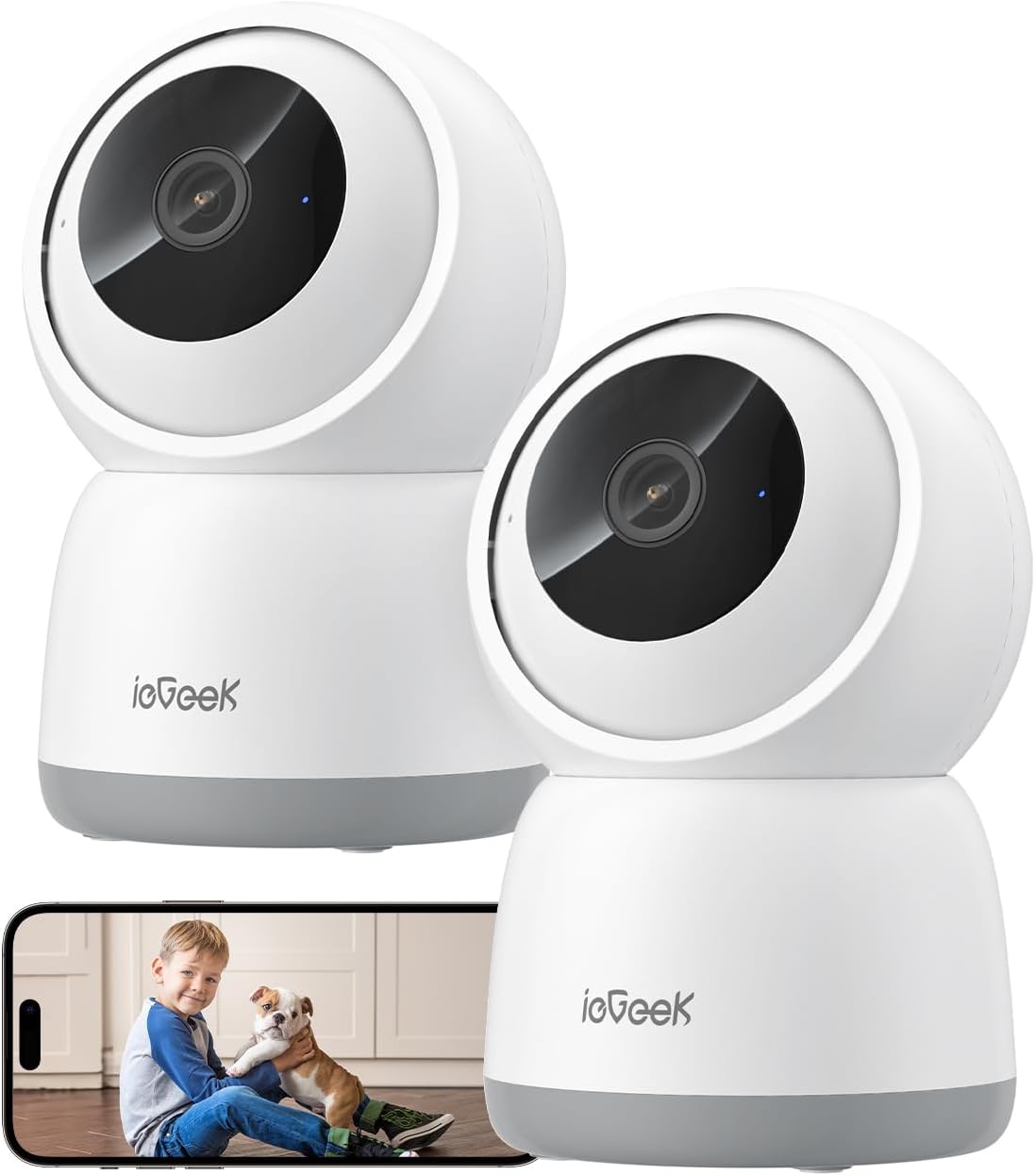
Figure 1: ieGeek 2K Indoor Security Camera (SC1 Pro) - 2 Pack.
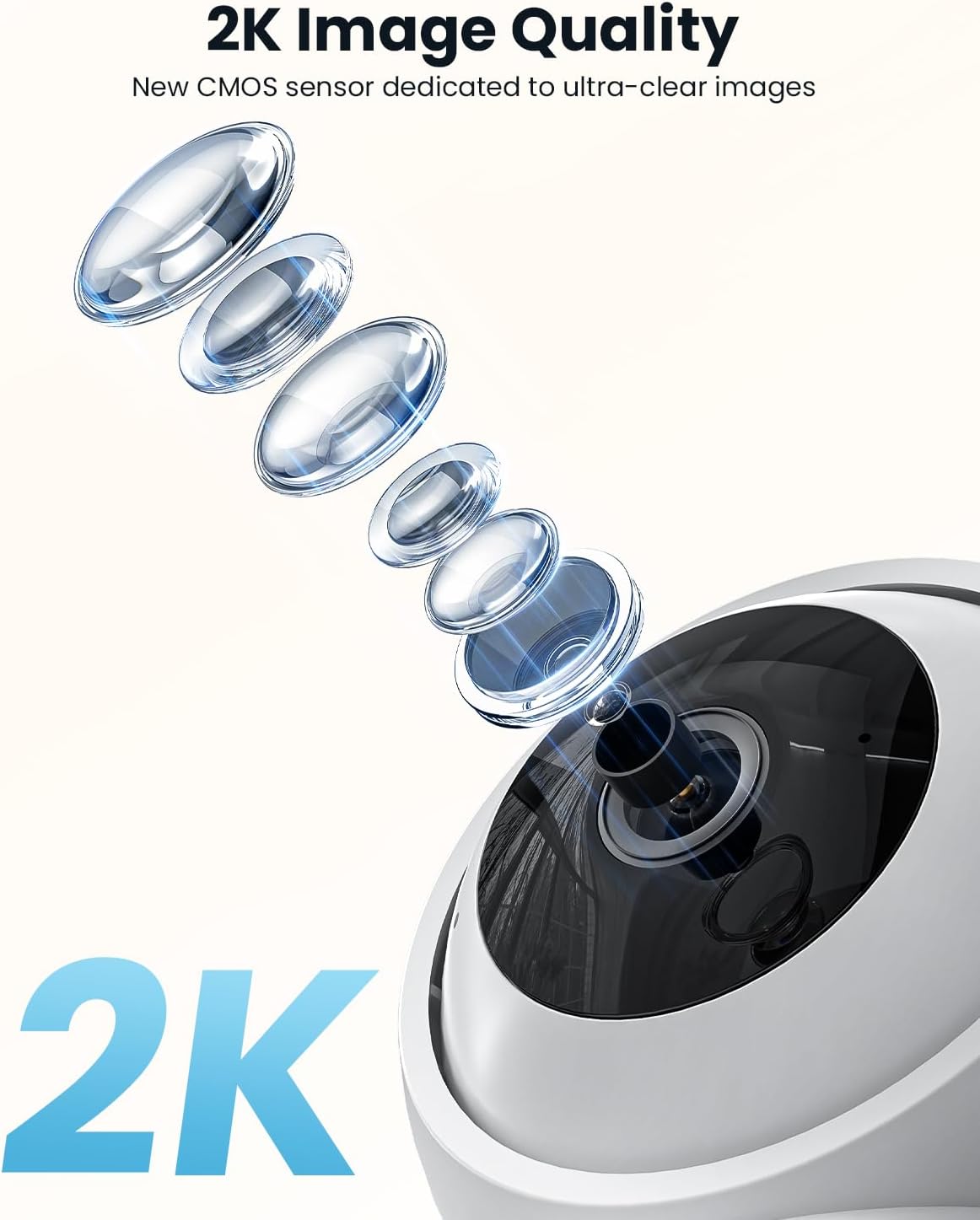
Figure 2: High-resolution 2K image quality provided by the camera's advanced CMOS sensor.

Figure 3: The camera supports both 2.4GHz and 5GHz dual-band Wi-Fi for stronger network signal and longer transmission distance.

Figure 4: The camera offers 360-degree rotation and a wide 104-degree angle for comprehensive room coverage.

Figure 5: Monitor your child with features like two-way talk, infrared night vision, and noise detection.

Figure 6: The camera features accurate human and pet detection, sending automatic reminders and notifications.

Figure 7: Sleep Privacy Mode allows manual camera turn-off, multiple authentication steps, and ABS 128-bit encryption for enhanced privacy.

Figure 8: The camera offers multiple storage options including 6-second free cloud storage and support for up to 256GB Micro Memory Card (not included).
What's in the Box
Upon opening your ieGeek 2K Indoor Security Camera package, please verify that all the following components are included:
- 3MP 5Ghz WiFi Indoor Security Camera (x2)
- 5V/1A Power Adapter (x2)
- USB-C Cable (x2)
- Camera Base (x2)
- User Manual (this document)

Figure 9: Package Contents of the ieGeek 2K Indoor Security Camera (2 Pack).
Setup Guide
1. Powering On
Connect the provided USB-C cable to the camera's power port and the 5V/1A power adapter. Plug the adapter into a standard wall outlet. The camera will power on and initiate its startup sequence.
2. App Download and Installation
The ieGeek 2K Indoor Security Camera operates via the ieGeek Cam APP. Download the app from your device's app store:
- For Android devices: Search for "ieGeek Cam" on Google Play Store.
- For iOS devices: Search for "ieGeek Cam" on the Apple App Store.
Alternatively, scan the QR code below to quickly download the app:

Figure 10: ieGeek Cam App for smartphone control.
3. Wi-Fi Connection and Pairing
- Open the ieGeek Cam APP and create an account or log in.
- Tap the "+" icon to add a new device.
- Follow the on-screen prompts to select your camera model.
- Ensure your smartphone is connected to the same 2.4GHz or 5GHz Wi-Fi network that you intend to connect the camera to.
- The app will generate a QR code. Hold your camera approximately 6-8 inches (15-20 cm) in front of your phone screen, allowing the camera lens to scan the QR code.
- You will hear a confirmation sound from the camera once the QR code is successfully scanned.
- The camera will then attempt to connect to your Wi-Fi network. Once connected, the camera's indicator light will turn solid blue, and you will receive a confirmation in the app.

Figure 11: Steps for Wi-Fi connection and scanning the QR code for camera pairing.
4. Mounting Options
The ieGeek 2K Indoor Security Camera offers flexible mounting options to suit your needs:
- Tabletop Mount: Place the camera on any flat surface like a table, shelf, or desk.
- Wall Mount: Use the included camera base and screws to mount the camera securely to a wall.
- Ceiling Mount: Attach the camera to the ceiling using the camera base for an inverted view. The app allows you to flip the video feed if mounted upside down.

Figure 12: Various mounting options for the ieGeek camera, including tabletop, wall, and ceiling installations.
Operating Instructions
1. Live View and Control
Once connected, open the ieGeek Cam APP to access the live video feed from your camera. From the live view interface, you can:
- Pan and Tilt: Use the on-screen joystick or swipe gestures to remotely rotate the camera horizontally (360°) and vertically (55° tilt) to view different areas of your room.
- Two-Way Audio: Tap the microphone icon to speak through the camera's speaker, and listen to audio from the camera's built-in microphone.
- Snapshot & Record: Capture still images or record video clips directly to your phone.
- Zoom: Digitally zoom in on the live feed for more detail.

Figure 13: Experience clearer picture quality and more details with 2K resolution.

Figure 14: Monitor multiple cameras simultaneously from your smartphone.
2. Motion Detection and Alerts
The camera features advanced motion detection capabilities:
- Auto Tracking: When motion is detected, the camera can automatically pan and tilt to follow the moving object, ensuring it stays in frame.
- Customizable Motion Zones: Define specific areas within the camera's view where you want to detect motion, reducing false alerts.
- Instant Alerts: Receive push notifications on your smartphone when motion is detected.
- Human/Pet Detection: The camera can differentiate between human and pet movements, providing more relevant alerts.

Figure 15: The camera's auto-tracking feature follows detected movement.

Figure 16: Define specific motion zones to focus on critical areas.
![A baby crying in a crib with an 'Alert Message motion [Bedroom]' notification on a smartphone.](https://m.media-amazon.com/images/S/aplus-media-library-service-media/1bde09dc-6447-4a2b-91fb-35f35296e4d4.__CR0,0,1464,600_PT0_SX1464_V1___.png)
Figure 17: Receive instant alert messages on your phone when motion is detected.

Figure 18: The camera's intelligent detection can identify pets.
3. Night Vision
The camera automatically switches to night vision mode in low-light conditions, providing clear black-and-white footage. The 3MP sensor ensures good detail even at night.

Figure 19: Clear night vision monitoring for peace of mind.
4. Recording and Storage
Your ieGeek camera offers flexible recording and storage options:
- 24/7 Continuous Recording: If a microSD card is inserted, the camera can record continuously.
- Event-Based Recording: Records clips when motion is detected.
- Cloud Storage: Optional subscription service for secure cloud storage of event recordings (6-second free cloud storage available).
- MicroSD Card Storage: Supports up to 256GB microSD card (not included) for local storage.
- Playback: Access recorded footage through the app's playback feature.

Figure 20: Review recorded footage with 24/7 recording and memory card storage options.
5. Privacy Mode
Activate Privacy Mode via the app to manually turn off the camera lens, ensuring your privacy when needed. The camera also supports multiple authentication steps and 128-bit encryption for data security.
6. Alexa Integration
The ieGeek 2K Indoor Security Camera is compatible with Amazon Alexa. You can integrate your camera with Alexa-enabled devices to view live feeds using voice commands. Refer to the Alexa app for specific setup instructions.

Figure 21: View your camera feed on compatible smart displays.
Maintenance
- Cleaning: Use a soft, dry cloth to clean the camera lens and body. Do not use liquid cleaners or aerosols.
- Software Updates: Regularly check the ieGeek Cam APP for firmware updates. Keeping your camera's firmware updated ensures optimal performance, security, and access to new features.
- Placement: Ensure the camera is placed in a location with good Wi-Fi signal strength and away from direct sunlight or heat sources.
Troubleshooting
| Problem | Possible Cause / Solution |
|---|---|
| Camera fails to connect to Wi-Fi. |
|
| Poor image quality / blurry video. |
|
| Motion detection alerts are too frequent or not working. |
|
| Two-way audio is unclear or not working. |
|
| Camera is offline frequently. |
|
Specifications
| Feature | Detail |
|---|---|
| Model Name | ieGeek SC1 Pro |
| Indoor/Outdoor Usage | Indoor |
| Video Capture Resolution | 1440p (2K 3MP) |
| Connectivity Technology | Wired (Power), Wi-Fi (2.4GHz & 5GHz), Bluetooth |
| Power Source | Corded Electric (5V/1A) |
| Controller Type | ieGeek Cam APP |
| Mounting Type | Tabletop Mount (also wall/ceiling adaptable) |
| Special Features | 2.4G/5G Dual-Band, 3MP Pan/Tilt, Auto Tracking, 24/7 Recording, Noise & Motion Detection, 2-Way Audio, Privacy Mode, Alexa Compatible |
| Storage | MicroSD Card (up to 256GB, not included), Cloud Storage |
| Product Dimensions (L x W x H) | 4.33 x 2.76 x 2.76 inches |
| Item Weight | 1.56 pounds |
| UPC | 734931742530 |
Warranty and Support
ieGeek provides a 1-year warranty on all products, ensuring peace of mind with your purchase. If you encounter any issues or require assistance with your ieGeek 2K Indoor Security Camera, please contact ieGeek customer support.
For more information and support resources, visit the official ieGeek store:
Related documentsSC1 Pro


Ask a question about this manual
Ask about setup, troubleshooting, compatibility, parts, safety, or missing instructions. Manuals+ will review the question and use this page’s manual context to help answer it.