
1. Introduction
This manual provides essential information for the safe and efficient operation of your Sharp 40GF2265E Smart TV. This 40-inch Full HD television features Google TV, DVB-T2, and HEVC/H.265 support, offering a comprehensive entertainment experience with integrated Google Assistant and Chromecast built-in.
2. Safety Information
Please read all safety instructions carefully before using the television. Keep this manual for future reference.
- Power Supply: Ensure the TV is connected to a power outlet with the correct voltage. Do not overload power outlets.
- Ventilation: Do not block ventilation openings. Allow adequate space around the TV for proper airflow.
- Water and Moisture: Do not expose the TV to rain or moisture. Do not place objects filled with liquids, such as vases, on the TV.
- Cleaning: Unplug the TV before cleaning. Use a soft, dry cloth. Do not use liquid or aerosol cleaners.
- Placement: Place the TV on a stable, level surface. Avoid direct sunlight, heat sources, and extreme temperatures.
- Servicing: Do not attempt to service the TV yourself. Refer all servicing to qualified service personnel.
3. What's in the Box
Verify that all the following components are included with your Sharp 40GF2265E Smart TV:
- Sharp 40GF2265E Smart TV
- Remote Control
- TV Stand (2 pieces)
- Power Cable
- User Manual (this document)
- Batteries (2 AAA for remote control)
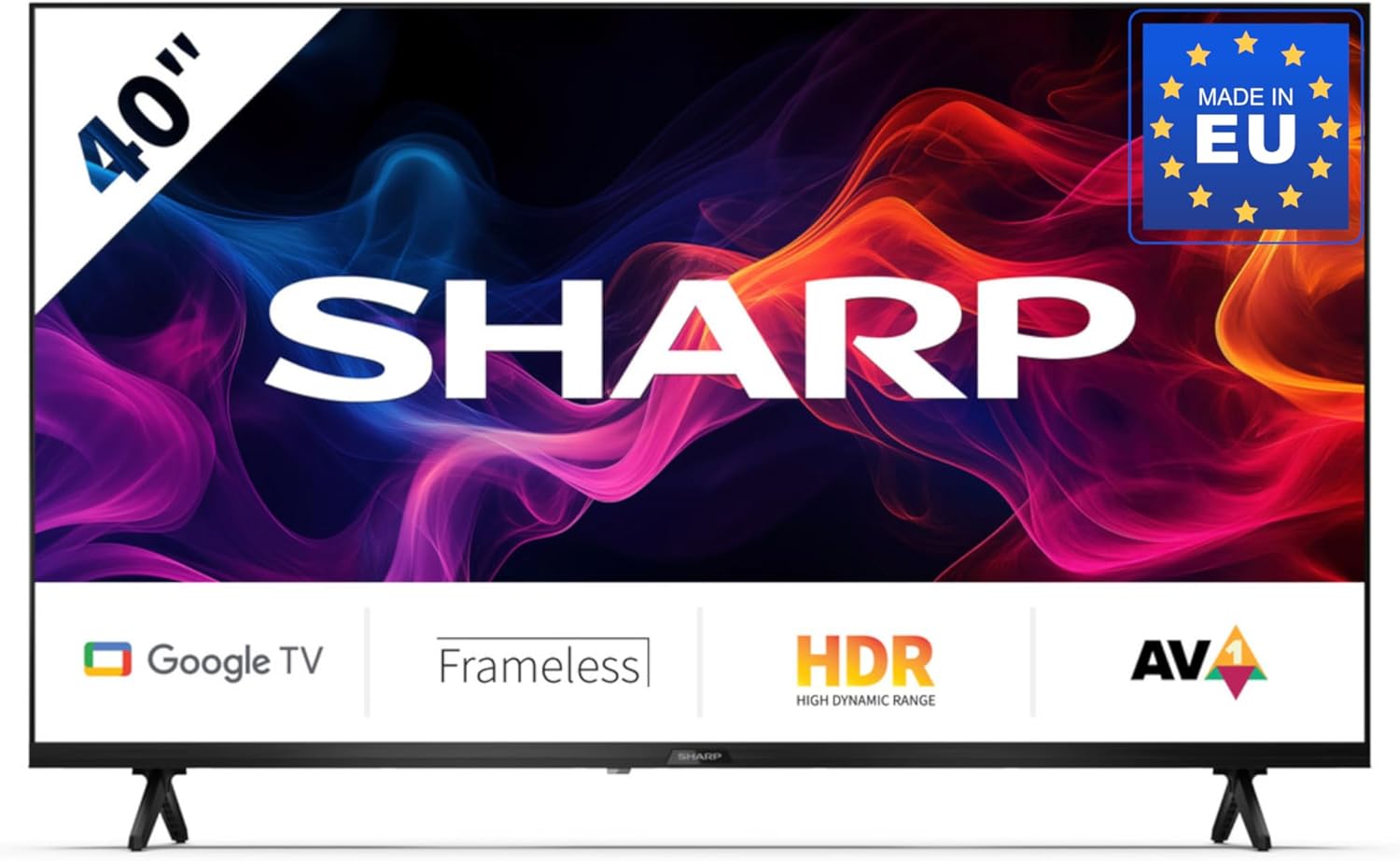
Image 3.1: Sharp 40GF2265E Smart TV with its remote control, stand, and power cable.
4. Setup
4.1 Unpacking
- Carefully remove the TV from its packaging.
- Place the TV face down on a soft, flat surface (e.g., a blanket or foam) to prevent screen damage.
4.2 Attaching the Stand
To attach the included stand to your TV:
- Identify the left and right stand pieces.
- Align each stand piece with the corresponding slots on the bottom of the TV.
- Secure the stands using the screws provided. Ensure they are firmly attached.

Image 4.1: Front view of the Sharp 40GF2265E Smart TV with its two-piece stand correctly installed.
4.3 Wall Mounting (Optional)
The Sharp 40GF2265E supports VESA wall mounting. A wall mount bracket is not included. Refer to the wall mount manufacturer's instructions for installation. Ensure the wall can support the weight of the TV and the mount.
4.4 Connecting Peripherals
Connect your external devices to the TV's rear ports:
- Antenna/Cable: Connect your antenna or cable TV signal to the appropriate input. The TV supports DVB-T2/C/S/S2.
- HDMI Devices: Use HDMI cables to connect Blu-ray players, game consoles, or other HDMI-enabled devices.
- USB Devices: Insert USB drives for media playback or software updates.
- Ethernet: For a stable wired internet connection, connect an Ethernet cable to the LAN port.
- Audio Out: Use the 3.5mm audio jack or optical digital audio output for external sound systems.

Image 4.2: Detailed view of the rear connectivity ports on the Sharp 40GF2265E Smart TV, including HDMI, USB, and antenna inputs.
4.5 Powering On
- Connect the power cable to the TV and then to a wall outlet.
- Press the power button on the remote control or on the TV itself to turn it on.
5. Operating the TV
5.1 First-Time Setup
Upon first power-on, the TV will guide you through the initial setup process:
- Language Selection: Choose your preferred language.
- Network Connection: Connect to your Wi-Fi network or use a wired Ethernet connection.
- Google Account: Sign in with your Google account to access Google TV features, apps, and personalized recommendations.
- Channel Scan: The TV will scan for available digital channels.
5.2 Remote Control
The remote control allows you to navigate the TV's interface and control various functions. It includes a dedicated Google Assistant button for voice commands.
5.3 Basic TV Functions
- Power: Turn the TV on or off.
- Volume: Adjust the sound level.
- Channel: Change TV channels.
- Input Source: Select between HDMI, TV tuner, and other inputs.
5.4 Smart TV Features (Google TV)
Your Sharp 40GF2265E is powered by Google TV, offering a personalized and integrated entertainment experience.

Image 5.1: The Google TV interface on the Sharp 40GF2265E, showing recommended content and popular streaming applications.
- App Access: Easily access popular streaming services like Netflix, YouTube, Prime Video, Google Play Movies & TV, and the Google Play Store for more applications.
- Google Assistant: Press the Google Assistant button on your remote to use voice commands for searching content, controlling smart home devices, managing tasks, and more.

Image 5.2: Visual representation of the Google Assistant feature, highlighting voice interaction.
- Chromecast built-in: Cast movies, videos, photos, and apps directly from your compatible smartphone, tablet, or laptop to the TV screen.

Image 5.3: An example of Chromecast built-in functionality, showing content streaming from a mobile device to the TV.
- Bluetooth Connectivity: Connect Bluetooth-enabled devices such as headphones or soundbars wirelessly.
- Game Mode: For an optimized gaming experience, the Game Mode reduces input lag and enhances picture settings for sharp resolution and natural contrasts.

Image 5.4: The left panel illustrates the Game Mode feature, providing a responsive gaming experience.
6. Maintenance
6.1 Cleaning
- Screen: Gently wipe the screen with a soft, lint-free cloth. For stubborn marks, slightly dampen the cloth with water or a screen-specific cleaner (do not spray directly on the screen).
- TV Body: Use a soft, dry cloth to clean the TV's casing.
6.2 Software Updates
Your TV may receive software updates periodically to improve performance and add new features. Ensure your TV is connected to the internet to receive these updates automatically or check for them manually in the settings menu.
7. Troubleshooting
If you encounter issues with your TV, refer to the following common solutions:
- No Power: Check if the power cable is securely connected to both the TV and the power outlet. Try a different outlet.
- No Picture/Sound: Ensure the correct input source is selected. Check all cable connections (HDMI, antenna).
- Remote Control Not Working: Replace the batteries. Ensure there are no obstructions between the remote and the TV's IR sensor.
- Network Connection Issues: Restart your router and modem. Check Wi-Fi password. For wired connections, ensure the Ethernet cable is properly connected.
- Picture Quality Issues: Adjust picture settings (brightness, contrast, sharpness). Ensure the input source is providing a high-quality signal.
For persistent issues, consult the full user manual available online or contact customer support.
8. Specifications
Detailed technical specifications for the Sharp 40GF2265E Smart TV:
| Feature | Specification |
|---|---|
| Brand | Sharp |
| Model | 40GF2265E |
| Screen Size | 40 Inches (101 cm diagonal) |
| Display Technology | LED |
| Resolution | Full HD (1080p) |
| Aspect Ratio | 16:9 |
| Operating System | Google TV |
| Tuner Technology | DVB-T/T2/C/S/S2 (MPEG4 + H.265/HEVC 10 bit) |
| Connectivity | Wi-Fi, Bluetooth, Ethernet, HDMI (multiple ports), USB (2 ports) |
| Audio Input | 3.5 mm audio jack, Optical digital audio |
| Surround Configuration | 2.1 |
| Wattage | 37 watts |
| Special Features | Built-in speaker, Chromecast, Frameless design, Voice recognition |
| Product Dimensions (with stand) | 85.2 x 21.9 x 56.3 cm (W x D x H) |
| Weight | 5.3 Kilograms |

Image 8.1: Dimensional diagram of the Sharp 40GF2265E Smart TV, illustrating its width, height, and depth.
9. Warranty and Support
For warranty information and customer support, please refer to the documentation included with your product or visit the official Sharp website. You can also find more information on the Sharp Brand Store on Amazon.
10. Environmental Information
This product complies with European energy efficiency standards. For detailed energy consumption data, please refer to the energy label and the EPREL database.

Image 10.1: The EU Energy Label for the Sharp 40GF2265E, indicating an energy efficiency class of E.
For more information, visit the EPREL database: https://eprel.ec.europa.eu/qr/2165902


