
Introduction
The Monster AC601 AI Translation Earbuds are designed to provide seamless real-time language translation, high-quality audio for music, and clear communication for calls. These open-ear earbuds feature advanced AI technology and Bluetooth 6.0 connectivity, supporting 115 languages for diverse communication needs. This manual provides instructions for setup, operation, maintenance, and troubleshooting to ensure optimal performance of your device.
Product Overview
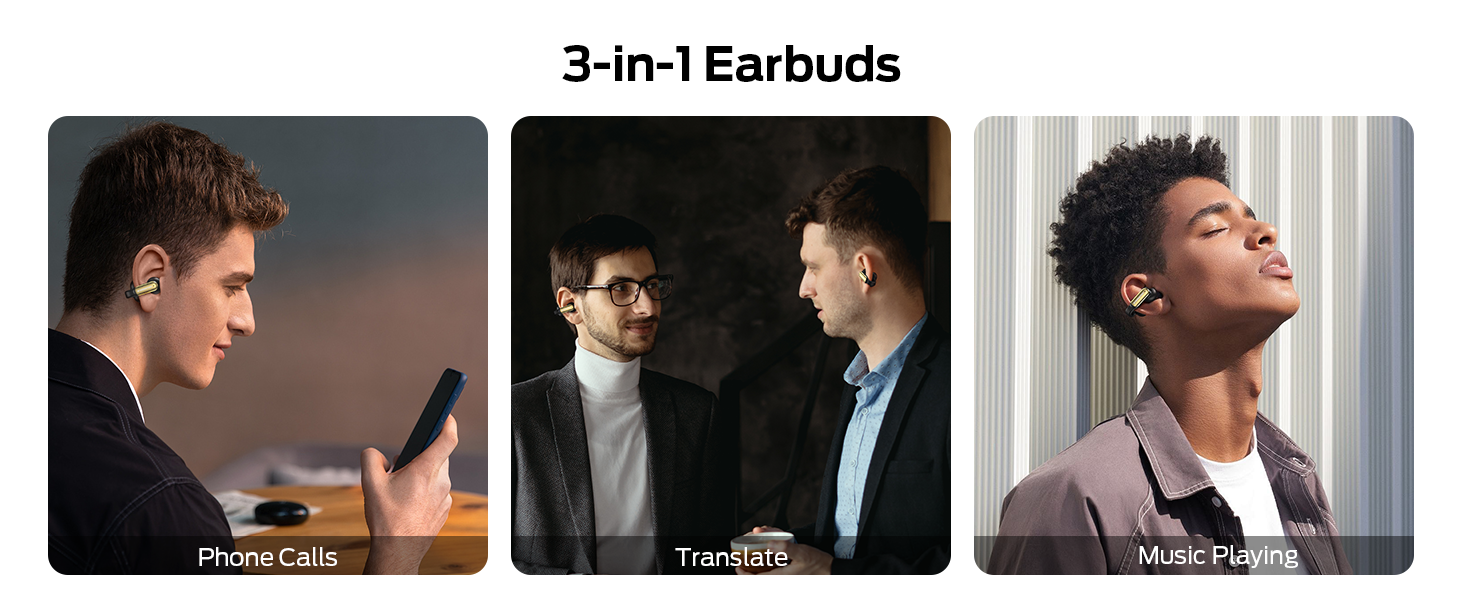
Figure 1: Monster AC601 Earbuds and charging case, illustrating 3-in-1 functionality for AI, Phone Calls, and Music.
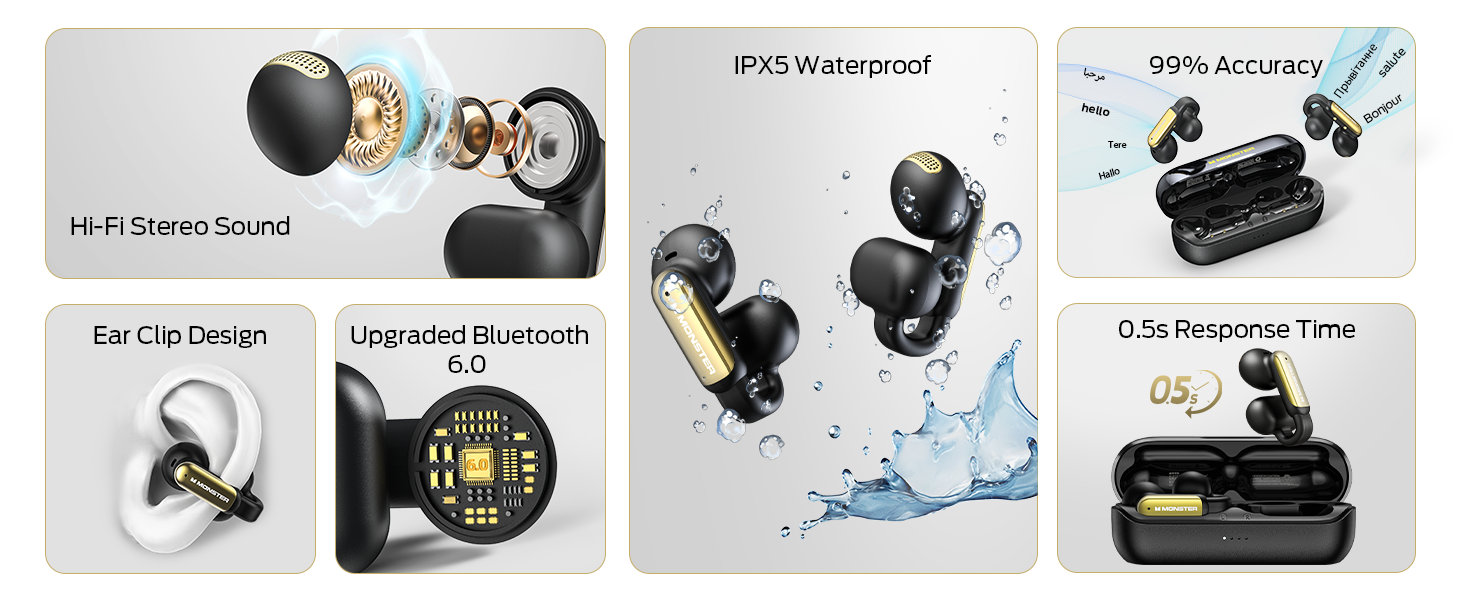
Figure 2: Diagram showing multiple usage modes for Monster AC601 earbuds: AI Voice Intelligent Dialogue, Dual Ear Mode, Headphone+ Mobile Mode, Simultaneous Interpretation, Live Recording, and Audio and Video Calls.
The Monster AC601 earbuds are designed with an open-ear form factor for comfort and situational awareness. Each earbud features a touch-sensitive surface for control, and they come with a portable charging case. Key features include:
- Real-Time AI Translation: Facilitates natural interpretation across 115 languages.
- 3-in-1 Functionality: Supports translation, music playback, and phone calls.
- Bluetooth 6.0: Ensures stable and low-latency wireless connectivity.
- Touch Controls: Intuitive control over various functions.
- IPX5 Water Resistance: Protection against sweat and light rain.
Setup
1. Charging the Earbuds and Case
Before first use, fully charge the earbuds and the charging case. Place the earbuds into the charging case. Connect the charging case to a power source using the provided USB-C cable. The indicator lights on the case will show the charging status. A full charge typically takes approximately 1.5-2 hours.
2. Powering On/Off
- Power On: Open the charging case, and the earbuds will automatically power on.
- Power Off: Place the earbuds back into the charging case and close the lid. They will automatically power off and begin charging.
3. Bluetooth Pairing
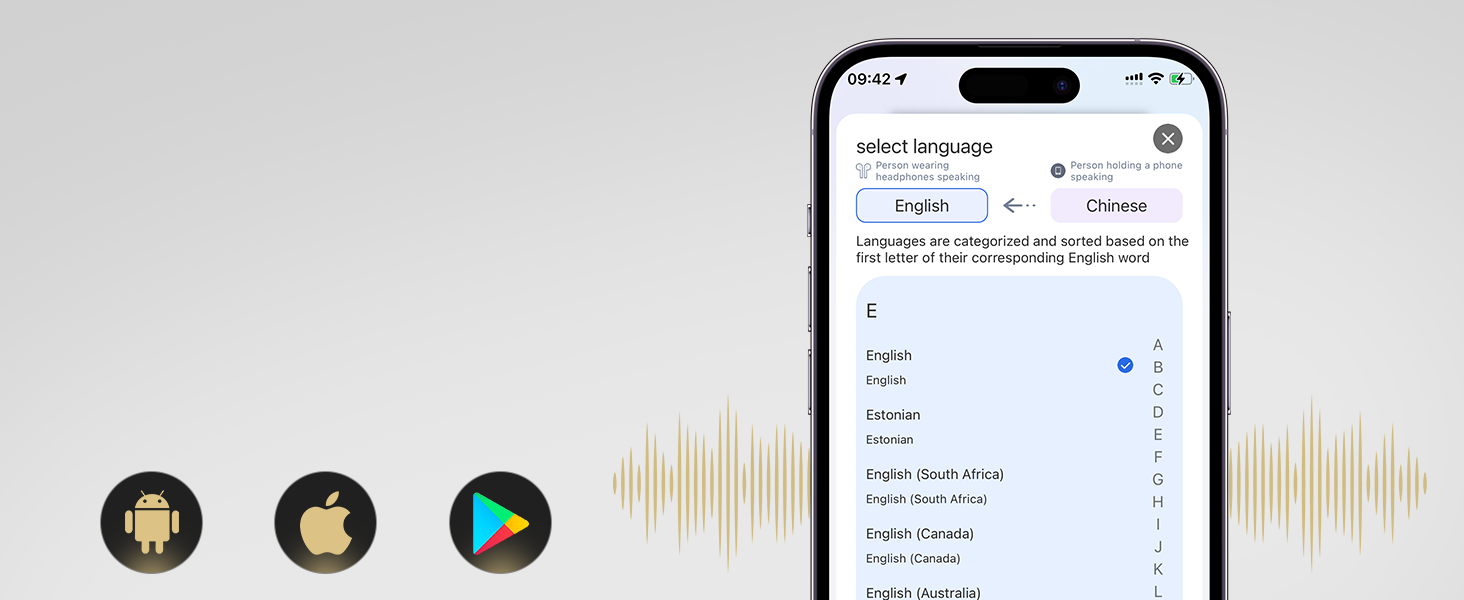
Figure 3: Earbuds connected via Bluetooth, showing app interface.
- Ensure the earbuds are charged and powered on.
- Open the Bluetooth settings on your smartphone or device.
- Search for "Monster AC601" in the list of available devices.
- Select it to pair. A voice prompt will confirm successful connection.
4. App Installation
For full translation functionality and advanced settings, download the dedicated Monster translation app from your device's app store (available for iOS and Android). Follow the in-app instructions to connect your earbuds and set up your preferred languages.
Operating Instructions
1. Touch Controls

Figure 4: Touch Control Functions.
The earbuds feature intuitive touch controls. Refer to the diagram above for specific actions:
- Answer/End Call: Single tap (L/R)
- Play/Pause: Double tap (L/R)
- Decline Phone Call: Tap and hold for 2 seconds (L/R)
- Previous Song: Triple tap (L)
- Next Song: Triple tap (R)
- Increase Volume: Single tap (R)
- Reduce Volume: Single tap (L)
- Voice Assistant: Tap and hold for 2 seconds (L/R)
2. Translation Modes
The Monster AC601 offers three primary translation modes via the companion app:
- Dual Ear Mode: Both users wear an earbud, allowing for natural, real-time conversation with simultaneous translation.
- Simultaneous Interpretation Mode: One user wears both earbuds, and the other speaks into the phone. The earbuds provide real-time interpretation of the spoken language.
- Headphones & Phone Mode: Ideal for travel or individual use, where you speak into the phone and the translation is played through the earbuds, or vice versa.
Figure 5: Language Selection Interface in the App.
To select languages, open the app and use the language button to switch between your native language and the language of your conversation partner. The app supports 115 languages and accents.
3. Music Playback and Calls
Once paired, the earbuds function as standard Bluetooth headphones for music and calls. Use the touch controls as described above to manage playback, volume, and calls.
Maintenance
1. Cleaning
Regularly clean the earbuds and charging case to maintain optimal performance. Use a soft, dry, lint-free cloth. For stubborn dirt, slightly dampen the cloth with water. Avoid using abrasive materials, solvents, or harsh chemicals.
2. Water Resistance
The earbuds have an IPX5 water resistance rating, meaning they are protected against low-pressure water jets from any direction. This makes them suitable for use during workouts or in light rain. Do not submerge the earbuds in water or expose them to high-pressure water streams.
3. Storage
When not in use, store the earbuds in their charging case to protect them from dust, damage, and to keep them charged. Store the device in a cool, dry place away from extreme temperatures and direct sunlight.
Troubleshooting
| Problem | Possible Cause | Solution |
|---|---|---|
| Earbuds do not power on. | Low battery. | Place earbuds in the charging case and charge fully. |
| Cannot pair with device. | Bluetooth is off, earbuds not in pairing mode, or device too far. | Ensure Bluetooth is enabled on your device. Make sure earbuds are powered on and within range. Restart both devices and try pairing again. |
| No sound or poor sound quality. | Volume too low, earbuds not properly seated, or connection issue. | Adjust volume on both earbuds and connected device. Ensure earbuds are correctly placed in your ears. Reconnect Bluetooth. |
| Translation not working or inaccurate. | App not open, incorrect language selected, or poor internet connection. | Ensure the Monster translation app is open and connected. Verify correct source and target languages are selected. Check your internet connection. Speak clearly and at a moderate pace. |
| Touch controls unresponsive. | Earbuds are dirty, or a temporary software glitch. | Clean the touch sensor area. Restart the earbuds by placing them in the case and taking them out again. |
If you encounter issues not listed here or if the problem persists, please refer to the support section of the Monster translation app or contact Monster customer support.
Specifications
- Model Name: Open Ear AC601
- Connectivity Technology: Wireless (Bluetooth 6.0)
- Control Method: Touch
- Battery Life: Up to 32 hours (with charging case)
- Water Resistance Level: IPX5
- Supported Languages for Translation: 115
- Material: Plastic
- Item Weight: 5.6 ounces
- Package Dimensions: 5.28 x 4.53 x 1.93 inches
- Manufacturer: Monster
Warranty and Support
For warranty information and customer support, please refer to the documentation included with your purchase or visit the official Monster website. You can also find support resources and FAQs within the Monster translation application.


