
1. Introduction
Thank you for choosing the FEZIBO 55 x 24 Inches Standing Desk. This adjustable height electric standing desk is designed to enhance your home office experience by allowing seamless transitions between sitting and standing positions. It features double wooden drawers and a splice tabletop, combining functionality with a modern aesthetic.
This manual provides essential information for the proper assembly, operation, and maintenance of your new standing desk. Please read it thoroughly before beginning assembly or use.
2. Key Features
- Adjustable Height: Effortlessly adjust the desk height from 28.3" to 46.5" at a speed of 1"/second, with noise levels under 50 dB for a silent transition.
- Memory Presets: Equipped with three customizable memory presets, the desk allows users to switch between preferred heights with a single press, enhancing comfort and productivity.
- Health Benefits: Designed to promote a healthier lifestyle, the adjustable height supports seamless transitions between sitting and standing, reducing the risks of prolonged sitting such as leg swelling and back strain. This sit-stand workstation encourages better blood circulation, reduced muscle tension, and improved spinal health.
- Spacious Desktop: The 55" x 24" desktop provides ample space for dual monitors, printers, and other office essentials. Perfect for professionals requiring extensive materials, it offers both durability and versatility for work or leisure.
- Sturdy Construction: Built with a solid steel frame and aerospace-grade lifting column connectors, the desk remains stable and secure even after 100,000 lift tests. Its T-shaped design adds extra stability, making it ideal for demanding activities such as gaming or multi-monitor setups.
- Integrated Storage: Features two wooden drawers for convenient storage of office supplies and personal items.

Image: FEZIBO Standing Desk with Dual Monitors and Drawers, showcasing its spacious desktop and integrated storage.
3. Setup and Assembly
A comprehensive installation video is available to guide you through setting up your sit-stand desk with ease. The package includes all necessary assembly tools and detailed instructions for a seamless setup process. Please follow the provided instructions carefully.
- Unpack all components and verify against the parts list in the included manual.
- Assemble the desk frame according to the step-by-step instructions.
- Attach the splice tabletop securely to the frame.
- Install the double wooden drawers.
- Connect the control panel and power supply.
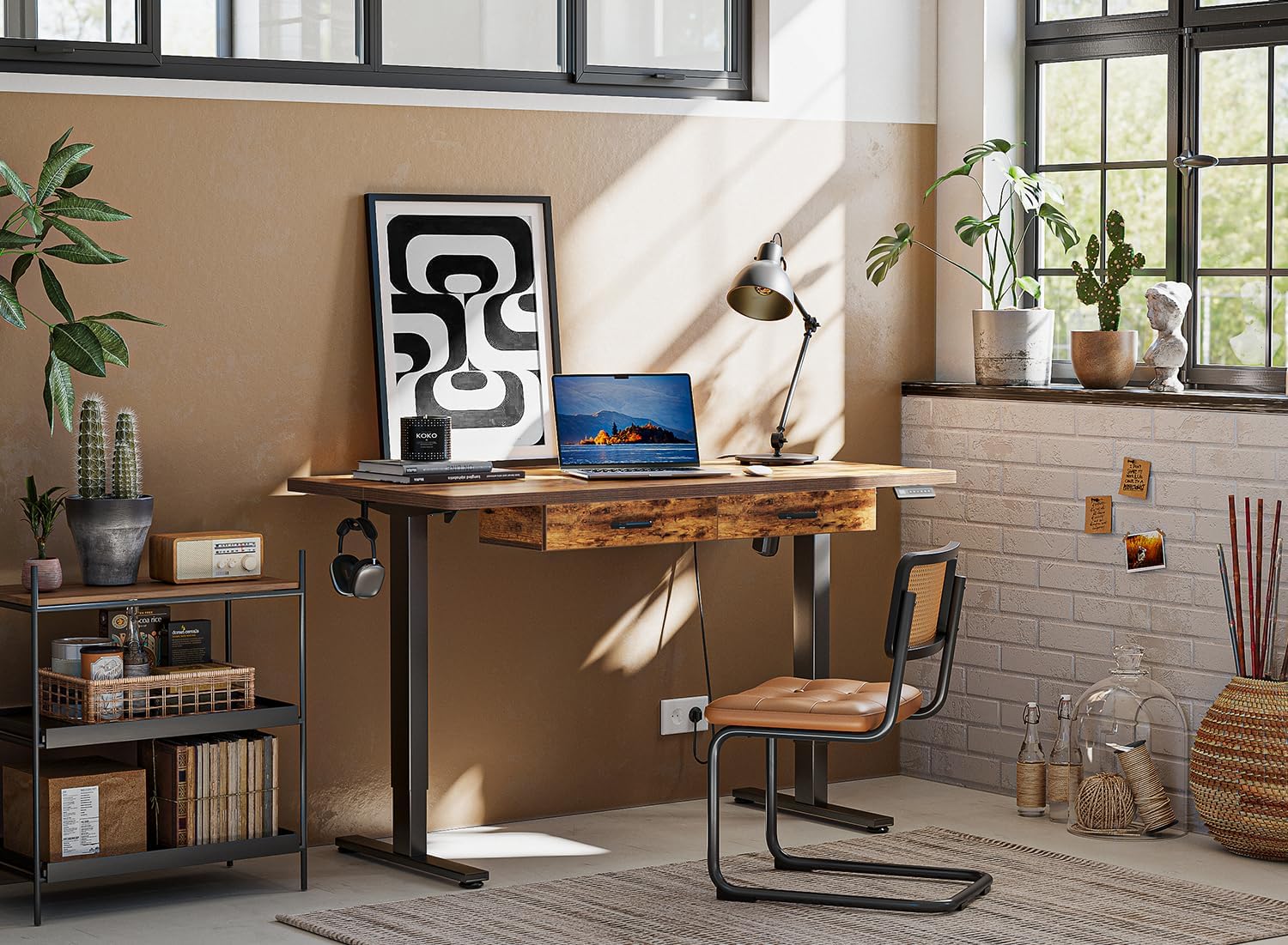
Image: Various components of the FEZIBO Standing Desk laid out for assembly.

Image: Diagram illustrating the product dimensions and maximum load capacity of the desk.
4. Operating Instructions
Your FEZIBO Standing Desk is equipped with an intuitive control panel for easy height adjustments and memory functions.
- Adjusting Height: Use the up (^) and down (v) arrow buttons on the control panel to manually raise or lower the desk to your desired height. The current height will be displayed on the digital screen.
- Setting Memory Presets: To save a specific height, adjust the desk to the desired position. Press the 'M' button, then press one of the numbered preset buttons (1, 2, or 3) within a few seconds. The height is now saved to that preset.
- Using Memory Presets: Simply press the corresponding numbered preset button (1, 2, or 3) to automatically move the desk to your saved height.

Image: Close-up of the convenient control panel with up/down, memory, and setting buttons.

Image: Visual representation of the smooth sitting to standing height adjustment range of the desk.
5. Maintenance
To ensure the longevity and optimal performance of your FEZIBO Standing Desk, regular maintenance is recommended:
- Cleaning: Wipe the desktop and frame with a soft, damp cloth. Avoid using harsh chemicals or abrasive cleaners that could damage the finish.
- Check Connections: Periodically inspect all screws and bolts to ensure they are tight. Retighten if necessary.
- Cable Management: Keep cables organized and clear of moving parts to prevent damage and ensure smooth operation.
- Weight Limit: Do not exceed the maximum weight limit of 176 lbs (from product dimensions image) to ensure stability and safety.
6. Troubleshooting
If you encounter any issues with your FEZIBO Standing Desk, please refer to the following common troubleshooting tips:
- Desk Not Moving: Check if the power cord is securely plugged into both the desk and a working power outlet. Ensure no cables are tangled or obstructing the lifting mechanism.
- Uneven Movement: If one side of the desk appears to be moving unevenly, ensure the desk is on a level surface and that the weight is evenly distributed across the desktop. Refer to the assembly instructions for recalibration steps if available.
- Error Codes: If the control panel displays an error code, consult the detailed troubleshooting section in your included assembly manual for specific instructions related to that code.
- Safety Precautions: Always keep fingers and other body parts away from the moving parts of the desk while adjusting the height. Do not exceed the maximum weight limit. Always anchor the desk to the floor to prevent tipping, especially when using it at its maximum height.
7. Specifications
| Attribute | Detail |
|---|---|
| Brand | FEZIBO |
| Model | 55 inch with wooden drawers Fir Brown |
| Product Dimensions | 24"D x 55"W x 27"H |
| Color | Fir Brown |
| Style | Modern |
| Base Material | Alloy Steel |
| Finish Type | Laminated |
| Mounting Type | Freestanding |
| Furniture Finish | Wooden |
| Included Components | Desk, Keyboard Tray, Monitor Arm (as listed in data, though desk only is primary) |
| Maximum Height | 46.5 Inches |
| Number of Drawers | 2 |
| Required Assembly | Yes |
| Includes All Assembly Tools | Yes |
8. Warranty and Support
The FEZIBO 55 x 24 Inches Standing Desk comes with a Limited Warranty. For specific details regarding the warranty period and coverage, please refer to the warranty information provided in your product packaging or contact FEZIBO customer service.
If you encounter any questions or warranty issues during assembly or use, our support team is ready to assist you promptly. Please reach out to FEZIBO customer support through the contact information provided in your product documentation or on the official FEZIBO website.

