
1. Introduction
This manual provides detailed instructions for the operation and maintenance of your BAOFENG UV-5RM Plus 10W Ham Radio. The UV-5RM Plus is an upgraded dual-band two-way radio featuring expanded frequency coverage, a larger color display, increased battery capacity with USB-C charging, and enhanced functions like one-key frequency copy and DTMF manual dial. Please read this manual thoroughly to ensure proper use and to maximize the performance of your device.
2. Product Overview
Key Features:
- Upgraded Performance: 10W high power output with 3 selectable power modes (high/medium/low).
- Expanded Frequency Coverage:
- Receive: FM 76-108 MHz, AM 108-136MHz (Airband), VHF 136-174MHz & 220-260MHz, UHF 350-390MHz & 400-520MHz, 10 NOAA Weather Bands.
- Transmit: 144-148 MHz & 420-450MHz.
- Enhanced Display: Larger 1.77-inch color display for improved readability.
- Extended Battery Life: 2500mAh battery with convenient USB-C charging.
- One-Key Frequency Copy: Simplifies frequency acquisition and communication setup.
- DTMF Manual Dial: Allows for direct DTMF tone input.
- Channel Capacity: 999 channels with 104 CDCSS and 50 CTCSS options.
- Voice Operated Transmission (VOX): Hands-free operation.
- Squelch Levels: Adjustable squelch for noise reduction.
What's in the Box:
- UV-5RM Plus Radio x 1
- Soft Protection Case x 1
- 2500mAh Battery x 1
- USB-C Charging Cable x 1
- Long High-gain Antenna x 1
- Headset x 1
- Belt Clip x 1
- Wrist Strap x 1

Image: All components included in the BAOFENG UV-5RM Plus package, including the radio, battery, antenna, soft case, headset, belt clip, wrist strap, and USB-C charging cable.
3. Setup
3.1 Battery Installation and Charging:
- Align the 2500mAh battery with the back of the radio.
- Slide the battery upwards until it clicks into place.
- To charge, connect the USB-C charging cable to the port on the battery.
- Connect the other end of the USB-C cable to a compatible USB power source (wall adapter, power bank, car charger, or laptop).
- The charging indicator on the battery will show charging status.

Image: The BAOFENG UV-5RM Plus radio being charged via its USB-C port from a wall adapter, power bank, car charger, and laptop, highlighting its versatile charging options.
3.2 Antenna Attachment:
- Screw the long high-gain antenna clockwise onto the antenna connector at the top of the radio until it is finger-tight. Do not overtighten.
3.3 Belt Clip and Wrist Strap:
- Attach the belt clip to the designated slot on the back of the radio for convenient carrying.
- Thread the wrist strap through the loop on the radio for added security.
3.4 Soft Protection Case:
- Carefully insert the radio into the provided soft protection case to guard against impacts and scratches.
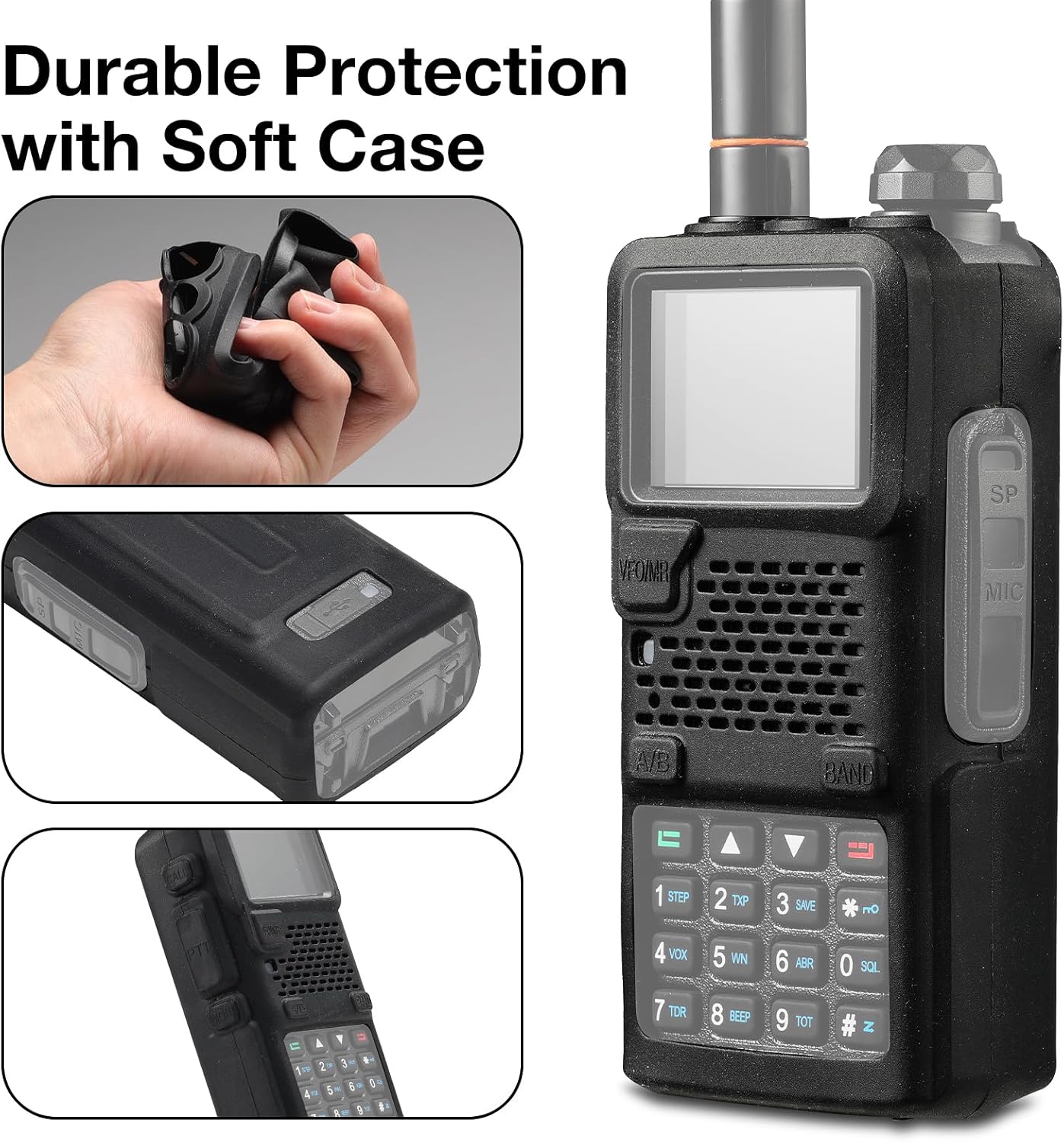
Image: The BAOFENG UV-5RM Plus radio shown with its durable soft protection case, illustrating how the case fits and protects the device.
4. Operating Instructions
4.1 Power On/Off and Volume:
- To power on, rotate the volume knob clockwise. To power off, rotate it counter-clockwise until it clicks.
- Adjust the volume by rotating the same knob.
4.2 Frequency Mode (VFO) and Channel Mode (MR):
- Press the VFO/MR button to switch between Frequency Mode (VFO) for direct frequency input and Channel Mode (MR) for selecting pre-programmed channels.
4.3 Setting Frequencies:
- In VFO mode, use the numeric keypad to enter the desired frequency.
- Use the UP/DOWN arrow keys to fine-tune the frequency.
4.4 One-Key Frequency Copy:
- This feature allows quick copying of a received frequency from another radio.
- Activate the one-key copy function (refer to the radio's menu for specific steps, typically a dedicated button or menu option).
- Place the transmitting radio near the UV-5RM Plus and transmit. The UV-5RM Plus will scan and copy the frequency.

Image: Two BAOFENG UV-5RM Plus radios side-by-side, illustrating the one-key frequency copy function where one radio's frequency is being transferred to another.
4.5 DTMF Manual Dial:
- Use the numeric keypad to manually dial DTMF tones for repeater access or other functions.
- Press the PTT button while dialing to transmit the tones.
4.6 NOAA Weather Bands:
- The radio can receive 10 NOAA Weather Bands. Access these bands through the radio's menu or a dedicated function key if available.
- Monitor for weather alerts and forecasts.

Image: The BAOFENG UV-5RM Plus radio display showing "NOAA Weather Alert" text, indicating its capability to receive weather broadcasts.
4.7 AM Airband Reception:
- The radio supports AM reception on the 108-136MHz airband. Tune to these frequencies in VFO mode to listen to aviation communications.

Image: The BAOFENG UV-5RM Plus radio with its display showing various frequency bands, including AM (Rx): 108-136MHz, highlighting its multi-band reception capabilities.
4.8 Programming with CHIRP:
- The UV-5RM Plus is compatible with CHIRP software for advanced programming.
- Connect the radio to a computer using a compatible programming cable (sold separately).
- Use CHIRP to manage channels, frequencies, and other settings.
5. Maintenance
5.1 Cleaning:
- Wipe the radio's surface with a soft, damp cloth. Do not use harsh chemicals or abrasive cleaners.
- Ensure the USB-C port is free of dust and debris.
5.2 Battery Care:
- Charge the battery fully before first use.
- Avoid overcharging or completely draining the battery for optimal lifespan.
- Store the radio and battery in a cool, dry place when not in use for extended periods.
5.3 Antenna Care:
- Handle the antenna carefully to prevent bending or damage.
- Ensure the antenna is securely attached during operation.
6. Troubleshooting
| Problem | Possible Cause | Solution |
|---|---|---|
| Radio does not power on. | Battery is low or not installed correctly. | Charge the battery or re-install it securely. |
| Cannot transmit or receive. | Incorrect frequency/channel, antenna not connected, or out of range. | Verify frequency/channel settings. Ensure antenna is attached. Move closer to the other radio or repeater. |
| Poor audio quality. | Low battery, squelch level too high, or interference. | Charge battery. Adjust squelch level. Move away from sources of interference. |
| Display is blank or frozen. | Software glitch or battery issue. | Remove and re-insert the battery to reset the radio. If problem persists, contact support. |
7. Specifications
| Feature | Detail |
|---|---|
| Model Number | UV-5RM Plus |
| Item Weight | 1.17 pounds |
| Product Dimensions | 5.91 x 1.97 x 3.94 inches |
| Number of Channels | 999 |
| Frequency Range (Receive) | FM 76-108 MHz, AM 108-136MHz, VHF 136-174MHz & 220-260MHz, UHF 350-390MHz & 400-520MHz, 10 NOAA Weather Bands |
| Frequency Range (Transmit) | 144-148 MHz & 420-450MHz |
| Battery Capacity | 2500mAh (USB-C Rechargeable) |
| Special Features | Digital Display, Dual Band, Long Range, Rechargeable, Voice Operated Transmission, One-Key Frequency Copy, DTMF Manual Dial |
| Talking Range Maximum | 5 Miles |
| Water Resistance Level | Not Water Resistant |
| FCC ID | 2AJGM-5RM |

Image: A visual comparison between the BAOFENG UV-5RM Plus and the standard UV-5R, showcasing the larger 1.77-inch color display and physical dimensions of the UV-5RM Plus.
8. Warranty and Support
Warranty Information:
The BAOFENG UV-5RM Plus comes with an 18-month warranty from the date of purchase. This warranty covers manufacturing defects and malfunctions under normal use. Please retain your proof of purchase for warranty claims.
Customer Support:
For technical assistance, troubleshooting, or warranty inquiries, please contact BAOFENG customer support through their official website or the retailer where the product was purchased. Provide your model number (UV-5RM Plus) and purchase details for efficient service.


