
MEDESCAN BPS01

MedeScan Smart Talking Blood Pressure Monitor
User Manual
Introduction
The MedeScan Smart Talking Blood Pressure Monitor is designed to provide accurate and convenient blood pressure and pulse rate measurements for home use. This device incorporates Intelligent Averages Technology for enhanced precision and features a talking function for ease of use. Please read this manual thoroughly before using the device to ensure proper operation and safety.
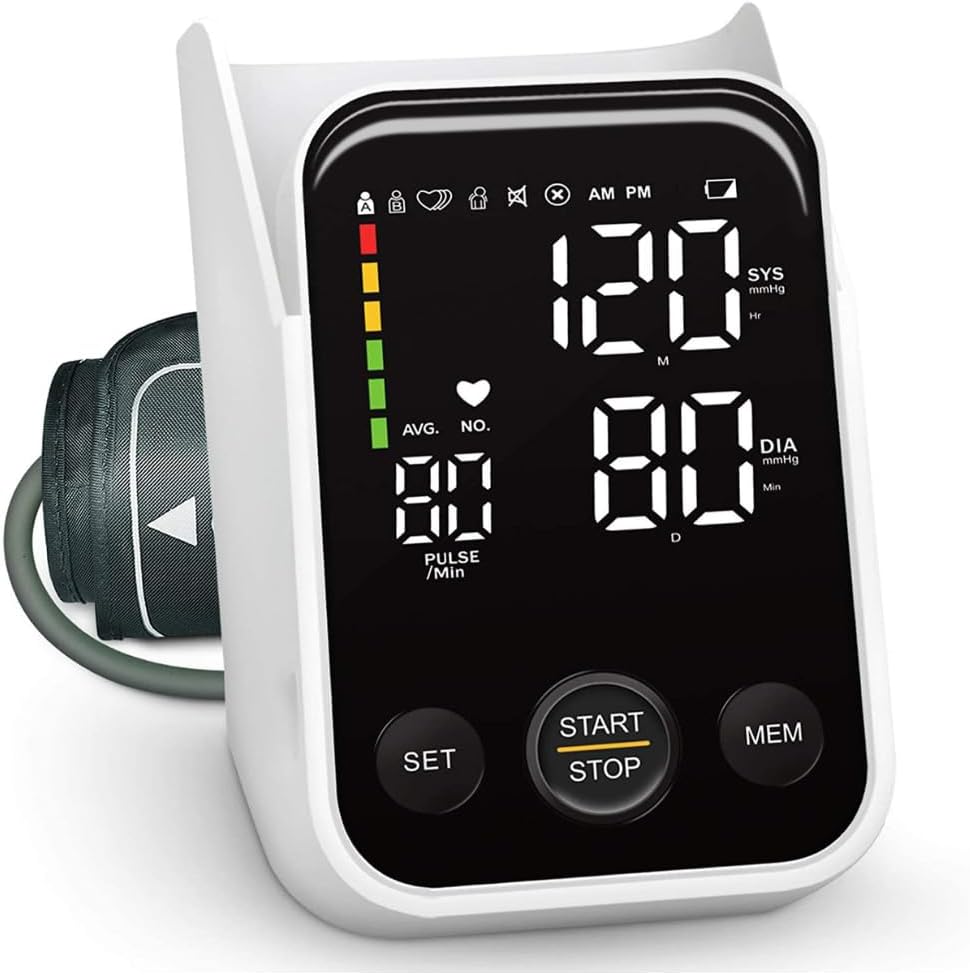
Image: The MedeScan Smart Talking Blood Pressure Monitor with its digital display showing blood pressure and pulse readings, and control buttons.
Important Safety Information
- Consult your physician before using this device if you have any medical conditions.
- Do not use this device for diagnosis or treatment of any health problem or disease.
- Keep the device out of reach of children.
- Do not use the device in a moving vehicle.
- Avoid strong electromagnetic fields during use.
- Only use the specified cuff and accessories provided by MedeScan.
Package Contents
Verify that all components are present in the package:
- 1 x Blood Pressure Monitor Device
- 1 x Adjustable Arm Cuff
- 1 x AC Adapter
- 1 x User Manual
- 3 x AA Batteries

Image: The MedeScan Blood Pressure Monitor, arm cuff, and power adapter laid out, showing the complete package contents.
Setup
- Power Source: Insert 3 AA batteries into the battery compartment, ensuring correct polarity. Alternatively, connect the device to a power source using the provided AC adapter.
- User and Time Setting: Press the SET button for 3 seconds to enter the setting mode. Choose User A or User B using the MEM button. Set the date and time using the MEM button to adjust values and SET to confirm.
Operating Instructions
Preparation for Measurement
- Rest for at least 10 minutes before taking a measurement.
- Avoid eating, smoking, or exercising immediately prior to measurement.
- Ensure you are in a quiet and relaxed environment.
Cuff Placement
- Place the cuff on your bare upper arm, 2–3 cm (approximately 1 inch) above the elbow.
- Ensure the tubing runs inside your arm and is aligned with the center of your inner arm.
- The cuff should be snug but not too tight; you should be able to insert two fingers between the cuff and your arm.

Image: A person demonstrating the correct placement of the arm cuff on the upper arm, ensuring it is positioned properly for an accurate reading.
Taking a Measurement
- Sit comfortably with your feet flat on the floor and your arm level with your heart.
- Press the START/STOP button to begin the measurement.
- The cuff will automatically inflate and then slowly deflate. Remain still and silent during this process.
- Once the measurement is complete, your blood pressure (systolic and diastolic) and pulse rate will be displayed on the screen and announced by the talking function.

Image: A person seated, operating the MedeScan Blood Pressure Monitor to take a reading, with the cuff on their arm and their finger on the START/STOP button.
Viewing Past Readings (Memory Function)
- Press the MEM button to scroll through stored results. The device stores up to 240 readings (120 per user).
- The Intelligent Averages Technology can calculate the average of multiple measurements for enhanced accuracy.
Arrhythmia Detection
- The monitor is equipped with Arrhythmia Monitoring, which alerts you to any irregular heartbeats detected during the measurement. If this icon appears frequently, consult your physician.
Automatic Shut-off
- The device will automatically turn off after 60 seconds of inactivity to conserve power. You can also press START/STOP to turn it off manually.
Maintenance
- Cleaning: Wipe the device and cuff with a soft, dry cloth. Do not use abrasive cleaners or immerse the device in water.
- Storage: Store the monitor and cuff in a cool, dry place, away from direct sunlight and extreme temperatures.
- Battery Replacement: Replace batteries when the low battery indicator appears on the display.
Troubleshooting
| Problem | Possible Cause | Solution |
|---|---|---|
| Device does not turn on. | Batteries are low or incorrectly inserted; AC adapter not connected properly. | Check battery polarity, replace batteries, or ensure AC adapter is securely plugged in. |
| Inaccurate readings. | Incorrect cuff placement; movement during measurement; not resting before measurement. | Ensure cuff is correctly placed, remain still and silent, rest for 10 minutes prior. |
| Cuff does not inflate. | Air tube disconnected; cuff not properly wrapped. | Check that the air tube is securely connected to the monitor. Re-wrap the cuff snugly. |
Specifications
- Model: BPS01
- Product Dimensions: 15.24 x 13.97 x 15.24 cm
- Item Weight: 482 Grams
- Memory Capacity: 2 x 120 readings (240 total)
- Power Source: 3 x AA Batteries or AC Adapter
- Display Type: LCD
- Measurement Site: Upper Arm
- Features: Talking Function, Arrhythmia Detection, Intelligent Averages Technology, Auto Inflation & Deflation
Warranty and Support
MedeScan products are designed to meet high quality standards. For warranty information and customer support, please refer to the warranty card included with your product or visit the official MedeScan website.
You can also visit the MedeScan Store on Amazon for more information and product support.
Ask a question about this manual
Ask about setup, troubleshooting, compatibility, parts, safety, or missing instructions. Manuals+ will review the question and use this page’s manual context to help answer it.