1. Introduction
The Diitao DHT22/AM2302 is a digital temperature and humidity sensor module designed for precise environmental monitoring. It utilizes a single-bus digital signal output for bidirectional serial data communication, making it suitable for integration with various microcontrollers, including Arduino. This module offers stable performance with low power consumption and does not require additional external components for basic operation.
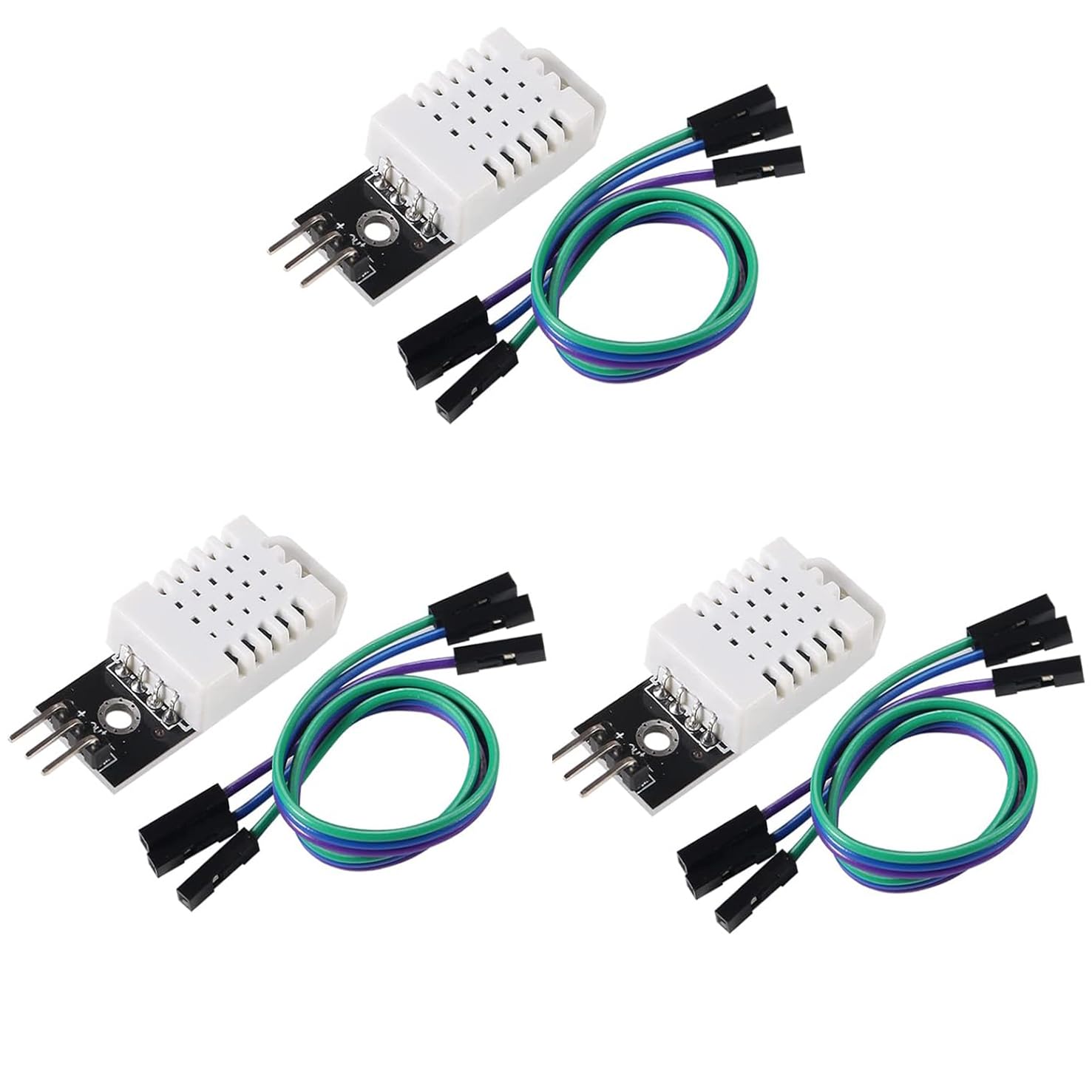
Figure 1: Overview of the DHT22/AM2302 Digital Temperature and Humidity Sensor Module.
2. Setup and Wiring
This section details the necessary steps to connect your DHT22/AM2302 sensor module to a microcontroller. The module features a 3-pin interface for power, ground, and data communication.
2.1 Pin Configuration
- VCC (+): Power supply input (DC 3V to 5.5V).
- GND (-): Ground connection.
- DATA (Out): Digital signal output for temperature and humidity data.
2.2 Wiring Instructions
- Connect the VCC (+) pin of the sensor module to the 3.3V or 5V power output of your microcontroller (e.g., Arduino).
- Connect the GND (-) pin of the sensor module to the Ground (GND) pin of your microcontroller.
- Connect the DATA (Out) pin of the sensor module to a digital input pin on your microcontroller. A pull-up resistor (typically 4.7kΩ to 10kΩ) between the DATA pin and VCC is often recommended for stable communication, though some modules may have this integrated.

Figure 2: Close-up view of the sensor module's 3-pin interface for wiring.
2.3 Physical Installation
The module includes a fixing screw hole (diameter: 2.6mm) for convenient and secure installation in your project enclosure or mounting surface.

Figure 3: DHT22/AM2302 sensor module connected with jumper wires, illustrating typical setup.
3. Operating Instructions
To obtain temperature and humidity readings from the DHT22/AM2302 module, you will need to program your microcontroller using compatible libraries. These libraries handle the specific timing and protocol of the single-bus digital signal.
3.1 Data Acquisition
- Install a suitable DHT sensor library for your microcontroller's development environment (e.g., Arduino IDE).
- Initialize the sensor object in your code, specifying the digital pin connected to the DATA line.
- Use the library functions to read temperature and humidity values. The sensor typically requires a short delay between readings (e.g., 2 seconds) to ensure accurate data.
3.2 Data Interpretation
The library functions will typically return floating-point values for temperature in Celsius and humidity in percentage relative humidity (%RH). Ensure your code handles these values appropriately for display or further processing.
4. Maintenance
The DHT22/AM2302 sensor module is generally maintenance-free. However, adhering to the following guidelines can help ensure its longevity and accuracy:
- Environmental Conditions: Avoid exposing the sensor to direct water, corrosive gases, or extreme dust, which can affect its performance and lifespan.
- Cleaning: If necessary, gently clean the sensor's white plastic housing with a soft, dry cloth. Do not use liquids or abrasive materials.
- Storage: Store the module in a dry, non-condensing environment within its specified operating temperature range when not in use.
5. Troubleshooting
If you encounter issues with your DHT22/AM2302 sensor module, consider the following troubleshooting steps:
- No Readings or Erratic Data:
- Verify all wiring connections are secure and correct (VCC, GND, DATA).
- Ensure the power supply voltage is within the specified range (DC 3V-5.5V).
- Check your microcontroller code for correct pin assignments and proper library usage.
- Confirm that a pull-up resistor is correctly installed on the DATA line if your module does not have one integrated.
- Ensure sufficient delay between sensor readings in your code (e.g., 2 seconds).
- Incorrect Readings:
- Compare readings with a known accurate thermometer/hygrometer.
- Ensure the sensor is not placed in an area with localized heat sources, direct sunlight, or strong airflow that could skew readings.
- Check for condensation on the sensor, which can cause inaccurate humidity readings.
- Long Distance Signal Transmission Issues:
- While the sensor supports long-distance transmission, excessive cable length or poor cable quality can introduce signal degradation. Consider using shielded cables or reducing cable length if issues persist over long distances.
6. Specifications
Detailed technical specifications for the Diitao DHT22/AM2302 Digital Temperature and Humidity Sensor Module:
| Feature | Specification |
|---|---|
| Main Chip | AM2302 |
| Operating Voltage | DC 3V ~ 5.5V |
| Temperature Range | -40°C to 80°C (-40°F to 176°F) |
| Temperature Accuracy | ±0.5°C |
| Humidity Range | 0% ~ 100% RH |
| Humidity Accuracy | ±2% RH |
| Signal Output Form | Digital Signal (Single-bus) |
| Dimensions (L x W x H) | 43mm x 15mm x 10mm (1.69in x 0.59in x 0.39in) |
| Screw Hole Diameter | 2.6mm |
| Item Weight | Approximately 8 ounces (for 3PCS package) |
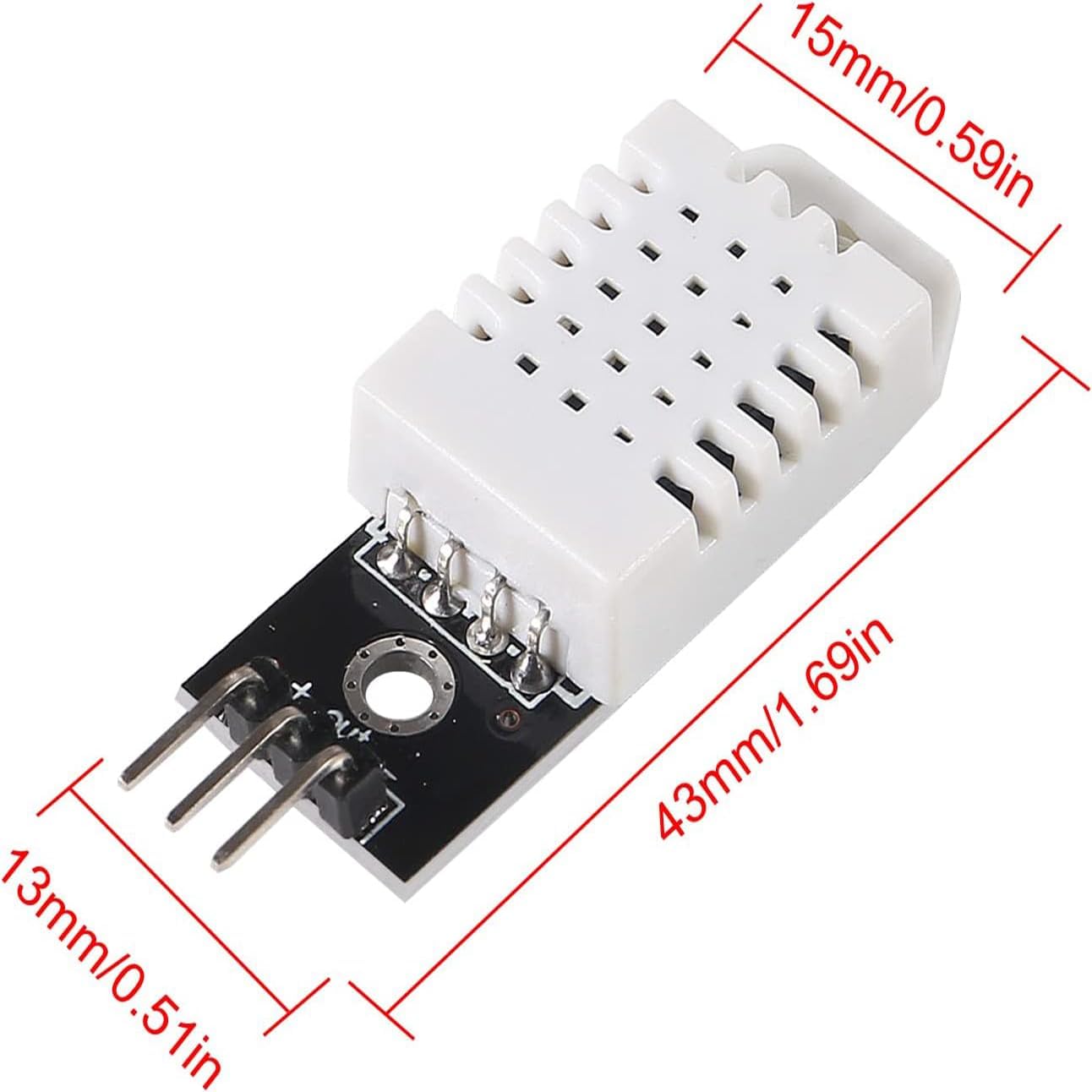
Figure 4: Dimensional drawing of the DHT22/AM2302 sensor module.
7. Warranty Information
This Diitao DHT22/AM2302 Digital Temperature and Humidity Sensor Module is covered by a standard manufacturer's warranty. For specific details regarding warranty duration, coverage, and claims, please refer to the official Diitao website or contact their customer service directly. Keep your proof of purchase for warranty validation.
8. Support
For further assistance, technical inquiries, or support related to your Diitao DHT22/AM2302 sensor module, please visit the official Diitao website or contact their customer support team. Online resources, forums, and community support for Arduino and similar microcontrollers can also provide valuable information for integrating and utilizing this sensor.


