Download PDFFree PDF. The Save button below keeps a bookmark and private notes in your account.
hohem iSteady X3 SE Plus Gimbal Stabilizer User Manual
Brand: hohem | Model: iSteady X3 SE Plus
Introduction
The hohem iSteady X3 SE Plus is a 3-axis phone gimbal stabilizer designed to capture smooth and stable footage with your smartphone. It features a detachable remote control, an extendable rod, and advanced stabilization technology to enhance your mobile videography experience.
What's in the Box
Upon opening the package, you will find the following items:
iSteady X3 SE Plus Gimbal x1
Remote Controller x1
Tripod x1
Storage Pouch x1
Type C Charging Cable x1
Quick Start Guide x1
Warranty Card x1
Image: All components included in the hohem iSteady X3 SE Plus package.
Video: Unboxing the hohem iSteady X3 Gimbal, demonstrating package contents and initial setup steps.
Setup Guide
1. Unfolding the Gimbal
Hold the gimbal firmly.
Lift the arm upwards to unfold the gimbal into its operational position. Ensure it forms a "7" shape with the phone holder clip facing up.
Image: The gimbal in its compact, folded state and then unfolded, ready for use.
2. Mounting the Phone
Pull open the phone holder clamp.
Insert your smartphone into the clamp, ensuring the camera is on the top side.
Adjust the phone's position within the clamp so it is centrally balanced. The back of the smartphone should be tightly pressed against the phone clamp.
Image: A smartphone securely mounted on the gimbal stabilizer.
3. Power On
Long press the power button on the gimbal's handle for three seconds to turn it on. The gimbal will automatically balance the mounted smartphone.
4. Connecting via Bluetooth
The gimbal features automatic Bluetooth connection. Once powered on, it will attempt to pair with your smartphone. For full functionality, download the "Hohem Joy" app from your device's app store.
Image: Gimbal displaying Bluetooth connection status.
Operating Instructions
Basic Controls
Power Button: Long press to power on/off. Single press to check battery level.
Mode Button: Single press to switch between different gimbal modes (e.g., Pan Follow, Pan & Tilt Follow, All Lock). Double press to switch between landscape and portrait modes.
Joystick: Controls the pan and tilt movements of the gimbal.
Zoom Wheel: Located on the side, allows for smooth zoom in/out when used with the Hohem Joy app.
Gimbal Modes & Stabilization
The iSteady X3 SE Plus features advanced iSteady 8.0 anti-shake technology for ultra-smooth footage. Utilize various modes for creative shots:
3-Axis Stabilization: Ensures stable footage across pan, tilt, and roll axes.
Landscape/Portrait Switching: Double-press the mode button to quickly switch between horizontal and vertical shooting orientations.
Inception Mode: Create dynamic 180° roll rotations for cinematic effects (available via Hohem Joy App).
Timelapse Mode: Capture time-lapse videos with precise stabilization.
Image: Gimbal stabilizing a smartphone during video recording.
Detachable Remote Control
The innovative detachable remote controller allows you to operate the gimbal from up to 32 feet away via Bluetooth. This is ideal for group photos, self-recording, and creative angles.
Detaching: Hold down the buttons on the side of the remote module to release it from the gimbal handle.
Recharging: The remote recharges automatically when docked in the gimbal handle.
Image: Detachable remote control in use, showing its range and convenience.
Extendable Rod
The gimbal features a built-in 8-inch extendable rod, allowing you to capture wider shots, higher angles, or perfect selfies without additional accessories.
Image: The gimbal's extendable rod in use.
AI Tracking & Gesture Control
Through the Hohem Joy app, the gimbal supports AI tracking and gesture control for hands-free operation.
AI Face/Object Tracking: The gimbal can automatically follow a designated face or object, keeping it in focus.
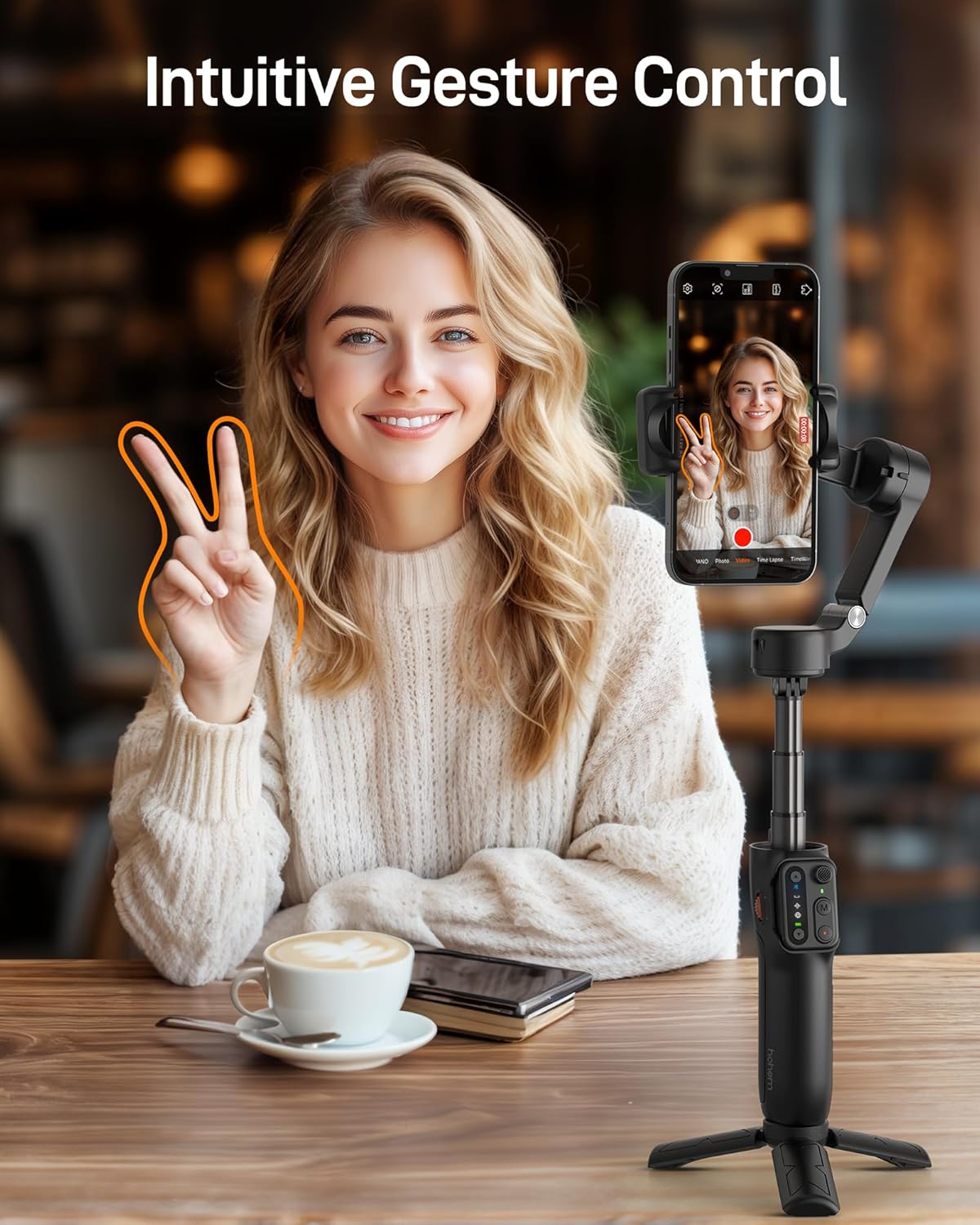
Gesture Control: Use specific hand gestures to start/stop recording or enable/disable tracking.
Image: AI tracking feature in action, keeping a subject in focus.
Image: Hand gestures used to control the gimbal's recording functions.
Hohem Joy App
The Hohem Joy app unlocks the full potential of your iSteady X3 SE Plus. It provides advanced features such as AI tracking, gesture control, and various shooting templates to enhance your content creation.
Battery Life & Charging
The gimbal offers up to 11 hours of continuous filming on a single charge. A full charge takes approximately 2 hours using the provided Type C charging cable.
Image: Visual representation of the gimbal's battery performance.
Portability
Weighing only 0.85 lbs and featuring a foldable design, the iSteady X3 SE Plus is ultra-portable and can easily fit into your bag or pocket, making it convenient for on-the-go content creation.
Image: The gimbal's compact size demonstrated by fitting into a pocket.
Smartphone Compatibility
The gimbal supports a payload of up to 0.66 lbs and is compatible with most smartphones, including various iPhone and Android models. For a detailed list of supported models and features, refer to the Hohem Joy app or the official Hohem website.
Compatible Devices (Examples)
Brand
Models
Apple
iPhone 16, 15, 14, 13, 12, 11 Pro Max
Samsung
Galaxy S21/S21 Ultra, S23 Ultra
OnePlus
OnePlus 12, 11, 10, 9
Huawei
Mate 60, 50, 40, 30 RS Pro
Maintenance
Cleaning: Use a soft, dry cloth to clean the gimbal. Avoid using harsh chemicals.
Storage: Store the gimbal in its folded state within the provided storage pouch to protect it from dust and damage.
Extension Rod: It is recommended to retract the extension rod after use, as prolonged stretching may cause deformation.
Troubleshooting
Gimbal not balancing: Ensure your smartphone is correctly mounted and centrally balanced in the phone clamp before powering on the gimbal.
Bluetooth connectivity issues: Ensure Bluetooth is enabled on your smartphone and the Hohem Joy app is open. Try restarting both the gimbal and your phone.
Unresponsive controls: Check if the remote control is properly docked and charged, or if the gimbal's battery is low.
Specifications
Feature
Detail
Product Dimensions
3.86 x 1.73 x 6.32 inches
Item Weight
13.6 ounces (0.85 lbs)
Payload Capacity
Up to 0.66 lbs
Battery Life
Up to 11 hours
Charging Time
Approx. 2 hours
Extension Rod Length
8 inches (built-in)
Remote Control Range
Up to 32 feet
Model Number
iSteady X3SE+
Warranty & Support
This product comes with a standard manufacturer's warranty. Please refer to the included Warranty Card for detailed terms and conditions. For technical support or service inquiries, visit the official hohem website or contact their customer service.
Ask about setup, troubleshooting, compatibility, parts, safety, or missing instructions. Manuals+ will review the question and use this page’s manual context to help answer it.