
1. Introduction
Thank you for choosing the Monster Round One Bluetooth Speaker. This manual provides essential information for the safe and efficient use of your speaker. Please read it thoroughly before operation and retain it for future reference.

Image 1.1: The Monster Round One Bluetooth Speaker, showcasing its waterproof design with water splashing around it.
2. Package Contents
Ensure all items are present in the package:
- Monster Round One Bluetooth Speaker
- USB Charging Cable
- Lanyard
- Detachable Suction Cup
- Quick Start Guide
3. Product Overview
The Monster Round One speaker features a compact, portable design with robust audio capabilities and IPX8 waterproofing. It is equipped with Bluetooth 5.4 for stable wireless connectivity and a long-lasting battery.
3.1 Key Features
- Pure Monster Sound: Engineered for impactful music experience with deep bass and clear details.
- IPX8 Waterproof: Fully submersible up to 1 meter for 30 minutes, suitable for various water activities.
- Bluetooth 5.4: Ensures fast pairing, stable connection, and superior audio quality.
- Long Battery Life: Up to 24 hours of continuous music playback at appropriate volume.
- Portable Design: Includes a lanyard and detachable suction cup for versatile mounting.
- Hands-Free Calling: Built-in microphone for clear calls.
- True Wireless Stereo (TWS): Connect two speakers for an immersive stereo sound experience.

Image 3.1: An exploded view of the Monster Round One speaker illustrating its internal audio components and the concept of 360-degree sound delivery.
3.2 Controls and Indicators
The speaker features intuitive touch controls and indicators for easy operation.
- Power Button: On/Off, long press to power.
- Play/Pause Button: Play/pause music, answer/end calls.
- Volume Up (+): Increase volume, long press for next track.
- Volume Down (-): Decrease volume, long press for previous track.
- LED Indicator: Shows power status, charging status, and Bluetooth pairing status.
4. Setup
4.1 Charging the Speaker
Before first use, fully charge the speaker. Connect the provided USB charging cable to the speaker's charging port and a compatible USB power adapter (not included). The LED indicator will show charging status and turn off when fully charged.
4.2 Power On/Off
- To Power On: Press and hold the Power button for approximately 3 seconds until the LED indicator lights up and you hear an audible prompt.
- To Power Off: Press and hold the Power button for approximately 3 seconds until the LED indicator turns off and you hear an audible prompt.
4.3 Bluetooth Pairing
To connect your speaker to a Bluetooth-enabled device:
- Ensure the speaker is powered on and in pairing mode (LED indicator will flash). If it doesn't enter pairing mode automatically, you may need to disconnect from a previously paired device.
- On your device (smartphone, tablet, etc.), enable Bluetooth and search for available devices.
- Select "Monster Round One" from the list of devices.
- Once connected, the LED indicator will stop flashing and remain solid, and you will hear a confirmation sound.

Image 4.1: A smartphone displaying a successful Bluetooth connection to the Monster Round One speaker, indicating readiness for audio playback.
4.4 True Wireless Stereo (TWS) Pairing
For an enhanced audio experience, you can pair two Monster Round One speakers together:
- Ensure both speakers are powered on and not connected to any Bluetooth device.
- On one speaker (this will be the primary speaker), double-press the Play/Pause button. The speaker will enter TWS pairing mode.
- The two speakers will automatically search for and connect to each other. Once connected, you will hear a confirmation sound, and the LED indicators on both speakers will change to indicate TWS connection.
- Now, connect your device to the primary speaker via Bluetooth as described in Section 4.3. Both speakers will play audio in stereo.
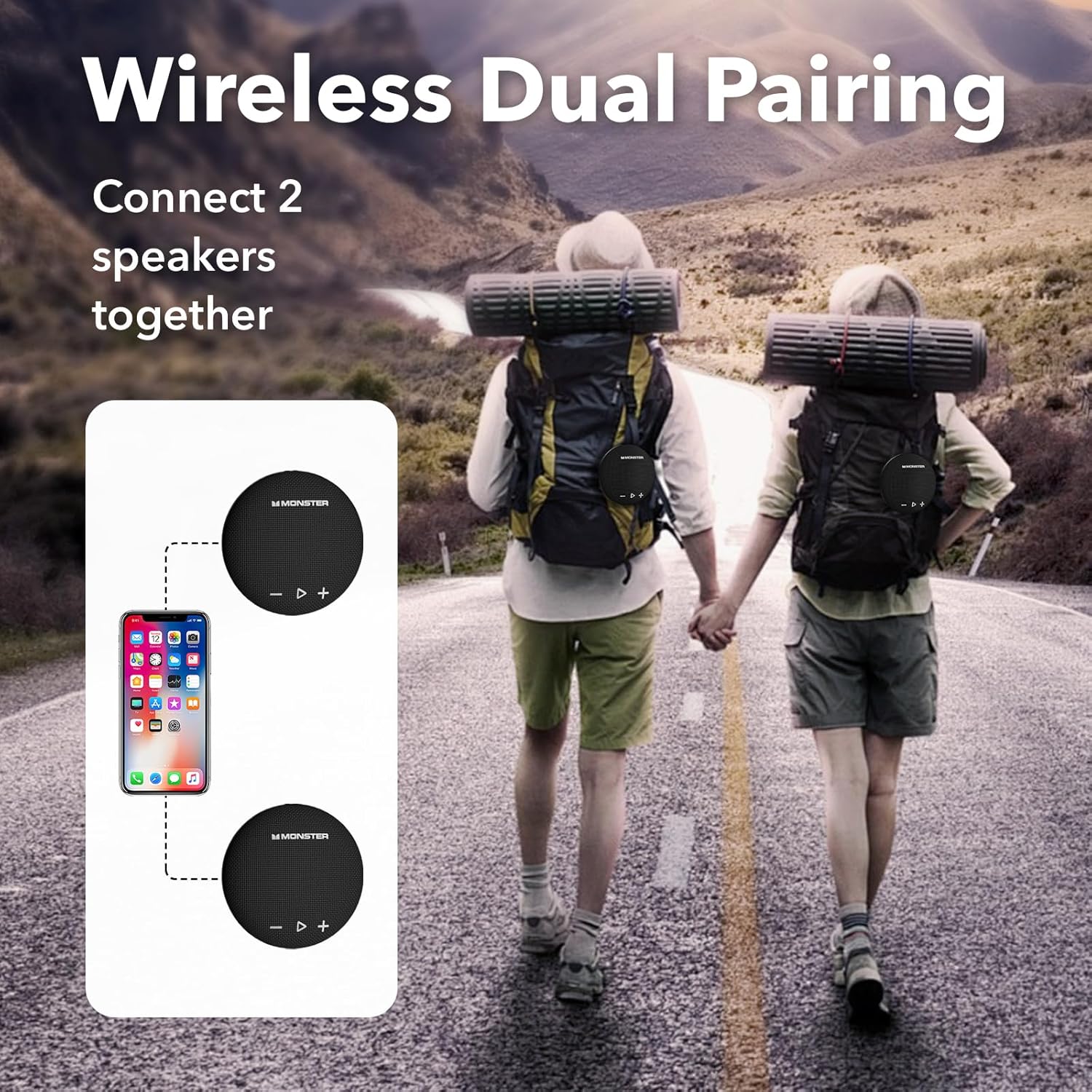
Image 4.2: A visual representation of two Monster Round One speakers wirelessly connected to a single smartphone, demonstrating the True Wireless Stereo (TWS) pairing feature.
5. Operating Instructions
5.1 Music Playback
- Play/Pause: Press the Play/Pause button once.
- Volume Up: Press the '+' button.
- Volume Down: Press the '-' button.
- Next Track: Long press the '+' button.
- Previous Track: Long press the '-' button.
5.2 Hands-Free Calling
When connected to your smartphone via Bluetooth, you can use the speaker for hands-free calls.
- Answer Call: Press the Play/Pause button once when a call comes in.
- End Call: Press the Play/Pause button once during a call.
- Reject Call: Long press the Play/Pause button when a call comes in.
5.3 Mounting Options
The Monster Round One speaker offers flexible mounting for various environments.
- Lanyard: Use the included lanyard to hang the speaker on backpacks, bicycles, or other suitable fixtures.
- Suction Cup: Attach the detachable suction cup to the back of the speaker and then to smooth surfaces like shower tiles or mirrors.

Image 5.1: The Monster Round One speaker mounted on a shower wall using its suction cup, demonstrating its use in a wet environment.
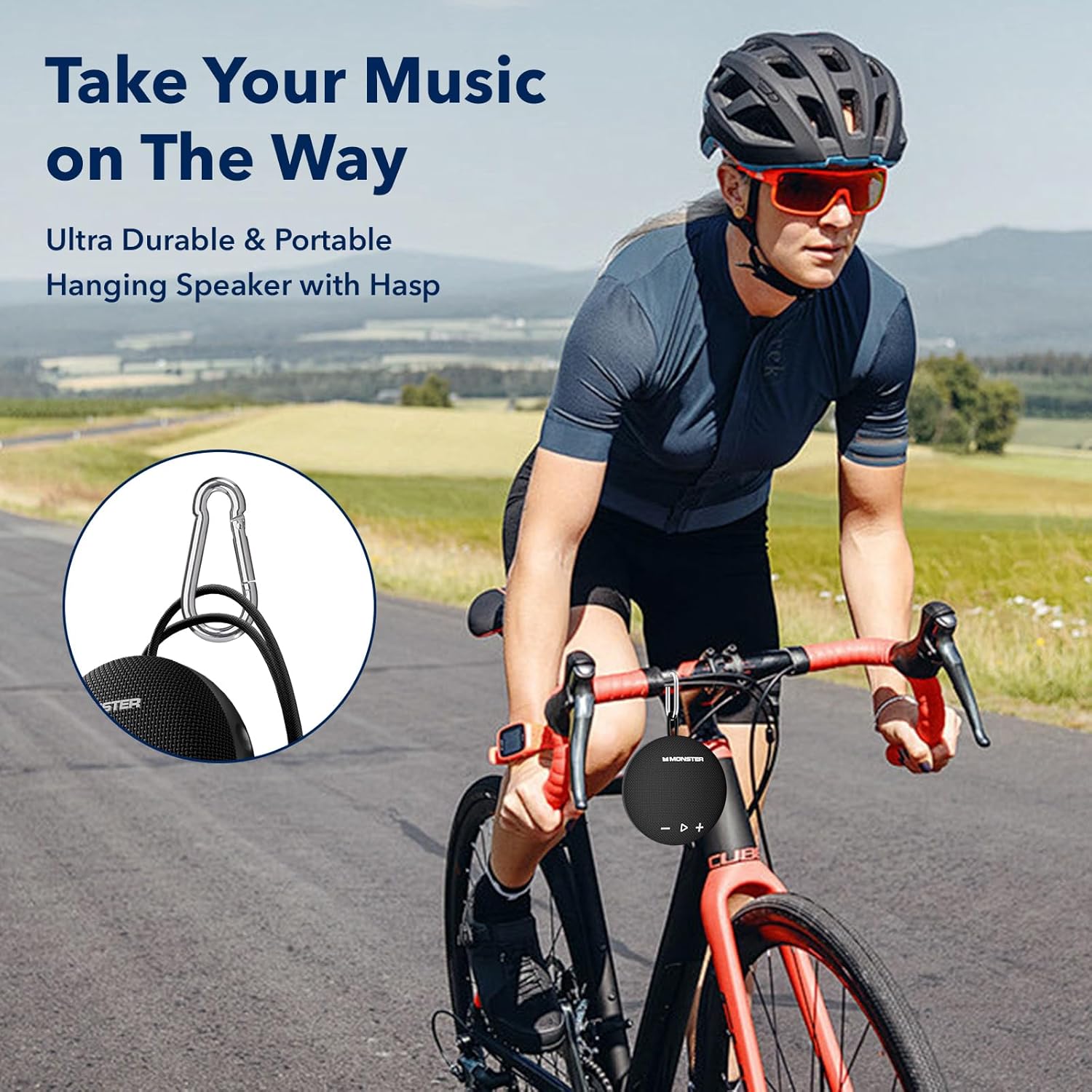
Image 5.2: The Monster Round One speaker attached to a bicycle handlebar via a carabiner, highlighting its portability for outdoor activities.
6. Maintenance
6.1 Cleaning
To clean the speaker, use a soft, damp cloth. Do not use abrasive cleaners, alcohol, or chemical solvents, as these may damage the surface or internal components. Ensure the charging port cover is securely closed before cleaning or exposing to water.
6.2 Storage
Store the speaker in a cool, dry place away from direct sunlight and extreme temperatures. If storing for an extended period, charge the battery periodically to maintain its lifespan.
7. Troubleshooting
| Problem | Possible Cause | Solution |
|---|---|---|
| Speaker does not power on | Low battery; Power button not pressed long enough | Charge the speaker; Press and hold the Power button for 3 seconds |
| Cannot pair via Bluetooth | Speaker not in pairing mode; Device Bluetooth off; Speaker connected to another device | Ensure speaker LED is flashing; Enable Bluetooth on your device; Disconnect from other devices and try again |
| No sound | Volume too low; Speaker not connected; Audio source paused | Increase speaker and device volume; Re-pair Bluetooth; Check audio playback on your device |
| Poor sound quality | Low battery; Device too far from speaker; Obstructions | Charge the speaker; Move device closer to speaker; Remove obstructions |
| TWS pairing fails | Speakers already connected to a device; Incorrect pairing procedure | Ensure both speakers are disconnected from devices; Follow TWS pairing steps carefully |
8. Specifications
| Feature | Detail |
|---|---|
| Model Name | MS62116 |
| Bluetooth Version | 5.4 |
| Waterproof Rating | IPX8 |
| Speaker Type | Portable Speaker |
| Speaker Maximum Output Power | 15 Watts |
| Frequency Response | 10 KHz |
| Power Source | Battery Powered (1 CR5 battery included) |
| Control Method | Touch |
| Product Dimensions | 99D x 43W x 99H millimeters |
| Weight | 380 g |
| Manufacturer | ZUNTE |
9. Safety Information
- Do not disassemble, repair, or modify the speaker.
- Keep the speaker away from extreme temperatures, direct sunlight, and open flames.
- Do not expose the speaker to strong magnetic fields.
- Use only the provided charging cable or a certified equivalent.
- Ensure the charging port cover is sealed tightly when using the speaker near water to maintain its IPX8 rating.
- Avoid listening at high volumes for extended periods to prevent hearing damage.
10. Warranty and Support
The Monster Round One Bluetooth Speaker comes with a 12-month worry-free service. For any questions or support needs, please contact the seller or manufacturer directly. Please retain your proof of purchase for warranty claims.


