
1. Introduction
The LIGE DM1 GPS Smartwatch is a robust and versatile device designed for active lifestyles. It combines advanced GPS tracking, comprehensive health monitoring, and smart communication features in a durable, ergonomic design. This manual provides detailed instructions to help you get the most out of your smartwatch.
2. Product Overview
The LIGE DM1 Smartwatch features a military-grade durable casing, a vibrant AMOLED display, and a range of sensors for tracking your activities and health. It is equipped with a powerful LED flashlight and supports multiple satellite systems for accurate outdoor navigation.
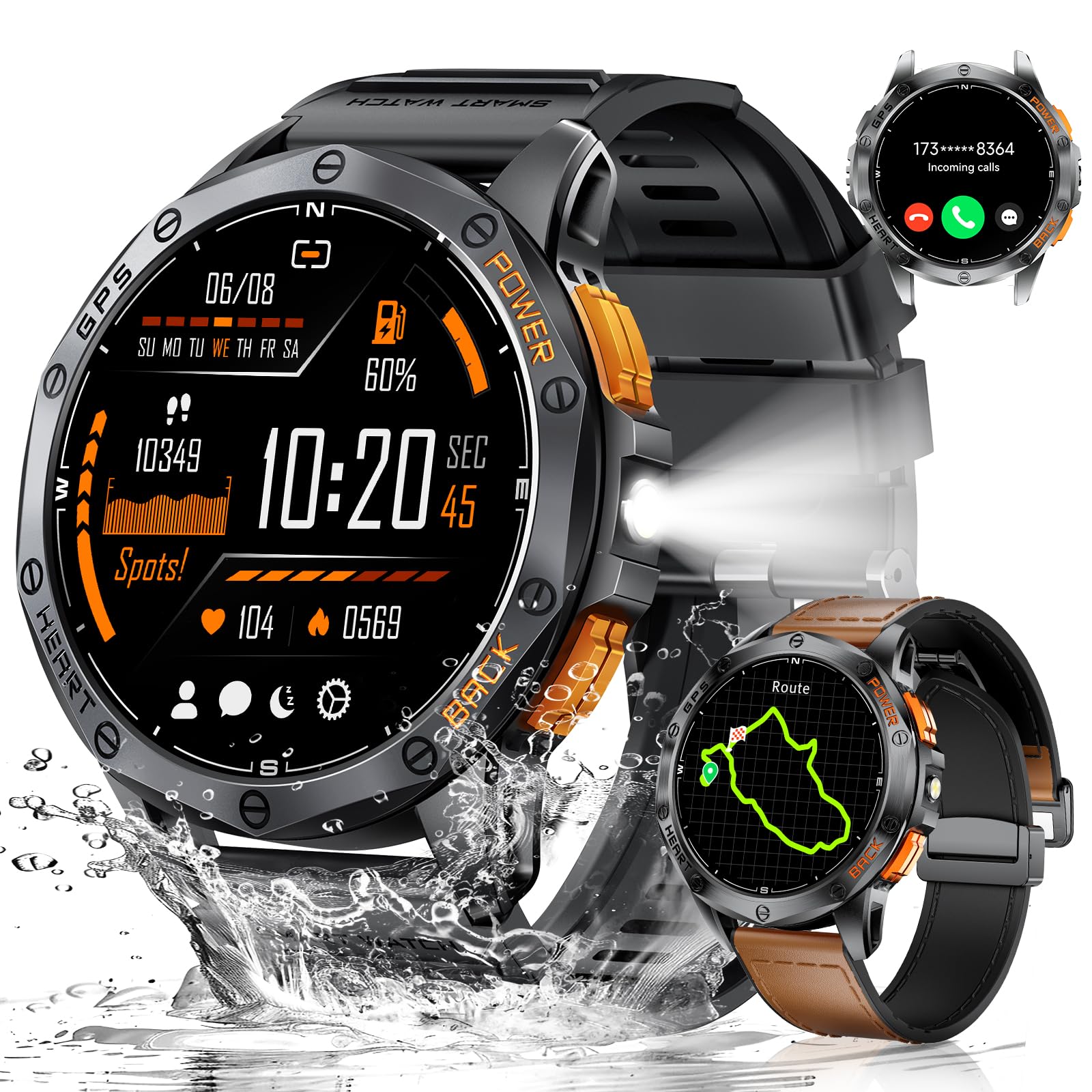
Figure 1: LIGE DM1 GPS Smartwatch
3. Setup
3.1 App Installation
To utilize all features of your LIGE DM1 Smartwatch, download the companion app, 'GloryFitPro', from your smartphone's app store. You can scan the QR code below or search for 'GloryFitPro' directly.

Figure 2: GloryFitPro App Download
3.2 Device Pairing
After installing the app, open it and follow the on-screen instructions to create an account or log in. The app will guide you through setting up your profile (gender, height, weight, age, and daily activity goals). Then, proceed to pair your smartwatch via Bluetooth.
- Ensure your smartwatch is charged and powered on.
- Enable Bluetooth on your smartphone.
- In the GloryFitPro app, navigate to the 'Device' section and select 'Add a new device'.
- Select your LIGE DM1 smartwatch from the list of available devices (e.g., 'K67-864').
- Confirm the pairing request on both your smartphone and the smartwatch.
- Allow necessary permissions for notifications and data synchronization.
Video 1: App Installation and Device Pairing Guide
4. Operating Instructions
4.1 Display and Watch Faces
The LIGE DM1 features a 1.43-inch AMOLED Always-On Display with 466*466 pixels, offering clear visuals in various lighting conditions. You can customize your watch face through the GloryFitPro app to suit your style and display preferred information.
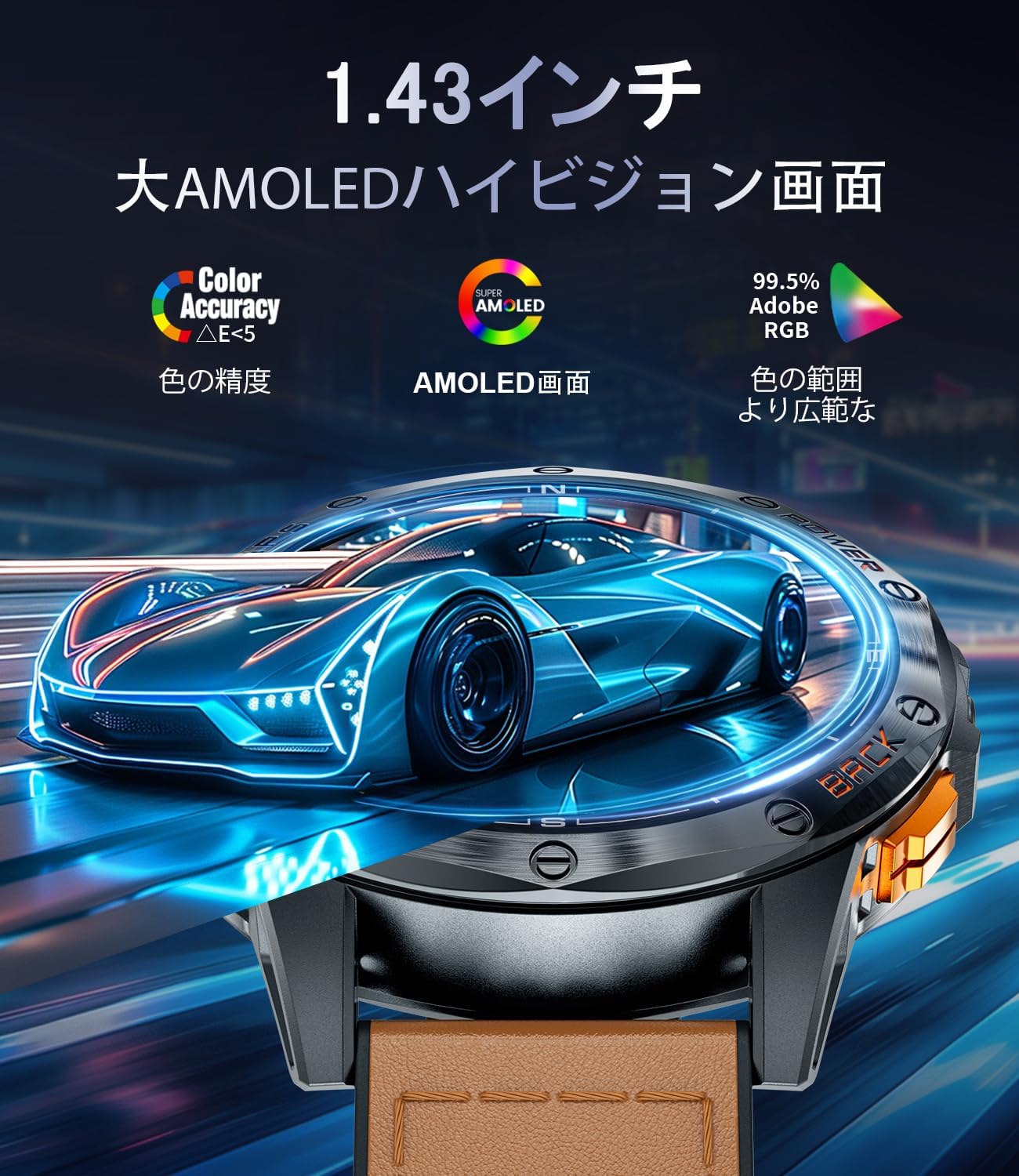
Figure 3: 1.43-inch AMOLED Display
Video 2: Watch Face Customization and Features Overview
4.2 GPS and Navigation
The smartwatch integrates multiple satellite systems (GPS, GLONASS, Beidou, Galileo, NAVIC, QZSS) for precise outdoor tracking. It includes a compass and can track your route during activities. Note: GPS route tracking requires activation in a wide, open area for optimal performance.

Figure 4: GPS Route Tracking
Video 3: Compass Calibration and Outdoor Activity Tracking
4.3 Sports Modes and Fitness Tracking
With over 100 sports modes, the DM1 smartwatch can track a wide range of activities, from running and cycling to swimming. It monitors steps, distance, and calorie consumption in real-time. Select your desired sport mode from the 'Workout' menu to begin tracking.

Figure 5: Sports Modes and IP68 Water Resistance
4.4 Health Monitoring
The smartwatch provides comprehensive health monitoring, including heart rate, blood pressure, and sleep tracking. Access these features through the app list on the watch or the GloryFitPro app.
- Heart Rate: Monitors your heart rate throughout the day.
- Blood Pressure: Provides blood pressure readings.
- Sleep Tracking: Analyzes your sleep patterns, including deep sleep, light sleep, and awake times.
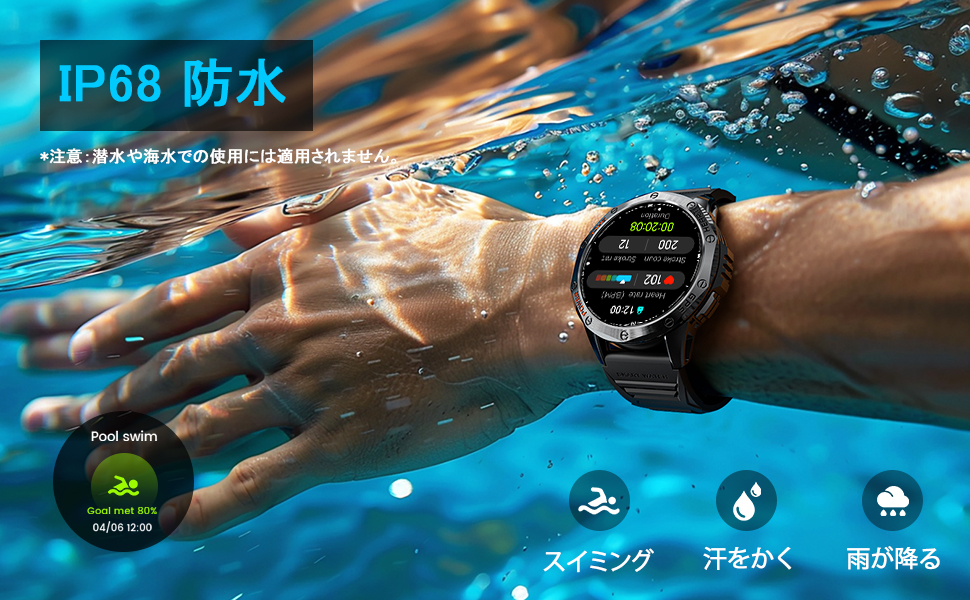
Figure 6: Sleep Tracking
4.5 Communication Features
Stay connected with Bluetooth calling and message notifications directly on your wrist. The smartwatch supports receiving and making calls, as well as displaying alerts from various apps.
- Bluetooth Calls: Make and receive calls directly from the watch.
- Message Notifications: Receive alerts from social media, SMS, and other apps.
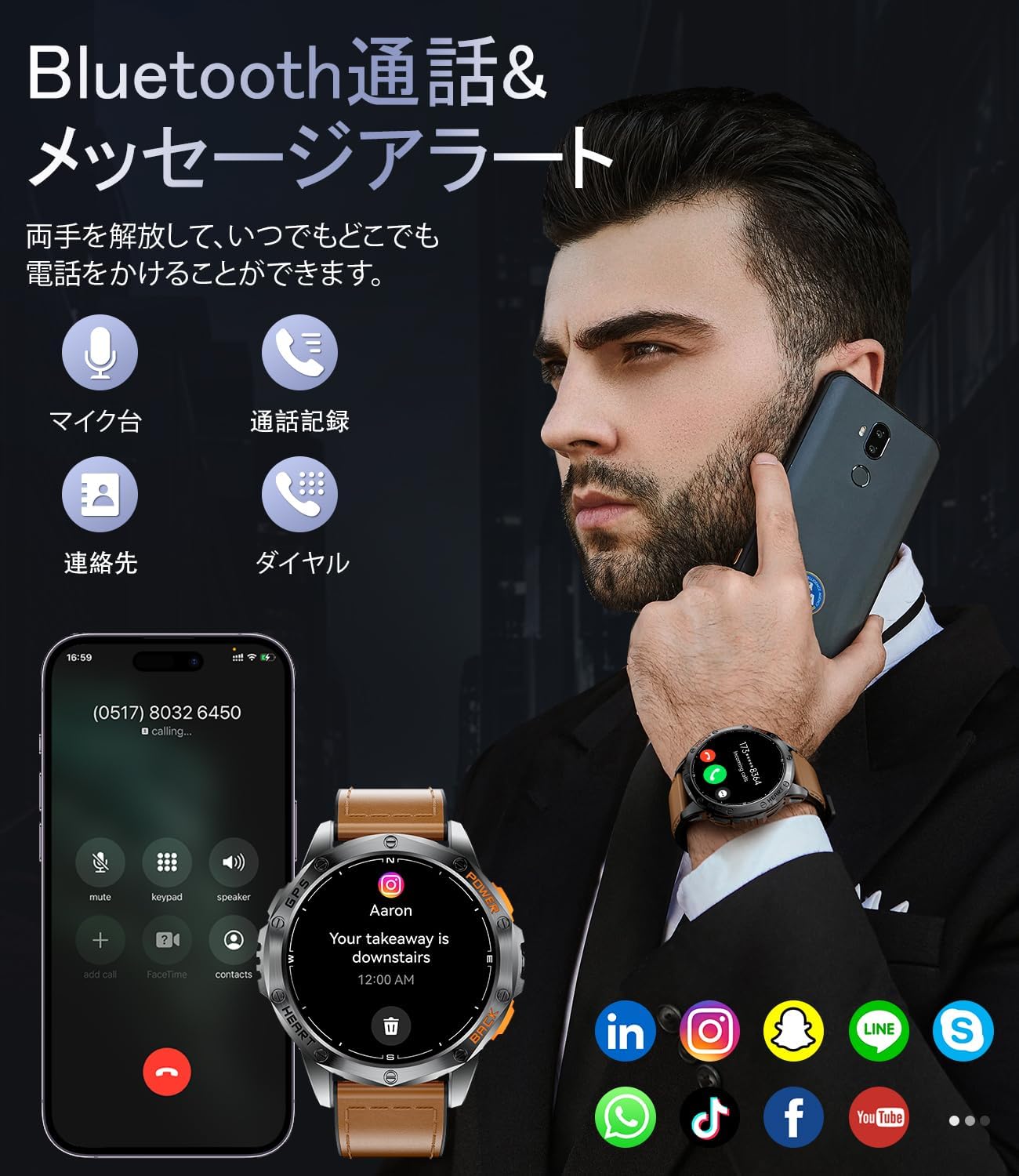
Figure 7: Bluetooth Calling and Message Notifications
Video 4: Comprehensive Features Demonstration
4.6 Additional Features
The LIGE DM1 Smartwatch includes a variety of other useful functions:
- LED Flashlight: A powerful built-in flashlight for emergencies or low-light conditions.
- Music Control: Control music playback on your smartphone.
- Camera Control: Remotely trigger your smartphone's camera.
- Weather Forecast: Get real-time weather updates.
- Calculator: A basic calculator for quick computations.
- Alarm Clock & Timer: Set alarms and use the timer function.
- Find Phone: Locate your paired smartphone.
- Sedentary & Water Reminders: Prompts to move and drink water.
- Voice Assistant: Interact with your device using voice commands.
- World Clock: View time in different time zones.
- Menstrual Period Tracking: For female users to track their cycle.

Figure 8: Multi-functional Features

Figure 9: LED Flashlight and Charging
5. Maintenance
To ensure the longevity and optimal performance of your LIGE DM1 Smartwatch, follow these maintenance guidelines:
- Cleaning: Regularly wipe the watch and strap with a soft, dry cloth. For stubborn dirt, use a slightly damp cloth and dry thoroughly.
- Water Resistance: The watch is IP68 rated, suitable for daily hand washing, swimming, and use in rain. It is not recommended for hot showers, saunas, sea diving, or prolonged submersion in hot water. Avoid pressing buttons underwater.
- Charging: Use the provided charging cable. Ensure the charging contacts are clean and dry before charging.
- Storage: Store the watch in a cool, dry place away from direct sunlight and extreme temperatures.
- Avoid Chemicals: Do not expose the watch to strong chemicals, detergents, or solvents, as these can damage the materials.

Figure 10: Watch Straps and Clasp Mechanism
6. Troubleshooting
If you encounter issues with your LIGE DM1 Smartwatch, refer to the following common solutions:
- Watch not turning on: Ensure the watch is fully charged. Connect it to the charger for at least 30 minutes.
- Cannot pair with smartphone:
- Ensure Bluetooth is enabled on your smartphone.
- Make sure the watch is within the Bluetooth range (typically 10 meters).
- Restart both your smartphone and the smartwatch.
- Check if the GloryFitPro app has all necessary permissions.
- Notifications not received:
- Verify that app notifications are enabled in the GloryFitPro app settings.
- Check your smartphone's system settings to ensure notification permissions are granted to the GloryFitPro app.
- Ensure the watch is not in 'Do Not Disturb' mode.
- Inaccurate GPS tracking: Ensure you are in an open outdoor area when starting GPS-dependent activities. Allow the watch sufficient time to acquire a satellite signal.
- Screen unresponsive: Try restarting the watch by pressing and holding the power button. If unresponsive, allow the battery to drain completely and then recharge.
For further assistance, please contact customer support.
7. Specifications
| Feature | Specification |
|---|---|
| Model Number | DM1-F-JQ |
| Display Type | AMOLED |
| Screen Size | 1.43 inches |
| Water Resistance | IP68 |
| Battery Capacity | 600 mAh (Lithium Polymer) |
| Continuous Use Time | Up to 7 days |
| Connectivity | Bluetooth |
| Compatible OS | iOS 11.0+ (iOS 13+ for calls), Android 5.0+, BT4.0 |
| Memory Storage | 1 GB |
| Dimensions | 16.8 x 11 x 2.4 cm; 100 g |
| Features | GPS, Swimming Mode, Compass, LED Flashlight, Weather Forecast, Stopwatch, Pedometer, Timer, Music Control, Brightness Adjustment, Find Phone, Alarm Clock, Camera Control, Calculator, Drink Water Reminder, Sleep Tracking, Calorie Counter, Calls/Messages, Voice Assistant, Multi-language, Sedentary Reminder, Do Not Disturb Mode, All-day Activity Tracker, 100+ Sports Modes, Pressure Tracker |
8. Warranty and Support
LIGE provides a 24-month warranty for your DM1 Smartwatch. If you encounter any issues related to parts, quality, operation, or charging, please contact our customer support. We are committed to providing a solution within 24 hours.
For online support, please visit the LIGE brand store on Amazon or refer to the contact information provided with your product packaging.


