
1. Introduction
The BodyMed Foot Massager is designed to provide a therapeutic vibrational massage experience. It aims to relieve foot pain, reduce muscle tension, and promote overall relaxation through its oscillating plate and customizable settings. This manual provides essential information for the safe and effective operation of your device.
2. Package Contents
Please ensure all items are present upon unboxing:
- BodyMed Foot Massager Unit
- Remote Control
- Power Adapter
- Instruction Manual

Image: The BodyMed Foot Massager unit, its remote control, and power adapter, as typically found in the package.
3. Product Features
- Therapeutic Vibrational Massage: Provides a deep, soothing massage to relieve foot pain, reduce muscle tension, and promote relaxation.
- Oscillating Vibration Plate: Effectively targets discomfort in the feet, improving circulation and helping to alleviate soreness in the feet and calves.
- Customizable Settings: Adjust the program, time, and speed level with ease to suit your specific massage preferences and needs. Use the massager with or without socks for a more comfortable, personalized experience.
- Remote Control Convenience: Easily control your massage settings without having to lean over or interrupt your relaxation.
- Compact and Portable: The 14.9 in. x 12 in. x 10 in. design is lightweight and easy to carry, perfect for home use or on-the-go.
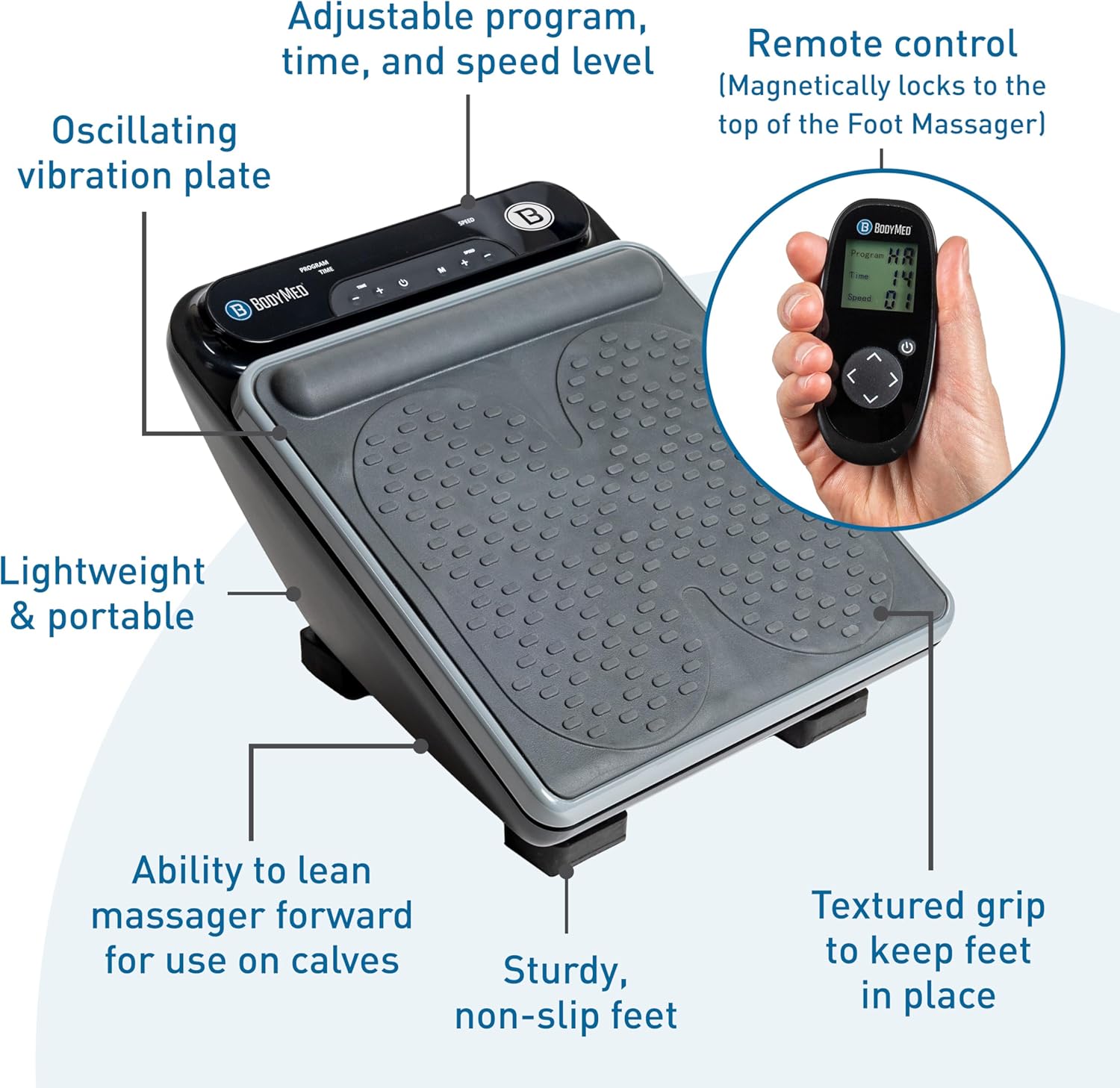
Image: A detailed view of the BodyMed Foot Massager with labels pointing out its key features, including the oscillating plate, control panel, remote, and non-slip feet.
4. Setup
To begin using your BodyMed Foot Massager, follow these simple steps:
- Place the massager on a flat, stable surface. For optimal stability and to minimize noise, place it on a rug or carpet.
- Connect the power adapter cable to the designated port on the side of the massager unit.
- Plug the power adapter into a standard electrical outlet.
- Ensure the remote control has working batteries installed (typically AAA batteries, not explicitly stated in provided data but common for remotes).
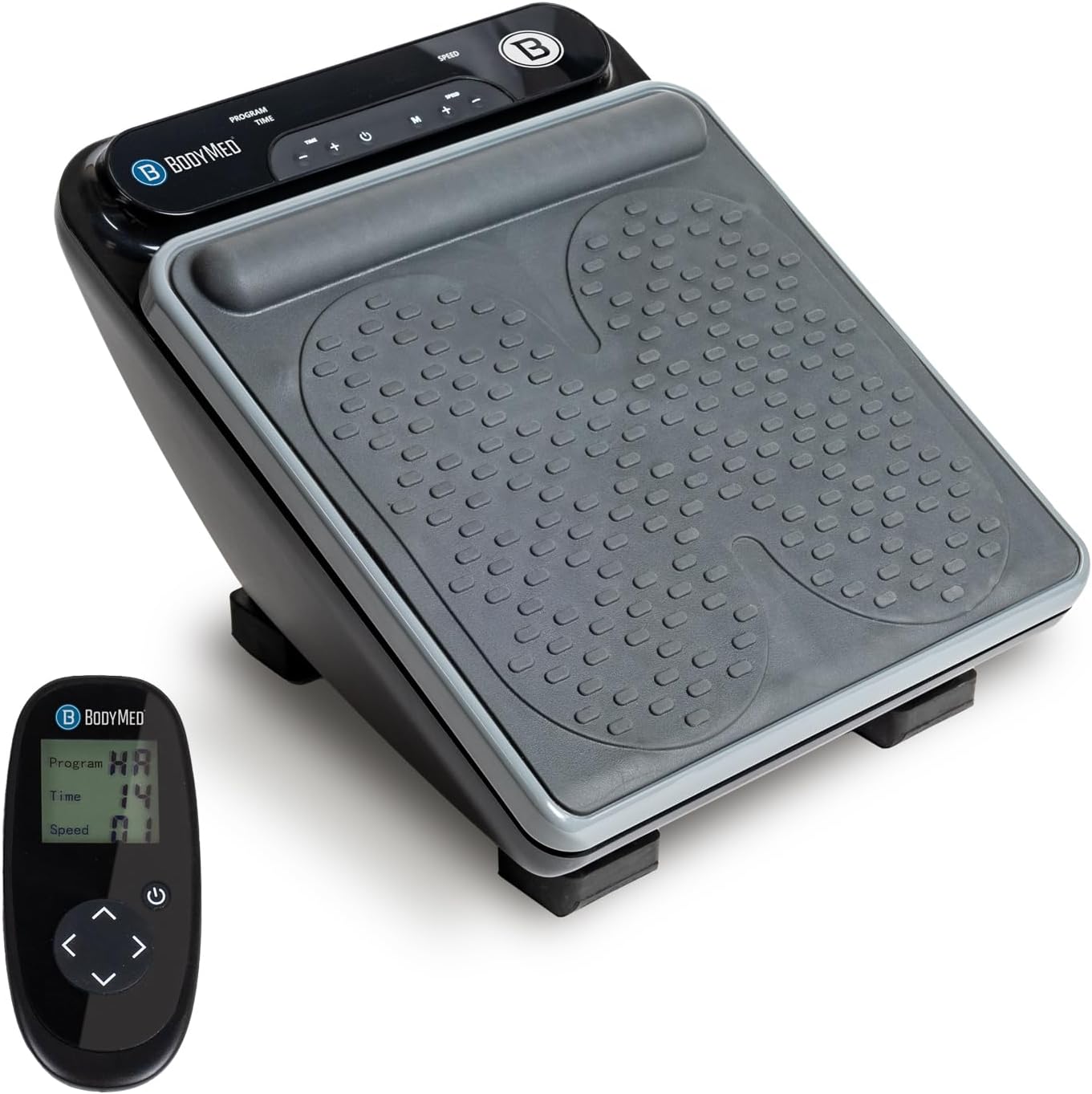
Image: The BodyMed Foot Massager and its remote control, illustrating the product's readiness for initial setup and use.
5. Operating Instructions
5.1 Basic Operation
- Power On/Off: Press the power button on the massager unit or the remote control to turn the device on or off.
- Adjusting Program: Use the 'Program' button on the unit or remote to cycle through available massage programs (e.g., P0-P9).
- Adjusting Time: Use the 'Time' buttons (+/-) on the unit or remote to set the desired massage duration (e.g., 1-15 minutes).
- Adjusting Speed: Use the 'Speed' buttons (+/-) on the unit or remote to select your preferred vibration intensity level (e.g., Level 1-30).
- Heat Function: Activate or deactivate the heat function using the dedicated button on the unit or remote.

Image: A user adjusting the program, time, and speed settings directly on the BodyMed Foot Massager unit.
5.2 Using the Remote Control
The remote control allows for convenient adjustment of settings without needing to bend down. It typically includes buttons for Power, Program selection, Time adjustment, Speed adjustment, and Heat function. The remote magnetically locks to the top of the massager for easy storage.
Image: The remote control for the BodyMed Foot Massager, detailing its buttons for program, time, speed, and power adjustments.
5.3 Recommended Usage Positions
- For Feet: Sit comfortably and place both feet on the textured footpads of the massager.
- For Calves: The massager can be leaned forward to position the textured footpads against your calves for targeted relief.

Image: A user enjoying a foot massage with the BodyMed Foot Massager while relaxing on a couch.
6. Maintenance
6.1 Care and Cleaning
- Always unplug the massager from the power outlet before cleaning.
- Wipe the surface of the massager with a soft, damp cloth. Do not use abrasive cleaners or immerse the unit in water.
- The removable pad can be cleaned separately. Refer to its specific care instructions.
6.2 Storage
Store the massager in a cool, dry place away from direct sunlight and extreme temperatures. Ensure the power cord is not tightly wrapped around the unit to prevent damage.
7. Troubleshooting
If you encounter any issues with your BodyMed Foot Massager, please consider the following:
- No Power: Ensure the power adapter is securely plugged into both the massager and a working electrical outlet. Check if the outlet is functional.
- Remote Not Responding: Verify that the remote control batteries are correctly installed and not depleted. Try operating the unit directly using its control panel.
- Weak Vibration: Adjust the speed setting to a higher level. Ensure your feet are properly positioned on the footpads.
- Unusual Noise: Ensure the massager is placed on a stable, level surface. If the noise persists, discontinue use and contact customer support.
For further assistance, please refer to the manufacturer's official support channels.
8. Specifications
| Specification | Value |
|---|---|
| Product Dimensions | 14.75 x 12.2 x 10 inches |
| Item Model Number | BDMFM |
| Item Weight | 13.85 Pounds |
| Manufacturer | BodyMed |
| Material | Plastic |
| Color | Black |
| Special Feature | Remote Control |
9. Important Safety Guidelines
Legal Disclaimer: Statements regarding dietary supplements have not been evaluated by the FDA and are not intended to diagnose, treat, cure, or prevent any disease or health condition. This product is not a medical device and should not be used as a substitute for professional medical advice or treatment. Consult with a healthcare professional before using if you have any pre-existing medical conditions, are pregnant, or have concerns about your health.
10. Warranty and Support
For information regarding product warranty, returns, or technical support, please refer to the contact details provided on the product packaging or visit the official BodyMed website. Keep your purchase receipt for warranty claims.
