
PROHEAR PROHEAR 030 2.0
PROHEAR 030 2.0 Bluetooth Rechargeable Shooting Ear Protection User Manual
Model: PROHEAR 030 2.0
Introduction
This manual provides comprehensive instructions for the safe and effective use of your PROHEAR 030 2.0 Bluetooth Rechargeable Shooting Ear Protection. Please read this manual thoroughly before operating the device and retain it for future reference.

Image: The PROHEAR 030 2.0 Bluetooth Rechargeable Shooting Ear Protection earmuffs, shown with their packaging.
Key Features
- Bluetooth 5.4 Connectivity: Offers a stable wireless connection up to 33 feet (10 meters) for streaming audio from compatible devices.
- Hearing Protection: Provides a Noise Reduction Rating (NRR) of 22dB and a Single Number Rating (SNR) of 27dB.
- Ambient Sound Amplification: Durable recessed microphones enhance environmental sounds below 82dB while reducing wind noise, improving communication and situational awareness.
- Comfort-Focused Design: Lightweight at 0.63lb, featuring slim, low-profile cups for firearm stock clearance, ultra-soft cushioned ear pads, and a thick padded, telescopic headband for a comfortable and secure fit.
- Rechargeable Battery: Equipped with a built-in 2000mAh Lithium Ion battery, offering up to 200 hours of runtime and convenient USB-C charging.
- Durable Construction: Made with durable and solid ABS plastic and high-quality rubber paint for enhanced longevity.
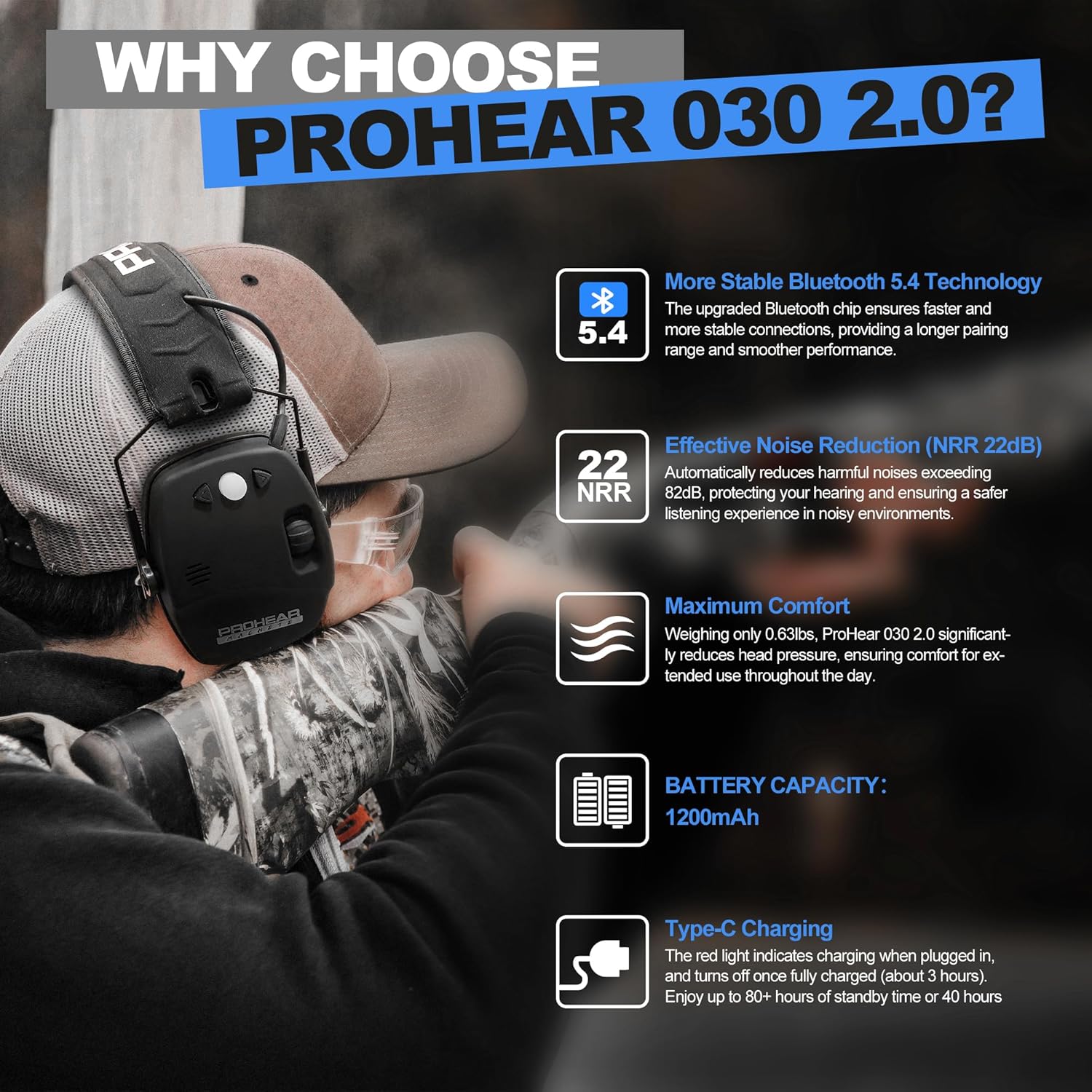
Image: An overview of the PROHEAR 030 2.0's key features, highlighting Bluetooth 5.4, NRR 22dB, comfort, 2000mAh battery, and USB-C charging.
What's in the Box

Image: Diagram showing the contents of the PROHEAR 030 2.0 package, including the electronic hearing protector, user manual, USB-C cable, and carrying pouch.
- PROHEAR 030 2.0 Electronic Hearing Protector x 1
- User Manual x 1
- USB-C Charging Cable x 1
- Carrying Pouch x 1
Setup and Charging
Charging the Device
The PROHEAR 030 2.0 features a built-in 2000mAh rechargeable Lithium Ion battery. To charge:
- Locate the USB-C charging port on the earmuff.
- Connect the provided USB-C charging cable to the port and to a compatible USB power source.
- The LED indicator will show charging status (refer to the "Controls and Indicators" section for details).
- A full charge provides up to 200 hours of runtime.

Image: Close-up of the USB-C charging port on the PROHEAR 030 2.0 earmuffs.
Adjusting the Fit
For optimal comfort and noise reduction, adjust the earmuffs to fit snugly over your ears:
- Extend the telescopic headband by pulling the earcups downwards.
- Place the earmuffs over your ears, ensuring the ear pads fully cover them.
- Adjust the headband until it rests comfortably on your head and the earcups create a tight seal around your ears.

Image: A person adjusting the telescopic headband of the PROHEAR 030 2.0 earmuffs for a comfortable fit.
Operating Instructions
Controls and Indicators

Image: Detailed diagram illustrating the location and function of control buttons and the ambient sound control knob on the PROHEAR 030 2.0 earmuffs.
- Bluetooth Control Button: Long press for 3 seconds to power on/off Bluetooth. Single press to answer calls. Long press for 2 seconds to pause/play music or decline calls. Double press to switch to call on hold or end calls. Single press to mute/unmute.
- Control Buttons (Up/Down Arrows): Independent volume control for Bluetooth audio.
- Ambient Sound Control Knob: Turns earmuff on/off and adjusts the volume of ambient sound amplification.
- LED Indicator: Displays device status (e.g., power, Bluetooth pairing, charging).
- Charging Port: USB-C port for recharging the internal battery.
Bluetooth Mode Quickstart Guide

Image: A quickstart guide for Bluetooth mode, detailing button functions for calls and music playback.
- Power On/Off Bluetooth: Long press the Bluetooth button for 3 seconds.
- Pairing: Once powered on, the earmuffs will enter pairing mode. Search for "PROHEAR 030 2.0" on your device's Bluetooth settings and connect.
- Answering/Ending Calls: Single press the Bluetooth button to answer, double press to end.
- Playing/Pausing Music: Long press the Bluetooth button for 2 seconds.
- Adjusting Bluetooth Volume: Use the Up/Down arrow buttons for independent volume control of Bluetooth audio.
Ambient Sound Amplification
The earmuffs feature microphones that amplify low-level environmental sounds for enhanced awareness, while suppressing loud noises above 82dB.
- Activate: Turn the Ambient Sound Control Knob to power on the amplification feature.
- Adjust Volume: Rotate the Ambient Sound Control Knob to increase or decrease the amplification level of surrounding sounds.
- Noise Suppression: The system automatically reduces harmful noises exceeding 82dB within 0.01 seconds.
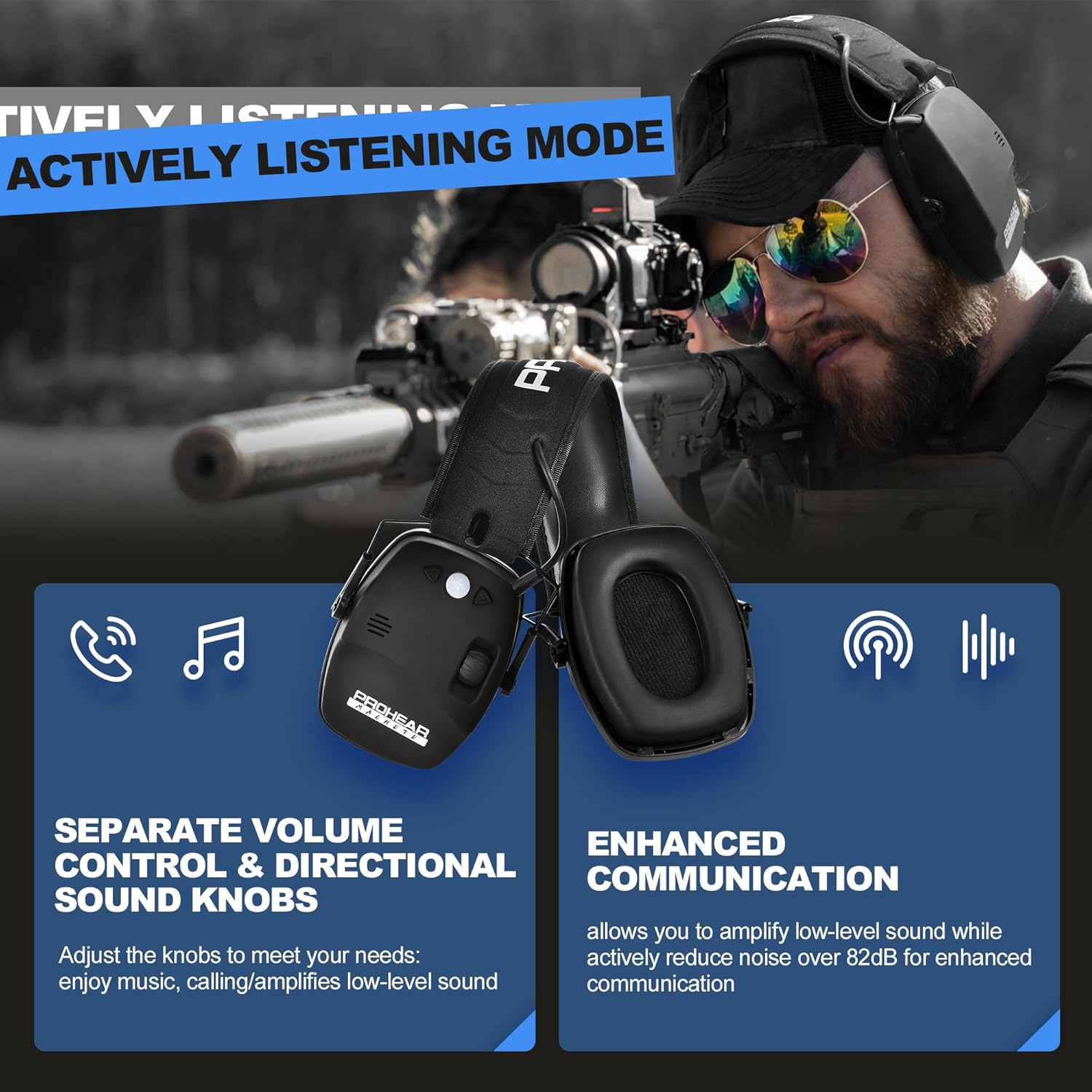
Image: Illustration of the active listening mode, showing separate volume control for Bluetooth and ambient sound amplification, enhancing communication.

Image: Visual representation of the earmuffs providing up to 4x amplification for improved communication in quiet environments.

Image: A graph illustrating the noise reduction performance of the PROHEAR 030 2.0, showing a rapid compression time for noises exceeding 82dB.
Maintenance
- Cleaning: Wipe the earmuffs with a damp cloth. Avoid harsh chemicals or abrasive cleaners.
- Storage: Fold the earmuffs into their compact form and store them in the provided carrying pouch when not in use. Store in a cool, dry place.
- Battery Care: Recharge the battery regularly to maintain its lifespan, even if not used frequently.

Image: Visual guide demonstrating the adjustable, compact, and easy-to-maintain aspects of the PROHEAR 030 2.0 earmuffs.
Troubleshooting
| Problem | Possible Cause | Solution |
|---|---|---|
| No power | Battery depleted | Charge the earmuffs using the USB-C cable. |
| Cannot pair Bluetooth | Bluetooth not in pairing mode or device too far | Ensure earmuffs are powered on and in pairing mode. Keep device within 33ft (10m). |
| No ambient sound amplification | Amplification feature off or volume too low | Turn the Ambient Sound Control Knob to activate and adjust volume. |
| Poor sound quality (Bluetooth) | Interference or device too far | Move closer to the connected device. Ensure no obstructions. |
Specifications
| Feature | Detail |
|---|---|
| Model Number | PROHEAR 030 2.0 |
| Noise Reduction Rating (NRR) | 22dB |
| Single Number Rating (SNR) | 27dB |
| Bluetooth Version | 5.4 |
| Wireless Range | 33ft / 10m |
| Battery Type | Built-in 2000mAh Lithium Ion |
| Runtime | Up to 200 hours |
| Charging Port | USB-C |
| Item Weight | 10.1 ounces |
| Product Dimensions | 4.52 x 3.54 x 4.92 inches |
| Material | Durable & solid ABS plastic, Ultra-soft ear cushions and headband |
Warranty and Support
PROHEAR offers a 1-Year Warranty and a 50-Day Money Back Guarantee for this product. For any questions, suggestions, or support needs, please contact us:
- Email: support@proheartac.com
- Our support team is available 24/7 to assist you.

Image: Icons representing PROHEAR's 50-day money-back guarantee, 1-year warranty, and 24/7 customer support.
Safety Information
Always ensure proper fit for maximum noise reduction. Do not modify the device. Keep out of reach of children. Use only as directed in this manual.

Image: Various international standard certification logos (SNR 27, RoHS, Bluetooth 5.4, FCC, Battery Life) indicating product compliance and safety.
Product Overview Video
Video: An official PROHEAR video providing an overview of the PROHEAR 030 2.0 Bluetooth Rechargeable ear protection, demonstrating its features and use.
Related documentsPROHEAR 030 2.0


Ask a question about this manual
Ask about setup, troubleshooting, compatibility, parts, safety, or missing instructions. Manuals+ will review the question and use this page’s manual context to help answer it.