
ANCEL DS300
ANCEL DS300 Bidirectional Scan Tool Bundle
User Manual
1. Introduction
The ANCEL DS300 is a state-of-the-art bidirectional scan tool designed for comprehensive vehicle diagnostics. This 2024 generation scanner offers full system diagnosis, active tests, and over 30 reset services. It is bundled with a protective OBD case for convenient storage and transport.
Equipped with an enhanced Android 10 operating system, a lightning-fast quad-core CPU, and a built-in 6300mAh battery, the DS300 ensures smooth and efficient performance. Its user-friendly design features both traditional buttons and a 7-inch touchscreen for intuitive operation.

Image: The ANCEL DS300 Bidirectional Scan Tool shown alongside its protective OBD case.
2. Package Contents
Please verify that all items are present in your package:
- 1 x ANCEL DS300 Professional Bidirectional Scanner
- 1 x ANCEL Protective Waterproof Shockproof Eva Bag Storage Box
- Necessary cables and accessories (e.g., OBDII cable, power adapter)


Image: The ANCEL DS300 scan tool (left) and the protective storage case (right).
3. Initial Setup
The DS300 is designed for quick and easy setup. Follow these simple steps to get started:
- Select Your Language: Upon first boot-up, choose your preferred language from the available options.
- Connect to Wi-Fi: Connect the device to a stable Wi-Fi network to enable updates and online features.
- Agree to Terms and Conditions: Review and accept the terms and conditions to proceed with device activation.
Once these steps are completed, the 10-in-1 interface will provide easy access to essential information and functions. The flat-back stand allows for convenient use in various settings.
4. Operating the DS300 Scan Tool
4.1. Full System Diagnostics
The DS300 provides comprehensive access to all vehicle systems, including but not limited to:
- Engine
- Transmission
- Anti-lock Braking System (ABS)
- Supplemental Restraint System (SRS) / Airbag
- Electronic Parking Brake (EPB)
- Tire Pressure Monitoring System (TPMS)
- Steering Angle Sensor (SAS)
Key diagnostic functions include:
- Read and Clear Codes: Retrieve Diagnostic Trouble Codes (DTCs) and clear them after repairs.
- Live Data Streams: Display real-time data in various formats (text, graph) for monitoring vehicle performance.
- Active Tests (Bi-directional Control): Send commands to vehicle systems to test component functionality (e.g., turn on/off fuel pump, cycle ABS solenoids).
- Freeze Frame Data: View a snapshot of vehicle conditions at the moment a DTC was set.
- Protocol Support: Supports various protocols including CAN and KWP for broad vehicle compatibility.
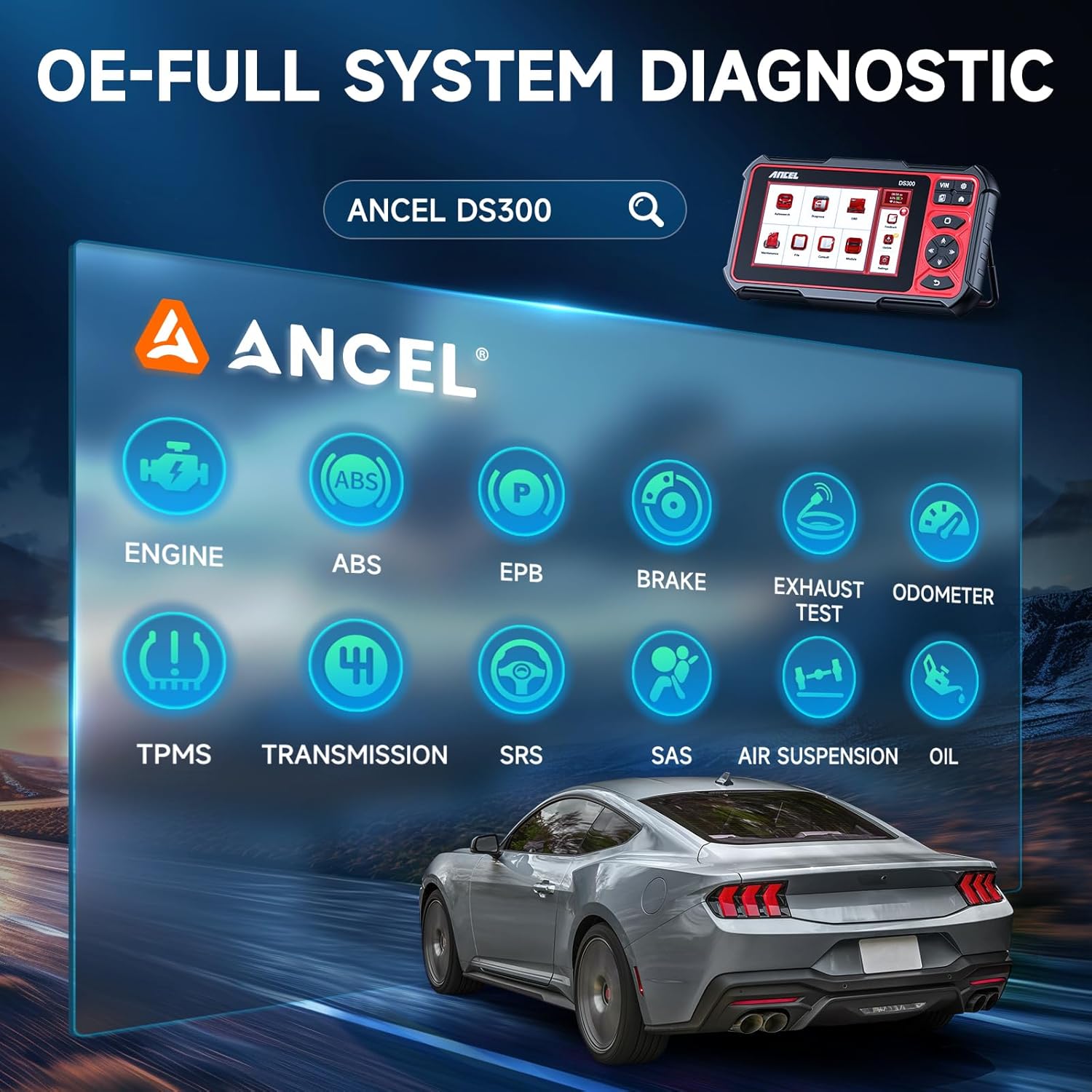
Image: Visual representation of the ANCEL DS300's OE-level full system diagnostic capabilities, including Engine, ABS, EPB, Brake, Exhaust Test, Odometer, TPMS, Transmission, SRS, SAS, Air Suspension, and Oil systems.
4.2. Reset Services
The DS300 offers over 30 hot reset services to address common vehicle maintenance and repair needs. These services help in resetting various vehicle systems after component replacement or repair.
Examples of supported reset services include:
- Oil Reset
- Throttle Matching
- Tire Pressure Reset
- Headlight Matching
- Gearbox Matching
- Gear Learning
- Suspension Level Calibration
- ODO Reset
- Airbag Reset
- Steering Angle Reset
- Battery Matching
- DPF Regeneration
- Injector Coding

Image: An overview of the 30+ hot reset services available with the ANCEL DS300, including Oil, Injector, EGR, DPF, Brake, and TPMS resets.
5. Care and Maintenance
To ensure the longevity and optimal performance of your ANCEL DS300 and its protective case, follow these guidelines:
- Cleaning: Use a soft, damp cloth to clean the device and case. Avoid abrasive cleaners or solvents.
- Storage: Store the device in its protective case when not in use to prevent damage from dust, moisture, and impacts. The case is designed to be waterproof and shockproof.
- Temperature: Avoid exposing the device to extreme temperatures (hot or cold) or direct sunlight for prolonged periods.
- Battery Care: For optimal battery life, avoid fully discharging the battery frequently. Charge the device regularly.

Image: The ANCEL protective case demonstrating its waterproof capability, with water splashing over it.
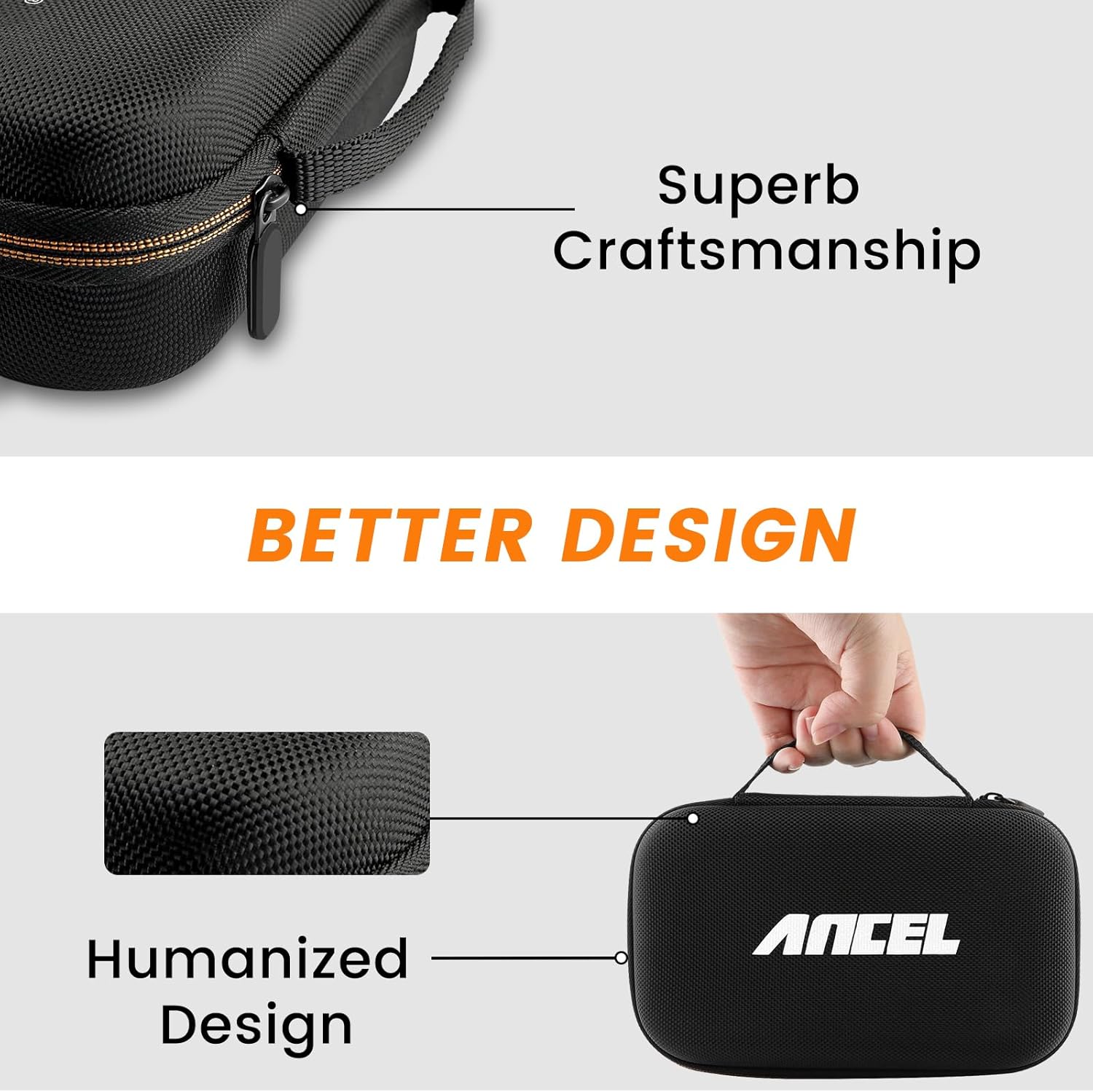
Image: Details highlighting the superb craftsmanship and humanized design of the ANCEL protective case.
6. Troubleshooting
If you encounter issues with your ANCEL DS300, please refer to the following common solutions before contacting support:
- Device Not Powering On: Ensure the device is fully charged or connected to a power source. Check the power button.
- Connection Issues: Verify that the OBDII cable is securely connected to both the vehicle's OBDII port and the DS300. Ensure the vehicle's ignition is on.
- Software Freezing/Lagging: Restart the device. Ensure you have a stable Wi-Fi connection for updates.
- Diagnostic Errors: Confirm the vehicle's make, model, and year are correctly selected in the software. Ensure the vehicle's battery is adequately charged.
For more complex issues, please utilize the 24-hour online support feature.

Image: A visual representation of ANCEL's 24-hour online chat support, showing a conversation between a user and ANCEL service.
7. Technical Specifications
| Feature | Description |
|---|---|
| Model | DS300 |
| Operating System | Android 10 |
| Processor | Quad-core CPU |
| Display | 7-inch Touchscreen |
| Battery | 6300mAh |
| Connectivity | Wi-Fi, Bluetooth (for certain functions) |
| Case Dimensions | 8.1 x 5.8 x 2.8 inches (approx.) |

Image: Diagram showing the dimensions of the ANCEL protective storage case: 8.1 inches (length), 5.8 inches (width), and 2.8 inches (height).
8. Warranty and Support
Your ANCEL DS300 comes with a commitment to ongoing support and updates:
- Software Updates: Enjoy 3 years of free software updates to ensure your tool remains compatible with the latest vehicle models and diagnostic protocols.
- Online Support: Benefit from efficient 24-hour online customer support for any queries or technical assistance you may require.
For support, please refer to the contact information provided within the device's software or on the official ANCEL website.
Related documentsDS300


Ask a question about this manual
Ask about setup, troubleshooting, compatibility, parts, safety, or missing instructions. Manuals+ will review the question and use this page’s manual context to help answer it.