
Introduction
Thank you for purchasing the ZEBRONICS County 8 Portable Bluetooth Speaker. This manual provides detailed instructions for the proper use, setup, and maintenance of your device. Please read this manual carefully before use to ensure optimal performance and longevity of your speaker.
What's in the Box
- Speaker - 1 unit
- Charging cable - 1 unit
- QR code guide - 1 unit
Safety Instructions
- Do not expose the speaker to extreme temperatures, direct sunlight, or high humidity.
- Avoid dropping or subjecting the speaker to strong impacts.
- Do not disassemble or attempt to repair the speaker yourself. Refer to qualified service personnel.
- Keep the speaker away from water and other liquids. This product is not waterproof.
- Use only the provided charging cable or a certified Type-C cable for charging.
- Do not use harsh chemicals or abrasive cleaners on the speaker.
Product Overview and Features
The ZEBRONICS County 8 is a portable Bluetooth speaker designed for versatile audio experiences. Key features include:
- 8W Output: Delivers clear and dynamic audio.
- Bluetooth v5.3: Ensures stable and efficient wireless connectivity.
- TWS Function: Allows pairing two County 8 speakers for stereo sound.
- Multi-Connectivity: Supports USB, mSD, and FM radio playback.
- RGB LED Lights: Features 8 dynamic RGB light modes.
- Built-in Rechargeable Battery: Up to 7 hours of playback (at 50% volume, LED off).
- Call Function: Integrated microphone for hands-free calls.
- Compact Design with Carry Strap: Easy portability.
- Passive Radiator: Enhances bass performance.

Image: Front view of the ZEBRONICS County 8 speaker, showcasing its compact design and RGB LED lighting.
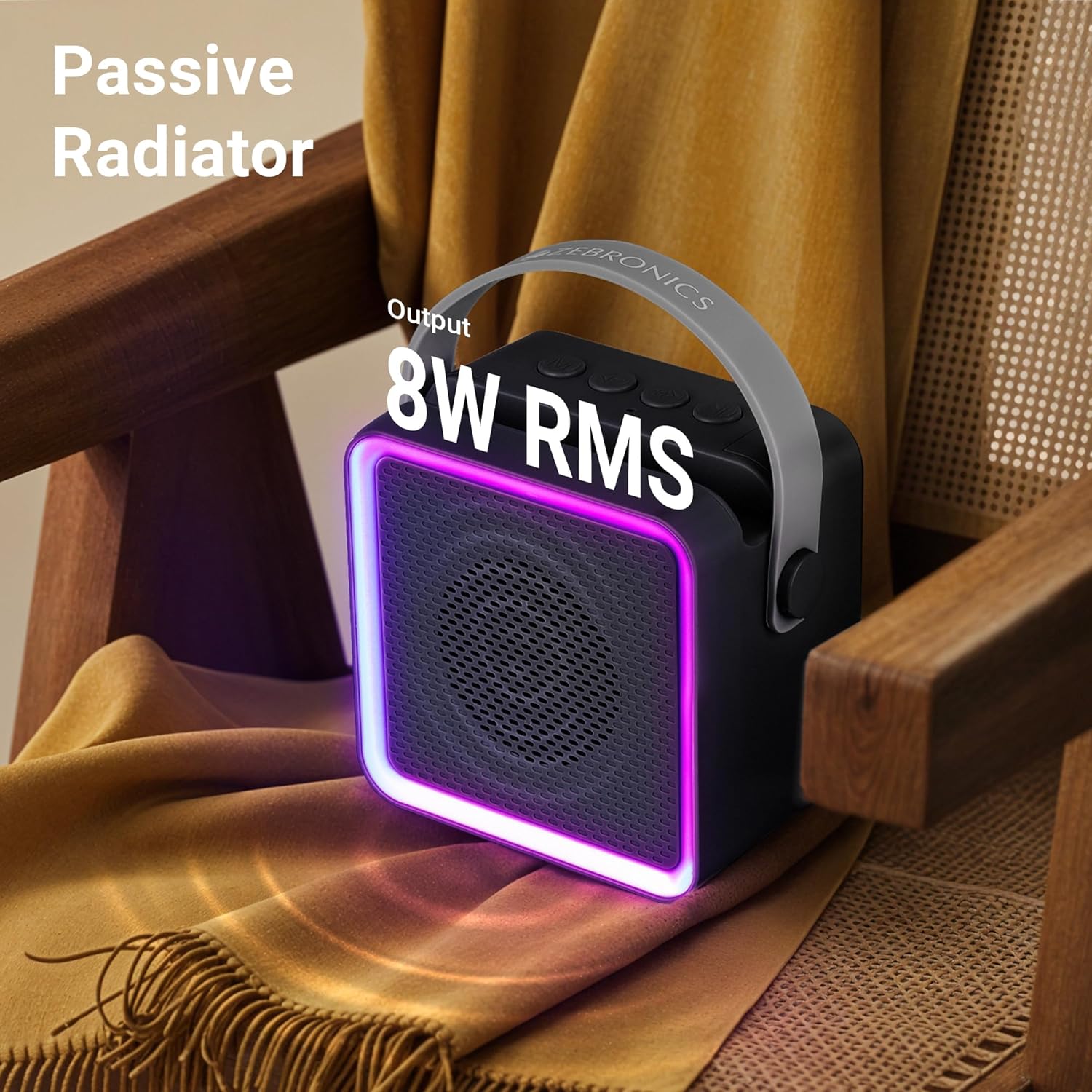
Image: The ZEBRONICS County 8 speaker placed on a chair, highlighting its 8W RMS output and passive radiator for enhanced sound.
Setup
1. Charging the Speaker
Before first use, fully charge the speaker. Connect the provided Type-C charging cable to the speaker's Type-C port and the other end to a USB power adapter (not included) or a computer's USB port.
- The charging indicator light will illuminate during charging.
- Charging time is approximately 2 hours.
- A full charge provides up to 7 hours of playback (at 50% volume with LED off).

Image: The ZEBRONICS County 8 speaker on a table, illustrating its built-in rechargeable battery and Type-C charging capability, with an icon indicating up to 7 hours of backup.
2. Powering On/Off
Locate the ON/OFF switch on the speaker. Slide the switch to the "ON" position to power on the speaker. Slide it to the "OFF" position to power off.
3. Bluetooth Pairing
- Power on the speaker. It will automatically enter Bluetooth pairing mode, indicated by a flashing LED.
- On your mobile device, enable Bluetooth and search for available devices.
- Select "ZEB-County 8" from the list of devices.
- Once paired, the speaker will indicate a successful connection, and the LED will stop flashing.
4. TWS (True Wireless Stereo) Pairing
To experience true wireless stereo sound, you can pair two ZEBRONICS County 8 speakers together.
- Ensure both County 8 speakers are powered on and not connected to any other Bluetooth device.
- Press and hold the "M" (Mode) button on one of the speakers for a few seconds until you hear a prompt indicating TWS pairing mode. This will be your primary speaker.
- The primary speaker will search for the secondary speaker. Once connected, you will hear a confirmation tone.
- Now, connect your mobile device to the primary speaker via Bluetooth as described in step 3. Audio will play in stereo through both speakers.

Image: The ZEBRONICS County 8 speaker demonstrating its TWS function, integrated phone holder, call function, Bluetooth v5.3, and Type-C charging port.
Operating Instructions
Button Functions

Image: Top view of the ZEBRONICS County 8 speaker showing the connectivity ports (mSD, USB, Type C, On/Off button) and media/volume control buttons.
- "M" (Mode) Button: Short press to switch between Bluetooth, USB, mSD, and FM radio modes. Long press for TWS pairing.
- "-" (Volume Down / Previous Track) Button: Short press to decrease volume. Long press to go to the previous track.
- "+" (Volume Up / Next Track) Button: Short press to increase volume. Long press to go to the next track.
- "Play/Pause" Button: Short press to play or pause music. In call mode, short press to answer/end a call. Long press to reject a call. Double press to redial the last number.
Connectivity Modes
- Bluetooth Mode: Connect wirelessly to your smartphone, tablet, or other Bluetooth-enabled devices.
- USB Mode: Insert a USB flash drive into the USB port to play audio files directly.
- mSD Mode: Insert a microSD card into the mSD slot to play audio files.
- FM Radio Mode: Switch to FM mode. For better reception, connect the Type-C charging cable as an antenna. The speaker will automatically scan and save available stations.
Call Function
When connected via Bluetooth to a smartphone, the speaker supports hands-free calling:
- Answer/End Call: Short press the "Play/Pause" button.
- Reject Call: Long press the "Play/Pause" button.
- Redial Last Number: Double press the "Play/Pause" button.
RGB LED Modes
The speaker features 8 different RGB LED light modes to enhance your listening experience. These modes cycle automatically or can be controlled via specific button presses (if applicable, refer to QR code guide for advanced controls).

Image: The ZEBRONICS County 8 speaker displaying various RGB LED light modes, illustrating the 8 available options.
Maintenance
- Cleaning: Wipe the speaker with a soft, dry cloth. Do not use liquid cleaners or aerosols.
- Storage: Store the speaker in a cool, dry place away from direct sunlight and extreme temperatures when not in use for extended periods.
- Battery Care: To prolong battery life, avoid fully discharging the battery frequently. Charge the speaker regularly, even if not in use.
Troubleshooting
| Problem | Solution |
|---|---|
| Speaker does not power on. | Ensure the battery is charged. Connect the speaker to a power source using the Type-C cable. |
| Cannot pair via Bluetooth. |
|
| No sound or low volume. |
|
| FM radio reception is poor. | Connect the Type-C charging cable to the speaker; it acts as an external antenna to improve reception. Try repositioning the speaker. |
| TWS pairing fails. |
|
Specifications
| Feature | Detail |
|---|---|
| Model Name | Zeb-County 8 |
| Speaker Type | Portable Speaker |
| Output Power | 8 Watts |
| Bluetooth Version | v5.3 |
| Connectivity Options | Bluetooth, USB, mSD, FM Radio |
| Battery Life | Up to 7 hours (at 50% volume, LED off) |
| Charging Time | Approximately 2 hours |
| Battery Capacity | 2000 mAh |
| Driver Size | 5.7 cm |
| Product Dimensions (D x W x H) | 7D x 11W x 12.5H Centimeters |
| Item Weight | 380 Grams |
| RGB LED Modes | 8 modes |
| Control Method | Push Button |
| Included Components | Speaker, Charging cable, QR code guide |
Warranty and Support
The ZEBRONICS County 8 speaker comes with a Limited Warranty. For detailed warranty terms and conditions, please refer to the QR code guide included in the box or visit the official ZEBRONICS website.
For technical support, troubleshooting assistance, or service inquiries, please contact ZEBRONICS customer support through their official channels. You can find contact information on the ZEBRONICS website: www.zebronics.com


