
UBeesize UB-LDHL12BK
UBeesize Pro LED Ring Light Tripod User Manual
Model: UB-LDHL12BK
Introduction
The UBeesize Pro LED Ring Light Tripod with Phone Holder & Casters is designed for versatile lighting and stable support for various content creation needs, including video recording, live streaming, and photography. Its mobile base with casters allows for easy repositioning, while the adjustable ring light and phone holder provide optimal illumination and camera angles.

Image: The UBeesize Pro LED Ring Light Tripod set up, providing overhead lighting for a tabletop scene, demonstrating its primary function for content creation.
What's in the Box
- Ring Light
- Tripod (with Mobile Base and Casters)
- Remote Control
Setup Instructions
- Assemble the Tripod Base: Attach the three legs to the central pole. Ensure all locking mechanisms are securely fastened.
- Install Casters: Screw the heavy-duty casters into the designated slots on each leg of the tripod base. Ensure they are firmly attached.
- Attach Main Pole: Insert the main vertical pole into the assembled base and secure it with the locking knob.
- Mount the Articulating Arm: Connect the articulating arm to the top of the main pole. Tighten the joint to ensure stability.
- Attach Ring Light: Secure the 12-inch diameter ring light to the end of the articulating arm using the universal 1/4" screw mount.
- Install Phone Holder: Insert the flexible gooseneck phone holder into the center of the ring light.
- Power Connection: Connect the USB cable from the ring light to a compatible USB power source (e.g., USB charger, power bank, computer, laptop).
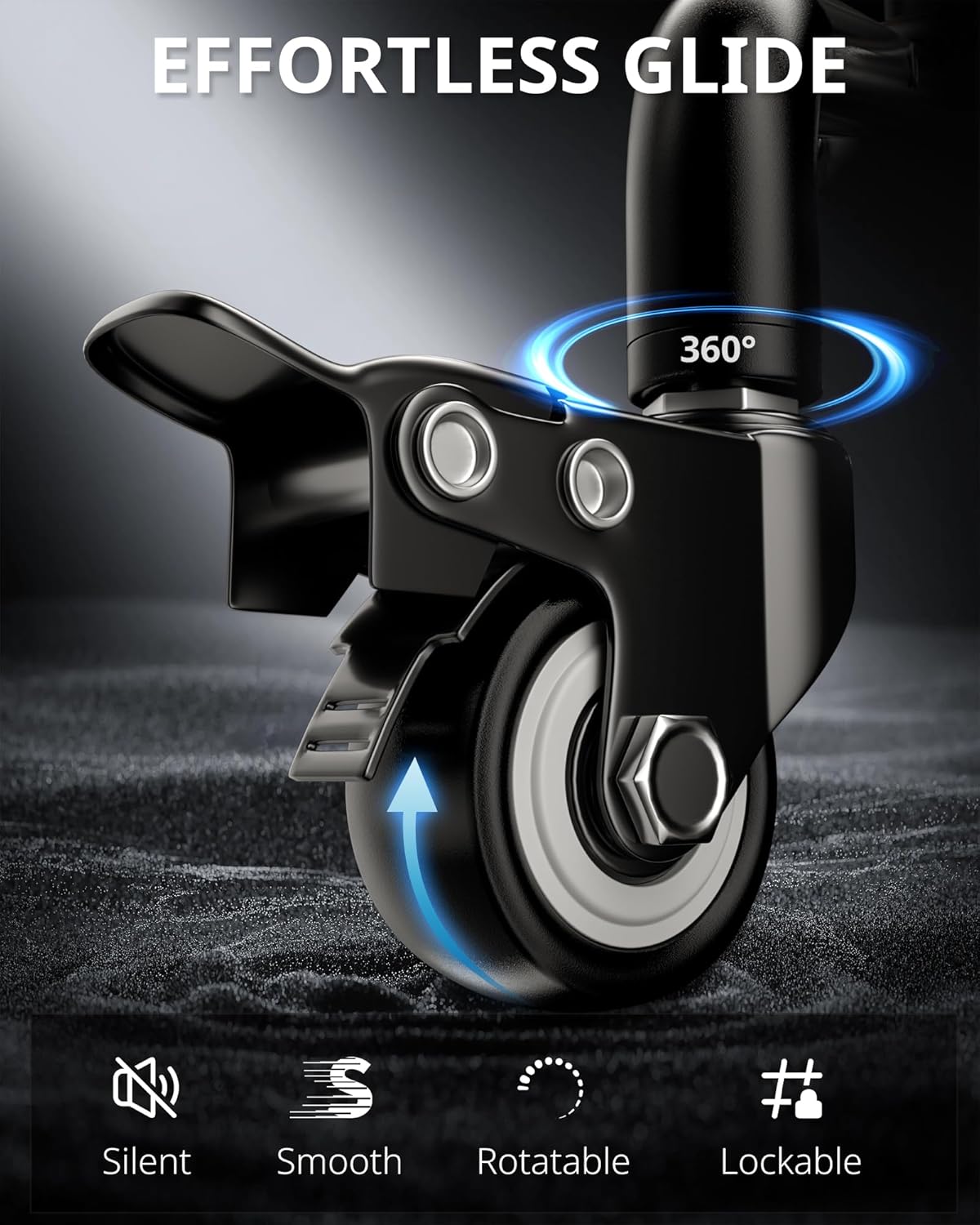
Image: A detailed view of the tripod's caster wheel, highlighting its smooth rotation and lockable brake system for secure positioning.
Operating Instructions
Ring Light Operation
- Power On/Off: Press the power button on the inline controller to turn the ring light on or off.
- Adjust Color Temperature: Use the mode button on the controller to cycle through 3 color modes: Cool White, Warm, and Daylight.
- Adjust Brightness: Use the '+' and '-' buttons on the controller to select from 10 brightness levels for each color mode.

Image: The ring light illuminating a workspace, demonstrating the adjustable color temperature and brightness levels via the control center.
Phone Holder and Arm Adjustment
- Insert Phone: Gently expand the phone holder clamps and insert your smartphone. Ensure it is securely gripped. The holder is compatible with most cellphones (2-4 inches wide).
- Adjust Phone Angle: The phone holder features a 360° rotatable ball joint and a flexible gooseneck, allowing for precise angle adjustments.
- Adjust Articulating Arm: Loosen the locking knobs on the articulating arm to adjust its height and angle (up to 180° vertical and 360° horizontal rotation). Tighten the knobs firmly once the desired position is achieved.

Image: The ring light positioned above a laptop, demonstrating its ability to adjust to various angles for optimal lighting during video calls or content creation.
Wireless Remote Control
- Pairing: Turn on the remote control. On your smartphone, enable Bluetooth and select "UBeesize" from the available devices to pair. No app download is required.
- Functionality: Use the remote to trigger photos or start/stop video recording from up to 10 meters (33 feet) away. Compatible with both iOS and Android devices.

Image: A user operating the UBeesize ring light with the wireless remote control, highlighting its convenience for remote photo and video capture.
Maintenance
- Cleaning: Use a soft, dry cloth to wipe down the ring light and tripod. Avoid abrasive cleaners or solvents.
- Storage: When not in use, store the unit in a dry, cool place. You may disassemble the arm and ring light for compact storage.
- Caster Care: Periodically check the casters for any debris or hair that might impede smooth movement. Clean as necessary.
- Cable Management: Ensure the USB power cable is not kinked or strained during use or storage to prevent damage.
Troubleshooting
| Problem | Possible Cause | Solution |
|---|---|---|
| Ring light does not turn on. | No power, loose connection, faulty USB port. | Ensure USB cable is securely connected. Try a different USB power source or port. Check if the power button on the inline controller is pressed. |
| Remote control not connecting. | Bluetooth not enabled, remote battery low, not paired. | Ensure Bluetooth is enabled on your device. Check remote battery (1 A battery included). Re-pair the remote via Bluetooth settings. |
| Tripod feels unstable. | Locking knobs not tightened, uneven surface, excessive weight. | Ensure all locking knobs on the tripod legs and articulating arm are fully tightened. Place the tripod on a flat, stable surface. Do not exceed the recommended weight capacity for attached devices. |
| Casters not moving smoothly. | Brakes engaged, debris in wheels. | Disengage the caster brakes. Check wheels for any trapped debris (e.g., hair, lint) and clean them. |
Specifications
- Model Number: UB-LDHL12BK
- Product Dimensions: 1 x 1 x 1 inches
- Item Weight: 6.54 pounds
- Ring Light Diameter: 12 inches (approximate, derived from description)
- Color Temperatures: 3 modes (Cool White, Warm, Daylight)
- Brightness Levels: 10 levels per color mode
- Connectivity: Bluetooth (for remote control)
- Power Source: USB Powered
- Battery (Remote): 1 A battery (included)
- Material: High strength aluminum alloy (tripod)
Warranty and Support
For warranty information and customer support, please refer to the documentation included with your purchase or visit the official UBeesize website. Keep your proof of purchase for any warranty claims.
Manufacturer: UBeesize
Country of Origin: China
Related documentsUB-LDHL12BK


Ask a question about this manual
Ask about setup, troubleshooting, compatibility, parts, safety, or missing instructions. Manuals+ will review the question and use this page’s manual context to help answer it.