
Fanbulous F-JP62BK-1D02
Fanbulous 62-Inch Ceiling Fan (Model F-JP62BK-1D02) Instruction Manual
For models: F-JP62BK-1D02
1. Introduction
Thank you for choosing the Fanbulous 62-inch Ceiling Fan. This manual provides essential information for the safe installation, operation, and maintenance of your new ceiling fan. Please read it thoroughly before installation and keep it for future reference.

Figure 1: Fanbulous 62-inch Ceiling Fan in a living room setting, highlighting its design and remote control functionality.
2. Safety Instructions
WARNING: To reduce the risk of fire, electric shock, or personal injury, always follow these basic precautions:
- Read all instructions carefully before installing and operating the fan.
- Ensure all electrical connections comply with local codes and ordinances.
- Disconnect power at the main circuit breaker before installation or servicing.
- The fan must be mounted with a minimum of 7 feet (2.1 meters) clearance from the floor to the trailing edge of the blades.
- Ensure the mounting structure can support the weight of the fan (approximately 21.7 lbs / 9.87 kg).
- Do not operate the fan with damaged blades or any other damaged components.
- Avoid placing objects in the path of the fan blades.
- This fan is suitable for indoor and outdoor use, but avoid direct exposure to rain for outdoor installations.
3. Package Contents
Verify that all components listed below are included in your package:
- Ceiling Fan Motor Assembly
- Fan Blades (7 pieces, dual-color: black and wood grain)
- Downrods (5", 10", 15" options)
- Mounting Bracket
- Remote Control with Holder
- Hardware Pack (screws, washers, wire nuts)
- Instruction Manual
4. Setup and Installation
4.1 Pre-Installation
- Turn off power at the circuit breaker.
- Identify the mounting location and ensure it can support the fan's weight.
- Unpack all components and inspect for any damage.
- Choose the desired downrod length (5", 10", or 15") based on your ceiling height. The fan supports 15-degree sloped ceiling installation.

Figure 2: Fan dimensions and downrod options for various ceiling types.
4.2 Mounting the Fan
- Secure the mounting bracket to the ceiling junction box.
- Assemble the chosen downrod to the fan motor assembly.
- Carefully lift the fan assembly and hang it from the mounting bracket.

Figure 3: Dual-color blades (black and wood grain) for customizable aesthetics.
4.3 Electrical Wiring
- Connect the fan's electrical wires to the household wiring according to the provided wiring diagram (refer to the full printed manual for detailed diagrams).
- Ensure all connections are secure using wire nuts.
- Tuck all wires neatly into the junction box.
4.4 Attaching Fan Blades
- Attach each fan blade to the motor housing using the provided screws. Ensure they are securely fastened.
- The blades are pre-assembled to save installation time.
5. Operating Instructions
Your Fanbulous ceiling fan is controlled by a multifunctional remote control.

Figure 4: Multifunctional Remote Control overview.
5.1 Remote Control Functions
- Power ON/OFF: Press the power button to turn the fan on or off. The fan has a memory function that restores previous settings.
- Fan Speed Settings (1-6): Adjust the fan speed from 1 (lowest) to 6 (highest).
- Speed 1-2: Suitable for sleeping, providing a soft breeze.
- Speed 3-4: Ideal for working or general comfort, offering natural wind.
- Speed 5-6: Provides strong airflow for active environments or quick cooling.
- Timer Settings (1H/4H/8H): Set the fan to automatically turn off after 1, 4, or 8 hours.
- Reversible DC Motor: Press the reverse button to change the direction of the fan blades.
- Summer Mode (Forward): Blades rotate counter-clockwise to push cool air down.
- Winter Mode (Reverse): Blades rotate clockwise to draw warm air up and circulate it.
- Natural Wind Mode: Simulates natural breezes by varying fan speed.
- Mute Function: Silences remote control beeps.

Figure 5: Reversible motor function for year-round comfort.
5.2 Quiet Operation
The fan's ultra-quiet DC motor operates below 35 decibels, ensuring minimal noise disturbance.
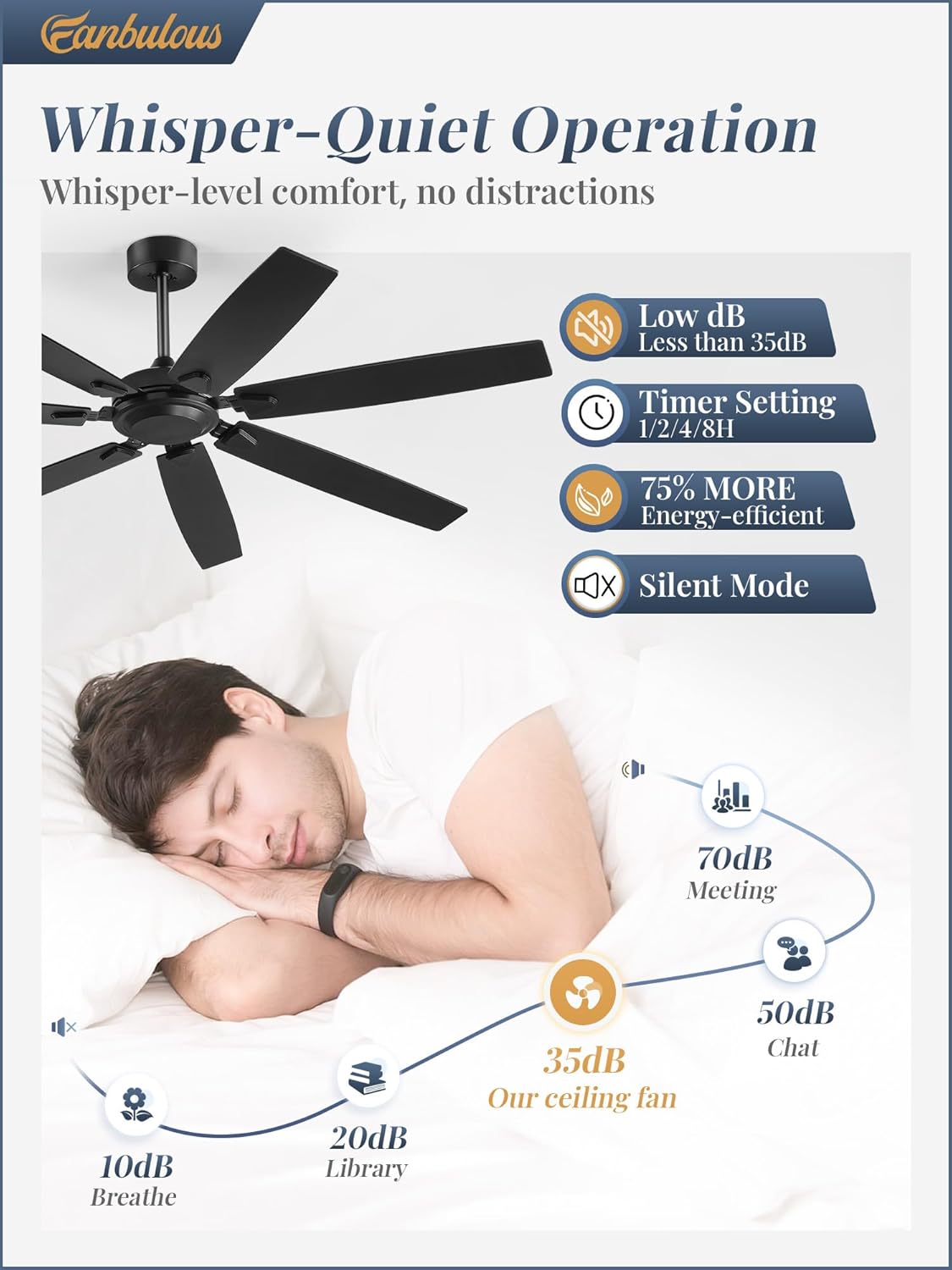
Figure 6: Noise level comparison for whisper-quiet operation.
6. Maintenance
- Cleaning: Periodically clean the fan blades and motor housing with a soft, damp cloth. Do not use abrasive cleaners or solvents.
- Inspection: Regularly check all connections and mounting hardware for tightness.
- Lubrication: The DC motor is permanently lubricated and does not require additional oiling.
- Blade Care: If using the wood grain side of the blades, avoid prolonged exposure to direct sunlight or extreme moisture to prevent warping or fading.
7. Troubleshooting
| Problem | Possible Cause | Solution |
|---|---|---|
| Fan does not start | No power to the fan; Loose wire connections; Remote control battery low. | Check circuit breaker; Verify all wire connections are secure; Replace remote control batteries. |
| Fan makes noise | Loose screws on fan blades or motor housing; Mounting bracket not secure. | Tighten all screws; Ensure mounting bracket is firmly attached to the ceiling. |
| Fan wobbles excessively | Loose blades; Unbalanced blades; Loose downrod. | Ensure all blade screws are tight; Use a balancing kit (not included) if necessary; Check downrod connection. |
| Remote control not working | Low or dead batteries; Remote not paired with fan. | Replace batteries; Refer to the full manual for remote pairing instructions. |
| Fan runs in wrong direction | Reverse function not activated or incorrectly set. | Press the reverse button on the remote control to change direction. |
| Fan speed not changing | Remote control issue; Interference. | Ensure remote batteries are good; Try operating closer to the fan; Check for obstructions. |
8. Specifications
| Feature | Detail |
|---|---|
| Brand | Fanbulous |
| Model Name | F-JP62BK-1D02 |
| Color | Black |
| Size | 62 Inch |
| Electric Fan Design | Ceiling Fan |
| Power Source | AC |
| Style | Industrial |
| Product Dimensions | 62"D x 62"W x 17"H |
| Room Type | Living Room, Bedroom, Kitchen, Patio (Indoor/Outdoor) |
| Special Feature | Remote Control, Reversible DC Motor, 6-Speeds, Timer, Quiet Operation |
| Noise Level | 35 Decibels |
| Finish Type | Wood Grain (dual-finish blades) |
| Voltage | 120 Volts |
| Switch Type | Remote Control |
| Item Weight | 21.7 pounds (9.87 Kilograms) |
| Number of Power Levels | 6 |
| Installation Type | Semi Flush Mount |
9. Warranty and Support
Fanbulous offers the following warranty and support for your product:
- 30-Day Return Policy: Enjoy a hassle-free return within 30 days of purchase.
- 2-Year Warranty: Your Fanbulous ceiling fan is covered by a 2-year warranty from the date of purchase, covering manufacturing defects.
- Customer Service: For any questions, technical support, or warranty claims, please contact our dedicated customer service team. Refer to your purchase documentation for contact details.
Related documentsF-JP62BK-1D02


Ask a question about this manual
Ask about setup, troubleshooting, compatibility, parts, safety, or missing instructions. Manuals+ will review the question and use this page’s manual context to help answer it.