
HUIZHEN FORS1V75S22PCS
Instruction Manual
Replacement Parts for Robot Vacuum Cleaners
Introduction
This instruction manual provides detailed information on the installation, maintenance, and specifications of the HUIZHEN replacement accessories kit for various robot vacuum cleaner models. This kit is designed to ensure your robot vacuum maintains optimal cleaning performance.
Compatible Models
This accessory kit is compatible with the following robot vacuum cleaner models:
- ROPVACNIC S1
- betboyles V75S
- Tipdiy G90
- VIPSUN Z1
- PrettyCare C2

Figure 1: Visual representation of compatible robot vacuum models.
Package Contents
The HUIZHEN replacement parts kit includes the following components:
- 10 x Side Brushes
- 6 x HEPA Filters
- 6 x Mop Pads
- 1 x Cleaning Brush

Figure 2: Overview of all included replacement parts.
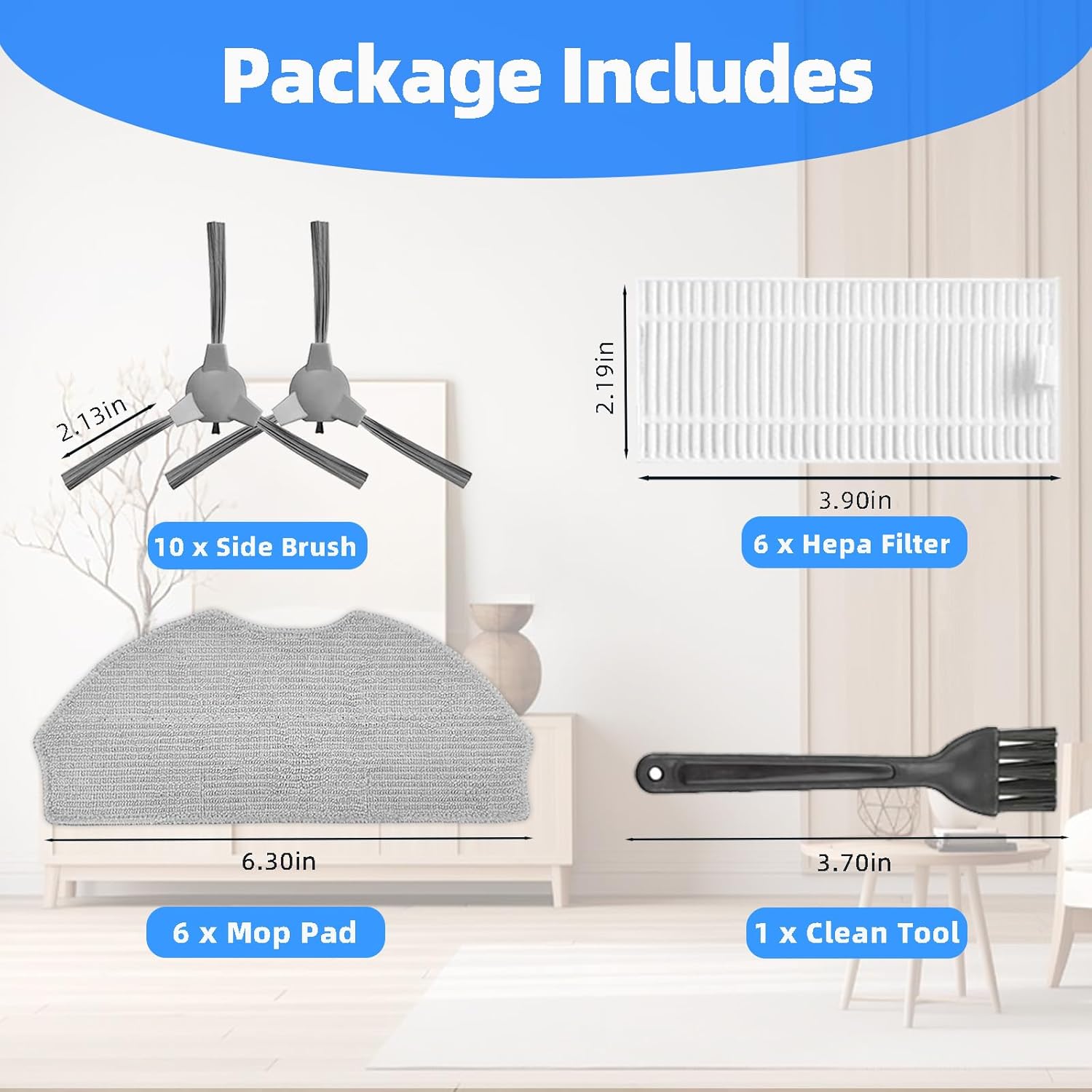
Figure 3: Detailed view of package contents with approximate dimensions.
Installation Guide
1. Installing Side Brushes
The side brushes are designed with a slot for easy installation. Align the brush with the corresponding slot on your robot vacuum and press firmly until it clicks into place. Ensure the brush rotates freely after installation.

Figure 4: Side brush design for easy installation.
Important Tip:
If side brushes appear bent or curled due to shipping, soak them in warm water for a few minutes. This will help them regain their original shape without affecting performance.
2. Installing HEPA Filters
Locate the filter compartment on your robot vacuum, typically under the dustbin. Remove the old filter and insert the new HEPA filter, ensuring it fits snugly to prevent air leakage. The HEPA filters are designed to effectively block 99.9% of dust, pollen, pet fur dander, and airborne particles as small as 0.1 micrometers.

Figure 5: HEPA filter effectiveness against various particles.
3. Installing Mop Pads
Attach the mop pad to the designated mop plate or water tank module of your robot vacuum. Ensure it is securely fastened for effective mopping. These microfiber mop pads are suitable for all floor types, including marble, bamboo, ceramic, hardwood, laminate, tile, stone, and cement.

Figure 6: Mop pad compatibility with different floor surfaces.
Maintenance and Replacement
Regular maintenance of your robot vacuum accessories is crucial for maintaining optimal cleaning performance and extending the lifespan of your device. We recommend replacing accessories every three months, or more frequently depending on usage and environment.
Cleaning HEPA Filters
Use the provided cleaning brush to gently remove dust and debris from the HEPA filter. Do not wash HEPA filters with water, as this can damage the filter material.

Figure 7: Cleaning a HEPA filter with the included brush.
Cleaning Mop Pads
The microfiber mop pads are machine washable and reusable. After each use, remove the mop pad and wash it with water. For deeper cleaning, machine wash as needed. Allow the mop pad to air dry completely before reattaching it to the vacuum.

Figure 8: Mop pad care instructions.
Specifications
| Component | Quantity | Material | Dimensions (Approx.) |
|---|---|---|---|
| Side Brushes | 10 | ABS Material | 2.13 inches (length) |
| HEPA Filters | 6 | HEPA Filter Material | 3.90 x 2.19 inches |
| Mop Pads | 6 | Microfiber | 6.30 inches (width) |
| Cleaning Brush | 1 | Plastic | 3.70 inches (length) |
Overall Product Dimensions: 21.59 x 13.97 x 3.81 cm (8.5 x 5.5 x 1.5 inches)
Item Weight: 200 g
Manufacturer: HUIZHEN
Model Number: FORS1V75S22PCS
Troubleshooting
Bent Side Brushes
Problem: Side brushes appear bent or curled upon arrival.
Solution: This can occur during shipping. Soak the bent brushes in warm water for a few minutes. The material is designed to recover its shape, and this will not affect the quality or performance of the brush.
Support
For any issues encountered during the use of these replacement parts, please contact the manufacturer or seller directly. Our team aims to respond and resolve your problem within 24 hours.
For further assistance, please refer to the contact information provided by your retailer or on the product packaging.
Ask a question about this manual
Ask about setup, troubleshooting, compatibility, parts, safety, or missing instructions. Manuals+ will review the question and use this page’s manual context to help answer it.