
SEUNKWANG GX710S
EWEADN GX710S Backlit Computer Keyboard User Manual
Brand: SEUNKWANG | Model: GX710S
1. Introduction
This manual provides detailed instructions for the EWEADN GX710S Backlit Computer Keyboard. Designed for comfort and efficiency, this full-size wired USB keyboard features a durable metal panel, unique pudding keycaps, and a simple white backlight. It is compatible with various operating systems, making it suitable for a wide range of users and applications.

Figure 1: EWEADN GX710S Backlit Computer Keyboard Overview
2. Key Features
- Simple White Backlight: The GX710S features a simple white backlight with 5 adjustable brightness levels (FN+PU/PD). The suspended water drop pudding keycaps enhance light transmittance for clear visibility.
- Upgraded Water Drop Pudding Keycaps: Designed for improved transparency and a comfortable typing experience. The concave and convex surface of the keycaps fits fingertips well, reducing typing noise by 95%.
- Ergonomic Design: Concave & convex keys are shaped to fit fingers, promoting smoother typing without fatigue. Equipped with two footrests and 4 anti-slip bottom stickers, allowing for a 7° tilt for enhanced comfort.
- 26-key Anti-ghosting: Ensures that up to 26 keys can be operated simultaneously without conflict, providing fast and accurate responses during typing or gaming.
- Durable Metal Panel: Constructed with a thickened metal panel and frosted matte finish, offering upgraded touch and excellent anti-scratch protection for increased durability.
- Universal Compatibility: This wired USB keyboard is plug-and-play and compatible with Windows, Linux, Chrome, and Mac operating systems, suitable for PCs, desktops, laptops, and notebooks.
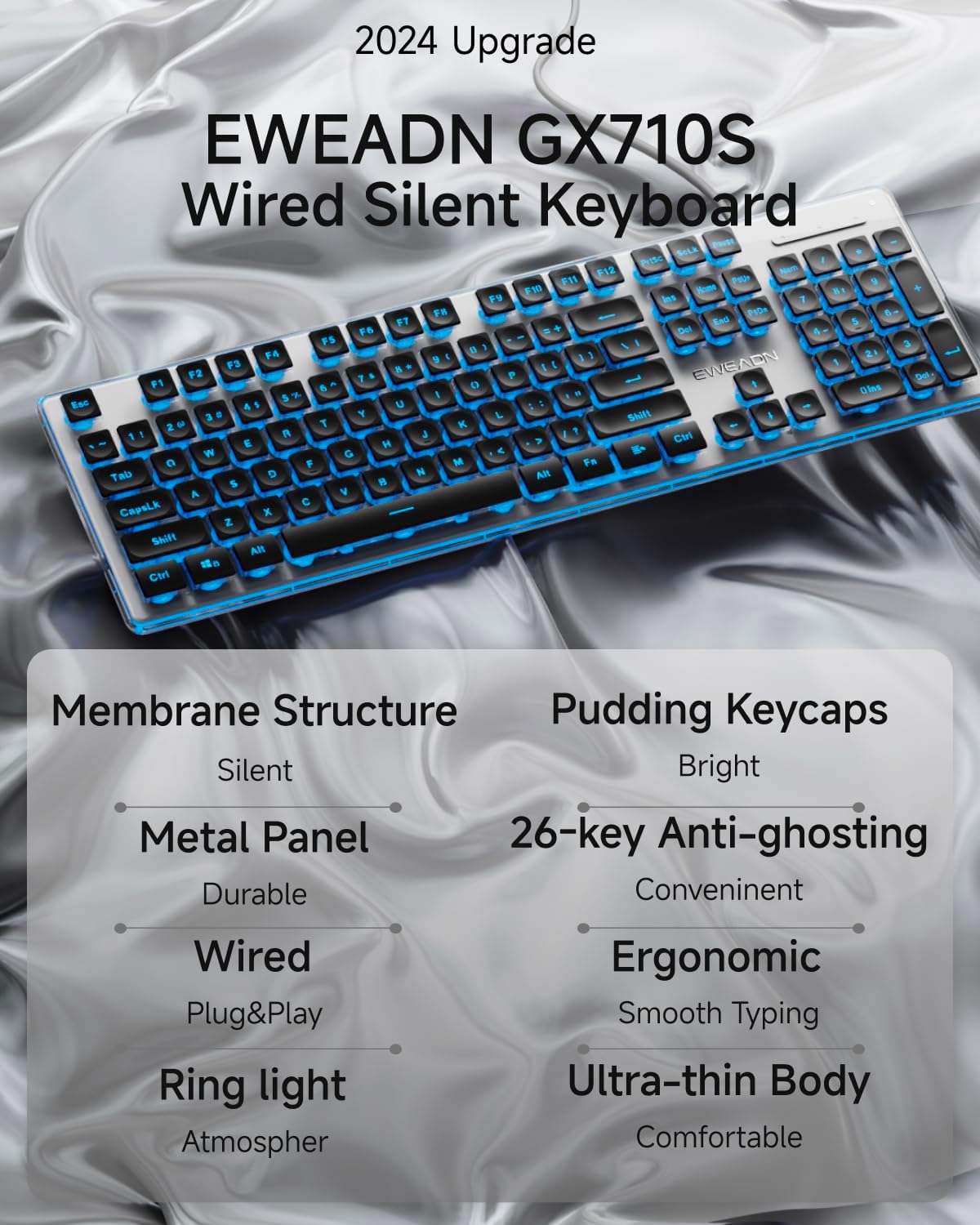
Figure 2: Overview of EWEADN GX710S Key Features

Figure 3: Ergonomic Design and Structural Details
3. Setup Guide
- Unpack the Keyboard: Carefully remove the keyboard from its packaging.
- Connect to Computer: Locate an available USB-A port on your PC, desktop, laptop, or notebook. Insert the keyboard's USB cable firmly into the port.
- Plug and Play: The EWEADN GX710S keyboard is designed for plug-and-play functionality. Your operating system should automatically detect and install the necessary drivers. No additional software installation is typically required.
- Adjust Keyboard Tilt: For optimal typing comfort, extend the two foldable footrests located on the underside of the keyboard to achieve a 7° tilt. Ensure the 4 anti-slip bottom stickers are making full contact with your desk surface.
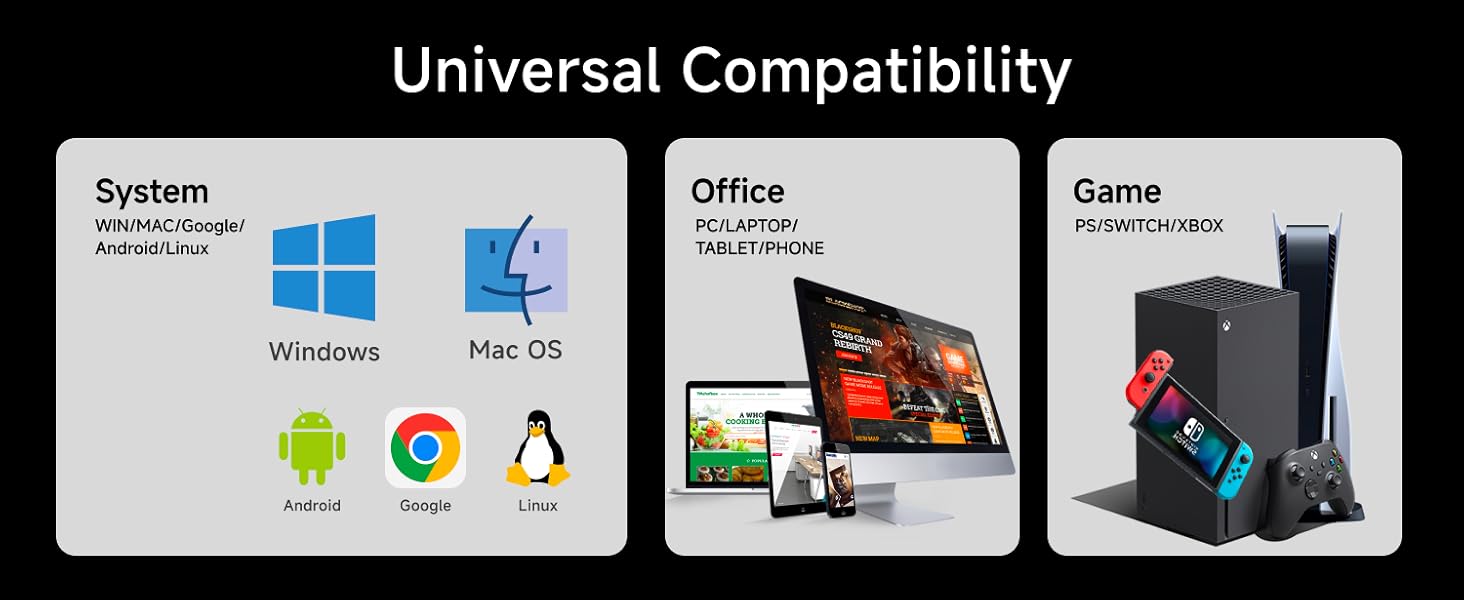
Figure 4: Universal Compatibility Diagram
4. Operating Instructions
4.1 Backlight Control
The EWEADN GX710S keyboard features a simple white backlight with adjustable brightness and a breathing effect.
- Adjust Brightness: Press FN + PU to increase backlight brightness. Press FN + PD to decrease backlight brightness. There are 5 levels of brightness adjustment.
- Toggle Backlight On/Off: Press FN + Menu key (the key with three horizontal lines, typically next to the right Ctrl key) to turn the backlight on or off.
- Breathing Mode: The keyboard supports a breathing light mode. Use the FN + Menu key combination to cycle through modes if available, or refer to the specific key combination for breathing mode if different from on/off.

Figure 5: Backlight Adjustment Keys (FN+PU/PD, FN+Menu)

Figure 6: Backlight Modes and Controls
4.2 Special Function Keys
- Anti-Ghosting: The 26-key anti-ghosting feature ensures that multiple simultaneous key presses are registered accurately, preventing input errors during fast typing or complex gaming commands.
- Windows Key: The keyboard includes a dedicated Windows key for quick access to the Start Menu and other Windows functions.
- Multimedia Keys: Standard function keys (F1-F12) may have secondary multimedia functions when pressed in combination with the FN key. Refer to the keycap legends for specific functions (e.g., volume control, media playback).

Figure 7: Keyboard Indicators for Number Lock, Caps Lock, and Win Lock
5. Maintenance and Care
Proper maintenance will extend the lifespan of your EWEADN GX710S keyboard.
- Cleaning: Use a soft, dry cloth to wipe down the keyboard surface and keycaps. For deeper cleaning, a slightly damp cloth with mild soap can be used, ensuring no liquid enters the keyboard. Avoid abrasive cleaners.
- Keycap Care: The pudding keycaps are designed for durability. To clean between keys, use compressed air to remove dust and debris.
- Storage: When not in use for extended periods, store the keyboard in a clean, dry environment away from direct sunlight and extreme temperatures.
- Avoid Spills: While the metal panel offers some protection, avoid spilling liquids on the keyboard to prevent damage to internal components.
6. Troubleshooting
If you encounter issues with your EWEADN GX710S keyboard, try the following steps:
- Keyboard Not Responding:
- Ensure the USB cable is securely connected to both the keyboard and the computer's USB port.
- Try connecting the keyboard to a different USB port on your computer.
- Restart your computer.
- Test the keyboard on another computer to determine if the issue is with the keyboard or your system.
- Backlight Not Working or Dim:
- Press FN + Menu key to ensure the backlight is turned on.
- Adjust the brightness using FN + PU (increase) or FN + PD (decrease).
- Ensure your computer's USB port is providing sufficient power.
- Keys Not Registering or Ghosting:
- The keyboard features 26-key anti-ghosting, which minimizes this issue.
- Ensure no debris is lodged under the keycaps. Gently clean the area around the affected keys.
- If specific keys are consistently failing, contact customer support.
7. Product Specifications
| Brand | SEUNKWANG (EWEADN) |
| Model Number | GX710S |
| Product Dimensions | 17.32 x 5.11 x 0.78 inches |
| Item Weight | 1.59 pounds |
| Connectivity Technology | Wired USB-A |
| Keyboard Description | Quiet Wired Membrane Keyboard |
| Number of Keys | 104 |
| Backlighting Color | Single Color (Blue/White) |
| Special Features | Backlit, Ergonomic, Foldable Feet, Lightweight, Quiet, 26-key Anti-ghosting, Metal Panel, Pudding Keycaps |
| Compatible Devices | PC, Laptop, Gaming Console, Projector, Smart TV, Smartphone, Tablet |
| Compatible Operating Systems | Windows, Linux, Chrome, Mac |
| Date First Available | February 9, 2025 |
8. Warranty and Support
The EWEADN GX710S keyboard comes with 48-month brand support. For any questions, technical assistance, or warranty claims, please contact the manufacturer or seller directly through your purchase platform.
As a responsible company, EWEADN operates sustainably, adhering to high environmental and social standards. They are committed to providing excellent customer service and support.
Ask a question about this manual
Ask about setup, troubleshooting, compatibility, parts, safety, or missing instructions. Manuals+ will review the question and use this page’s manual context to help answer it.