1. Introduction
This manual provides detailed instructions for the UMIDIGI G100A Unlocked Phone. It covers device setup, operation, key features, and maintenance to ensure optimal performance and user experience. The UMIDIGI G100A features a 6.9-inch HD+ 120Hz display, runs on Android 14, is powered by a UNISOC T615 8-core processor, and includes a 6000mAh battery.
2. What's in the Box
Upon unboxing your UMIDIGI G100A, verify that all the following items are included:
- 1x UMIDIGI G100A Phone
- 1x Pre-applied Screen Protector
- 1x Phone Case
- 1x Power Adapter
- 1x USB Cable (Type-C to Type-C)
- 1x SIM Tray Ejector
- 1x Quick Start Guide

Image: Contents of the UMIDIGI G100A retail box.
3. Setup
3.1 SIM Card and MicroSD Card Installation
To install your SIM card(s) and/or microSD card:
- Locate the SIM card tray on the side of the phone.
- Insert the SIM tray ejector tool into the small hole next to the tray and press gently until the tray pops out.
- Place your Nano SIM card(s) and/or microSD card into the designated slots on the tray. The UMIDIGI G100A supports two Nano SIM cards or one Nano SIM card and one microSD card.
- Carefully reinsert the tray into the phone until it clicks into place.

Image: SIM card and TF card insertion diagram.
3.2 Powering On and Initial Configuration
Press and hold the power button located on the side of the phone until the UMIDIGI logo appears. Follow the on-screen prompts to complete the initial setup, including language selection, Wi-Fi connection, and Google account login.
3.3 RAM Expansion
The UMIDIGI G100A supports RAM expansion to enhance performance. To adjust this setting:
- Go to Settings.
- Find and select Memory Expansion.
- Click Set RAM extend Size.
- Select your desired RAM expansion option (e.g., 2GB, 4GB, 8GB).
- Confirm and restart your phone for the changes to take effect.

Image: RAM expansion settings.
4. Operating Your Device
4.1 Display and User Interface
The UMIDIGI G100A features a 6.9-inch HD+ display with a 120Hz refresh rate, providing a smooth visual experience. The phone runs on Android 14, offering an intuitive and customizable interface.

Image: 6.9-inch display comparison.

Image: 120Hz refresh rate demonstration.

Image: Android 14 interface.
4.2 Security Features
The UMIDIGI G100A supports both AI Face Unlock and Fingerprint Unlock for secure and convenient access to your device.
4.3 Accessibility Features
The device includes features such as auto-generated subtitles for spoken content and comprehensive parental controls.

Image: Auto-generated subtitles feature.

Image: Parental controls setup.
5. Camera Features
The UMIDIGI G100A is equipped with a versatile camera system:
- Rear Camera: 13MP main camera
- Front Camera: 8MP for selfies and video calls
- Depth Camera: 2MP for enhanced portrait effects
The camera offers various modes to capture different scenes:
- Pro Mode: Manual settings for advanced photography, ideal for low-light conditions.
- Capture Mode: Intelligent motion tracking to keep subjects in focus.
- Portrait Mode: For professional-looking photos with blurred backgrounds.
- Night Mode: Optimized for clear shots in dark environments.

Image: Camera modes overview.
6. Connectivity
6.1 Network Support
The UMIDIGI G100A is an unlocked 4G dual SIM phone, compatible with a wide range of global carriers. It supports 27 frequency bands, including:
- 4G LTE: B1, B2, B3, B4, B5, B7, B8, B12, B17, B18, B19, B20, B26, B28AB, B34, B39, B38, B40, B41, B66
- 3G: WCDMA B1, B2, B4, B5, B8
- 2G: GSM B2, B3, B5, B8

Image: Supported network bands.
6.2 Wireless Connectivity
The device supports Wi-Fi 2.4G/5G for high-speed internet access and Bluetooth 5.2 for efficient and low-latency connections with other devices.
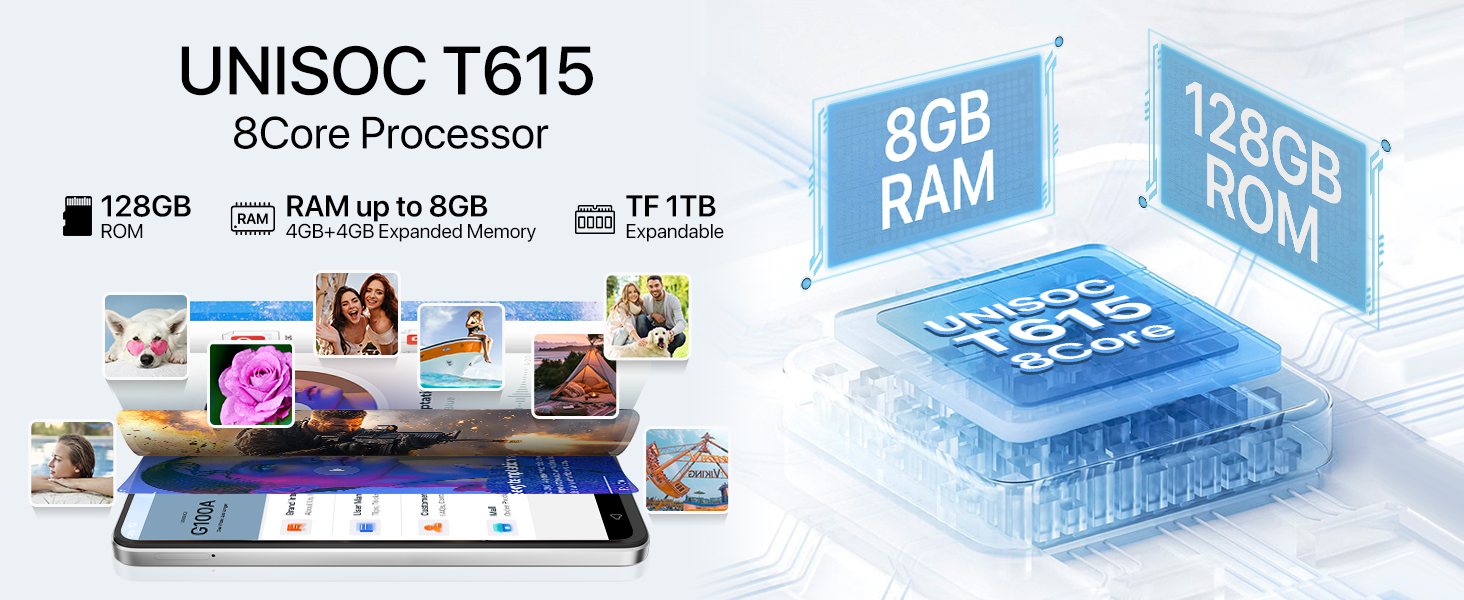
Image: Bluetooth 5.2 data transfer.
6.3 Navigation and Audio
Integrated GPS, Glonass, Beidou, and Galileo systems provide accurate positioning. The phone also includes an FM Radio and a 3.5mm audio jack for wired headphones.

Image: FM Radio and 3.5mm audio jack.
7. Battery
The UMIDIGI G100A is powered by a 6000mAh battery, designed for extended usage. It supports 20W fast charging for quick power-ups. Additionally, the phone is OTG (On-The-Go) ready, allowing it to charge other devices when needed.

Image: 6000mAh battery and OTG charging.
8. Specifications
| Feature | Specification |
|---|---|
| Product Dimensions | 6.73 x 3.03 x 0.31 inches |
| Item Weight | 14.9 ounces |
| Item Model Number | G100A |
| Operating System | Android 14 |
| CPU Speed | 1.6 GHz (UNISOC T615) |
| Screen Size | 6.9 Inches |
| Resolution | 720x1640 |
| Refresh Rate | 120 Hz |
| RAM Memory Installed Size | 4 GB (expandable to 8 GB) |
| Memory Storage Capacity | 128 GB (expandable up to 1 TB with microSD) |
| Battery Capacity | 6000 Milliamp Hours |
| Connectivity Technologies | Bluetooth 5.2, USB, Wi-Fi (2.4G/5G) |
| GPS | True (GPS, Glonass, Beidou, Galileo) |
| Special Features | Built-In GPS, Dual SIM, Expandable Memory, Fast Charging Support, AI Face ID, Fingerprint Unlock |
| Audio Jack | 3.5 mm |
| Manufacturer | UMIDIGI |
9. Warranty and Support
UMIDIGI is committed to providing excellent customer service. Your UMIDIGI G100A comes with:
- 30-Day Money Back Guarantee: For returns and refunds.
- 1-Year Limited Warranty: Covering manufacturing defects.
- 24/7 Online Support: Dedicated one-on-one assistance.
For further assistance, you can utilize the UMIDIGI Customer Center App:
- Find the "Service Center" App on your phone.
- Enter the "Customer Service" section.
- Click on "Questions" to browse FAQs or submit an inquiry.
- Fill in the required content according to the prompts.

Image: UMIDIGI Customer Center App.

Image: After-sales support details.
10. Official Product Video
Watch this official video for a visual overview of the UMIDIGI G100A Unlocked Phone:
Video: UMIDIGI G100A Unlocked Phones 6.9" HD+ 120Hz Display. This video showcases the design, display, and key features of the UMIDIGI G100A smartphone.


