
Introduction
The Ourlife AI Translation Earbuds A38 are designed to facilitate real-time communication across language barriers. These earbuds offer advanced features including 144 language support, offline translation capabilities, Bluetooth 5.4 connectivity, and extended battery life. They function as a 3-in-1 device, combining translation, music playback, and call functionality. This manual provides essential information for setting up, operating, maintaining, and troubleshooting your earbuds.
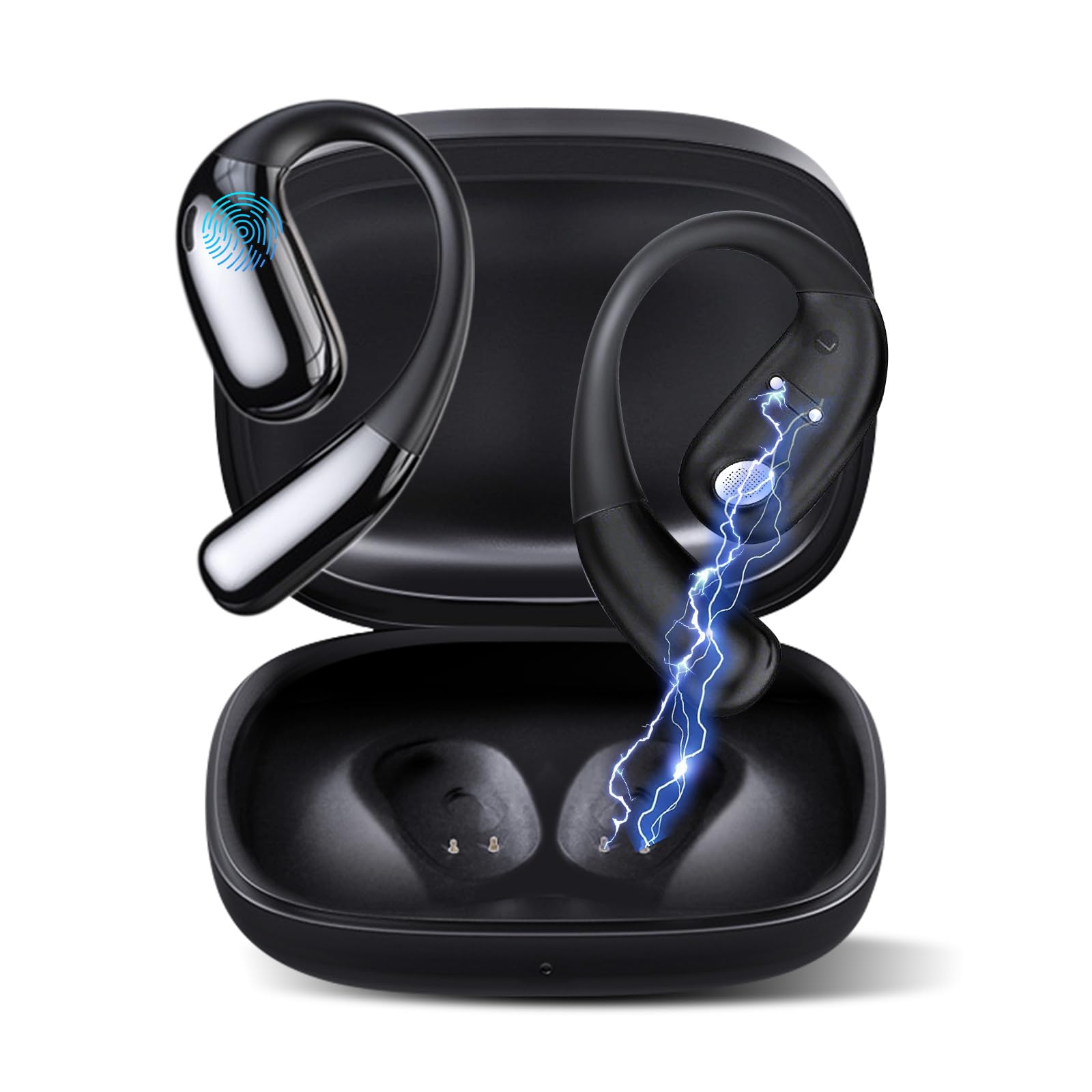
Figure 1: Ourlife AI Translation Earbuds A38 in use, highlighting key features.
What's in the Box
Please verify that all items are present in your package:
- 2 x Translation Earbuds (Left and Right)
- 1 x Charging Case
- 1 x USB Type-C Charging Cable
- 1 x User Manual
Product Overview

Figure 2: Earbuds and charging case, illustrating 144 language support.

Figure 3: Offline translation in action, showing two users communicating.

Figure 4: Technical features and design elements of the earbuds.

Figure 5: The 'One Click' app interface and 3-in-1 functionality.

Figure 6: Ergonomic clip-on-ear design for comfort and stability.

Figure 7: Real-time translation capabilities with high accuracy.
Setup
1. Charging the Earbuds and Case
- Place the earbuds into the charging case.
- Connect the USB Type-C charging cable to the charging port on the case and a power source.
- The indicator lights on the case will show charging status. A full charge typically takes 1.5 hours.
2. Downloading the 'One Click' App
- Scan the QR code provided in the quick start guide or search for "One Click" in your device's app store (iOS or Android).
- Install the application on your smartphone.
3. Pairing with Your Smartphone
- Ensure the earbuds are charged and inside the charging case.
- Open the charging case lid. The earbuds will enter pairing mode.
- Enable Bluetooth on your smartphone.
- In your phone's Bluetooth settings, select "Ourlife A38" from the list of available devices.
- Once paired, open the "One Click" app. The app will guide you through connecting the earbuds within the application.
4. Initial App Setup
- Follow the on-screen instructions in the "One Click" app to select your native language and the target language for translation.
- Familiarize yourself with the different translation modes available.
Operating Instructions
Translation Modes
The Ourlife A38 earbuds support various translation modes via the "One Click" app:
- Free Talk Mode: Allows for natural, continuous conversation where the app automatically detects and translates spoken languages.
- Touch Mode: Tap an earbud to speak, and the app translates. Tap again to end your turn. This is ideal for turn-based conversations.
- Speaker Mode: One person wears an earbud, and the other speaks into the phone's microphone. Translations are played through the earbud and the phone's speaker.
- Audio Transcription: Transcribes and translates spoken audio in real-time, useful for meetings or lectures.
- Photo Translation: Use your phone's camera through the app to translate text from images.
- Offline Mode: For supported languages (Chinese, English, Japanese, Korean, Russian, German, French, Spanish), offline translation packages can be purchased within the app for use without an internet connection.
Music Playback and Calls
The earbuds also function as standard Bluetooth headphones:
- Playing Music: Once paired, open your music application on your smartphone. Audio will play through the earbuds.
- Making/Receiving Calls: When a call comes in, the earbuds will ring. Tap the touchpad on either earbud to answer or end a call.
- Touchpad Controls: The earbuds feature touchpad controls for functions such as play/pause, skip tracks, answer/end calls, and activate voice assistant. Refer to the app or quick start guide for specific gestures.
Maintenance
Cleaning
- Gently wipe the earbuds and charging case with a soft, dry, lint-free cloth.
- Do not use abrasive cleaners, alcohol, or chemical solvents.
- Avoid getting moisture into any openings.
Battery Care and Storage
- Charge the earbuds and case regularly, even if not in frequent use, to maintain battery health.
- Store the device in a cool, dry place away from direct sunlight and extreme temperatures.
- Avoid fully depleting the battery for extended periods.
Troubleshooting
| Issue | Possible Cause | Solution |
|---|---|---|
| Earbuds not pairing | Bluetooth off, earbuds not in pairing mode, low battery | Ensure Bluetooth is on. Place earbuds in case, close, then open lid to re-enter pairing mode. Charge earbuds and case. |
| No sound during translation/music | Volume too low, not connected to app, incorrect language settings | Increase phone volume. Verify earbuds are connected in the 'One Click' app. Check language settings in the app. |
| Translation inaccuracy or delay | Poor internet connection, background noise, speaking too fast | Ensure stable internet connection. Speak clearly and at a moderate pace. Reduce background noise. |
| App not recognizing earbuds | App glitch, Bluetooth connection issue | Close and restart the 'One Click' app. Disconnect and re-pair Bluetooth. Restart your smartphone. |
| Earbuds not charging | Cable issue, dirty charging contacts, faulty power source | Try a different USB-C cable and power adapter. Clean charging contacts on earbuds and case with a dry cotton swab. |
Specifications
| Feature | Detail |
|---|---|
| Brand | Ourlife |
| Model Name | A38 |
| Connectivity Technology | Bluetooth 5.4 |
| Compatible Devices | Smartphone (Android, iOS) |
| Special Features | AI-Powered Real-Time Translation, 144 Languages (74 languages + 70 accents), Offline Mode (8 languages available for purchase), Intelligent Noise Cancellation, 3D Spatial Audio, Quick Charge, Ergonomic Clip-on Design |
| Battery Life (Earbuds) | Up to 7 hours per charge |
| Total Playtime (with Charging Case) | Up to 60 hours |
| Charging Time | Approx. 1.5 hours |
| Charging Port | USB Type-C |
| Controller Type | Touchpad Control |
| Sensor Technology | Noise Cancelling |
| Material | High-Grade ABS+PC |
Warranty and Support
Warranty Information
The Ourlife AI Translation Earbuds A38 come with a limited warranty. Please refer to the warranty card included in your product packaging or visit the official Ourlife website for detailed terms and conditions.
Customer Support
For technical assistance, troubleshooting, or further inquiries, please visit the official Ourlife website or contact their customer support team. You can find more information and contact details at the Ourlife Store on Amazon.