
Renogy RVI1230PU-126-FBA
Renogy PUH 3000W Pure Sine Wave Inverter User Manual
Model: RVI1230PU-126-FBA
1. Introduction
This manual provides essential information for the safe and efficient operation of your Renogy PUH 3000W Pure Sine Wave Inverter. This device converts 12V DC power to 110V AC power, suitable for various applications including RVs, trucks, camping, home backup, emergency power, and off-grid living. It features a built-in transfer switch and Bluetooth connectivity for enhanced convenience and control.
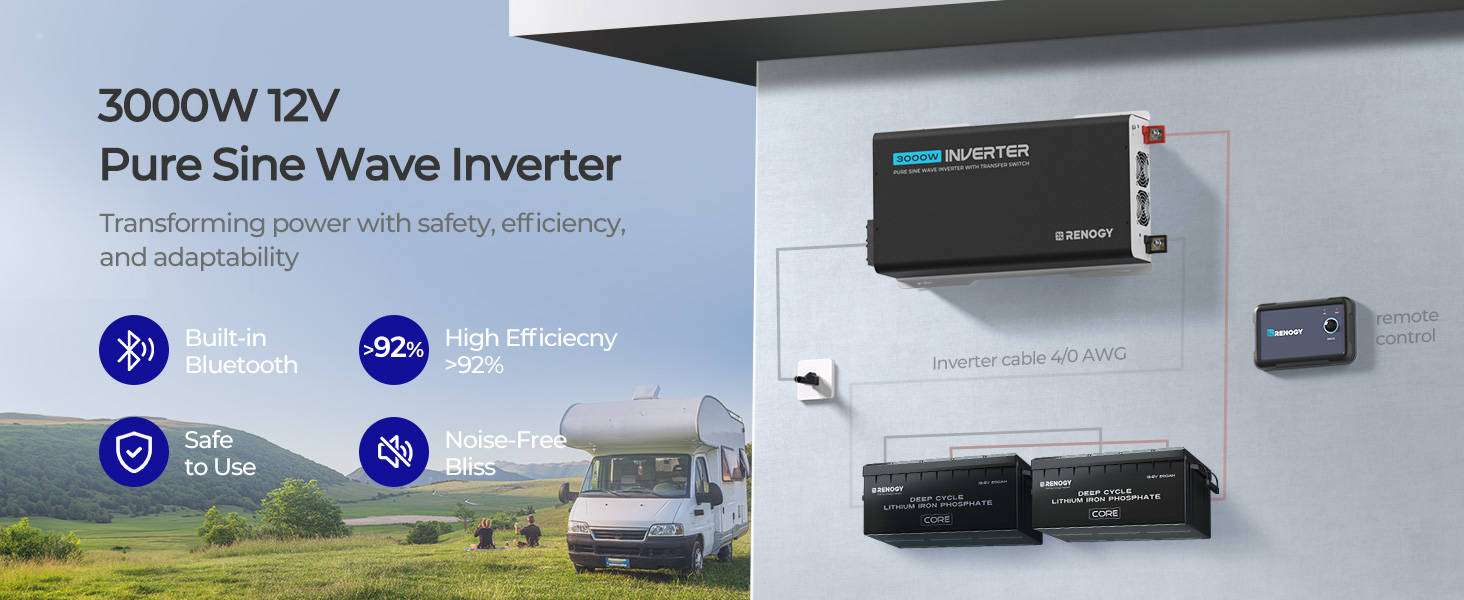
Image 1.1: The Renogy 3000W 12V Pure Sine Wave Inverter, showcasing its core features including built-in Bluetooth, high efficiency, safety, and low noise operation.
2. Safety Information
Please read and understand all safety instructions before installing or operating the inverter. Failure to follow these instructions may result in electrical shock, fire, serious injury, or death.
- Electrical Safety: Ensure all wiring is correctly sized and connections are secure. Always disconnect power before making or breaking connections.
- Ventilation: Install the inverter in a well-ventilated area to prevent overheating. Do not block cooling vents.
- Environment: Avoid exposure to water, moisture, direct sunlight, and extreme temperatures.
- Grounding: The inverter must be properly grounded. Refer to local electrical codes for specific requirements.
- Certifications: This inverter meets UL 458 & CSA C22.2 No. 107.1 certifications, ensuring safety and quality standards.

Image 2.1: Overview of the Renogy Inverter's integrated safety features, including UL and FCC certifications, and protections against low voltage, high voltage, short circuits, and ground faults (GFCI).
3. Package Contents
Verify that all items are included in your package:
- 1 x Renogy 3000W 12V Pure Sine Wave Inverter
- 1 x 16.4ft Inverter Remote Control
- 1 x Instruction Manual (this document)

Image 3.1: The Renogy 3000W Pure Sine Wave Inverter, shown with its remote control and the necessary battery connection cables.
4. Product Overview
4.1 Key Features
- Pure Sine Wave Output: Provides clean and stable AC power, suitable for sensitive electronics.
- High Efficiency: Conversion efficiency greater than 92% minimizes power loss.
- Built-in UPS Transfer Switch: Automatically switches to grid power within 20ms, ensuring uninterrupted power.
- Bluetooth Connectivity: Monitor and control the inverter remotely via the Renogy APP.
- Multiple Safety Protections: Includes overload, over-temperature, low-temperature, overvoltage, short circuit, and undervoltage protection.
- Integrated Cooling System: Features cooling fans for optimal temperature management.
- Convenient Outputs: Equipped with a 5V/2.1A USB port, three AC outlets, and an AC terminal block.
4.2 Component Identification

Image 4.1: Detailed diagram illustrating the front and rear panels of the Renogy 3000W Pure Sine Wave Inverter, with all ports, indicators, and terminals clearly labeled for easy identification.
- Front Panel: GFCI LED Indicator, Power LED Indicator, USB Power Port, Remote Control Terminal, ON/OFF/REM Switch, AC Output Frequency Switch, AC Outlets, AC 30A, AC Input and High Output AC Terminals, Fault LED Indicator.
- Rear Panel: Cooling Fans, Negative (-) DC Input (M8), Positive (+) DC Input (M8), Ground (M4).

Image 4.2: The included remote control for the Renogy Inverter, shown mounted for convenient access and operation.
5. Setup and Installation
Proper installation is crucial for the inverter's performance and safety. Consult a qualified electrician if you are unsure about any steps.
5.1 Mounting Location
- Choose a dry, cool, and well-ventilated area.
- Ensure sufficient clearance around the inverter for airflow, especially around the cooling fans.
- Mount the inverter securely to a stable surface.
5.2 DC Input Connection
- Ensure the inverter is OFF and all power sources are disconnected.
- Connect the positive (+) battery cable to the positive (+) DC input terminal on the inverter.
- Connect the negative (-) battery cable to the negative (-) DC input terminal on the inverter.
- Connect the other ends of the cables to your 12V battery bank, ensuring correct polarity.
- Install appropriate DC fuses or circuit breakers between the battery and the inverter as per safety standards.
5.3 AC Output Connection
- Plug your AC appliances directly into the AC outlets on the inverter.
- For hardwired applications, use the AC terminal block. Ensure proper wiring and grounding.
5.4 Grounding
Connect the inverter's ground terminal (M4) to a reliable earth ground or vehicle chassis ground.

Image 5.1: A schematic diagram illustrating a complete off-grid power system, detailing the connections between solar panels, a charge controller, a 12V 400Ah battery, and the Renogy Inverter to power both DC and AC loads.

Image 5.2: An example installation of the Renogy Inverter within an RV, demonstrating its integration with both shore power and the vehicle's internal battery system for seamless power supply.
6. Operating Instructions
6.1 Powering On/Off
- To turn on the inverter, press and hold the ON/OFF/REM switch until the Power LED illuminates.
- To turn off the inverter, press and hold the ON/OFF/REM switch until the Power LED turns off.
- The remote control can also be used to power the inverter on and off.
6.2 Using the Built-in Transfer Switch
The inverter features an automatic transfer switch that seamlessly transitions between battery power and an external AC source (like shore power or a generator).
- When an external AC source is connected to the AC input terminal, the inverter will automatically switch to pass-through mode, powering your loads directly from the external source and charging your batteries (if a charger is connected).
- If the external AC source is disconnected or fails, the inverter will automatically switch to battery power within 20ms, providing uninterrupted power to your connected appliances.

Image 6.1: Visual representation of the inverter's seamless AC to DC switching capability, demonstrating how it functions for on-grid charging and provides uninterrupted off-grid backup power with a 15ms auto-switch.

Image 6.2: An overview of the inverter's uninterrupted power supply feature, detailing its on-grid and off-grid capabilities, built-in Bluetooth, safety protections, low idle power consumption, and quiet operation.
6.3 Connecting Appliances
The 3000W inverter can power a wide range of appliances. Always ensure the total wattage of connected devices does not exceed the inverter's continuous power rating (3000W) or surge rating (6000W).

Image 6.3: Examples of common inductive loads, such as refrigerators, washing machines, kettles, and air conditioners, that the 3000W inverter is capable of powering, noting the 6000W peaking wattage for inductive loads.

Image 6.4: A visual guide to powering typical household appliances with the 3000W inverter, including estimated wattage ratings for items like air conditioners (1200W), TVs (105W), refrigerators (360W), microwaves (700W), coffee makers (1000W), and washing machines (1200W).

Image 6.5: The inverter's broad compatibility with different battery chemistries (Lithium, Sealed Lead Acid, AGM, Gel, Flooded) and its ability to power a variety of devices, from smartphones and tablets to portable refrigerators and cameras.

Image 6.6: The Renogy Inverter in use, providing power to a television for entertainment, demonstrating its capability for home or mobile use.
7. Bluetooth Connectivity
The Renogy PUH 3000W Inverter features built-in Bluetooth for smart monitoring and control via the Renogy DC Home App.
7.1 Connecting to the Renogy DC Home App
- Download the Renogy DC Home App from your device's app store.
- Ensure Bluetooth is enabled on your smartphone or tablet.
- Open the Renogy DC Home App and follow the on-screen instructions to search for and connect to your inverter.
- Once connected, you can monitor output voltage, output current, output Hz, battery voltage, temperature, and other parameters in real-time.

Image 7.1: Screenshots from the Renogy DC Home App, demonstrating its smart monitoring capabilities, including real-time display of output voltage, current, frequency, battery voltage, and temperature, along with the device search interface.

Image 7.2: A user interacting with the Renogy DC Home App on a smartphone, monitoring the inverter's performance in an outdoor, off-grid environment, highlighting the convenience of Bluetooth control.
8. Maintenance
Regular maintenance ensures the longevity and optimal performance of your inverter.
- Cleaning: Keep the inverter clean and free from dust and debris. Use a dry cloth for cleaning.
- Ventilation: Periodically check that the cooling vents are not obstructed.
- Connections: Inspect all electrical connections regularly to ensure they are tight and free from corrosion.
- Battery Health: Monitor your battery bank's health and charge level to prevent undervoltage conditions that can stress the inverter.

Image 8.1: An illustration of the Renogy 3000W Pure Sine Wave Inverter's internal cooling system, highlighting its dual fans designed for over-temperature protection, with specifications for 25CFM airflow and a noise level of less than 55dB (fan on).
9. Troubleshooting
This section provides solutions to common issues you might encounter.
| Problem | Possible Cause | Solution |
|---|---|---|
| Inverter not turning on | No DC input power; Loose battery connections; Blown fuse/breaker; Low battery voltage. | Check battery connections; Verify battery voltage; Inspect fuses/breakers; Recharge battery. |
| No AC output | Overload; Over-temperature; Short circuit; Faulty appliance. | Reduce load; Allow inverter to cool; Check for short circuits in wiring/appliances; Test with a different appliance. |
| Inverter beeping/Fault LED on | Overload, over-temperature, low/high voltage, short circuit. | Refer to the LED indicators on the inverter for specific fault codes and address the underlying issue (e.g., reduce load, check battery voltage). |
| Bluetooth connection issues | Bluetooth disabled; App not updated; Inverter too far from device. | Ensure Bluetooth is on; Update Renogy DC Home App; Move closer to inverter; Restart inverter and app. |
10. Specifications
Detailed technical specifications for the Renogy PUH 3000W Pure Sine Wave Inverter.
| Parameter | Value |
|---|---|
| Model Number | RVI1230PU-126-FBA |
| Continuous Power | 3000W |
| Surge Peak Power | 6000W |
| DC Input Voltage | 12V |
| AC Output Voltage | 110V |
| Wave Form | Pure Sine Wave |
| Conversion Efficiency | >92% |
| Transfer Switch Speed | 20ms |
| USB Output | 5V/2.1A |
| Product Dimensions | 19.5 x 10.4 x 3.8 inches |
| Item Weight | 16.53 pounds |
| Certifications | UL 458 & CSA C22.2 No. 107.1 |

Image 10.1: A comparative table highlighting the superior characteristics of the Renogy Pure Sine Wave Inverter, including its low Total Harmonic Distortion (THD), true pure sine wave output, and integrated features like Bluetooth, UPS powering, remote control, and GFCI, compared to other inverter types.

Image 10.2: Dimensional drawing of the Renogy 3000W Inverter, indicating its length (20 inches), width (10.4 inches), and height (3.8 inches), along with the dimensions and cable length (16.4ft) of the inverter remote control.
11. Warranty and Support
Renogy products are designed for reliability and performance. For warranty information, technical support, or service inquiries, please refer to the official Renogy website or contact Renogy customer service directly. The full user manual in PDF format is also available for download from the product page or Renogy's support section.
For additional resources and product information, visit the Renogy Store on Amazon.
Related documentsRVI1230PU-126-FBA


Ask a question about this manual
Ask about setup, troubleshooting, compatibility, parts, safety, or missing instructions. Manuals+ will review the question and use this page’s manual context to help answer it.