
VIHELM BLE-9909
VIHELM BLE-9909 SmartOnline 5-in-1 PH Meter User Manual
Model: BLE-9909
1. Introduction
The VIHELM BLE-9909 is a portable, smart online 5-in-1 multi-parameter water quality tester designed for accurate measurement of pH, Temperature, Total Dissolved Solids (TDS), Electrical Conductivity (EC), and Salinity. This device offers high precision, ease of use, and intelligent control via a mobile application, making it suitable for various applications including drinking water analysis, aquaculture, laboratory testing, and more.
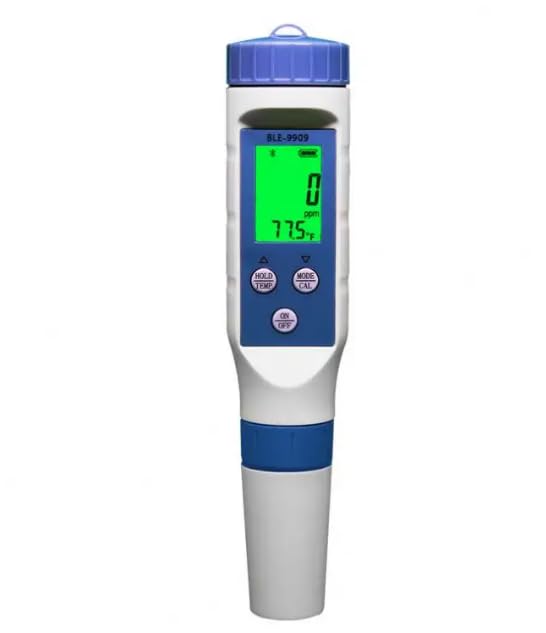
Figure 1: Front view of the VIHELM BLE-9909 PH Meter, displaying its screen and control buttons.
2. What's in the Box
Upon unpacking your VIHELM BLE-9909 PH Meter, please ensure all the following items are present:
- 1 x BLE-9909 Multi-parameter PH Meter
- User Manual (this document)
- Calibration solutions (may be sold separately or included depending on package)
3. Product Overview
Familiarize yourself with the components of your BLE-9909 meter:
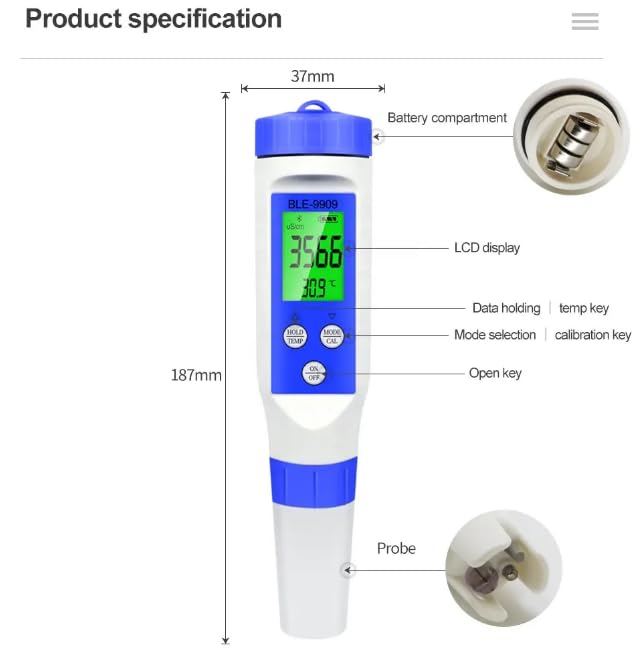
Figure 2: Labeled diagram of the BLE-9909 PH Meter, showing its dimensions and main parts.
- LCD Display: High-definition screen for clear readings.
- Battery Compartment: Located at the top, houses 3 x 1.5V button batteries.
- HOLD/TEMP Button: Used to hold current readings or switch between temperature units.
- MODE/CAL Button: Used to select measurement modes (pH, TDS, EC, Salinity) and initiate calibration.
- ON/OFF Button: Powers the device on or off.
- Probe: High-precision waterproof probe for accurate and sensitive measurements.
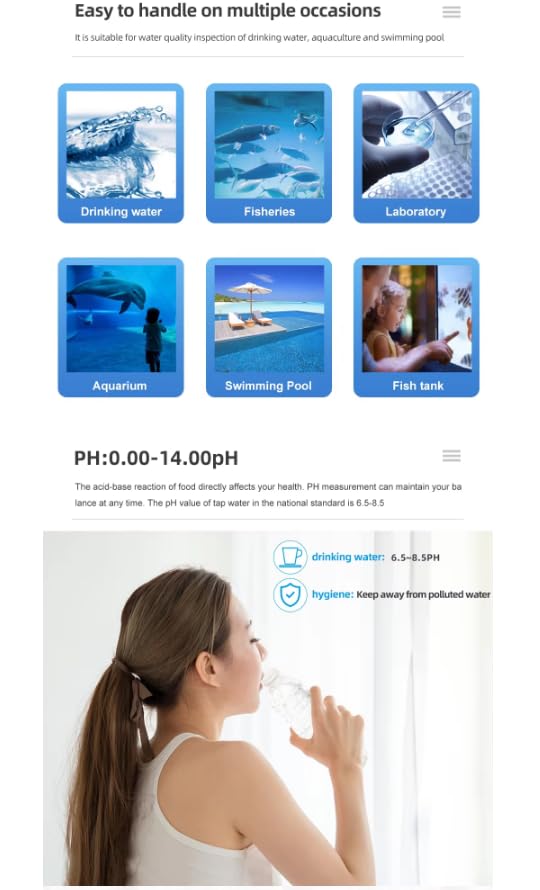
Figure 3: View of the battery compartment, designed for easy replacement of 1.5V button batteries.
4. Specifications
| Parameter | Range | Resolution | Accuracy |
|---|---|---|---|
| pH | 0.00 - 14.00 pH | 0.01 pH | ±0.05 pH |
| Temperature | 0.1°C - 60.0°C (32.0°F - 140.0°F) | 0.1°C / 0.1°F | ±0.5°C |
| TDS | 0 - 9990 ppm | 1 ppm | ±2% F.S. |
| EC | 0 - 9990 us/cm | 1 us/cm | ±2% F.S. |
| Salinity | 0.00 - 25.00% | 0.01% | ±0.5% F.S. |
- Power Supply: 3 x 1.5V Button Batteries (LR44)
- Dimensions: Approximately 187mm x 37mm
- Manufacturer: VIHELM
- ASIN: B0DR57DSKY
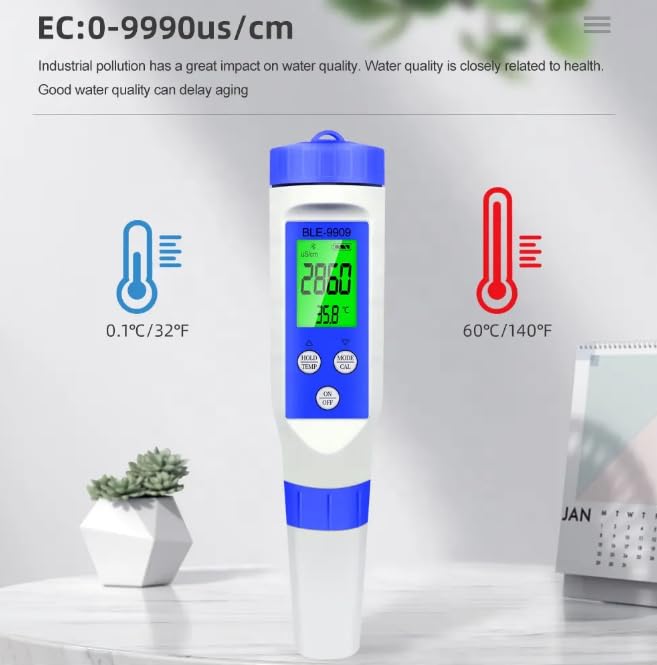
Figure 4: Visual representation of EC and Temperature measurement ranges.
5. Setup
5.1 Battery Installation
- Unscrew the cap of the battery compartment located at the top of the meter.
- Insert 3 x 1.5V LR44 button batteries, ensuring correct polarity.
- Securely screw the battery compartment cap back on.
5.2 Mobile App Connection
The BLE-9909 meter features intelligent control and data synchronization via a mobile application. Follow these steps to connect:
- Download the official VIHELM app from your smartphone's app store (iOS/Android).
- Ensure Bluetooth is enabled on your smartphone.
- Turn on the BLE-9909 meter by pressing the 'ON/OFF' button.
- Open the VIHELM app and follow the on-screen instructions to pair with your device. The app will typically detect nearby BLE-9909 meters automatically.
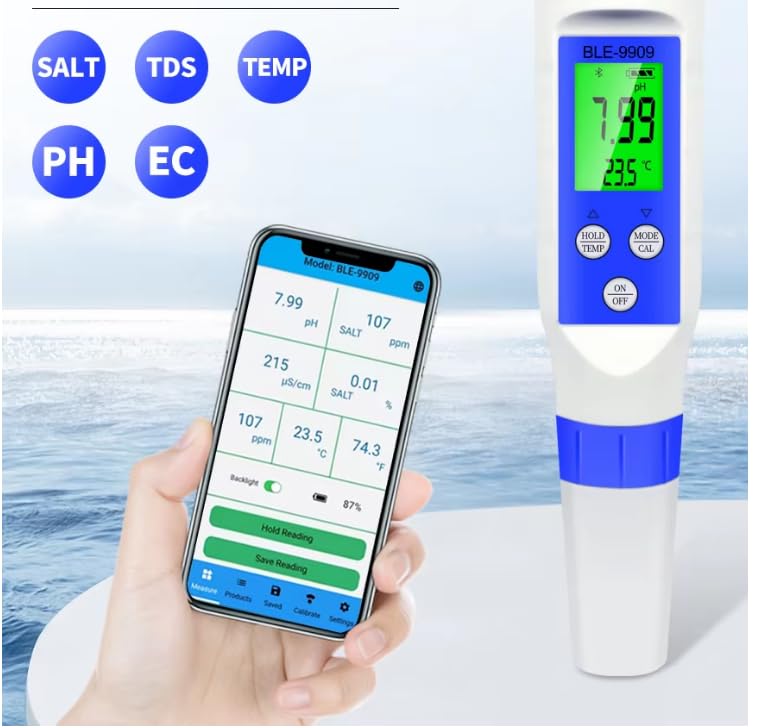
Figure 5: The BLE-9909 meter connected to its mobile application, showing real-time data.
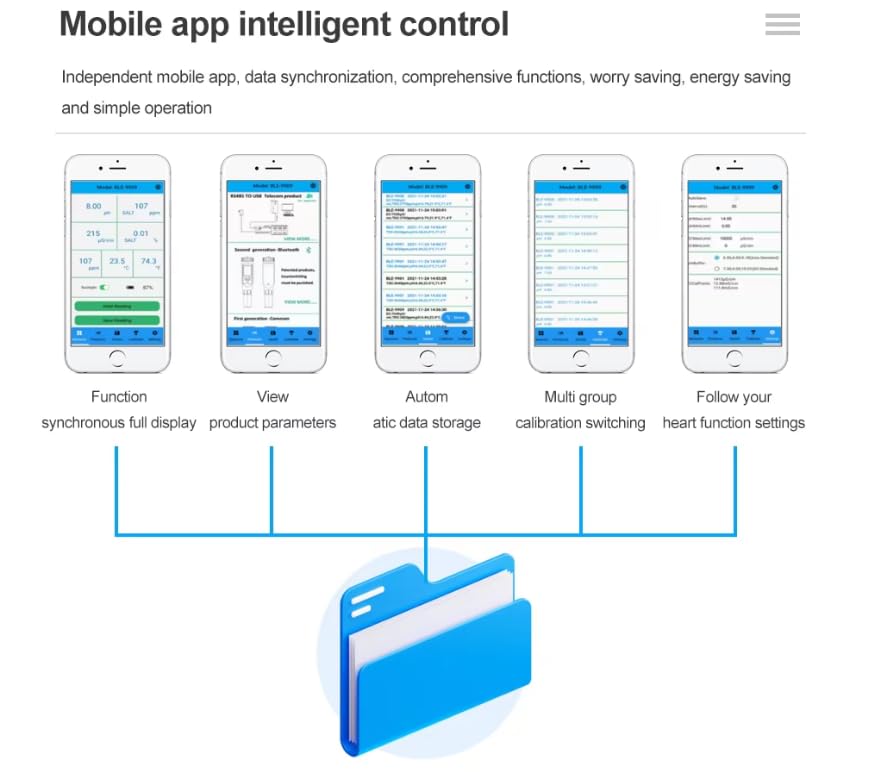
Figure 6: Overview of mobile app functionalities, including data synchronization and function settings.
6. Operating Instructions
6.1 Basic Operation
- Power On/Off: Press the 'ON/OFF' button to turn the meter on or off.
- Mode Selection: Press the 'MODE/CAL' button repeatedly to cycle through different measurement modes: pH, TDS, EC, and Salinity. The current mode will be displayed on the LCD.
- Temperature Unit Switch: While in any measurement mode, press the 'HOLD/TEMP' button to switch between Celsius (°C) and Fahrenheit (°F) for temperature readings.
- Hold Reading: During measurement, press the 'HOLD/TEMP' button briefly to freeze the current reading on the display. Press again to release.
6.2 Taking Measurements
- Ensure the meter is clean and dry before use.
- Remove the protective cap from the probe.
- Immerse the probe into the sample solution, ensuring the electrode is fully submerged. Gently stir to remove air bubbles.
- Wait for the reading to stabilize on the LCD display. This may take a few seconds.
- Record the measurement. For optimal accuracy, take multiple readings.
- After use, rinse the probe with distilled water and replace the protective cap.
6.3 Mobile App Features
The mobile app enhances the functionality of your BLE-9909 meter:
- Full Display: View all synchronized measurement parameters (pH, SALT, TDS, EC, Temp) simultaneously.
- Automatic Data Storage: Measurements are automatically saved within the app.
- Data Export & Sharing: Export saved data to Excel or share with others.
- Multi-group Calibration: Manage and switch between different calibration groups.
- Custom Function Settings: Adjust various settings and preferences within the app.
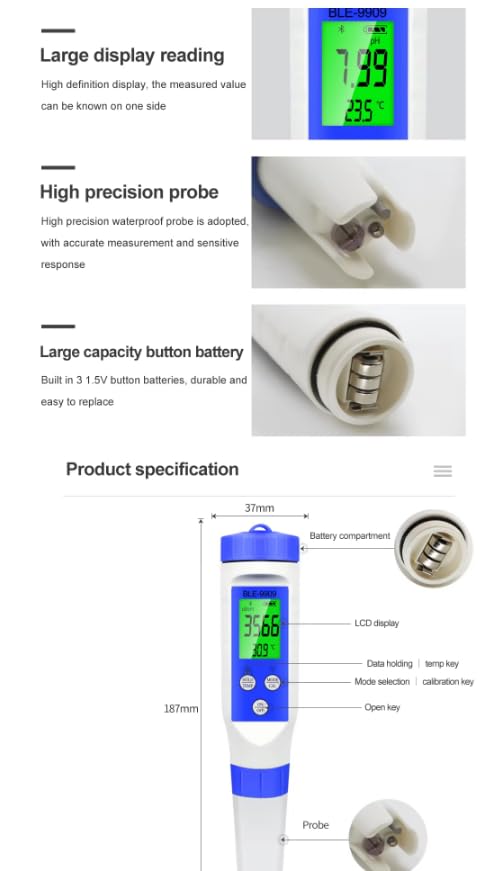
Figure 7: The mobile app interface demonstrating data storage and sharing features.
The BLE-9909 is suitable for a wide range of applications:
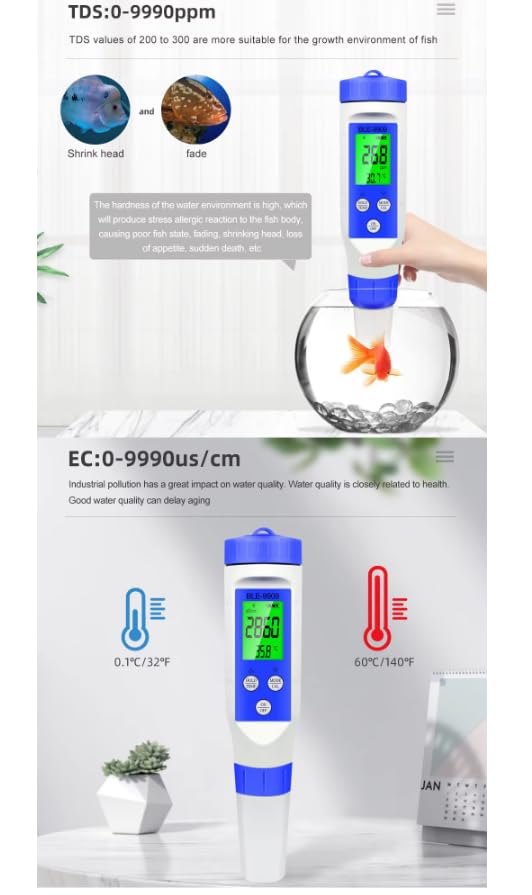
Figure 8: Examples of suitable applications for the BLE-9909 meter.
7. Calibration
Regular calibration is crucial for maintaining the accuracy of your BLE-9909 meter. The meter supports multi-point calibration for pH, TDS, EC, and Salinity.
7.1 pH Calibration
- Prepare standard pH buffer solutions (e.g., pH 4.00, pH 6.86/7.00, pH 9.18/10.00).
- Turn on the meter and select pH mode.
- Press and hold the 'MODE/CAL' button until 'CAL' appears on the display, indicating calibration mode.
- Immerse the probe into the first buffer solution (e.g., pH 6.86/7.00). The meter will automatically recognize the solution and begin calibration. Wait for the reading to stabilize and confirm.
- Rinse the probe with distilled water.
- Repeat the process for the second and third buffer solutions (e.g., pH 4.00 and pH 9.18/10.00).
- The meter will automatically exit calibration mode once completed.
7.2 TDS/EC/Salinity Calibration
Refer to the mobile application or specific instructions provided with your calibration solutions for detailed TDS, EC, and Salinity calibration procedures, as these often involve single-point or multi-point calibration with specific standard solutions.
8. Maintenance
- Probe Cleaning: Always rinse the probe thoroughly with distilled or deionized water after each use to prevent contamination and ensure accurate readings. Do not use tap water for rinsing.
- Probe Storage: Keep the probe cap on when not in use. For long-term storage, ensure the probe is kept moist with a few drops of KCL storage solution or pH 4.00 buffer solution in the cap. Do not store dry.
- Battery Replacement: Replace batteries when the low battery indicator appears on the display or when the meter fails to power on. Refer to Section 5.1 for battery installation.
- General Cleaning: Wipe the meter body with a clean, damp cloth. Do not use abrasive cleaners or solvents.
9. Troubleshooting
| Problem | Possible Cause | Solution |
|---|---|---|
| Meter does not turn on. | Dead or incorrectly installed batteries. | Replace batteries, ensuring correct polarity. |
| Inaccurate readings. | Probe is dirty, damaged, or needs calibration. | Clean the probe, check for visible damage, and perform calibration. |
| Reading fluctuates excessively. | Air bubbles on the probe, unstable sample, or probe issue. | Gently stir the sample, ensure probe is fully submerged, and check probe condition. |
| Cannot connect to mobile app. | Bluetooth off, meter not on, or app issue. | Ensure meter is on, Bluetooth is enabled on phone, restart app/phone. |
10. Warranty and Support
VIHELM products are manufactured with high-quality standards. For warranty information, technical support, or service inquiries, please refer to the contact information provided on the product packaging or the official VIHELM website. Please retain your purchase receipt for warranty claims.