
AGM M10
AGM M10 Rugged Basic Flip Phone User Manual
Model: M10 | Brand: AGM
Introduction
The AGM M10 is a rugged 4G feature phone designed for durability and simplicity. It offers essential communication features in a compact, robust form factor, ideal for challenging environments or users preferring a straightforward mobile experience. Key features include waterproof, dustproof, and drop-proof capabilities, a powerful speaker, large buttons, and an SOS function.

Figure 1: Front and back view of the AGM M10 Rugged Flip Phone.
What's in the Box
- AGM M10 Flip Phone
- USB Cable
- Battery
- Power Adapter
- Quick Start Guide

Figure 2: Contents included in the AGM M10 retail packaging.
Setup
1. SIM Card and Battery Installation
- Activate SIM Card: If you have a new SIM card, activate it in another phone before inserting it into the M10. Failure to do so may prevent the M10 from recognizing the SIM card.
- Open SIM Slot: Gently open the SIM slot cover on the back of the phone.
- Insert SIM Card(s): Carefully place the SIM card(s) into the designated slot(s). The AGM M10 supports dual SIM cards for increased flexibility. Avoid applying excessive force to prevent damage.
- Insert Battery: Place the battery into its compartment, ensuring the contacts align correctly.
- Close Cover: Securely close the back cover.

Figure 3: Internal view showing dual SIM card slots and expandable storage.
2. Charging the Device
Connect the provided USB cable to the phone's charging port and the power adapter. Plug the adapter into a wall outlet. The phone features a 1200mAh battery designed for long-lasting use. A charging dock is also compatible (sold separately) for added convenience.
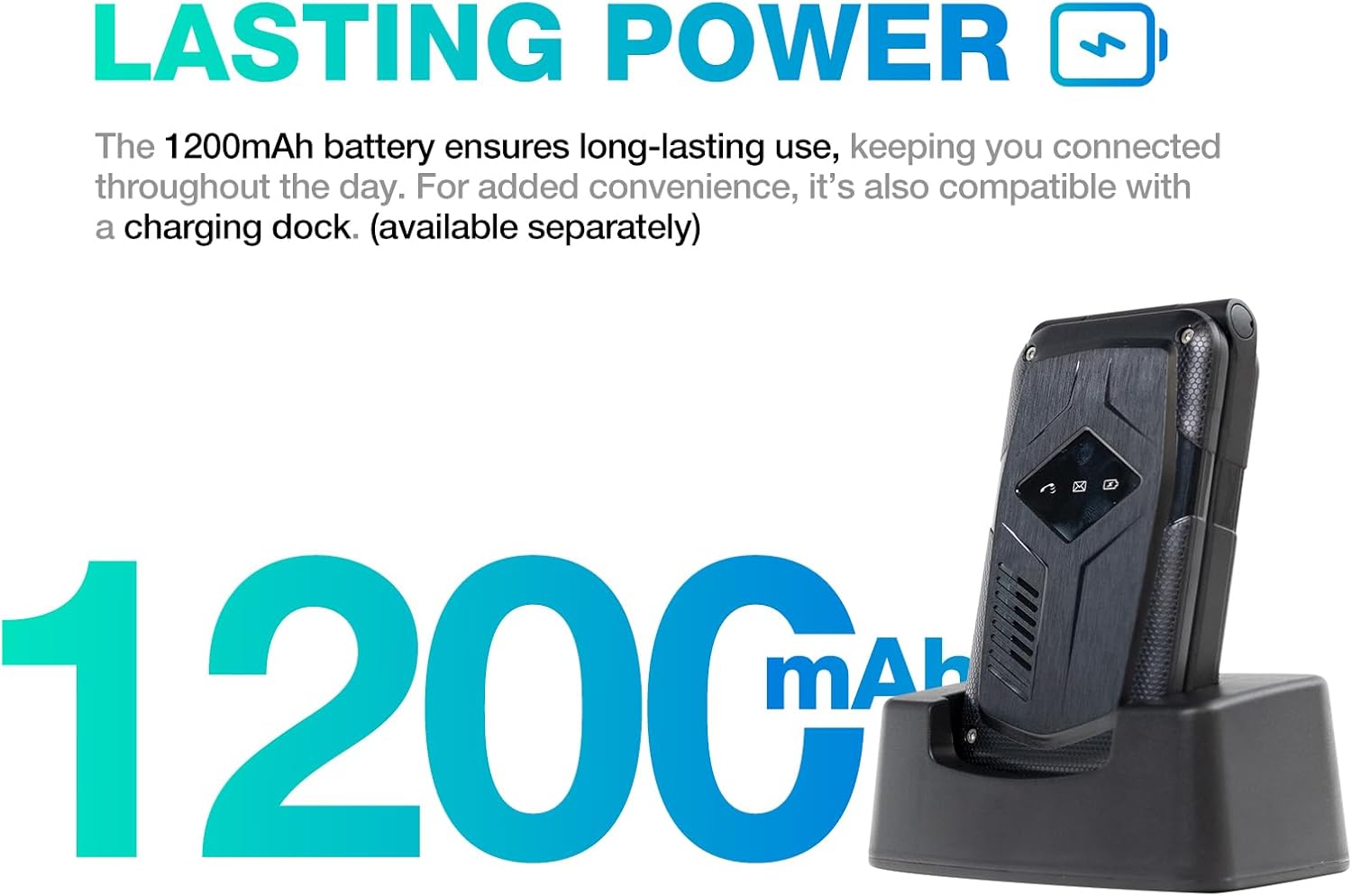
Figure 4: The AGM M10 charging, illustrating its long-lasting battery.
Operating Instructions
Basic Functions
- Power On/Off: Press and hold the Power/End Call button to turn the phone on or off.
- Making Calls: Dial the number using the large keypad and press the Green Call button.
- Receiving Calls: Open the flip to answer an incoming call, or press the Green Call button.
- Text Messaging (SMS/MMS): The phone supports T9 input for easy texting.
- Navigation: Use the directional pad and central OK button to navigate menus on the 2.4-inch display.

Figure 5: The AGM M10's user-friendly interface with large buttons and fonts.
Key Features
- SOS Button: Located below the camera, this programmable key allows instant calls to emergency services or pre-selected contacts. Press and hold for 3-5 seconds to activate.
- Speed Dial: Assign frequently called contacts to specific number keys for one-press dialing.
- FM Radio: Enjoy radio broadcasts without internet connection. Requires headphones to be plugged in as an antenna.
- Flashlight: A quick-access flashlight button provides instant illumination.
- Dual SIM, Dual Standby: Use two SIM cards simultaneously, ideal for separating work and personal calls or for international travel. Note: Only one SIM can use 4G at a time.
- Expandable Storage: The phone's modest storage can be expanded up to 128GB with a simple SD card (not included).
- 98dB Speaker: Experience loud and clear audio for calls and alerts, even in noisy environments.
- Smart LED Alerts: A bright front notification LED keeps you informed of calls, messages, and battery status without opening the flip.

Figure 6: Quick access features: FM Radio, SOS, and Flashlight.

Figure 7: Front LED notifications for quick status checks.
Durability Features
The AGM M10 is built to withstand harsh conditions, certified with industry-leading ruggedness standards:
- IP68 & IP69K Rated: Provides excellent protection against water, dust, and high-pressure, high-temperature jets.
- MIL-STD-810G Compliant: Meets military standards for shock resistance, ensuring durability against drops and impacts.

Figure 8: The AGM M10's rugged certifications for drop, water, and dust resistance.
Product Durability in Action
Video 1: A demonstration of the AGM M10's resilience against freezing temperatures and drops, showcasing its robust build.
Video 2: An overview of the AGM M10's rugged features, including its high-decibel speaker, smart LED alerts, drop-proof, dustproof, and waterproof capabilities, and SOS emergency call key.
Specifications
| Feature | Detail |
|---|---|
| Brand | AGM |
| Model Name | M10 |
| Product Dimensions | 11 x 5.64 x 2.5 cm; 270 g |
| Screen Size | 2.4 Inches |
| Operating System | THreadx |
| Memory Storage Capacity | 0.13 GB (Expandable up to 128GB with SD card) |
| Cellular Technology | 4G |
| Connectivity Technology | 2G, 4G |
| Wireless Carrier | Unlocked for All Carriers (UK) |
| SIM Card Slot Count | Dual SIM |
| Batteries | 2 Lithium Ion batteries (included) |
| Durability Ratings | IP68, IP69K, MIL-STD-810G |
| Speaker Output | 98dB |
| First Available Date | 30 Aug. 2023 |
Troubleshooting
- SIM Card Not Recognized:
- Ensure the SIM card was activated in another phone before inserting it into the M10.
- Verify the SIM card is inserted correctly and gently into the slot. Avoid excessive force.
- Restart the phone.
- No Network Signal:
- Check if your carrier is supported in your area.
- Ensure the SIM card is properly installed.
- Move to an area with better network coverage.
- Battery Not Charging:
- Verify the charging cable and adapter are securely connected.
- Ensure the power outlet is functional.
- Check for any debris in the charging port.
- Audio Issues (Low Volume/No Sound):
- Adjust the volume using the side buttons during a call or when playing media.
- Ensure the speaker is not obstructed.
- Check phone profile settings (e.g., silent mode).
Warranty and Support
For warranty information and technical support, please refer to the official AGM website or contact your point of purchase. Keep your proof of purchase for any warranty claims.
Related documentsM10


Ask a question about this manual
Ask about setup, troubleshooting, compatibility, parts, safety, or missing instructions. Manuals+ will review the question and use this page’s manual context to help answer it.