
ieGeek ieGeek S1
ieGeek S1 5MP Solar Camera Outdoor Wireless User Manual
Model: ieGeek S1 | Brand: ieGeek
Introduction

The ieGeek S1 5MP Solar Camera is an advanced outdoor wireless security solution designed for comprehensive home surveillance. Featuring an upgraded 3K 5-megapixel color CMOS sensor, it captures ultra-sharp resolution day and night. Its integrated solar panel provides continuous power, eliminating the need for frequent battery recharges. Equipped with AI motion detection, smart spotlight, and alarm functions, the S1 Pro offers intelligent monitoring and deterrence. This manual provides detailed instructions for setting up, operating, and maintaining your ieGeek S1 camera.
What's in the Box

The package for your ieGeek S1 Solar Camera includes all necessary components for installation and immediate use. You will find the solar security camera unit, a Type-C charging cable, a mounting bracket, a set of screws and wall plugs for secure installation, and this instruction manual. Please ensure all items are present before proceeding with installation.
- Solar security camera
- Type-C cable
- Mounting bracket
- Instruction manual
- Screws and wall plugs
Setup
1. Charging the Camera
Before initial use, fully charge the camera using the provided Type-C cable. Although the camera features an integrated solar panel for continuous charging, a full initial charge ensures optimal performance from the start.
2. App Installation and Account Creation
Download the "ieGeek Cam" app from your smartphone's app store (available on Google Play and Apple App Store). Follow the on-screen prompts to create an account and log in.

The ieGeek Cam app is your central control hub for the camera. It allows for data encryption, easy operation, and user customization. Ensure you download the official app for secure and reliable access to your camera's features.
3. Camera Pairing with Wi-Fi
Open the ieGeek Cam app and follow the guided instructions to add your new camera. The camera supports 2.4GHz Wi-Fi networks only. Ensure your Wi-Fi signal is strong at the installation location for stable connectivity. One-touch auto-pairing is available to simplify the connection process.

The setup process is designed to be straightforward. First, mount the camera in your desired location. Second, connect the camera to your 2.4GHz Wi-Fi network using the ieGeek Cam app. Finally, your camera will be ready to provide all-day protection.
4. Mounting the Camera
Choose a suitable outdoor location that receives adequate sunlight for the integrated solar panel to function effectively. The camera is designed for wall or ceiling mount. Use the provided mounting bracket, screws, and wall plugs to securely attach the camera. The all-in-one design eliminates the need for separate power or solar cables, simplifying installation.

The ieGeek S1 camera is designed for easy, wire-free installation. Simply mount it to a wall or ceiling using the included hardware. Its integrated solar panel means no external power cables are needed, making setup effortless.
Operating the Camera
1. Power Management with Integrated Solar Panel
The ieGeek S1 features an integrated 6W solar panel that continuously charges the built-in battery. Approximately 2 hours of direct sunlight can provide enough energy for 1 day of camera operation. Even in low sunlight conditions, the large-capacity battery ensures continuous functionality.
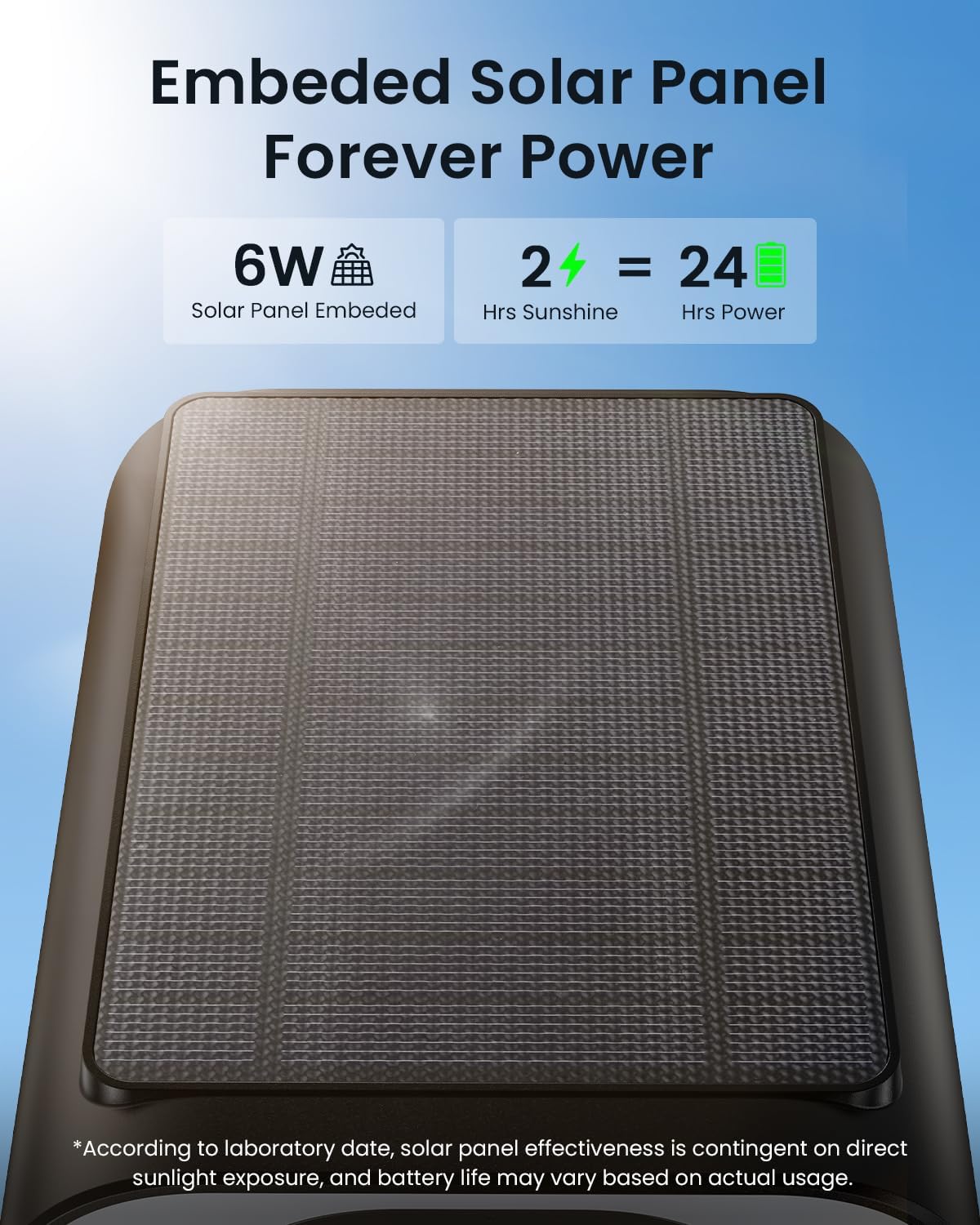
The camera's embedded 6W solar panel efficiently converts sunlight into power, providing continuous operation. Just 2 hours of sunshine can generate enough power for a full day of use, ensuring your camera remains operational without manual charging.
2. Video Quality and Night Vision
The camera captures video in 5MP (2560 x 1920) resolution, providing clear and detailed images. At night, the camera offers color night vision with a range of up to 50 feet, thanks to its bright spotlights. This ensures that details are visible even in total darkness.

Experience superior surveillance with 5MP QHD color night vision. The camera provides clear, high-resolution images during the day and extends its vision up to 50 feet at night, capturing vivid details even in low-light conditions.
3. AI Motion Detection and Alerts
The ieGeek S1 is equipped with an advanced PIR motion sensor and a powerful human shape database, allowing it to accurately distinguish people from other objects. Upon detection, you will receive instant notifications via the ieGeek Cam app. The camera also supports AI analysis (paid feature) for discerning people, pets, vehicles, and packages.

The AI motion detection feature keeps you informed of what truly matters. The app displays a timeline of detected events, categorizing them by human, pet, vehicle, or package identification, ensuring you receive relevant alerts.
4. Smart Spotlight and Two-Way Audio
When motion is detected, the camera can activate a bright 200-lumen spotlight and a siren to deter intruders. Additionally, the two-way audio feature allows you to hear and speak to visitors or warn off unwanted guests directly through the app.

The camera provides instant alerts and flexible defense options. With a 200-lumen smart spotlight, siren warning, and two-way audio, you can effectively deter intruders and communicate with visitors.

The two-way audio feature allows you to see, hear, and talk to anyone on your property. This enables you to greet friends, instruct delivery personnel, or issue warnings to strangers, making it feel like you're always there.
5. Storage Options
The ieGeek S1 offers flexible storage solutions. You can store footage locally on a micro SD card (up to 128GB, not included) or utilize the complimentary lifetime access to the ieGeek cloud storage basic service, which records 6-second clips with a 7-day looping coverage. There are no hidden fees for the basic cloud service.

The camera supports multi-secure storage options. You can insert a micro SD card (up to 128GB) for local storage or use the free 6-second loop cloud storage service provided by ieGeek.

Choose between two convenient storage methods: local storage on a Micro SD card (up to 128GB, not included) for continuous recording, or the free 6-second loop cloud storage for event-triggered recordings, ensuring your footage is always accessible.
6. Smart Playback and Customization
The ieGeek Cam app allows for smart playback of recorded events anytime, anywhere. You can view online, take snapshots, record video, share clips, and utilize loop recording. Customize motion zones, working times, and detection sensitivity to match your specific home environment and reduce false alarms.

With smart playback, you can review recorded events from anywhere at any time. The app provides a clear timeline of activities, allowing you to easily navigate through footage and access features like online viewing, snapshots, and video recording.

The ieGeek Cam app offers flexible customization to match your home environment. You can define specific motion zones, set working times, and adjust detection sensitivity to optimize performance and minimize unwanted alerts.
Maintenance
1. Weather Resistance
The ieGeek S1 camera is designed for outdoor use with an IP66 waterproof rating, ensuring protection against rain, snow, and harsh weather conditions. It operates effectively in temperatures ranging from -20°C to 60°C (-4°F to 140°F).

The ieGeek S1 camera is ideal for outdoor use, built to withstand various weather conditions. Its robust design ensures protection against rain or snow, providing continuous surveillance without interruption.

The ieGeek S1 camera is ready for any weather, designed to perform reliably in rain, snow, or even hurricane conditions. It can withstand temperatures from -20°C to 60°C, ensuring continuous protection.
2. Cleaning
Periodically wipe the camera lens and solar panel with a soft, damp cloth to ensure clear image quality and efficient solar charging. Avoid using harsh chemicals or abrasive materials.
Troubleshooting
- Wi-Fi Connection Issues: The camera requires a stable 2.4GHz Wi-Fi connection. Factors such as the number and thickness of walls, house size, and other wireless interference can affect signal stability. If the connection is unstable, try changing the camera's installation location closer to the router or reducing obstacles.
- Battery Not Charging: Ensure the solar panel receives sufficient direct sunlight. Obstructions like tree branches or shade can reduce charging efficiency. In prolonged cloudy periods, a manual charge via the Type-C cable may be necessary.
- False Motion Alerts: Adjust the detection sensitivity settings in the ieGeek Cam app. Utilize the customizable motion zones to exclude areas with frequent irrelevant movement (e.g., busy streets, swaying trees). AI analysis (if subscribed) can further reduce false alarms by distinguishing between people, pets, and vehicles.
- Poor Night Vision: Ensure the camera lens is clean and free from obstructions. Check if the spotlight is enabled in the app settings.
- Two-Way Audio Lag: This can be due to network latency. Ensure a strong Wi-Fi signal and minimize other network activities during two-way communication.
Specifications
| Feature | Detail |
|---|---|
| Model Name | ieGeek Solar Cam S1 |
| Video Capture Resolution | 5MP (2560 x 1920) |
| Indoor/Outdoor Usage | Outdoor |
| Power Source | Battery & Solar Powered (Integrated 6W Solar Panel) |
| Connectivity Protocol | 2.4GHz Wi-Fi (Wi-Fi 6 Technology) |
| Controller Type | CloudEdge, Amazon Alexa, ieGeek Cam |
| Mounting Type | Wall / Ceiling Mount |
| Viewing Angle | 130 Degrees |
| Night Vision Range | 50 Feet |
| Water Resistance Level | IP66 (Waterproof) |
| Item Dimensions (L x W x H) | 4.5 x 3.7 x 2.2 inches |
| Item Weight | 1.15 Pounds |
| Storage Options | Micro SD (up to 128GB), Free 6-sec Cloud Loop Storage |
| Special Features | 5MP HD, AI motion detection, Color night vision, Works with Alexa, Wi-Fi 6 network |
Warranty and Support
ieGeek offers a 2-year warranty on the ieGeek S1 outdoor solar camera, providing peace of mind with your purchase. If you encounter any issues or require assistance with your camera, please do not hesitate to contact the ieGeek customer support team.

ieGeek is committed to providing high-quality products and excellent customer service. With 9 years of brand accumulation and serving over 500,000 families in more than 30 countries, ieGeek ensures reliable security solutions.
- Warranty Period: 2 Years
- Customer Support Email: service@iegeek.com
- Support Availability: 24/7 Professional After-sales Team
- Returns Policy: 30-Day Free Returns
Related documentsieGeek S1


Ask a question about this manual
Ask about setup, troubleshooting, compatibility, parts, safety, or missing instructions. Manuals+ will review the question and use this page’s manual context to help answer it.