
LIGE DM4-B-JF
LIGE Smartwatch DM4-B-JF User Manual
Model: DM4-B-JF | Brand: LIGE
1. Introduction
The LIGE DM4-B-JF Smartwatch is a robust and versatile wearable designed for outdoor enthusiasts and daily use. It features advanced GPS positioning, comprehensive health monitoring, and a wide array of sports modes. This manual provides detailed instructions to help you get the most out of your smartwatch.
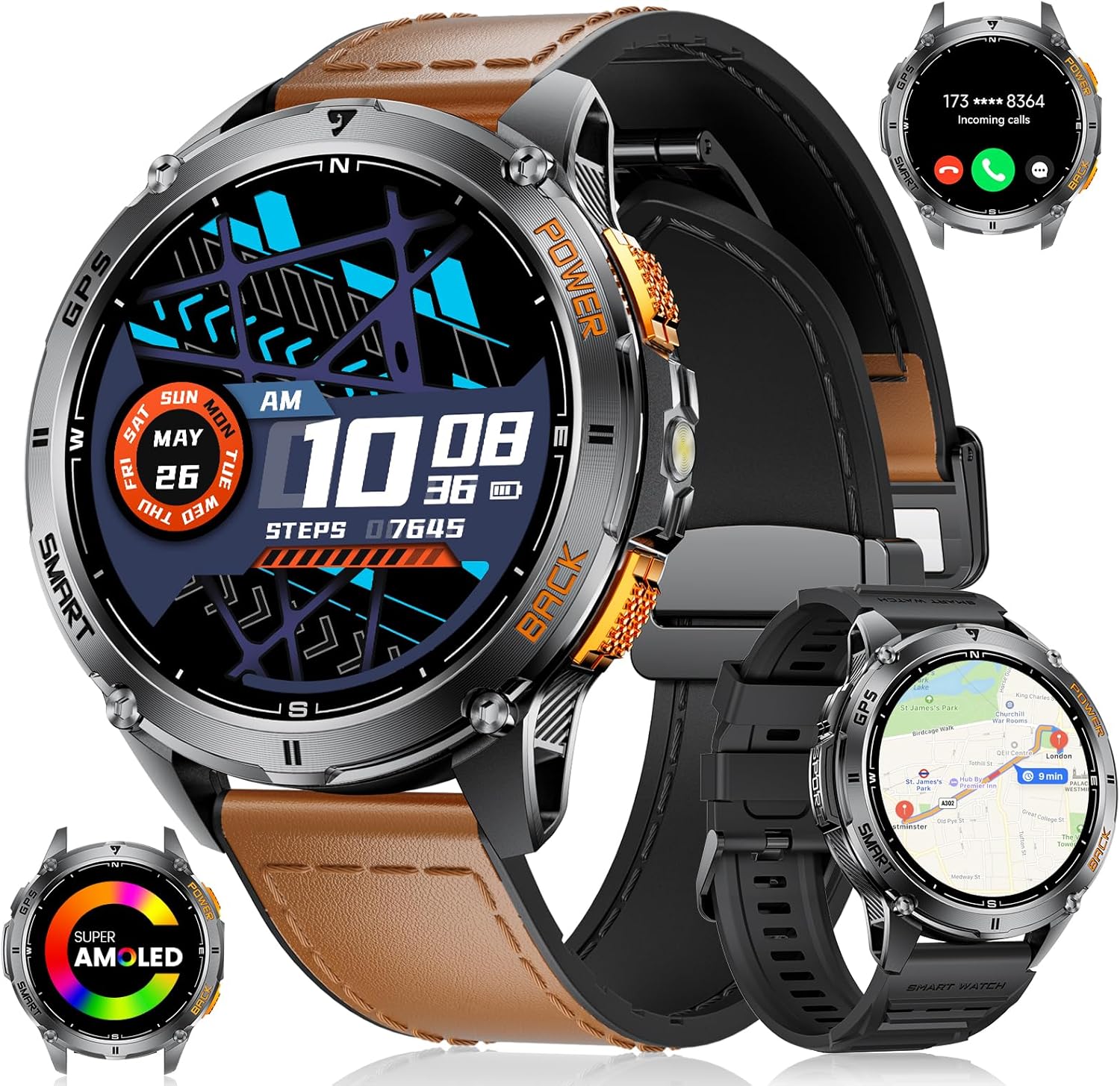
The LIGE DM4-B-JF Smartwatch, showcasing its design with both brown leather and black silicone strap options, along with various display features like incoming calls and AMOLED screen indication.
2. What's in the Box
Upon unboxing your LIGE DM4-B-JF Smartwatch, please ensure all the following components are present:
- 1 x LIGE DM4-B-JF Smartwatch
- 1 x User Manual
- 1 x Charging Cable
- 1 x Leather Strap with Magnetic Buckle
- 1 x Silicone Strap

The LIGE Smartwatch presented in its packaging, suitable for gifting.
3. Setup Guide
3.1 Charging the Smartwatch
Before first use, fully charge your smartwatch. Connect the magnetic charging cable to the charging points on the back of the watch and plug the USB end into a power adapter (not included) or a computer's USB port. A full charge takes approximately 2.5 hours.

The smartwatch display showing its 530mAh battery capacity, highlighting its long-lasting power.
3.2 App Download and Connection
To unlock the full potential of your LIGE Smartwatch, download and connect it to the companion app, "GloryFit Pro".
- Activate Bluetooth: Ensure Bluetooth is enabled on your smartphone (Android 5.0+ or iOS 11+).
- Download App: Scan the QR code provided in the watch's quick start guide or search for "GloryFit Pro" in your phone's app store. You can also visit https://app.uteasy.com/app-download/GloryFitPro/download/index.html to download.
- Add Device: Open the "GloryFit Pro" app, navigate to the "Device" section, and select "Add Device". The app will search for your smartwatch.
- Pairing: Select "DM4" from the list of found devices. A pairing request will appear on your phone; confirm to allow pairing.
- Call Function: After successful connection, you can enable or disable the call function directly on the watch.
- Audio Connection: Activate "Connected to calls audio" within the app settings to enable making and receiving calls directly from your smartwatch.

Visual guide illustrating the steps for connecting the smartwatch to your smartphone via the app, including Bluetooth activation, app download, device pairing, and call function setup.
4. Operating Instructions
4.1 GPS Positioning and Outdoor Tools
The DM4-B-JF Smartwatch features high-precision L1 positioning technology, supporting multi-system GPS, GLONASS, Beidou, Galileo, NAVIC, and QZSS for accurate location tracking. It also includes a built-in compass, barometer, and altimeter to provide real-time data on direction, atmospheric pressure, and altitude, enhancing your outdoor navigation and awareness.
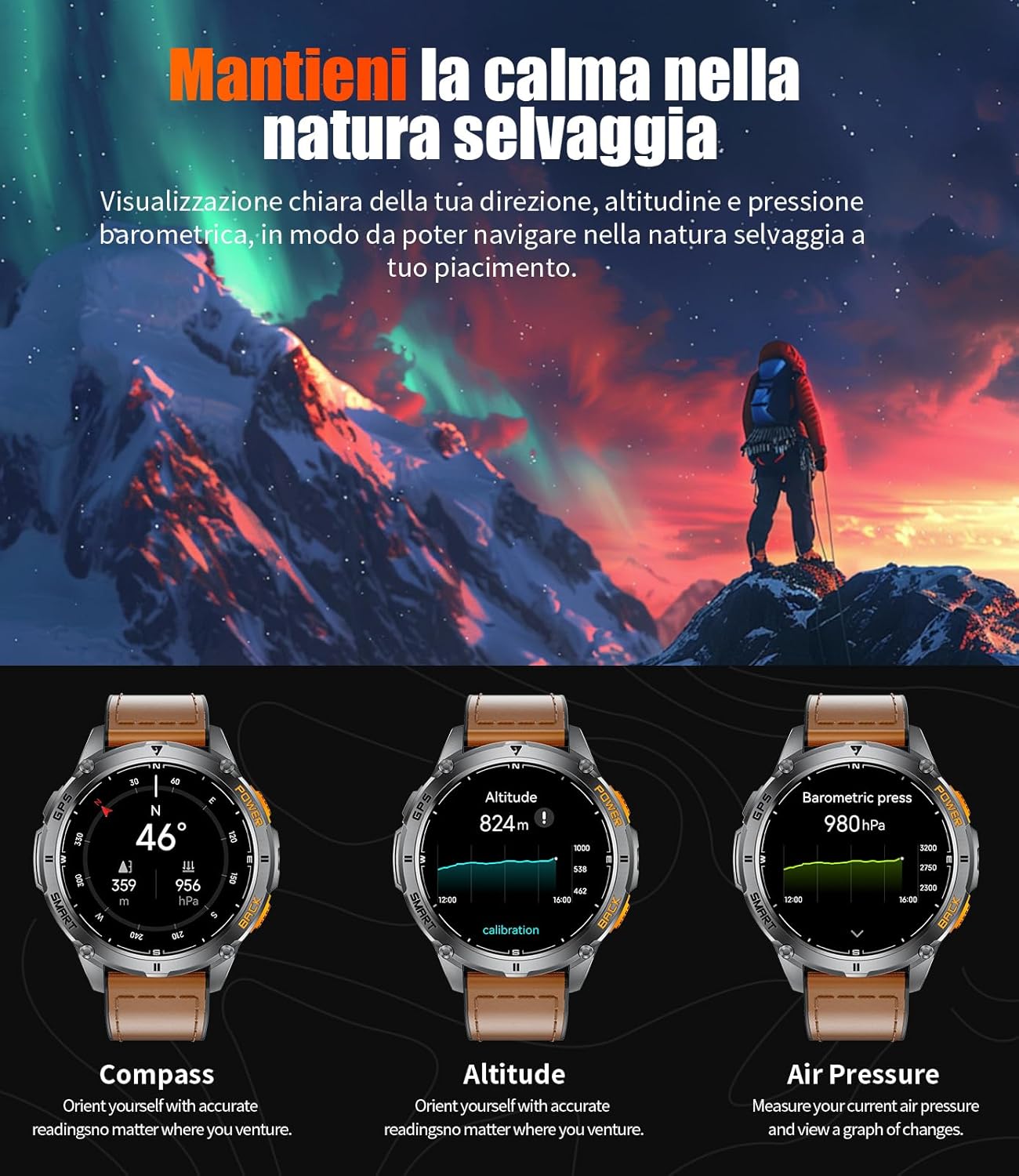
The smartwatch interface showing readings for compass direction, current altitude, and barometric pressure, essential tools for outdoor activities.
4.2 Display and Customization
The smartwatch boasts a 1.43-inch AMOLED full-touch display with a resolution of 466x466 pixels, offering clear and vibrant visuals. You can personalize your watch with over 200 available watch faces through the app, and even create custom DIY watch faces.

A selection of over 200 watch faces available for the smartwatch, including options for DIY customization through the companion app.
4.3 Sports Modes and Activity Tracking
With over 120 sports modes (including 15+ daily modes and 100+ customizable via the app), the DM4-B-JF accurately records your workout data. The integrated GPS tracks your training route, speed, pace, and heart rate, providing scientific data support for efficient exercise. It can also plan return routes for outdoor activities.

The smartwatch actively tracking a user's heart rate and other health metrics during a cycling activity, demonstrating its capability for over 170 sports modes.
4.4 Communication Features
Equipped with advanced Bluetooth 5.3, the smartwatch ensures a fast and stable connection. It features a built-in microphone and HD speaker for excellent call quality. You can make and receive calls directly from your wrist, and receive text messages and notifications from various applications (e.g., WhatsApp, Twitter, Facebook, Instagram).

The smartwatch demonstrating its Bluetooth call functionality, smart voice assistant, and instant message reminders from various social media applications.
4.5 Health Monitoring
The LIGE Smartwatch integrates an advanced biosensor chip for continuous monitoring of heart rate, blood oxygen levels, and blood pressure. It also tracks sleep duration and quality (deep sleep, light sleep). Health data can be easily reviewed through the app. (Note: Monitoring data is for reference only and cannot be used for medical diagnosis.)
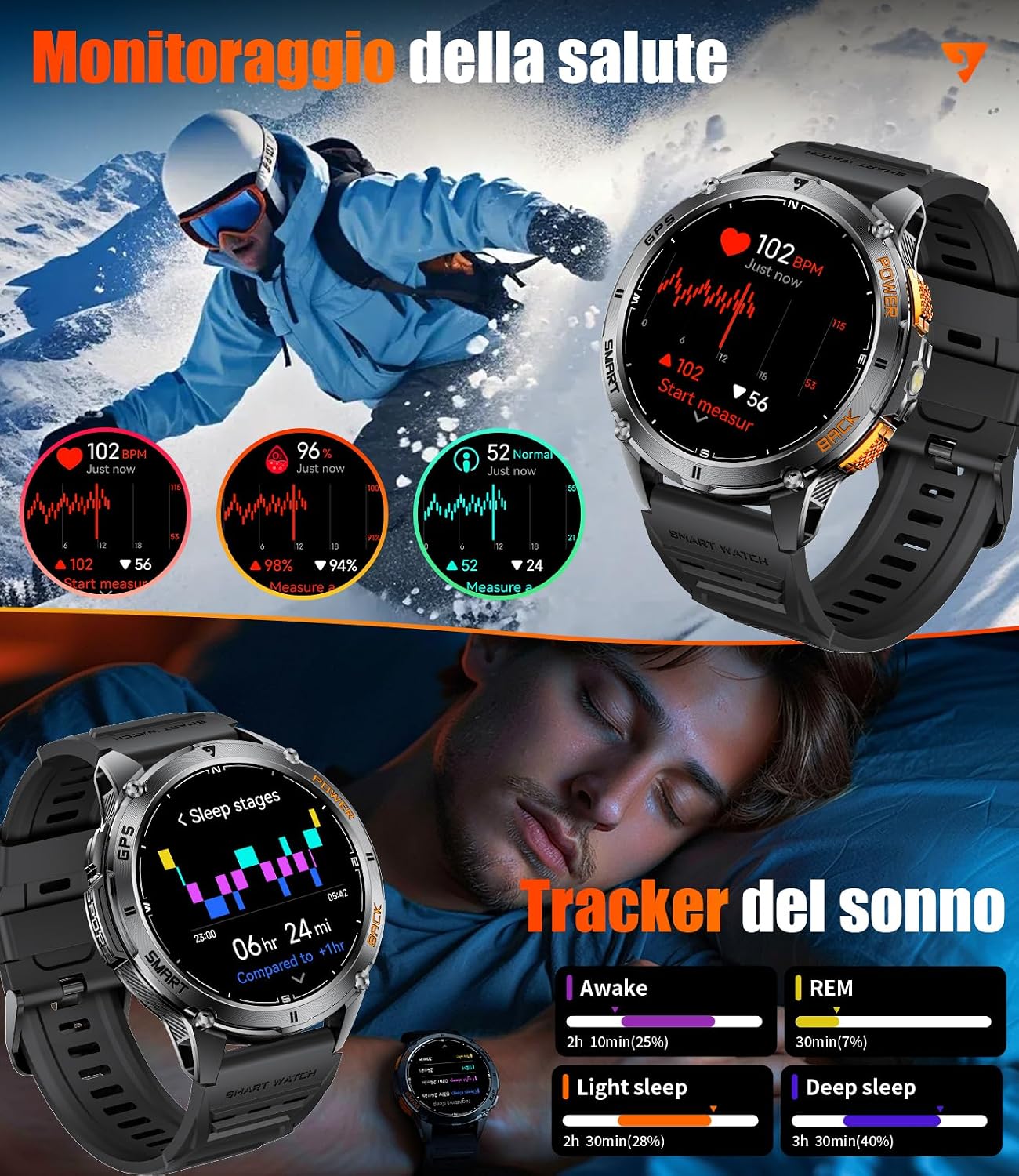
The smartwatch displaying real-time heart rate, blood oxygen, and blood pressure readings, alongside a detailed sleep tracking interface showing different sleep stages.
4.6 Additional Features
The DM4-B-JF offers a variety of practical functions:
- Voice Assistant: Control your watch and phone with voice commands.
- LED Flashlight: Provides emergency illumination in low-light environments.
- Weather Forecast: Get real-time weather updates.
- Calculator: Perform basic calculations on your wrist.
- Pedometer: Track your daily steps.
- Music Control: Manage music playback on your phone.
- Camera Control: Remotely trigger your phone's camera shutter.
- Find Phone: Locate your misplaced smartphone.
- Women's Health Management: Track menstrual cycles.
- Brightness Adjustment: Customize screen brightness.
- Do Not Disturb Mode: Silence notifications.
- SOS Emergency Call: Quick access to emergency contacts.
- Password Protection: Secure your device.
- Raise to Wake: Automatically illuminate the screen when you raise your wrist.

The smartwatch demonstrating its powerful LED flashlight function, useful for outdoor activities at night, during power outages, or for finding small items.

A visual overview of the smartwatch's additional features, including voice assistant, calculator, world clock, find my phone, music control, camera control, and weather forecast.
5. Maintenance
5.1 Battery Life
The 530mAh high-capacity battery provides extended usage. Depending on usage, it can last 7-20 days on a single charge. In power-saving mode, it can last over 100 days. Regular charging ensures optimal performance.
5.2 Water Resistance
The smartwatch is IP68 waterproof, making it resistant to dust and submersion in water up to 1.5 meters for 30 minutes. It is suitable for daily use, hand washing, and light rain. Avoid hot water, saunas, or diving, as steam and high pressure can compromise the seal.

A user swimming with the smartwatch, illustrating its 5ATM and IP68 water resistance ratings, suitable for swimming and water-related activities.
6. Troubleshooting
If you encounter any issues with your LIGE DM4-B-JF Smartwatch, please refer to the following common solutions:
- Watch not turning on: Ensure the watch is fully charged. Connect it to the charger for at least 30 minutes.
- Unable to pair with phone:
- Ensure Bluetooth is enabled on your phone and the watch.
- Make sure the watch is within the Bluetooth range (typically 10 meters).
- Restart both your phone and the smartwatch.
- Clear the Bluetooth cache on your phone.
- Ensure the "GloryFit Pro" app has necessary permissions (location, Bluetooth).
- Inaccurate health data:
- Ensure the watch is worn snugly on your wrist, not too tight or too loose.
- Clean the sensor on the back of the watch.
- Avoid excessive movement during measurements.
- Notifications not received:
- Check if notifications are enabled in the "GloryFit Pro" app for specific applications.
- Ensure the app is running in the background and not being closed by your phone's power-saving settings.
- Verify that your phone's notification settings allow the app to display alerts.
- GPS not tracking accurately:
- Ensure you are in an open area with a clear view of the sky.
- Allow the watch sufficient time to acquire a GPS signal before starting an activity.
If the issue persists, please contact customer support for further assistance.
7. Specifications
| Feature | Specification |
|---|---|
| Brand | LIGE |
| Model Name | DM4-B-JF |
| Display Size | 1.43 Inches |
| Display Type | AMOLED |
| Resolution | 466 x 466 pixels |
| Memory Capacity | 256 MB |
| Operating System | Proprietary Operating System |
| Battery Capacity | 530 mAh |
| Average Battery Life | 35 Days (Standby) |
| Charging Time | 2.5 Hours |
| Wireless Type | Bluetooth 5.3 |
| Compatible Devices | Smartphones (Android 5.0+, iOS 11+) |
| Special Features | GPS, Compass, Barometer, Altimeter, Health Monitoring, Flashlight |
| Water Resistance | IP68 |
| Item Weight | 210 g |
| Package Dimensions | 16.9 x 10.9 x 2.4 cm |

The smartwatch being worn during swimming, highlighting its water resistance capabilities.
8. Warranty and Support
For any questions or issues after receiving your LIGE DM4-B-JF Smartwatch, please contact our customer service. We are committed to resolving your concerns and will respond within 24 hours.
The product packaging includes the smartwatch, straps, accessories, and tools for bracelet extension, along with this instruction manual.
Ask a question about this manual
Ask about setup, troubleshooting, compatibility, parts, safety, or missing instructions. Manuals+ will review the question and use this page’s manual context to help answer it.