
mophie PS-PRIME-20
Mophie powerstation prime20 Portable Power Bank User Manual
Model: PS-PRIME-20
1. Introduction
The Mophie powerstation prime20 is a portable power bank designed to provide reliable power for your mobile devices. Featuring a 20,000mAh internal battery, 18W USB-C Power Delivery (PD) fast charging, and the ability to charge up to three devices simultaneously, it ensures your devices stay powered throughout the day. This power bank is also constructed with up to 50% post-consumer recycled plastics, reflecting a commitment to environmental sustainability.

Image: Mophie powerstation prime20 portable power bank, showcasing its compact design and 'Best Mom Ever' graphic.
2. Package Contents
Verify that all items are present in your package:
- Mophie powerstation prime20 Portable Power Bank
- USB-C to USB-C Cable (1 meter)
- Quick Start Guide (not included in this manual)
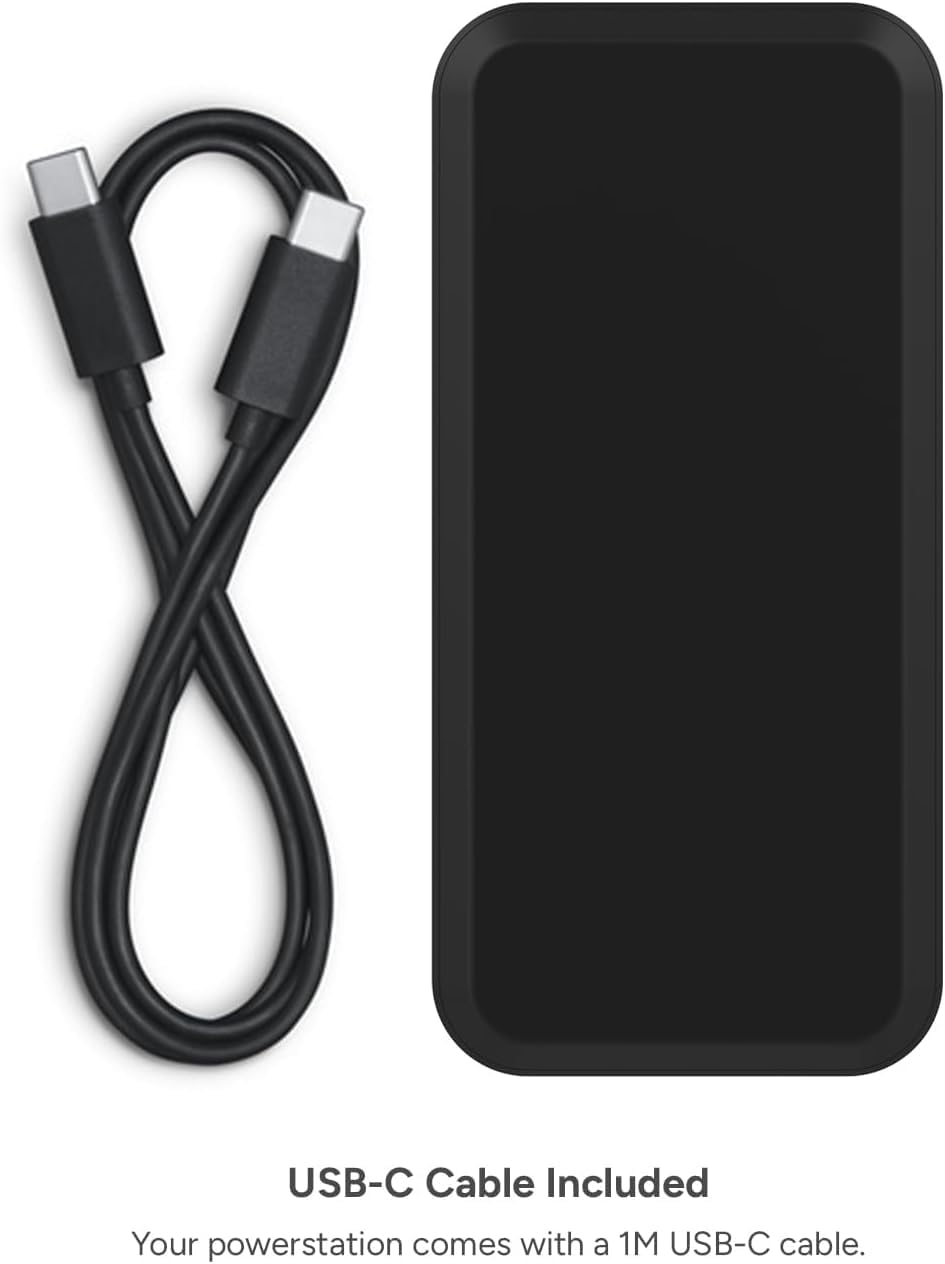
Image: The Mophie powerstation prime20 power bank shown alongside its included 1-meter USB-C cable.
3. Features
- 20,000mAh High-Capacity Battery: Provides extended power, capable of delivering up to four full charges for an iPhone.
- Fast Charging with 18W USB-C PD: Quickly recharges compatible devices, reaching up to 50% battery in approximately 30 minutes.
- Multi-Device Charging: Equipped with one USB-C port and two USB-A ports, allowing simultaneous charging of up to three devices.
- Built-in LED Power Indicator: Four-light LED display shows the charging status and current battery level of the power bank.
- Sustainable Design: Crafted from up to 50% post-consumer recycled plastics.
- Versatile Output Options: Offers a combined 15W shared output across all ports for optimized charging.

Image: The powerstation prime20 highlighting its 20,000mAh internal battery capacity.

Image: The powerstation prime20 demonstrating its ability to charge three devices concurrently: an iPad, an iPhone, and AirPods.

Image: A detailed view of the powerstation prime20's LED power indicator lights, showing the battery level.
Video: An overview of the Mophie powerstation prime20, demonstrating its charging capabilities for multiple devices, fast charging, and LED power indicator.
4. Setup
4.1 Charging the Power Bank
Before initial use, fully charge your powerstation prime20.
- Connect the included USB-C to USB-C cable to the USB-C PD port on the power bank.
- Connect the other end of the USB-C cable to a compatible USB-C wall adapter (not included).
- The LED indicator lights will illuminate to show the charging progress. All four lights will be solid when fully charged.
4.2 Checking Battery Level
Press the power button on the side of the power bank to view the current battery level via the LED indicator lights:
- 4 lights: 75-100% charged
- 3 lights: 50-75% charged
- 2 lights: 25-50% charged
- 1 light: 0-25% charged
5. Operating Instructions
5.1 Charging Your Devices
The powerstation prime20 can charge up to three devices simultaneously.
- Connect your device's charging cable to one of the available USB-A ports or the USB-C PD port on the power bank.
- Connect the other end of the cable to your device.
- The power bank will automatically begin charging your device. If it does not, press the power button once.
- Disconnect your device once it is fully charged or when you no longer need to charge.
Note: For optimal fast charging, use the USB-C PD port with a compatible USB-C to USB-C cable for devices that support USB-C Power Delivery.
6. Maintenance
- Cleaning: Use a soft, lint-free cloth to clean the power bank. Avoid using harsh chemicals or abrasive materials.
- Storage: Store the power bank in a cool, dry place away from direct sunlight and extreme temperatures.
- Battery Care: To maintain battery health, fully charge the power bank at least once every three months, even if not in regular use. Avoid completely draining the battery frequently.
- Safety: Do not attempt to disassemble, crush, puncture, or short-circuit the power bank. Keep away from water and fire.
7. Troubleshooting
| Problem | Possible Cause | Solution |
|---|---|---|
| Power bank not charging | Cable not properly connected; faulty cable or adapter; power bank fully charged. | Ensure cable is securely connected. Try a different cable or wall adapter. Check LED indicator; if all four are solid, it is fully charged. |
| Device not charging from power bank | Power bank battery depleted; cable not properly connected; device not compatible; power button not pressed. | Check power bank battery level. Ensure cable is securely connected to both power bank and device. Press the power button on the power bank. Verify device compatibility. |
| Slow charging | Using a non-fast charging port/cable; multiple devices charging simultaneously; device not supporting fast charging. | Use the USB-C PD port with a compatible cable for fast charging. Disconnect other devices if faster charging is needed for one device. Ensure your device supports fast charging. |
8. Specifications
- Model Number: PS-PRIME-20
- Battery Capacity: 20,000mAh
- Input (USB-C PD): 18W (Max)
- Output (USB-C PD): 18W (Max)
- Output (USB-A): 15W (Combined Max)
- Total Shared Output: 15W
- Connectors: 1x USB Type-C, 2x USB Type-A
- Product Dimensions: 5.71 x 2.76 x 1.06 inches (14.5 x 7.0 x 2.7 cm)
- Item Weight: 14.8 ounces (420 grams)
- Battery Type: Lithium Ion
- Material: Up to 50% Post-Consumer Recycled Plastics
9. Warranty and Support
Mophie products are designed for durability and performance. For warranty information, please refer to the warranty card included with your product or visit the official Mophie website. For technical support or customer service inquiries, please contact Mophie customer support through their official channels.
You can find more information and support resources on the Mophie Store on Amazon.
Related documentsPS-PRIME-20


Ask a question about this manual
Ask about setup, troubleshooting, compatibility, parts, safety, or missing instructions. Manuals+ will review the question and use this page’s manual context to help answer it.