
Monster AC601
Monster AC601 AI Translation Earbuds User Manual
Model: AC601 | Brand: Monster
1. Introduction
This manual provides comprehensive instructions for the Monster AC601 AI Translation Earbuds. These earbuds are designed to offer real-time language translation, music playback, and call functionality, enhancing communication and audio experiences.
Key features include:
- Advanced Real-Time Translation: AI-driven natural interpretation for smooth, sentence-by-sentence translation across 115 languages.
- Multiple Usage Modes: Supports Free Talk, Translation Machine, and Headphones & Phone modes.
- Bluetooth 6.0 Technology: Ensures stable connection, synchronized audio-video, and low latency.
- IPX5 Water Resistance: Protection against sweat and light rain.
- Extended Battery Life: Up to 32 hours total playtime with the charging case.

Image 1.1: Monster AC601 Earbuds highlighting AI and Bluetooth 6.0 technology.
2. Package Contents
Please verify that all items are present in your package:
- Monster AC601 AI Translation Earbuds (Left and Right)
- Charging Case
- USB Charging Cable
- User Manual (this document)
- Quick Start Guide
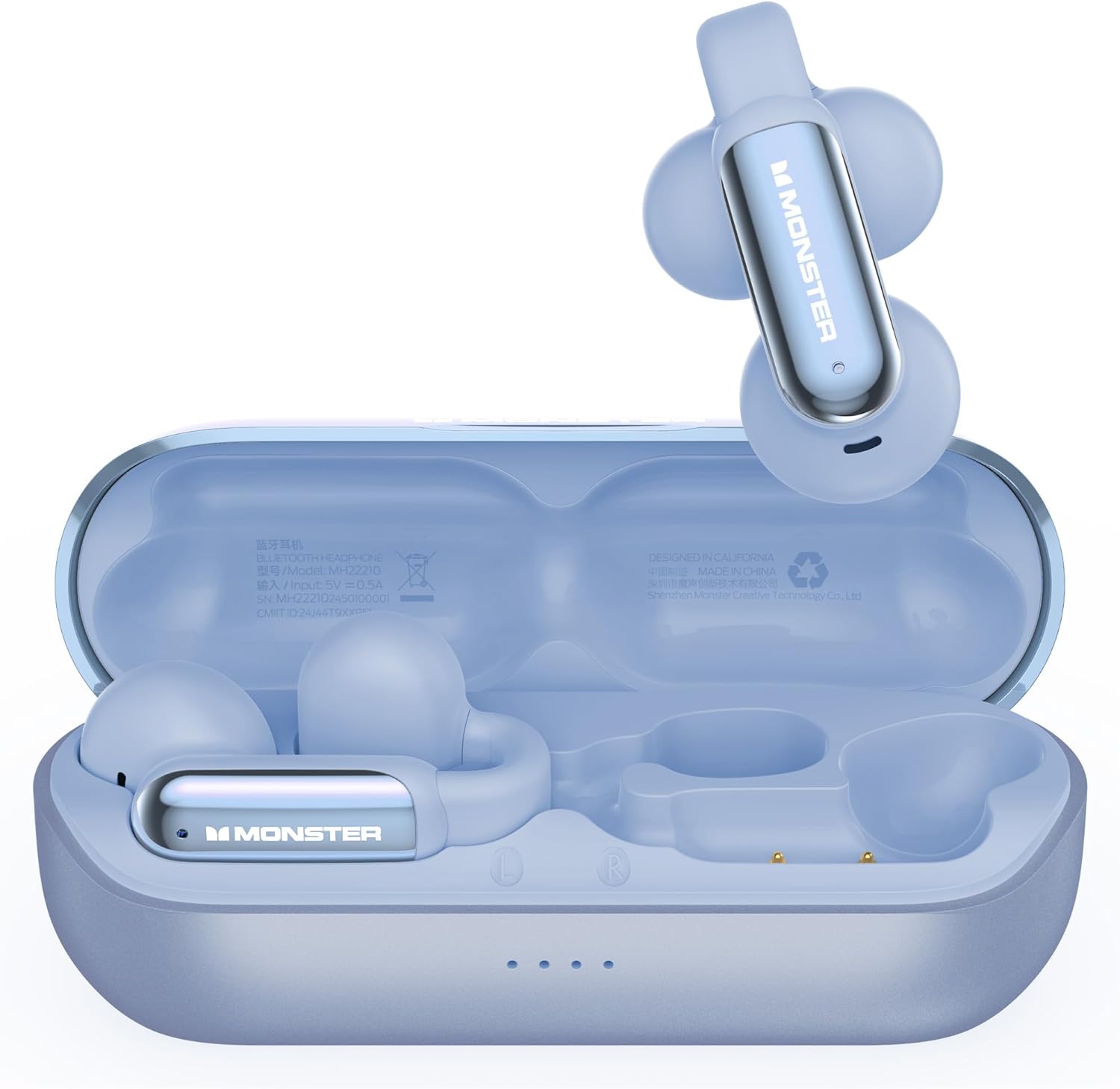
Image 2.1: The Monster AC601 earbuds shown within their charging case, with one earbud removed.
3. Setup
3.1. Charging the Earbuds and Case
- Place the earbuds into the charging case. Ensure they are correctly seated.
- Connect the USB charging cable to the charging port on the case and to a power source.
- The indicator lights on the charging case will illuminate to show charging status. A full charge typically takes approximately 1 hour for the earbuds and case.
The earbuds provide up to 8 hours of listening time on a single charge, and the charging case extends this to a total of 32 hours.

Image 3.1: Visual representation of the Monster AC601 earbuds' battery life and charging speed.
3.2. Pairing with Your Device
- Open the charging case. The earbuds will automatically enter pairing mode.
- On your smartphone or device, enable Bluetooth.
- Search for "Monster AC601" in the list of available Bluetooth devices and select it to connect.
- Once connected, a voice prompt will confirm successful pairing.
The Monster AC601 earbuds utilize Bluetooth 6.0 for a stable and efficient connection with both iOS and Android devices.

Image 3.2: The Monster AC601 earbuds demonstrating compatibility with various operating systems via Bluetooth 6.0.
4. Operating Instructions
4.1. Touch Controls
The Monster AC601 earbuds feature intuitive touch controls for managing audio, calls, and translation functions.
| Action | Gesture (L/R Earbud) | Function |
|---|---|---|
| Answer/End Call | Tap x2 | Manages incoming and active calls. |
| Play/Pause | Tap x2 | Controls media playback. |
| Decline Phone Call | Tap x3 | Rejects an incoming call. |
| Previous Song | Tap x3 (L) | Skips to the beginning of the current track or the previous track. |
| Next Song | Tap x3 (R) | Skips to the next track. |
| Increase Volume | Tap x1 (R) | Increases audio volume. |
| Reduce Volume | Tap x1 (L) | Decreases audio volume. |
| Voice Assistant | Press & Hold 2s | Activates your device's voice assistant. |

Image 4.1: Visual guide to the touch control gestures for the Monster AC601 earbuds.
4.2. Translation Modes
The Monster AC601 offers three distinct translation modes to suit various communication needs:
- Free Talk Mode: Ideal for casual conversations. Speak naturally, and the earbuds will provide real-time translation.
- Translation Machine Mode: For more structured translation, where one person speaks and the other listens to the translation.
- Headphones & Phone Mode: Allows you to listen to music or take calls while still having access to translation features through the connected app.
To utilize translation features, download the dedicated Monster translation app on your smartphone. The app allows you to select from 115 supported languages and manage translation settings.

Image 4.2: The Monster AC601 earbuds displaying their real-time multi-language translation capability.
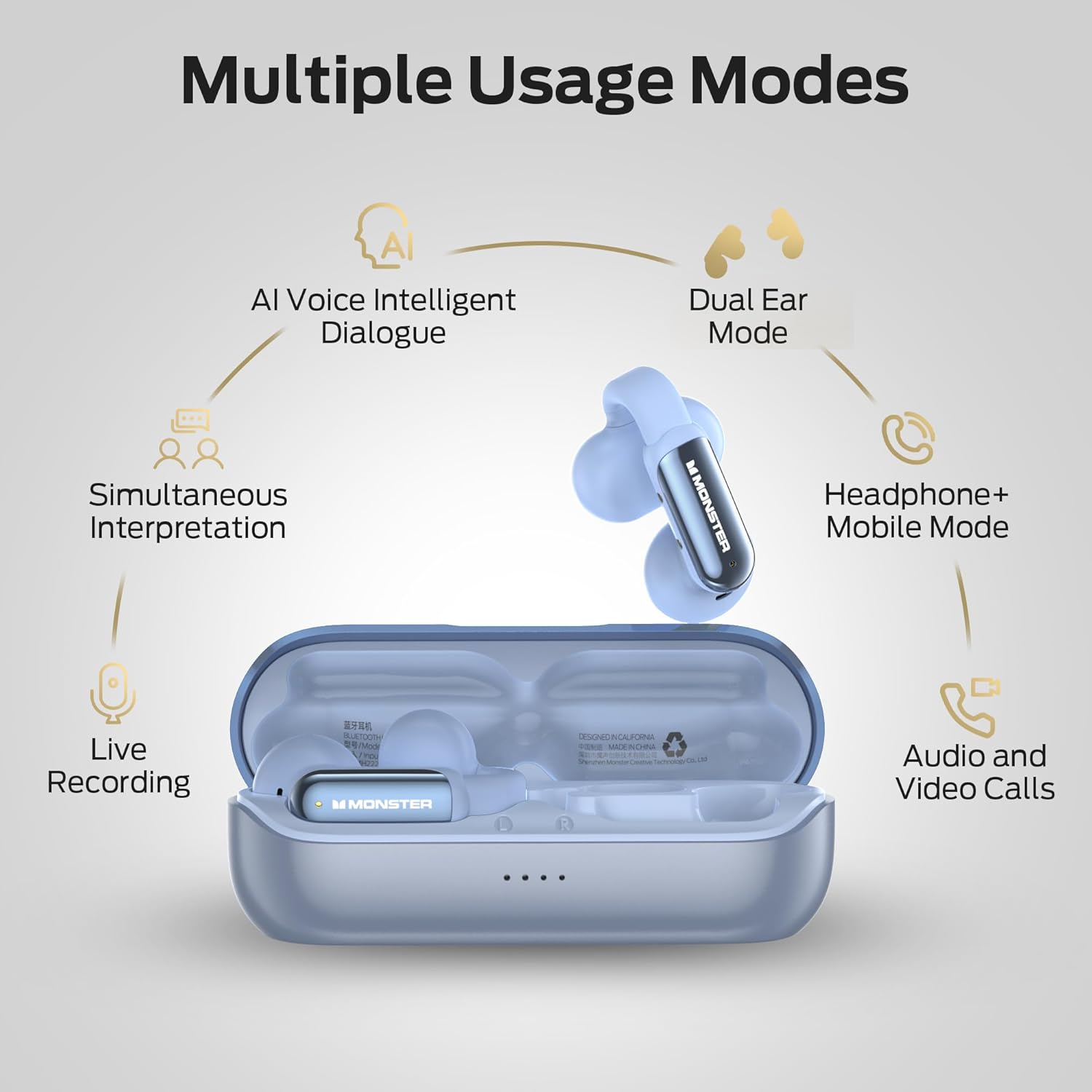
Image 4.3: Diagram illustrating the various usage modes of the Monster AC601 earbuds, including AI Voice, Dual Ear, and Simultaneous Interpretation.
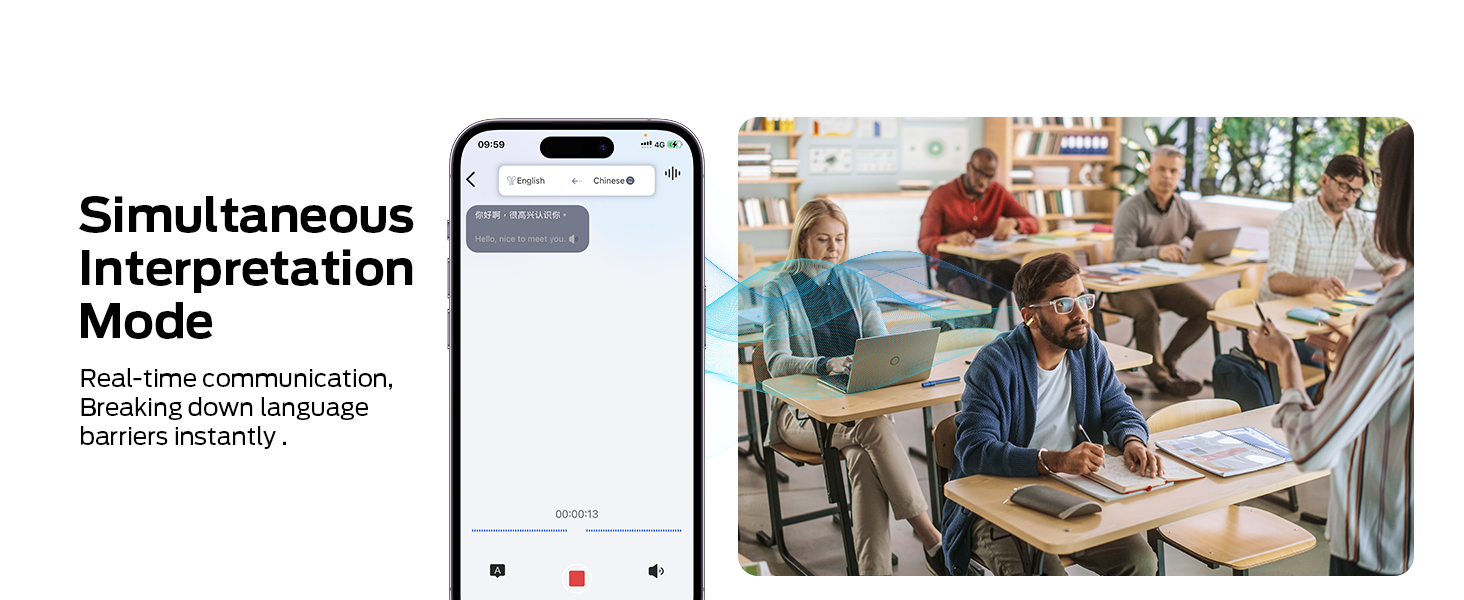
Image 4.4: The Simultaneous Interpretation Mode interface within the companion application.
4.3. Making and Receiving Calls
When connected to your smartphone, the earbuds allow you to manage phone calls:
- Answer/End Call: Double-tap either earbud.
- Decline Call: Triple-tap either earbud.
4.4. Listening to Music
Use the touch controls (refer to Section 4.1) to play, pause, skip tracks, and adjust volume when listening to music.
5. Maintenance
5.1. Cleaning
- Gently wipe the earbuds and charging case with a soft, dry, lint-free cloth.
- Do not use abrasive cleaners, solvents, or aerosol sprays.
- Avoid getting moisture into any openings.
5.2. Storage
When not in use, store the earbuds in their charging case to protect them and ensure they remain charged. Store in a cool, dry place away from direct sunlight and extreme temperatures.
5.3. Battery Care
- To prolong battery life, avoid fully discharging the earbuds and charging case frequently.
- Charge the device regularly, even if not in frequent use.
- Do not expose batteries to excessive heat, such as direct sunlight or fire.
6. Troubleshooting
If you encounter issues with your Monster AC601 earbuds, refer to the following common solutions:
6.1. Earbuds Not Pairing
- Ensure the earbuds are charged.
- Make sure Bluetooth is enabled on your device.
- Place the earbuds back in the case, close the lid, then open it again to re-enter pairing mode.
- Try forgetting the device from your phone's Bluetooth settings and re-pairing.
6.2. No Sound or Low Volume
- Check the volume levels on both your earbuds and your connected device.
- Ensure the earbuds are properly seated in your ears.
- Reconnect the earbuds to your device.
6.3. Translation Issues
- Verify that the Monster translation app is open and correctly configured on your device.
- Check your internet connection, as real-time translation often requires online access.
- Ensure the correct source and target languages are selected in the app.
- Speak clearly and at a moderate pace.
6.4. Earbuds Not Charging
- Ensure the charging cable is securely connected to both the case and the power source.
- Check if the charging contacts on the earbuds and inside the case are clean and free of debris.
- Try using a different USB cable or power adapter.
7. Specifications
| Feature | Detail |
|---|---|
| Model | AC601 |
| Brand | Monster |
| Connectivity | Bluetooth 6.0 |
| Ear Placement | Open Ear |
| Control Method | Touch |
| Water Resistance | IPX5 |
| Translation Languages | 115 |
| Earbud Battery Life | Up to 8 hours |
| Total Playtime (with case) | Up to 32 hours |
| Speaker Size | 13mm Dynamic Audio |
| Material | Plastic, Silicone |
| Item Weight | 4.6 ounces (total, likely including case) |
| Package Dimensions | 5.24 x 4.49 x 1.93 inches |

Image 7.1: Detailed view of the 13mm dynamic audio speaker and acoustic cavity structure within the Monster AC601 earbud.

Image 7.2: Overview of key features including Hi-Fi Stereo Sound, IPX5 Waterproof rating, and Bluetooth 6.0 technology.
8. Warranty and Support
For warranty information and customer support, please refer to the warranty card included in your product packaging or visit the official Monster website. You may also contact the seller directly for assistance.
Online Support: Visit the Monster Store on Amazon
Related documentsAC601


Ask a question about this manual
Ask about setup, troubleshooting, compatibility, parts, safety, or missing instructions. Manuals+ will review the question and use this page’s manual context to help answer it.