
Ulefone Armor X31 Pro 5G Phone-Orange
Ulefone Armor X31 Pro 5G Rugged Smartphone User Manual
Model: Armor X31 Pro 5G Phone-Orange | Brand: Ulefone
1. Product Overview
The Ulefone Armor X31 Pro 5G is a rugged smartphone designed for durability and high performance. It features a powerful MediaTek Dimensity 6300 Octa-Core processor, a large 6050mAh battery, and advanced camera capabilities including a 64MP main camera and a 25MP night vision camera. Built to withstand harsh environments, it is IP68/IP69K waterproof, shockproof, and dustproof.
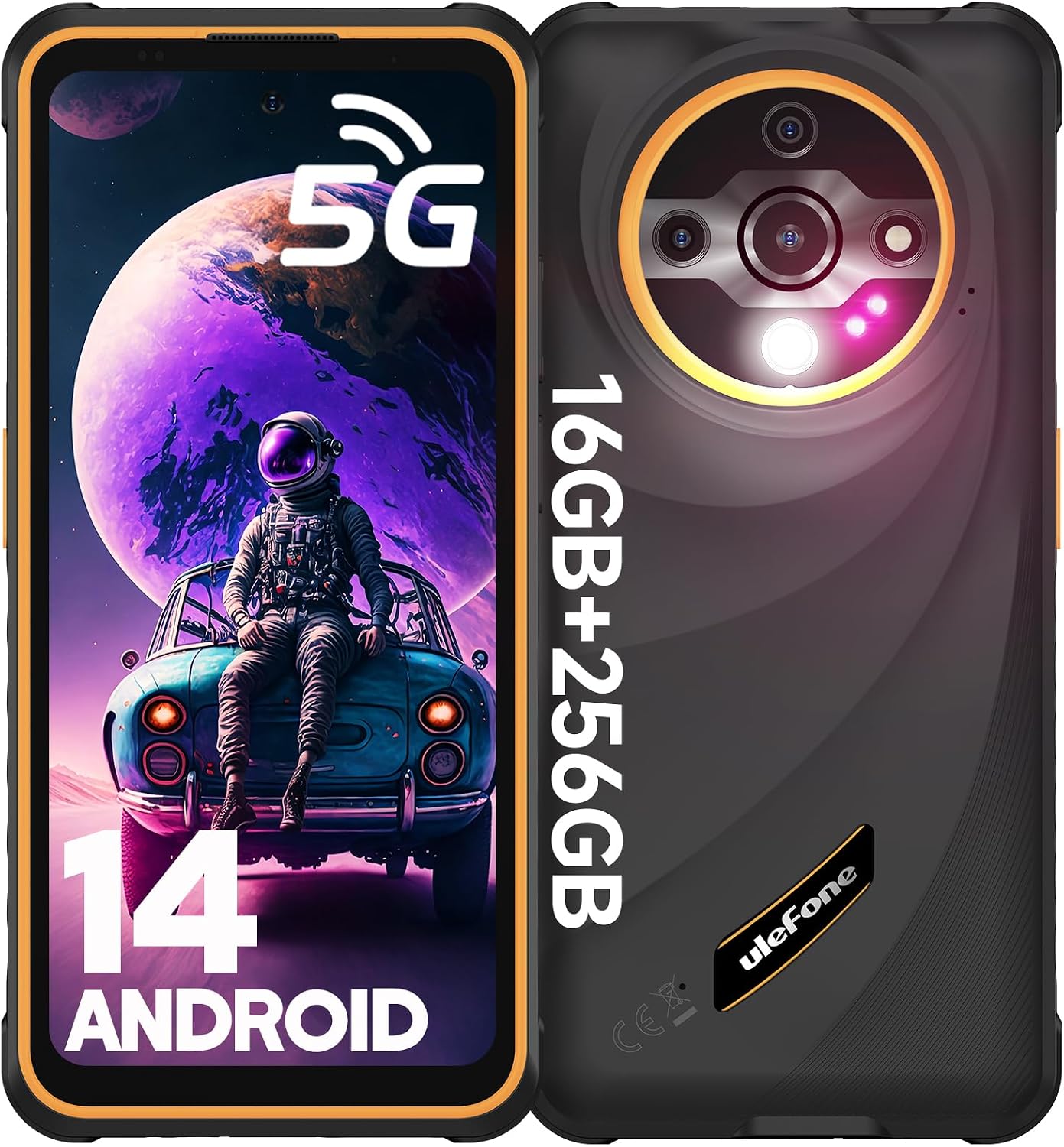
Figure 1: Front and back view of the Ulefone Armor X31 Pro 5G Smartphone, highlighting its rugged design and camera module.
2. What's in the Box
- Ulefone Armor X31 Pro 5G Phone
- AC Power Charger (100~240V)
- Type-C to Type-C Data Cable (100cm)
- Screen Protector (pre-installed)
- SIM Tray Ejector
- Lanyard
- Multi-language User Manual
- Multi-function Instruction Card
- Charging Instruction Card
- Safety Prompt Card
- Accessories Ecosystem Brochure
- Service Center APP Instructions
3. Setup Guide
3.1. Inserting SIM Cards and MicroSD Card
The Armor X31 Pro 5G supports dual Nano SIM cards and one microSD card for storage expansion up to 2TB. Use the provided SIM tray ejector tool to open the SIM card slot on the side of the device.
- Locate the SIM tray on the side of the phone.
- Insert the SIM tray ejector tool into the small hole next to the tray and push gently until the tray pops out.
- Place your Nano SIM cards and/or microSD card into the designated slots on the tray, ensuring correct orientation.
- Carefully push the tray back into the phone until it is flush with the device body.

Figure 2: Illustration of the 3-card slot for dual SIM and microSD card insertion.
3.2. Initial Power On and Android 14 Setup
To power on your device for the first time, press and hold the power button located on the side until the Ulefone logo appears. Follow the on-screen prompts to complete the initial setup of Android 14, including language selection, Wi-Fi connection, Google account login, and security settings.

Figure 3: The Android 14 operating system interface on the Ulefone Armor X31 Pro 5G.
4. Operating Instructions
4.1. Display and Navigation
The device features a 6.56-inch 120Hz display with up to 800 nits brightness for clear outdoor visibility. Navigate the interface using touch gestures. The 120Hz refresh rate provides smooth scrolling and responsiveness.
Video 1: Official product video showcasing the Ulefone Armor X31 Pro 5G's features, including display clarity and ruggedness. This video is provided by the seller, SMART TECH PHONE.
4.2. Camera Functions
The Armor X31 Pro 5G is equipped with a versatile camera system:
- 64MP Ultra-clear Main Camera: For high-resolution photos with a Sony IMX682 sensor.
- 25MP Night Vision Camera: Allows capturing images and videos in low-light or no-light conditions.
- 16MP Front Camera: For clear selfies and video calls.
- 2MP Macro Camera: For detailed close-up shots.
To access the camera, tap the camera icon on the home screen or app drawer. Switch between modes (Photo, Video, Night Vision, Macro) using the options at the bottom of the camera interface.

Figure 4: Detailed view of the multi-camera system on the Ulefone Armor X31 Pro 5G.

Figure 5: The independent 120 lumen flashlight feature of the Ulefone Armor X31 Pro 5G.
4.3. Battery and Charging
The device is powered by a 6050mAh battery. Use the provided 18W fast charger and Type-C cable for optimal charging. The phone also supports reverse charging, allowing it to act as a power bank for other devices (OTG cable not included).

Figure 6: Visual representation of the 6050mAh battery and its reverse charging capability.
4.4. Connectivity and Sensors
The Armor X31 Pro 5G offers comprehensive connectivity and sensor features:
- 5G Network Support: For high-speed data.
- Dual SIM Dual Standby: Supports 5G/4G/3G/2G networks.
- NFC: For contactless payments and data transfer.
- Fingerprint ID & Face Unlock: For secure and convenient unlocking.
- GPS, GLONASS, BEIDOU, GALILEO: For accurate navigation.
- Custom Key: Programmable button for quick access to functions.
- FM Radio: Requires a 3.5mm headphone jack as an antenna.
- 3.5mm Headphone Jack: Standard audio port.
- Notification LED: Provides visual alerts for notifications.
- Gloves Mode: Enhances touch sensitivity for use with gloves.
The device is not compatible with AT&T, Cricket, or CDMA carriers such as Sprint & Verizon.

Figure 7: The Ulefone Armor X31 Pro 5G's support for 5G network connectivity.
Figure 8: Overview of additional functionalities including NFC, Fingerprint ID, GPS, and audio jack.
5. Maintenance and Care
The Ulefone Armor X31 Pro 5G is built to be rugged, but proper care will extend its lifespan and maintain its performance.
- Cleaning: Wipe the device with a soft, damp cloth. For stubborn dirt, use a mild soap solution. Ensure all ports are dry before charging.
- Water Exposure: While waterproof (IP68/IP69K), ensure all port covers are securely closed before exposing the phone to water. After water exposure, dry the device thoroughly, especially the charging port, before plugging in any cables.
- Temperature: Avoid exposing the phone to extreme temperatures (very hot or very cold) as this can affect battery life and internal components.
- Impact Protection: Despite being shockproof, avoid unnecessary drops or impacts.

Figure 9: The Ulefone Armor X31 Pro 5G's robust protection against water, dust, and drops.
6. Troubleshooting
| Problem | Possible Cause | Solution |
|---|---|---|
| Phone does not turn on | Low battery; software crash. | Charge the phone for at least 30 minutes. Press and hold the power button for 10-15 seconds to force restart. |
| Cannot connect to network (AT&T, Cricket, CDMA) | Incompatibility with specific carriers. | The device is not compatible with AT&T, Cricket, or CDMA carriers such as Sprint & Verizon. Please use compatible GSM carriers. |
| Slow performance | Too many apps running in background; low storage. | Close unused apps. Clear cache. Free up storage by deleting unnecessary files or moving them to microSD. Restart the device. |
| Charging issues | Dirty charging port; faulty cable/charger. | Ensure charging port is clean and dry. Try a different Ulefone-approved cable and charger. |
7. Specifications
| Feature | Detail |
|---|---|
| Model | Armor X31 Pro 5G Phone-Orange |
| Operating System | Android 14 |
| Processor | MediaTek Dimensity 6300 Octa-Core 2.4GHz |
| RAM | 16GB (8GB physical + 8GB virtual) |
| Internal Storage | 256GB ROM |
| Expandable Storage | Up to 2TB with microSD card |
| Display | 6.56-inch, 120Hz, 800 nits Max Brightness, Corning Gorilla Glass 5 |
| Main Camera | 64MP (Sony IMX682 sensor) |
| Night Vision Camera | 25MP |
| Front Camera | 16MP |
| Battery Capacity | 6050mAh |
| Charging | 18W Fast Charge, Reverse Charging (OTG) |
| Durability | IP68/IP69K Waterproof, Shockproof (2m drop), Dustproof, MIL-STD-810H Certified |
| Connectivity | 5G, Dual SIM, Wi-Fi, Bluetooth 5.2, NFC, GPS |
| Security | Fingerprint ID, Face Unlock |
| Audio Jack | 3.5 mm |
| Dimensions | 6.84 x 3.23 x 0.54 inches |
| Weight | 10.8 ounces |
8. Warranty and Support
For warranty information and technical support, please refer to the official Ulefone website or the "Exclusive Service Center App" pre-installed on your device. Keep your purchase receipt for warranty claims.
The product comes with a standard return policy of 30 days for refund/replacement, as per the buybox winner information.
Manufacturer: Ulefone
Seller: SMART TECH PHONE
Related documentsArmor X31 Pro 5G Phone-Orange


Ask a question about this manual
Ask about setup, troubleshooting, compatibility, parts, safety, or missing instructions. Manuals+ will review the question and use this page’s manual context to help answer it.