
Introduction
This manual provides comprehensive instructions for the SHARK Main Body Motor Head Chassis Assembly with integrated battery. This component is designed for use with specific Shark Vertex DuoClean PowerFins Cordless Vacuum models, including IZ440H, IZ441H, IZ441HBRN, and IZ440HC. Please read this manual thoroughly before installation and operation to ensure proper function and longevity of your vacuum cleaner.
This assembly includes the main motor body and integrated battery. It does not include the dust bin, wand, or nozzle, which are separate components of your vacuum system.
Setup and Installation
Before installing the new main body assembly, ensure your vacuum is powered off and disconnected from any charging source. Handle the assembly carefully to avoid damage.
1. Unpacking and Inspection
- Carefully remove the main body assembly from its packaging.
- Inspect the unit for any visible damage that may have occurred during shipping. If damage is found, do not proceed with installation and contact customer support.
2. Attaching to Vacuum Components
The main body assembly connects to the vacuum wand and the dust bin. Ensure these components are clean and free of obstructions before attachment.

Image: Close-up view of the main body's connection port, showing the three electrical contacts and the opening for the wand. This port is where the vacuum wand or other attachments connect.
- Align the main body's connection port with the top of the vacuum wand.
- Gently push the main body onto the wand until it clicks securely into place.
- Attach your existing dust bin to the main body. Ensure it is properly seated and latched.
3. Initial Battery Charge
The main body assembly includes an integrated battery. For optimal performance, fully charge the battery before first use.
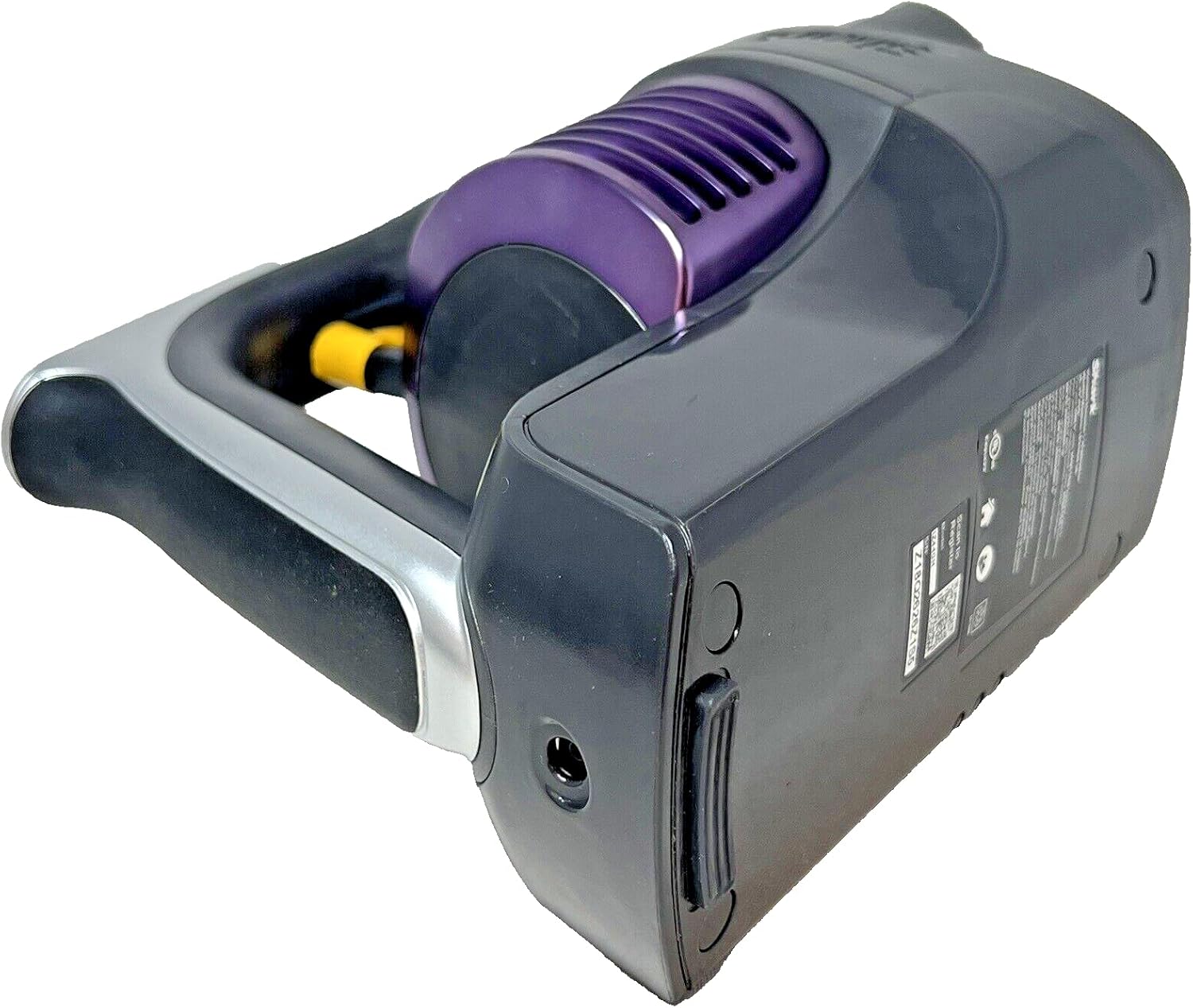
Image: Bottom view of the SHARK main body assembly, highlighting the charging port located near the handle. This port is used to connect the charger for the integrated battery.
- Locate the charging port on the main body (refer to image above).
- Connect the Shark charger (model DK33-288080H-U, not included) to the charging port.
- Plug the charger into a standard electrical outlet.
- Allow the battery to charge until the indicator lights show a full charge. Charging time may vary.
Operating Instructions
Once assembled and charged, your vacuum is ready for operation. The main body controls the power and suction settings.
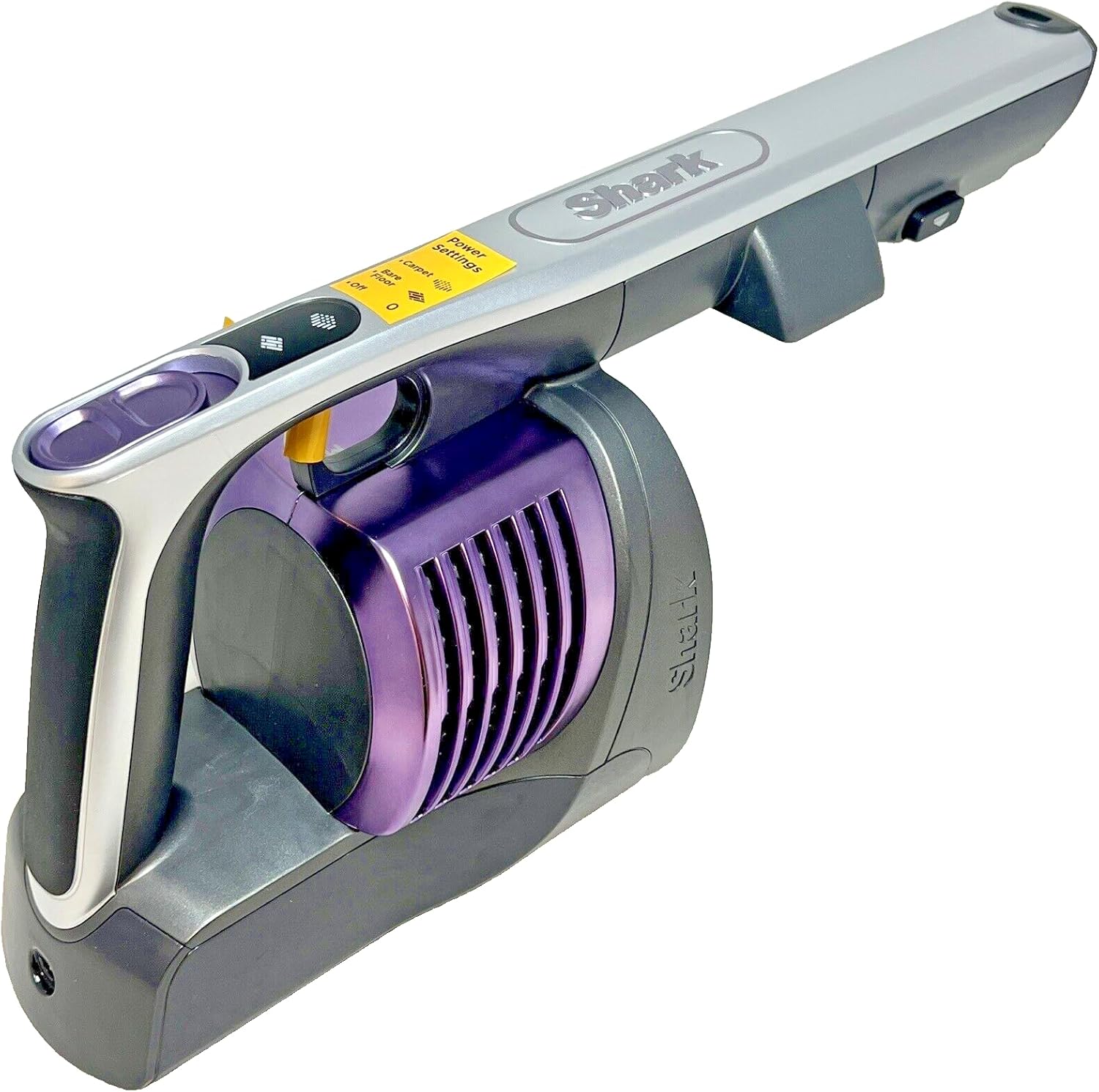
Image: Side view of the SHARK main body assembly, displaying the power settings switch and other control buttons on the handle. The power settings typically include options for different floor types and suction levels.
- Power On/Off: Locate the power button/switch on the handle of the main body. Press or slide it to turn the vacuum on or off.
- Suction Settings: Use the power settings switch (often labeled for 'Carpet', 'Hard Floor', 'Boost') to adjust the suction power according to your cleaning needs and floor type.
- Battery Indicator: Monitor the battery indicator lights on the main body to check the remaining charge during operation.
For detailed instructions on using specific attachments or features of your Shark Vertex DuoClean PowerFins Cordless Vacuum, please refer to the original vacuum cleaner's full instruction manual.
Maintenance
Regular maintenance of the main body and its filter system is crucial for maintaining optimal performance and extending the life of your vacuum.
1. Filter Cleaning and Replacement
The main body houses the vacuum's filter. Regular cleaning prevents loss of suction.

Image: The SHARK main body assembly with the dust bin removed, showing the internal filter housing and the pleated filter element. The filter is designed to capture fine dust and debris.

Image: Top-down view of the SHARK main body assembly with the filter and its housing detached. This view clearly shows the internal components and the area where the filter sits.
- Ensure the vacuum is off and the dust bin is removed.
- Locate and remove the filter assembly from the main body.
- Tap the filter gently over a trash can to remove loose dirt and debris.
- If the filter is washable (check your original vacuum manual), rinse it with cold water until the water runs clear. Allow it to air dry completely for at least 24 hours before reinstallation. Do not use a hairdryer or other heating methods.
- Replace the filter assembly back into the main body, ensuring it is securely seated.
- Replace filters as recommended by Shark, typically every 3-6 months, depending on usage.
2. Exterior Cleaning
- Wipe the exterior of the main body with a soft, damp cloth.
- Do not use abrasive cleaners or solvents, as these can damage the surface.
- Ensure no moisture enters the electrical components or charging port.
3. Battery Care
- To maximize battery life, avoid fully discharging the battery frequently.
- Store the vacuum in a cool, dry place when not in use.
- If storing for an extended period, charge the battery to approximately 50% before storage.
Troubleshooting
If you encounter issues with your SHARK Main Body Motor Head Chassis Assembly, refer to the following common problems and solutions.
| Problem | Possible Cause | Solution |
|---|---|---|
| Vacuum does not power on. | Battery is not charged. Main body not properly connected to wand/nozzle. | Charge the battery fully. Ensure all connections are secure and click into place. |
| Reduced suction power. | Clogged filter. Dust bin is full. | Clean or replace the filter as per maintenance instructions. Empty the dust bin. |
| Battery not charging. | Charger not properly connected. Faulty charger or outlet. | Ensure charger is securely plugged into the main body and wall outlet. Test the charger with another device or try a different outlet. |
If the problem persists after attempting these solutions, please refer to the original Shark vacuum manual or contact Shark customer support.
Specifications
Key specifications for the SHARK Main Body Motor Head Chassis Assembly with Battery.

Image: Close-up of the product label on the SHARK main body, displaying important information such as the model number (IZ440H), voltage (25.2V), battery type (Li-ion), and manufacturing details.
- Brand: SHARK
- Model Name: IZ440H (Compatible with IZ440H, IZ441H, IZ441HBRN, IZ440HC)
- Special Feature: Cordless operation (integrated battery)
- Filter Type: Foam (requires regular cleaning/replacement)
- Form Factor: Handheld (when detached from wand)
- Product Dimensions: Approximately 8"L x 5"W x 12"H
- Item Weight: Approximately 2 pounds
- Power Levels: 2 (typically for different floor types)
- Indoor/Outdoor Usage: Indoor
- Battery Type: Li-ion (integrated)
- Voltage: 25.2V (as per product label)
Warranty and Support
This SHARK Main Body Motor Head Chassis Assembly is considered a wearable part. As per the manufacturer, normal wear and tear of wearable parts, which require regular maintenance and/or replacement to ensure the proper functioning of your unit, are not covered by warranty.
For information regarding returns and refunds, please refer to Amazon’s Return and Refund policy, which typically allows returns within 30 days of receipt for most items.
For further assistance or specific product inquiries, please visit the official Shark website or contact their customer support directly. You may also refer to the original instruction manual for your Shark Vertex DuoClean PowerFins Cordless Vacuum for comprehensive support information.
Official Website: www.sharkclean.com


