
Introduction
This manual provides instructions for the Shark Mini Motorized Zero-M Self-Cleaning Anti Hair Wrap Pet Tool Brush. This accessory is designed to enhance the cleaning capabilities of your compatible Shark cordless vacuum, specifically for removing pet hair and debris from upholstery, stairs, and other surfaces. The Zero-M technology actively removes hair from the brush roll as you clean, preventing hair wrap.
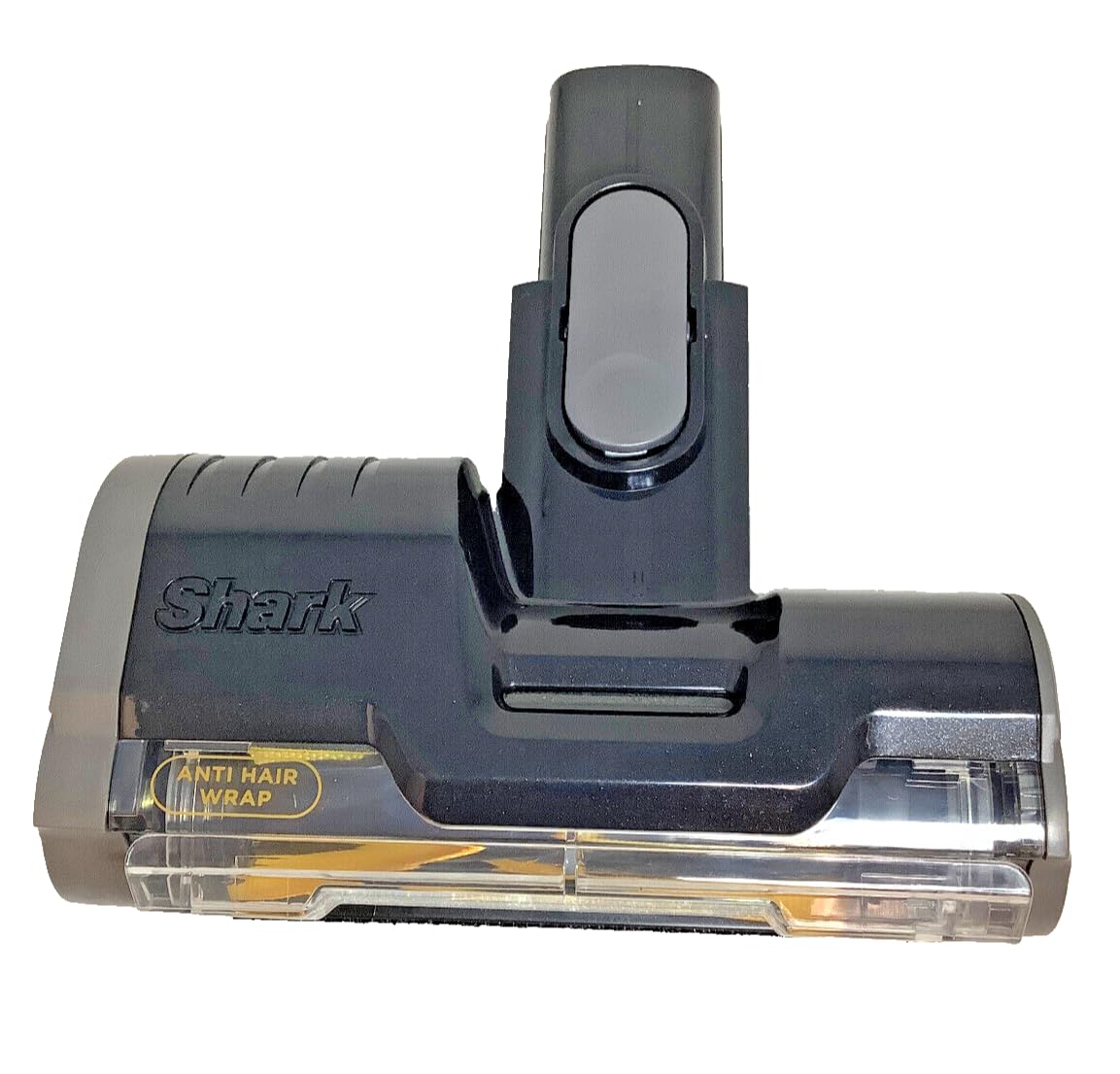
Image: Front view of the Shark Mini Motorized Pet Tool Brush, showcasing its compact design and the Shark logo.
Compatibility
This Mini Motorized Pet Tool Brush (OEM part #630FJ140) is compatible with the following Shark cordless vacuum models:
- IX140, IX140C, IX141, IX142
- IZ140, IZ140C, IZ141C, IZ142, IZ142NP, IZ162H, IZ162HB1, IZ162HNP, IZ163H, IZ242, IZ361H, IZ362H, IZ363HT, IZ440H, IZ441H, IZ441HBRN, IZ462H, IZ462HNP, IZ482H, IZ483H, IZ631H, IZ340H, IZ341HC
- QZ140QBK, QZ140QBL, QZ162HQBI, QZ162HQDE, QZ162HQLC, QZ162HQPB, QZ162HQSV, QZ163HQBI, QZ163HQDE, QZ163HQLC, QZ163HQPB, QZ163HQSV
- UZ145, UZ155, UZ345H, UZ365H, UZ355H
- WZ440H, WZ250, WZ250RD
- IZ464H

Image: The Shark Mini Motorized Pet Tool Brush in its packaging, clearly showing the OEM part number 630FJ140.
Setup
Attaching the Pet Tool
- Ensure your Shark cordless vacuum is powered off and disconnected from any charging source.
- Locate the attachment port on your vacuum's wand or handheld unit.
- Align the connector of the Mini Motorized Pet Tool Brush with the attachment port. Push firmly until it clicks securely into place. Ensure the electrical contacts are properly engaged.
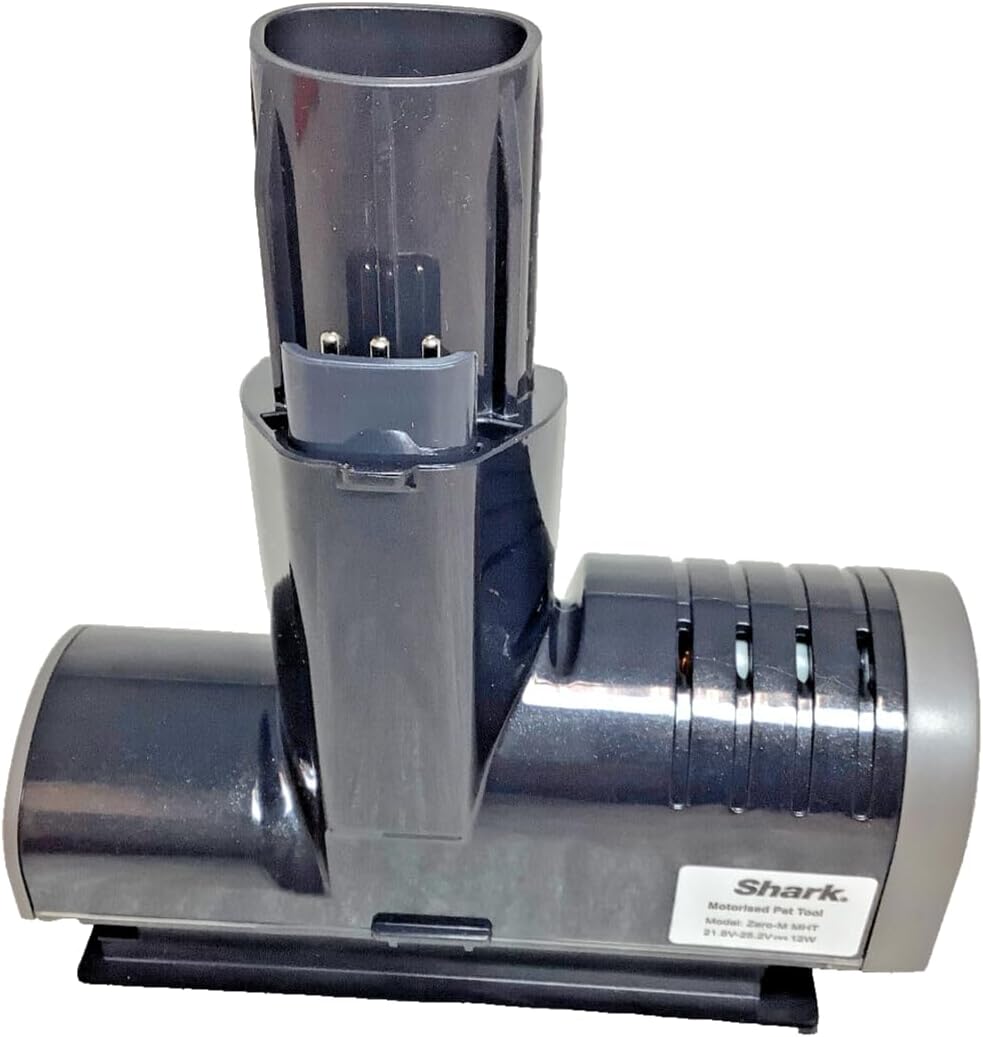
Image: Top view of the pet tool, illustrating the design of the attachment mechanism for connection to the vacuum.

Image: Angled view of the pet tool's connector, highlighting the electrical contacts that power the motorized brush.
Operating Instructions
Using the Pet Tool
- Once the pet tool is securely attached, power on your Shark cordless vacuum. The motorized brush roll will activate.
- Guide the pet tool over surfaces such as upholstery, pet beds, car interiors, or stairs to effectively lift and remove embedded pet hair, dirt, and debris.
- The Zero-M Self-Cleaning Brushroll actively removes hair from the brush roll as you clean, minimizing hair wrap.
- For optimal performance, move the tool slowly over the target area.

Image: Underside view of the pet tool, displaying the motorized brush roll and the Zero-M anti-hair wrap fins.
Maintenance
Cleaning the Brush Roll
While the Zero-M technology is designed to prevent hair wrap, occasional maintenance may be required to ensure optimal performance.
- Ensure the vacuum is powered off and the pet tool is detached.
- Inspect the brush roll for any remaining hair, strings, or debris. Use scissors to carefully cut away any wrapped hair if necessary, being careful not to damage the bristles.
- Check the nozzle opening and the connection port for any blockages. Remove any obstructions to maintain proper airflow and suction.
- Wipe the exterior of the tool with a dry cloth. Do not use water or cleaning solutions on electrical components.
Image: Underside view of the pet tool, illustrating the brush roll area that may require periodic inspection and cleaning.
Troubleshooting
Common Issues
- Pet Tool Not Spinning:
- Ensure the tool is securely attached to the vacuum's wand or handheld unit.
- Check for any obstructions in the brush roll or the connection port that might be preventing it from spinning.
- Verify that the vacuum itself is powered on and functioning correctly.
- Reduced Suction:
- Inspect the pet tool's nozzle and brush roll area for blockages.
- Check the vacuum's dust cup and filters, as a full dust cup or clogged filter can affect overall suction.
For issues not related to the pet tool itself, please refer to the instruction manual for your specific Shark cordless vacuum model.
Specifications
- OEM Part Number: 630FJ140
- Model: Zero-M MHT
- Electrical Rating: 21.6V-25.2V --- 12W
- Product Dimensions: Approximately 4 x 4 x 2 inches
- Item Weight: Approximately 8 ounces

Image: Close-up of the product label on the pet tool, indicating 'Shark', 'Motorised Pet Tool', 'Model: Zero-M MHT', and electrical specifications (21.6V-25.2V --- 12W).
Warranty and Support
Wearable Parts
This item is considered a wearable part. Normal wear and tear of wearable parts, which require regular maintenance and/or replacement to ensure the proper functioning of your unit, are typically not covered by the manufacturer's warranty.
Returns and Refunds
For information regarding returns and refunds, please refer to Amazon's Return and Refund policy, as this product is sold through Amazon.
