1. Introduction
Thank you for choosing the VIFOCUFY 96W 48V 2A Adapter Charger. This power supply is designed to provide reliable and efficient power to compatible Saris and CycleOps smart bike trainers. This manual provides essential information for the safe and effective use of your new adapter charger, including setup, operation, maintenance, and troubleshooting.
Package Contents:
- 1 × VIFOCUFY 96W 48V 2A Adapter Charger
- Power Cord (attached)

Image 1.1: The VIFOCUFY 96W 48V 2A Adapter Charger with its integrated power cord.
2. Safety Information
Please read all safety instructions carefully before using the adapter charger. Failure to follow these instructions may result in electric shock, fire, or damage to the product or connected devices.
- Do not expose the adapter to water, moisture, or extreme temperatures.
- Do not disassemble, modify, or attempt to repair the adapter.
- Ensure the adapter is connected to a properly grounded power outlet.
- Avoid placing heavy objects on the power cord.
- Unplug the adapter from the power outlet when not in use for extended periods.
- Keep out of reach of children.
Built-in Safety Protections:
The VIFOCUFY adapter charger is equipped with multiple safety features to protect your devices:
- Over Temperature Protection: Prevents overheating of the adapter.
- Short Circuit Protection: Safeguards against short circuits.
- Over Voltage Protection: Protects against excessive voltage input.
- Over Current Protection: Prevents damage from excessive current draw.
- Over Load Protection: Protects against power overloads.
- Over Charge Protection: Ensures safe charging for compatible devices.

Image 2.1: Visual representation of the charger's built-in safety protection features.
3. Product Overview and Compatibility
The VIFOCUFY 96W 48V 2A Adapter Charger is a high-quality power supply designed for specific smart bike trainers. It features a robust design and a standard round barrel connector for reliable power delivery.
Key Features:
- Input: AC 100-240V, 50-60Hz
- Output: DC 48V, 2A, 96W
- Charging Port: Round Jack (Barrel Connector)
- Cable Length: Approximately 7.5 feet (2.3 meters)
- Color: Black
Compatible Devices:
This adapter charger is compatible with the following smart bike trainer models:
- Saris 9830T H3, 9830TH3, 9830TF, 9830TF_0, 9830TF0, 9830TZ, M2, 9930T, 9930TF_0, 9930TF0 Direct Drive Smart Bicycle Cycle Indoor Bike Trainer
- CycleOps H2, M2, 9930T, 9820, 9820Z Direct Drive Smart Bike Trainer
- CycleOps Hammer 9810 H1 Smart Bike Trainer
- CycleOps Magnus 9920, 25420, 25420_0 Bicycle Smart Trainer
- Saris Direct Drive Smart Bike Trainer Model SDI65-48-UD, SD165-48-UD, SD16-48-UD, SDI65-48UD, SD165-48UD, SD16-48UD P/N: SDI65-48-UDC-P6-C2, SD165-48-UDC-P6-C2

Image 3.1: The charger connected to a Saris bike trainer, illustrating its primary use.

Image 3.2: The charger's compatibility with CycleOps H2 Smart Bike Trainer, showing the barrel connector detail.
4. Setup
Follow these steps to set up your VIFOCUFY adapter charger:
- Inspect the Charger: Before connecting, visually inspect the adapter and its cables for any signs of damage. Do not use if any damage is observed.
- Connect to Device: Locate the power input port on your compatible Saris or CycleOps smart bike trainer. Insert the round barrel connector of the VIFOCUFY adapter firmly into the device's power input port.
- Connect to Power Outlet: Plug the AC power cord of the adapter into a standard AC 100-240V wall outlet. Ensure the outlet is easily accessible.
- Verify Connection: Once connected, the indicator light on the adapter should illuminate, typically green, indicating that power is being supplied.

Image 4.1: Proper connection of the charger to a smart bike trainer and a wall outlet.
5. Operating Instructions
The VIFOCUFY adapter charger operates automatically once connected to a power source and a compatible device. It provides a stable 48V DC output to power your smart bike trainer.
Indicator Light:
- A green indicator light signifies that the adapter is receiving power and is ready to supply power to the connected device.
- If the light is off, check the power connections to both the wall outlet and the device.
The adapter is designed for continuous operation within its specified limits. Always ensure that the power requirements of your device do not exceed the adapter's 96W (48V 2A) output capacity.

Image 5.1: Operational details of the charger, including input, output, and charging port type.
6. Maintenance and Care
Proper maintenance ensures the longevity and safe operation of your adapter charger.
- Cleaning: Disconnect the adapter from all power sources and devices before cleaning. Use a soft, dry cloth to wipe the surface. Do not use liquid cleaners or abrasive materials.
- Storage: When not in use, store the adapter in a cool, dry place away from direct sunlight and extreme temperatures. Avoid tightly coiling the cables to prevent damage.
- Cable Management: Regularly check the power cord and connector for any signs of fraying, cuts, or bends. Replace the adapter if any damage is found.
7. Troubleshooting
If you encounter issues with your VIFOCUFY adapter charger, refer to the following common problems and solutions:
| Problem | Possible Cause | Solution |
|---|---|---|
| Adapter indicator light is off. | No power from outlet, loose connection, or faulty adapter. |
|
| Device is not powering on/charging. | Incorrect adapter, device issue, or insufficient power. |
|
| Adapter feels excessively hot. | Overload, poor ventilation, or internal fault. |
|
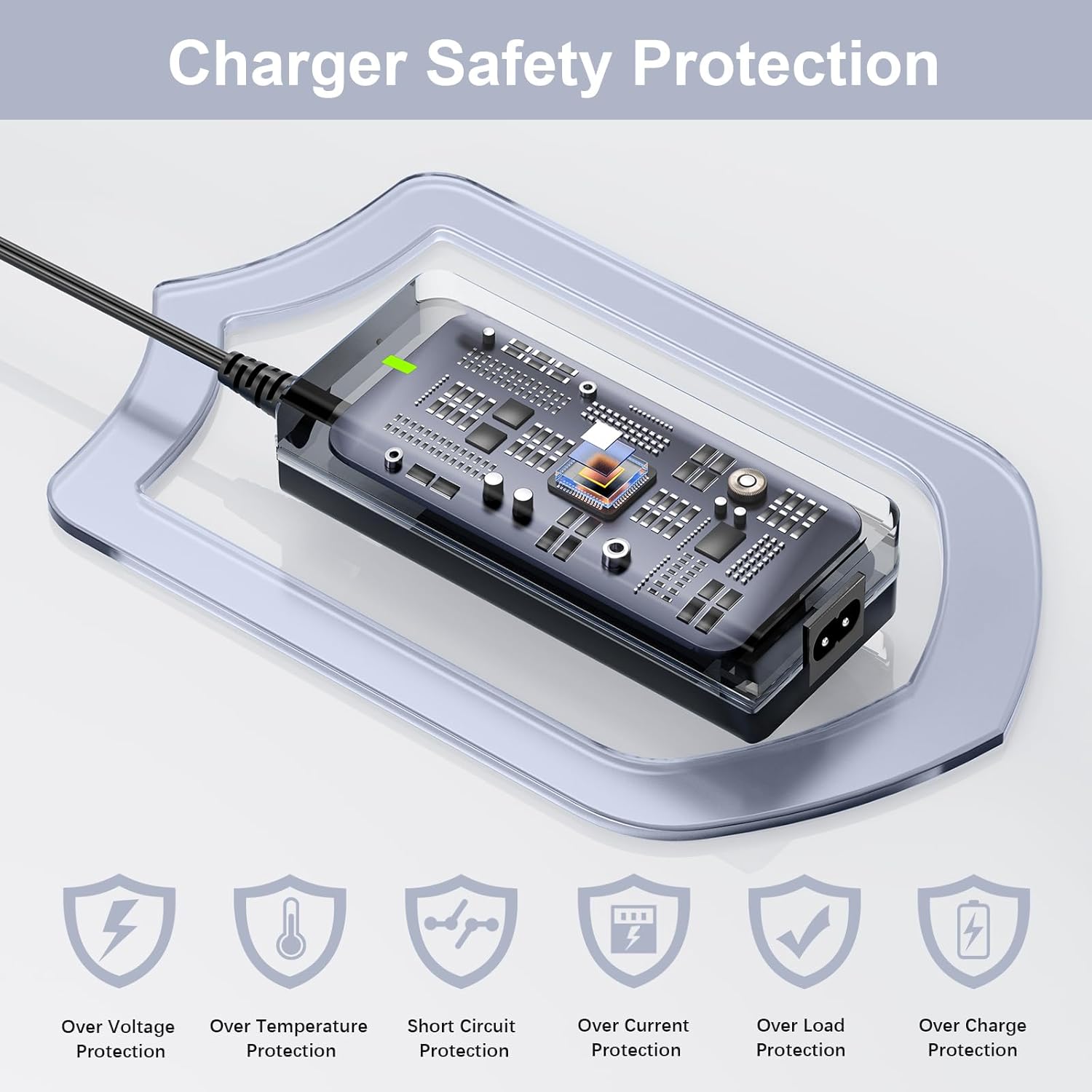
Image 7.1: Visual comparison highlighting the reliability of VIFOCUFY chargers.
8. Specifications
Detailed technical specifications for the VIFOCUFY 96W 48V 2A Adapter Charger:
- Product Dimensions: 5.3 x 2.4 x 1.3 inches (13.46 x 6.1 x 3.3 cm)
- Item Weight: 12.6 ounces (357.2 grams)
- Input Voltage: AC 100-240V, 50-60Hz
- Output Voltage: DC 48 Volts
- Output Amperage: 2 Amps
- Output Wattage: 96 Watts
- Connector Type: Barrel Connector (Round Jack)
- Color: Black
- Special Features: Over Load Protection, Over Temperature Protection, Short Circuit Protection, Over Voltage Protection, Over Current Protection, Over Charge Protection
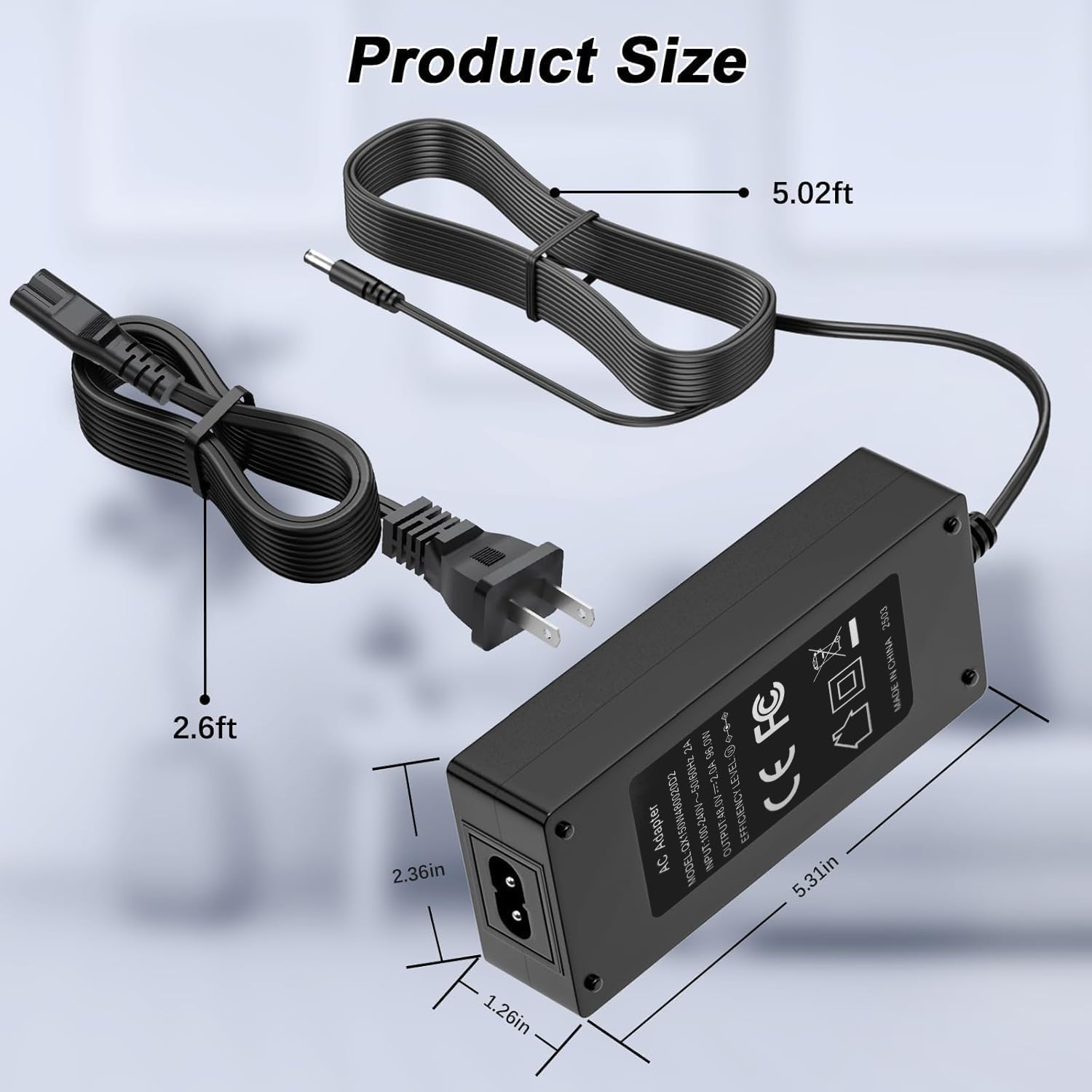
Image 8.1: Close-up details of the charger's components and features.
Image 8.2: Dimensions of the adapter and cable lengths.
9. Warranty and Support
VIFOCUFY stands behind the quality of its products.
Quality Assurance:
This VIFOCUFY 96W 48V 2A Adapter Charger comes with a 12 Months Quality Assurance. This warranty covers manufacturing defects and ensures the product performs as described under normal use.
Customer Support:
If you have any questions, concerns, or require assistance with your product, please contact VIFOCUFY customer support. We are committed to providing prompt support and solutions.
For support, please refer to the contact information provided with your purchase or visit the official VIFOCUFY store page on Amazon: VIFOCUFY Amazon Store.


