
Introduction
This manual provides comprehensive instructions for the LIGE FV12 Smartwatch. It covers essential information regarding setup, operation, maintenance, and troubleshooting to ensure you get the most out of your device. The LIGE FV12 features a 1.43-inch AMOLED HD display, Bluetooth calling capabilities, over 100 sports modes, and advanced health monitoring functions.

Image: The LIGE FV12 Smartwatch, showcasing its sleek design with both a mesh metal strap and a silicone strap. The display highlights key features such as AMOLED technology, heart rate monitoring, and incoming call notifications.
1. Setup
1.1 Unboxing and Components
Upon opening the package, verify that all components are present:
- LIGE FV12 Smartwatch
- Metal strap
- Silicone strap
- Strap accessories
- Charging cable
- Instruction manual (this document)
1.2 Charging the Smartwatch
Before initial use, fully charge your smartwatch. Connect the magnetic charging cable to the charging contacts on the back of the watch and plug the USB end into a standard USB power adapter (not included).
- A full charge typically takes approximately 2 hours.
- The watch display will indicate charging status.
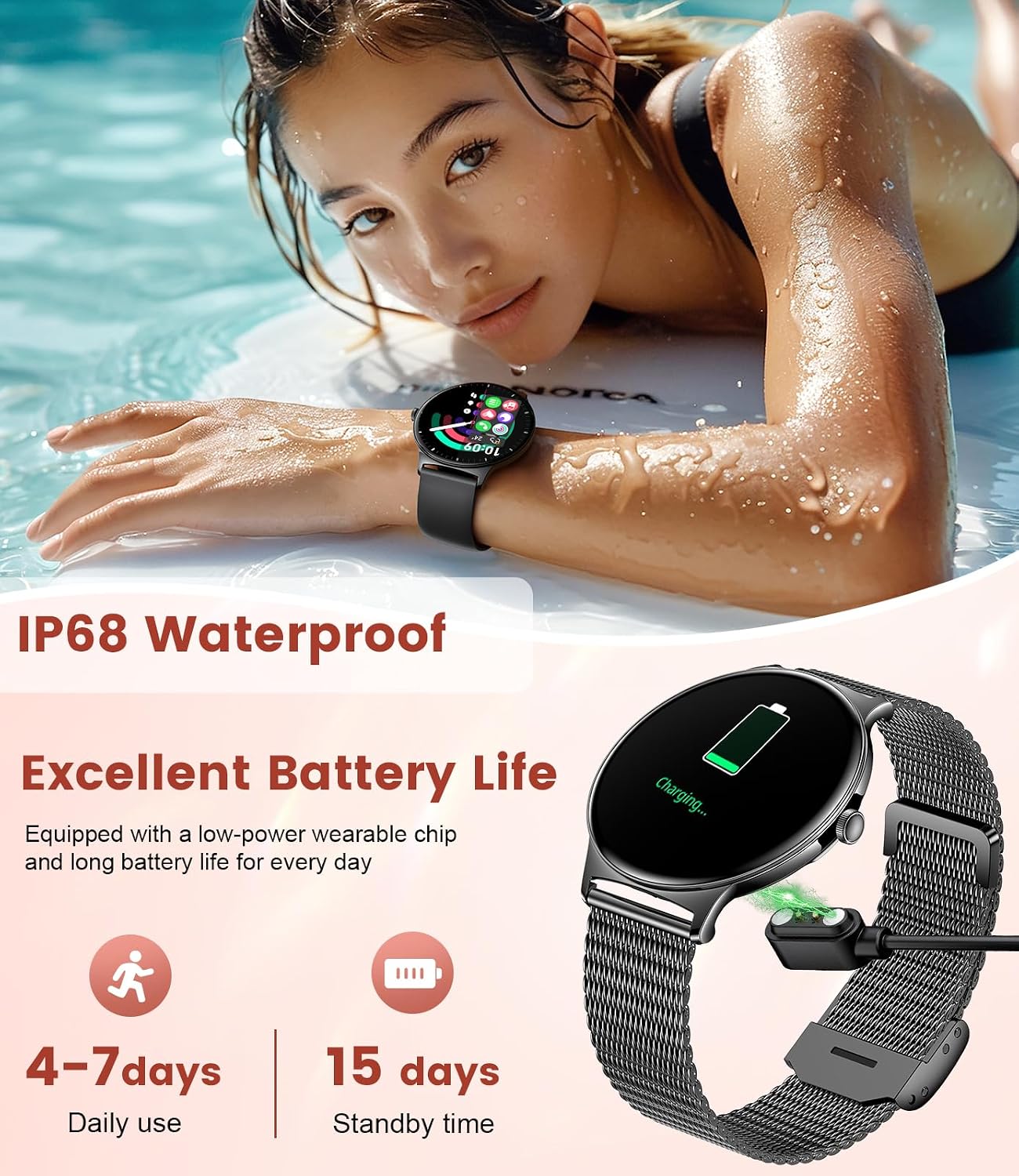
Image: The LIGE FV12 Smartwatch connected to its magnetic charging cable, displaying a charging icon on its screen. This image also highlights the IP68 waterproof rating and estimated battery life of 4-7 days for daily use and 15 days standby.
1.3 App Installation and Pairing
To unlock the full functionality of your LIGE FV12 Smartwatch, you need to install the companion application on your smartphone.
- Scan the QR code provided in the quick start guide or search for the official LIGE smartwatch app in your phone's app store (Google Play Store for Android, Apple App Store for iOS).
- Download and install the application.
- Ensure Bluetooth is enabled on your smartphone.
- Open the LIGE app, create an account or log in, and follow the on-screen instructions to add your device.
- Select "LIGE FV12" from the list of available devices in the app to initiate pairing.
- Confirm the pairing request on both your phone and the smartwatch.
Compatibility: The smartwatch is compatible with Android 5.0+ and iOS 8.0+ smartphones. For the one-touch call function, iOS 13+ is required.
2. Operating Instructions
2.1 Basic Navigation
The LIGE FV12 features a full-touch AMOLED display and a side button for navigation.
- Touch Screen: Swipe left/right, up/down to navigate through menus and features. Tap to select.
- Side Button: Press to wake the screen, return to the home screen, or access the app list. Long press for power options.

Image: A close-up view of the LIGE FV12 Smartwatch, emphasizing its ultra-thin profile (7.9mm) and the comfortable, breathable braided strap. The image also highlights the large, vibrant display.
2.2 Bluetooth Calling and Message Notifications
Once paired with your smartphone, the smartwatch allows you to manage calls and view notifications directly from your wrist.
- Answering/Making Calls: Use the built-in dial keypad, contact lists, or call records on the watch.
- Message Alerts: Receive real-time notifications for texts, emails, and social media apps. Customize notification settings via the companion app.

Image: The LIGE FV12 Smartwatch screen showing an incoming call and various social media app icons, illustrating its Bluetooth call and message notification capabilities.
2.3 Sports Modes and Activity Tracking
The smartwatch supports over 100 sports modes to track your physical activities.
- Selecting a Mode: Navigate to the "Sports" menu on your watch and select your desired activity (e.g., running, cycling, swimming, yoga).
- Data Tracking: The watch records data such as steps, distance, calories burned, and duration.
- Syncing Data: Activity data automatically syncs with the companion app for detailed analysis and progress tracking.

Image: The LIGE FV12 Smartwatch screen showing activity metrics like steps, calories, and exercise duration, alongside icons representing various sports modes such as cycling, running, yoga, and hiking.
2.4 Health Monitoring
The LIGE FV12 provides comprehensive health monitoring features.
- Heart Rate Monitoring: Continuously tracks your heart rate throughout the day.
- Blood Oxygen (SpO2) Monitoring: Measures your blood oxygen saturation levels.
- Sleep Tracking: Monitors sleep patterns, including deep sleep, light sleep, and awake times.
- Stress Monitoring: Provides insights into your stress levels.
- Women's Health Tracking: Offers features for period, prediction, gestation, and ovulation tracking.

Image: The LIGE FV12 Smartwatch displaying various health metrics including sleep duration, heart rate, blood oxygen levels, and stress indicators, demonstrating its comprehensive health monitoring capabilities.

Image: The LIGE FV12 Smartwatch screen showing a cycle tracking interface, with options for period, prediction, gestation, and ovulation, highlighting its dedicated women's health monitoring features.
2.5 Additional Features
- Music Control: Control music playback on your smartphone (play, pause, skip tracks, adjust volume).
- Voice Assistant: Activate your phone's voice assistant directly from the watch.
- Remote Camera Control: Use your watch as a remote shutter for your smartphone camera.
- Customizable Watch Faces: Choose from over 200 pre-installed watch faces or upload your own photos via the app.
- Reminder Functions: Set reminders for sedentary alerts, drinking water, and alarms.
- Weather Forecast: View current weather conditions and forecasts.

Image: A collage of LIGE FV12 Smartwatch features, including music control, alarm settings, weather display, voice assistant activation, sedentary and hydration reminders, and remote camera control.

Image: The LIGE FV12 Smartwatch showcasing its 1.43-inch AMOLED full-screen colorful display with 466x466 resolution and full touch capabilities. The image also highlights the option for over 200 free dials and DIY customization.
3. Maintenance
3.1 Water Resistance
The LIGE FV12 Smartwatch has an IP68 waterproof rating and is 5ATM water-resistant, meaning it can withstand submersion up to 50 meters. It is suitable for swimming and daily water exposure.
- Avoid exposing the watch to hot water, steam, or high-pressure water jets.
- Do not operate buttons underwater.
- Dry the watch thoroughly after exposure to water, especially before charging.
3.2 Cleaning and Care
- Wipe the watch screen and body with a soft, lint-free cloth.
- For stubborn stains, use a slightly damp cloth. Avoid harsh chemicals or abrasive materials.
- Clean the charging contacts regularly to ensure proper charging.
- If using the metal mesh strap, ensure it is dry after water exposure to prevent corrosion.
3.3 Battery Care
- Avoid extreme temperatures (hot or cold) as they can affect battery life.
- For long-term storage, charge the watch to about 50% and store it in a cool, dry place.
- Regularly charging the watch before it completely drains can help prolong battery health.
4. Troubleshooting
4.1 Common Issues and Solutions
- Watch not turning on: Ensure the watch is fully charged. Connect it to the charger for at least 30 minutes.
- Cannot pair with phone:
- Ensure Bluetooth is enabled on your phone and the watch.
- Make sure the watch is within range of your phone.
- Restart both your phone and the smartwatch.
- Try unpairing and re-pairing through the LIGE app.
- Inaccurate health data:
- Ensure the watch is worn snugly on your wrist, not too tight or too loose.
- Clean the sensor on the back of the watch.
- Avoid excessive movement during measurements.
- Short battery life:
- Reduce screen brightness.
- Disable continuous heart rate monitoring if not needed.
- Limit the number of app notifications.
- Ensure the watch is not constantly searching for a Bluetooth connection.
- Notifications not appearing:
- Check notification settings in the LIGE app and your phone's system settings.
- Ensure the watch is connected via Bluetooth.
- Verify that the LIGE app has necessary permissions on your phone.
5. Specifications
| Feature | Detail |
|---|---|
| Model Number | FV12-F-US |
| Display | 1.43 Inches AMOLED, 466x466 pixels |
| Battery Capacity | 260 mAh Lithium Polymer |
| Battery Life | 4-7 days (daily use), 15 days (standby) |
| Water Resistance | IP68, 5ATM (up to 50 meters) |
| Connectivity | Bluetooth |
| Operating System | AsteroidOS |
| Memory Storage Capacity | 256 MB |
| Product Dimensions | 8.11 x 3.78 x 0.87 inches |
| Item Weight | 6.4 ounces |
| Compatibility | Android 5.0+, iOS 8.0+ (iOS 13+ for one-touch call) |
6. Warranty and Support
LIGE offers a 365-day After-Sales Service for your smartwatch. If you encounter any issues or have questions regarding your LIGE FV12 Smartwatch, please contact LIGE customer support. They aim to provide a satisfactory reply within 24 hours.
For support, refer to the contact information provided with your product packaging or visit the official LIGE website.


